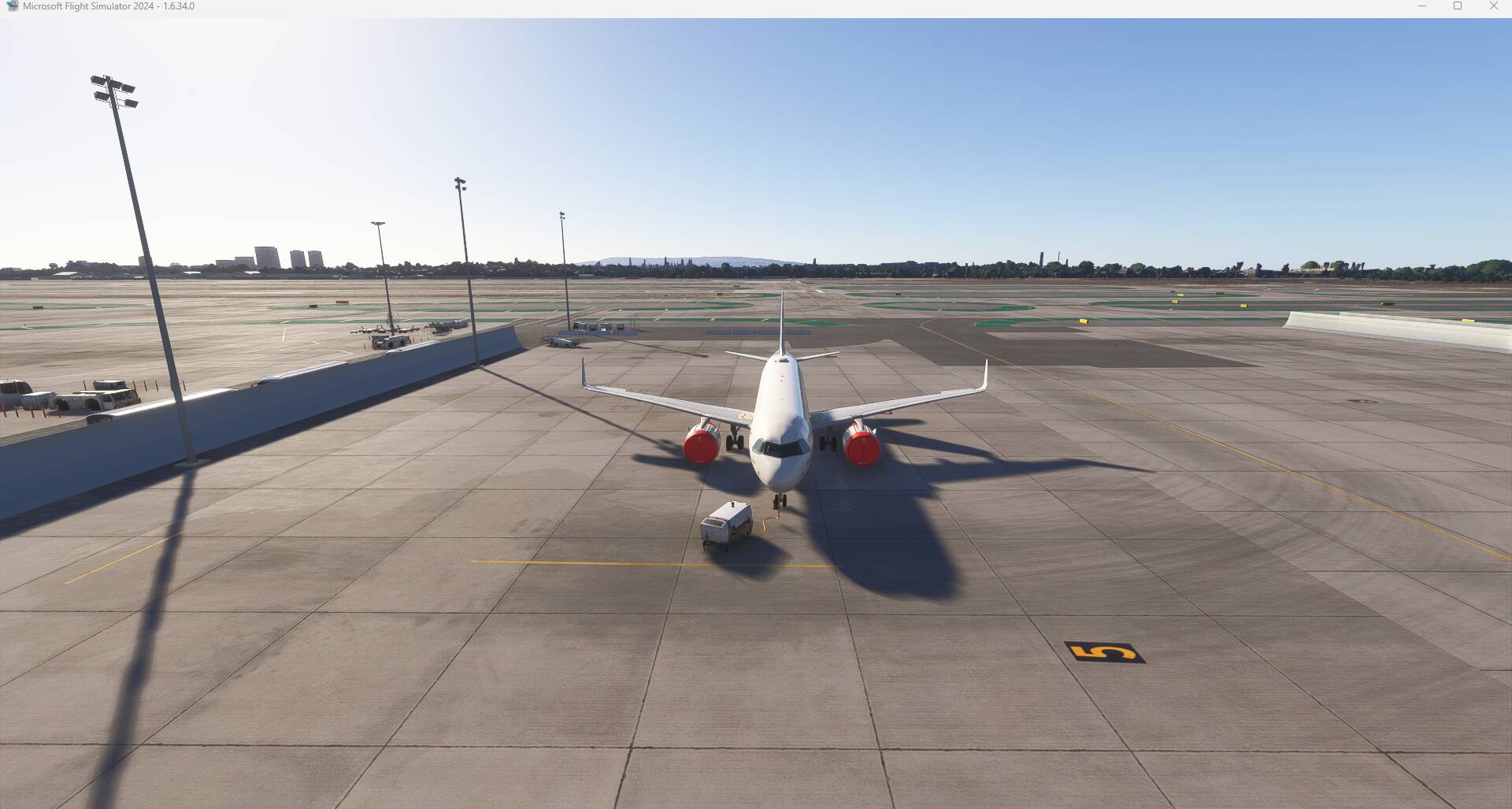
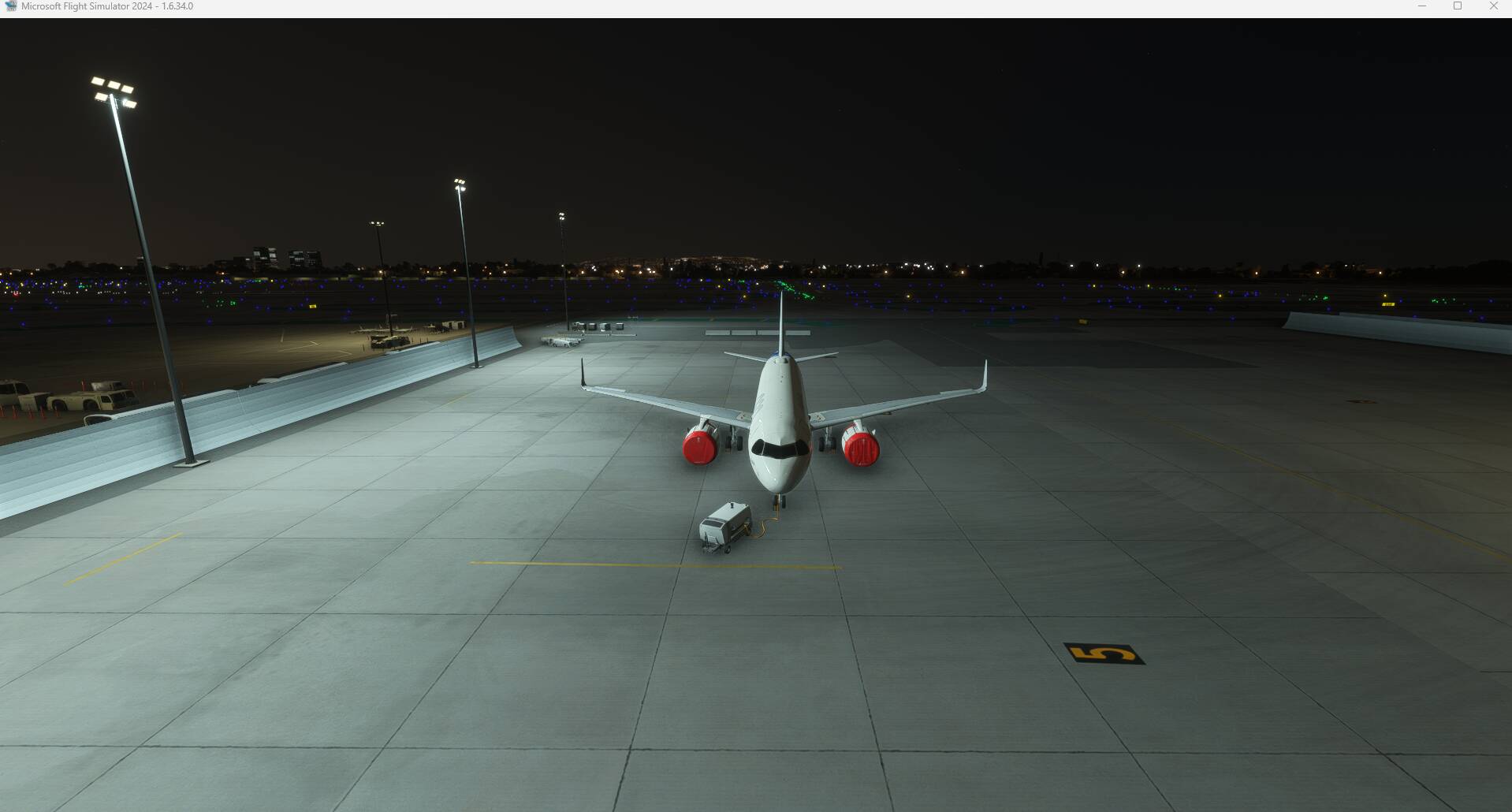
ISSUE DESCRIPTION
Description of the issue:
Same issue as discussed here (but with artificial lights during night): Shadows inexistant in exterior views
FREQUENCY OF ISSUE
How often does this occur for you (Example: Just once, every time on sim load, intermittently)?
Always without daylight
REPRODUCTION STEPS
Please list clear steps you took in order to help our test team reproduce the same issue:
-
Spawn at gate during night
-
Switch to exterior view
-
Try to find shadows from SimObjects (Aircraft, GSE, even airport buildings)
YOUR SETTINGS
All settings except TLOD on maximum. (Raytraced Shadows on)
MEDIA
(will be added asap, but it is the same as in referenced thread, just during night)
This may be related to a situation-dependent lighting/shadow render-pipeline inconsistency rather than to specific objects or addons. Under some night-time conditions with artificial lights only, SimObjects appear to be illuminated but do not cast visible ground shadows, while the same objects cast shadows correctly under daylight or moonlight.
This is only a hypothesis, but it could explain why the issue appears to be highly dependent on time-of-day and weather combinations, and why many players report inconsistent realism between different night or overcast scenarios. In some situations the lighting looks highly realistic, while in others it appears flat or visually broken under seemingly similar conditions. This inconsistency eventually indicate state-dependent or threshold-based changes in the rendering pipeline instead of a single configuration issue.
One of the things I hate about the sim. I don’t know how this still isn’t fixed.
Can replicate:
KLAX:
Should see shadows on the right side of the aircraft since light poles are on the left:
2 Likes
After digging deeper into the SDK and light system, this issue seems not directly caused by the day/night cycle itself, but by the fact that different light types are used at night for artificial lights.
In the SDK there appear to be at least two distinct light types:
-
Scenery / Street / Advanced Lights → highly optimized, used for airports and aprons, do not cast shadows
-
FX Lights (legacy / effect-based) → support shadow-related parameters (e.g. shadow softness, cast shadow flags), but are much more expensive
At night, airports rely almost exclusively on Scenery/Street/Advanced Lights, which explains why SimObjects (aircraft, GSX vehicles, GSE) suddenly stop casting shadows:
the objects themselves are shadow-capable, but there is no active shadow-casting light affecting them.
This also explains why:
-
Daytime shadows (sun/moon = directional light) work correctly
-
Shadow settings, shadow map size, contact shadows etc. have no effect at night
-
Raytraced shadows partially help (different render path)
From the SDK documentation, only FX Lights explicitly reference shadow behavior, likely because shadow-casting local lights are intentionally restricted for performance reasons.
Personally my wish from Asobo (if my hypothesis even proves to be true) is to create a new light type:
-
Street Light – very fast, no shadows (current behavior)
-
Apron Light – like Street Light but limited shadow casting (short range, simplified shadows)
-
FX / Heavy Light – full shadow casting, high cost
This would allow airport developers to selectively enable local night shadows at gates and aprons without forcing full FX lights everywhere.
2 Likes