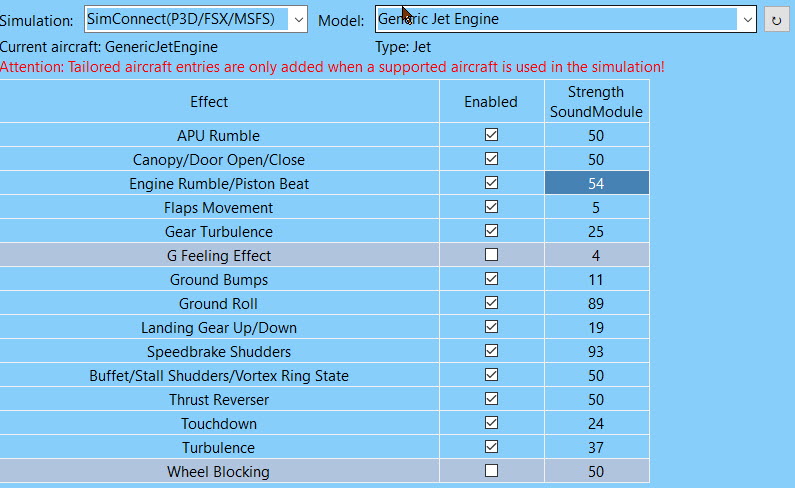
Okay, so I strengthened files for ground roll, turbulence, ground bumps and engine. Note that the ground roll file is relatively smooth but strong…like for asphalt runways. I also have a file for concrete runways but I was unconvinced by it so I left it out. Zip file is attached. Unzip the contents into your Documents\SimShaker Sound Module samples\Customized\1
Does anyone know if MSFS now reports the surface type correctly through SimConnect (legacy)…
If so, I could make SSA play different effects (bump patterns). Currently it’s for 12m concrete plates used in the old DCS Russian airfields..
Yeah, I amplified your hp_404 and found those bumps. The three things about it were:
A fair amount of runways are asphalt. It would be cool if the software could tell the difference, yes.
It didn’t seem to speed up the bumps as fast as my airplane was going. It seemed like it got to a certain speed and, while my airplane was still accelerating, they weren’t coming any faster.
It seems to me that, as an aircraft speeds up, the strength of the bumps would go down. When you’re slow you would feel them strong. Then, at some point, your aircraft is going so fast you shouldn’t feel them as much.
Hi, Let’s get one thing clear… In addition to the old simconnect (legacy), is there any newer version of Simconnect with Msfs? ?
If so, why we cant use new one ? is there any differences?
Where can I check what signals are generated and received via Simconnect?
brds
Thanks which aircraft is this for? On the generic I find it works differently with props vs jets. On props though can hardly feel the gears? Any suggestions?
Many thanks for your custom wav files. Any chance you can increase wav file for the touchdown effect?
It is not very effective even at 100% strength and definitely needs a little boost if you ask me!
Unfortunately, there’s not much I can do with turbulence. It’s hp_404 which is one of the files I’ve already turned up. All I can suggest is to crank it up to 100 or turn your buttkickr up.
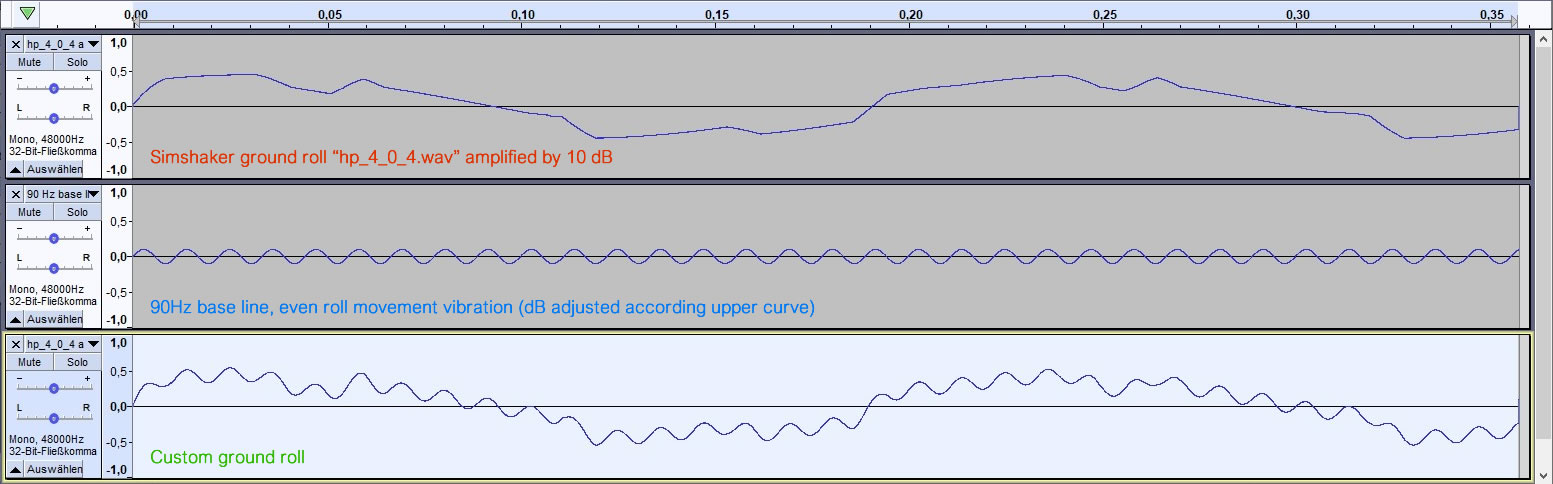
Since the original ground roll effect was hardly noticeable and with amplification mainly creates a simple bump effect, the file was revised as follows:
The original ground roll was amplified by 10 dB
In addition, an even rolling noise has been added and the intensity has been adjusted to the first curve.
Now the rolling noise is evenly perceptible at 50% and even rolling vibrations can be felt at low speed. Whereby at higher speeds the original bumps are more in the foreground.
Downloads
(suitable for mono version, e.g. 1x Buttkicker Gamer 2)
Setup: Insert and rename files under Documents > Simshaker Sound Module Samples > Custom > 1 (custom sound files are only loaded when the program is restarted)
Thanks for sharing, looking forward to trying out these custom sound files. Will they work for Generic TurboProp planes as well or do those custom sound files go under a different folder?
I pointed Andre, the Sound Module dev, to your files. I could imaging bundling some alternative files with the Sound Module, let’s see what the future brings…