Tried 1.50.
Im on SU15 beta - might be that interferes(?).
But feels way too powerful now imho (16,5t):
*I could easily climb with 4000f/m below 10k (prop 1070) (normal climb irl 1200f/m-ish)
*I could easily get her to FL350 (service ceiling 22200ft irl).
*Acceleration feels too fast on TO.
*Very prone to (head)wind on ground - standing still in 25kts headwind and the A/C soars backwards.
*Still hard to get off speed flaps0, full prop, throttles idle; but when you get to flaps and gear down speed (147IAS), its easy to slow (further).
Dunno if its SU15-beta or what, but felt something is off.
Maybe some irl jockeys can give it a try just a quick test here…
Agreed, it’s way too powerful now. And I’m not on the beta. 50% fuel, 80% payload and the aircraft performs like a jet. On 1070 rpm it climbed 3000 fpm practically all the way to 16,000 ft. And on cruise the power levers must be almost on flight idle not to get beyond the barber pole.
Engines temperatures are way off. I already brought it up to the developers. On our real world Dash 7 any engine start that goes over 800 degrees is considered a hot start. As a mechanic if I am starting the engine and I see it go to 800 I immediately shut down.
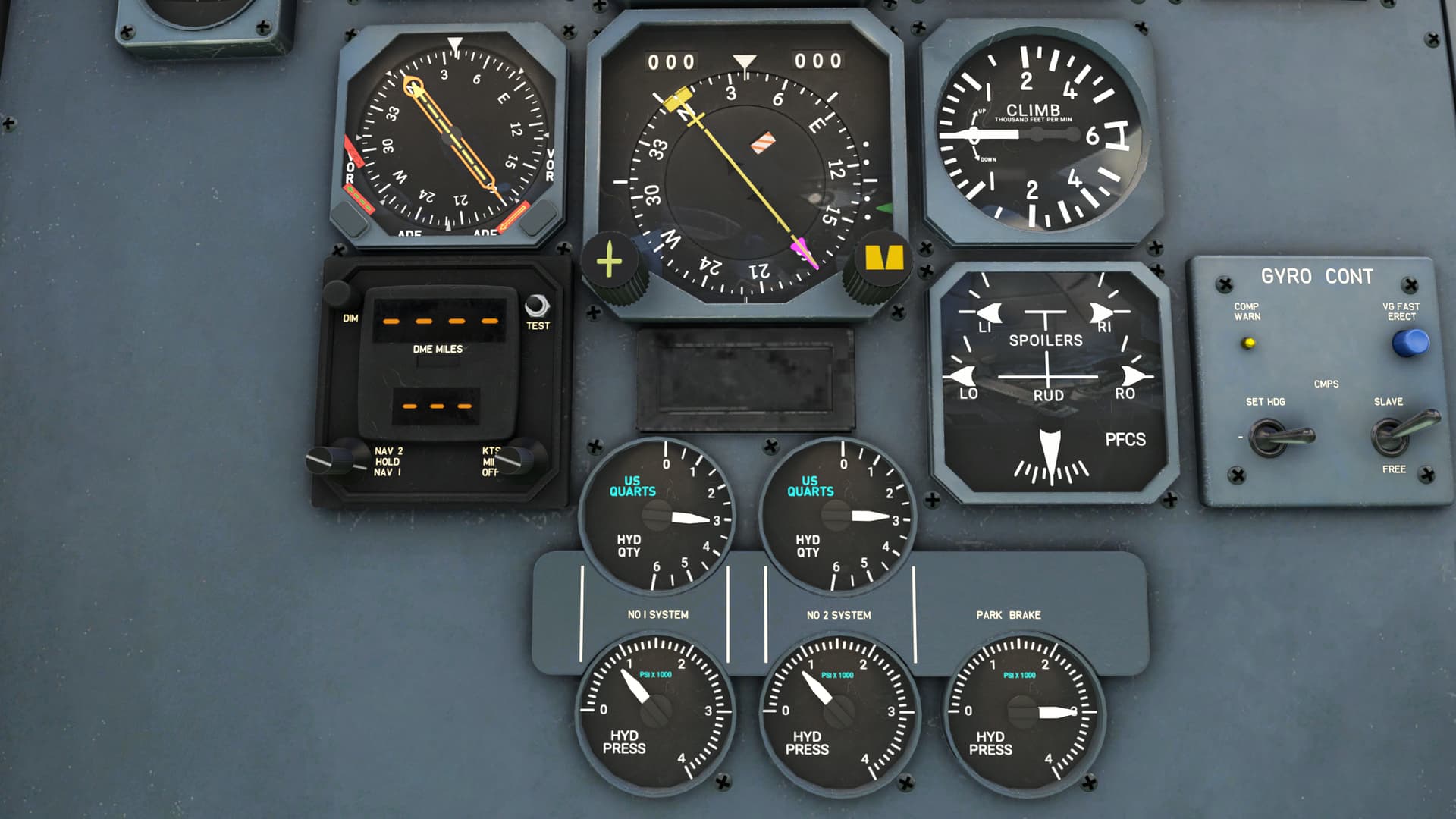
Seems like the hydraulic level gauges are still overfilled. Full should be between 2.5 to 3.5 quarts. At 7 quarts the aircraft would be puking skydrol.
With the update, the flight idle torque is 20.4, and in level flight at 34000 pounds the the airplane does 170 knots at that power setting. I have emailed Pilot’s about this, and was told that “landing is possible if I follow the procedures.”
Does anyone have any idea what he’s talking about? Does anyone have a similar problem with the update?
I have no directional control of the aircraft during the takeoff phase. The aircraft starts to veer to the right and I can’t keep it on the runway any longer . For me, it’s unflyable.
Concerned about the new FM though. Feels more like a fighter jet in acceleration and climb.
Reverting back to 1.45 with Ungeeners mod - by far the best FM at this point.
Really wonder what Pilot’s was thinking with ths release… 4000ft/m…FL350…
I have the same issue: GATE is IN but the throttles can be moved to the DISC and even REVERSE range inflight.
I uninstalled by the uninstaller, installed V.1.5 still the same issue.
That seems odd, I can’t detect any such issue here.
Is this with all liveries and equipment?
What throttle hardware are you using?
Are you using any modifications or external software for the throttle axis?
The quick start guide says “If you own the TDS GTNXi, then our Dash 7 will allow you to operate a GPS variant that features dual GTNXi units in the cockpit.” That’s great – but how?
Ah. Interesting. Most planes have a switch in the cockpit or an option in the EFB tablet. Not sure that I will use it anyway – it’s probably an aircraft best flown /A.
thanks for reply. I use the CH ThrottleQuadrant with FSUIPC and tested all the axis options there are.
With the all but one axis options the GATE is not observed, with one I cannot reduce the throttles enough to reach FLT IDLE.
I had also tried SPAD.neXt with different axis options but as before the GATE is not functioning.
Also with default and GNS530 and GTN750.
After reading your questions I tried it with the slider of the joystick Thrustmaster16000 with both the add-ons as above and the different options.
Still the same.
Then several tests without the add-ons but using the MSFS control options without success.
Finally I found the GATE is functioning when I use a F-key for the MSFS control THROTTLE DECREASE.
 just a quick test here…