Switches can be done via state.cfg I think, with a variable for each persistent item to store the state in.
Only for certain switches and Lvars. There are types such as B:event animations that don’t work this way.
Thanks for the answer, look forward to any update.
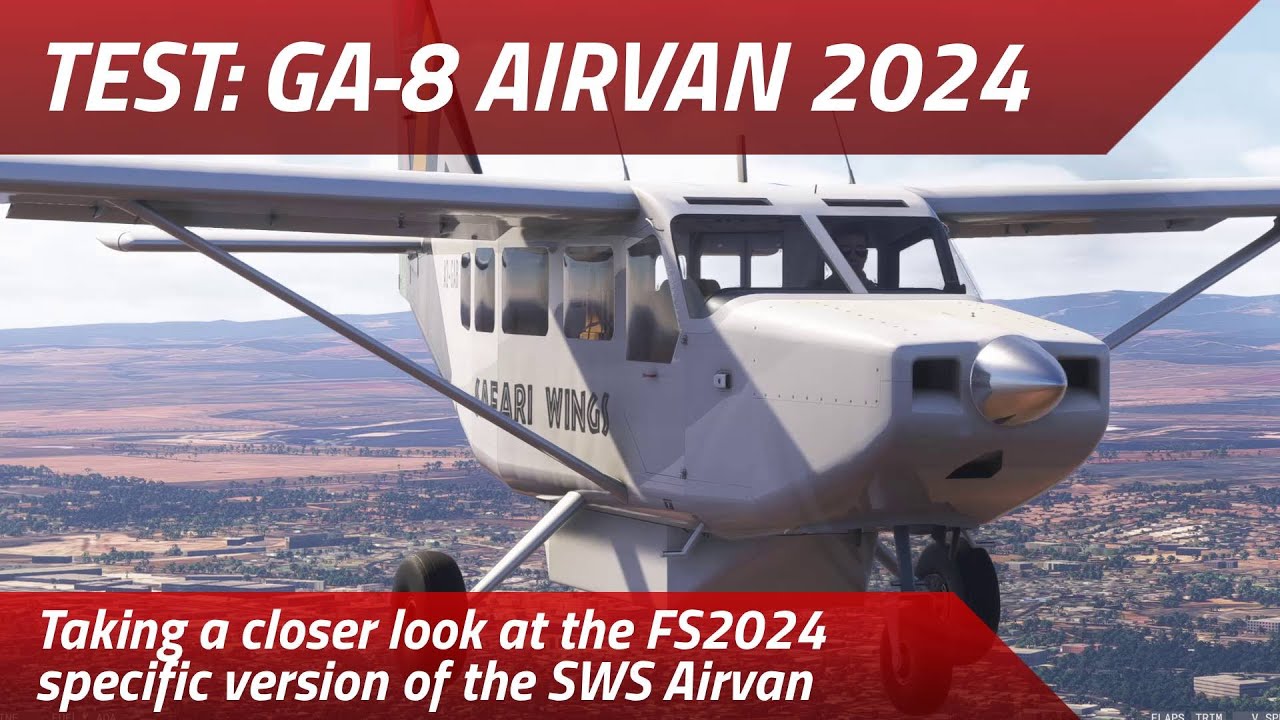
Since I’m a sucker for utility bush planes I couldn’t help but rent the Airvan to try it out in the version for 2024. Fantastic job, as usual. Had minor issues with the EFB/Tablet passenger handling and a rather twitchy elevator for which I’ll either have to find a tuning solution in the sim or in the flight_model config. Other than that I can wholeheartedly recommend this, if you’re not mainly flying in high altitude areas.
Question for SWS: Any plans for SystemsPulse for the 2024 version?
Great review! I also rented it as this type is right up my alley - It’s a beautifully represented aircraft here, for sure, however I also noticed the same about the overly sensitive/twitchy pitch control. It kind of reminds me of the earlier days of their Kodiak… Ultimately this is what turned me off from completing the purchase, unfortunately.
It’s especially pronounced at low speed - When landing, in the flare, I found that even a microscopic elevator movement resulted in an abrupt and dramatic pitch up. Release that pressure and the nose comes crashing down. I spent quite a bit of time messing with sensitivities and couldn’t get it just right for this plane, so I decided to pass on it.
That said, I wouldn’t hesitate to revisit it in the future if they correct this behaviour and soften the pitch authority.
I tried it in the free trial but also decided against keeping it. It almost feels like this was done by a different team to the Kodiak/Vans/PC-12. I was surprised and disappointed as I had such high hopes. It just feels subpar all round compared to the rest of the SWS fleet. Maybe in a sale one day if it continues to develop but, not at the moment for me.
What differences do you see between the two, quality wise?
@SiRRiPPERORiG I downloaded the latest Airvan version, and didn’t have the gear collapse issue in 2024 as I did with the release version. I compared the old, and the new, and didn’t find anything obvious.
If you don’t mind me asking, what did you do to resolve it?
Useful to know this, but then I feel like the following line, in the manual, is misleading:
Persistent state saving: next time you visit the aircraft it will be exactly as you left it.
I was wondering why for example the fuel shutoff valve was always pushed in, when I spawned, having pulled it out at the previous flight’s shutdown. That’s not how I left it.
I also have had the GPS selection not being remembered, like the poster above.
Nothing… It just doesn’t collapse with the 2024 plane.
@Ploodovic some things we may have missed, other things are not yet possible. Also, we didn’t account for the possibility where someone wouldn’t follow the checklist, as that would leave most users with a dead aircraft on their next flight.
Imagine shutting down MSFS after exiting the runway because you had to go somewhere. Next day your lights are left on, battery drained, fuel empty, engine damaged -and we are to blame! In some cases we need to beware of “too much realism”.
I can imagine this because it’s what some other developers do - but it’s easily remedied by adding maintenance functions to the EFB to quickly return a specific component or system to a functional state. That’s kind of the whole point of persistent state for many of us - leave the battery on? Battery’s dead the next flight. Persistent state  consequences.
I understand that there are both sim limitations and design choices to consider, but that’s not my point. What you wrote in the post above, what does get saved and what doesn’t, is much more informative than what is written in the manual.
The manual, at least the way I interpret it, make it seem that, yes, your battery would be drained, if you forgot to turn it off the last flight. I’m not arguing that you should change the aircraft to work like this, I’m saying the manual should reflect how the aircraft works.
I’m Glad it isn’t like “Battery dead? Buy 10x Batteries for only 9.99$” with the way the gaming industry is…
Agreed on the persistence, I have every other SWS product and would love to see it implemented.
I also don’t see a problem, there are planes with full state saving for years now, and they were also many of them in the legacy sims long before MSFS2020 was a thing. If someone doesn’t like state saving, they can turn it off. That was really never a problem, if someone like to do one-off flights they turn it off and if they want the continuity/ownership experience they leave it on. You can even disable it as the standard setting for new users not to be surprised and file bug reports.
I also remember they most of the time had fail safes implemented where the plane had to be powered down for it to save or some other similar solutions.
Either way, I also think releasing a high fidelity plane with this description is misleading, because this is not what people interested in state saving expect.
The design was for state saving for the mechanical components, dirt and some animations, but not switches. The reason was the “too much realism” aspect along with some limitations pertaining to the switches.
I am well-aware of the extent of state saving in some other planes but some use methods beyond our technical expertise while others, while within our reach, I don’t want to apply due to using methods that can easily break down the road, plus what I said earlier regarding "accidental misuse”.
Right now we have a very deep simulation on our first go. There is room for improvement but we can only eat the elephant one bite at a time.
Totally understand - but I think “the aircraft is just as you left it” verbiage may need a bit tweaked in that case 
I liked the idea of getting in to a plane that you don’t necessarily know how it was left when it was last used. Maybe the previous pilot left some switches set, and not others. Kind of like flying that used A2A Comanche, with varying states of wear & tear.
I would argue that any sim pilot that cares about the wear state of their propeller governor is probably willing to accept the consequences of not shutting down the aircraft correctly. Conversely, the spawn on the runway types that don’t want to do start ups and shut downs are probably not wanting SystemsPulse anyway. Don’t get me wrong, I’ll take all the sim depth I can get so I appreciate the deep simulations either way, but put me down for wanting more extensive cockpit state saving. I’d bet that anyone interested in SystemsPulse would prefer it.
In 2024, anyone else have issues with the AP? It comes on, and I can enable heading mode, but no annunciator appears to indicate that mode is enabled.
Similarly with NAV mode. The AP holds the course, but again no indication on the AP itself.
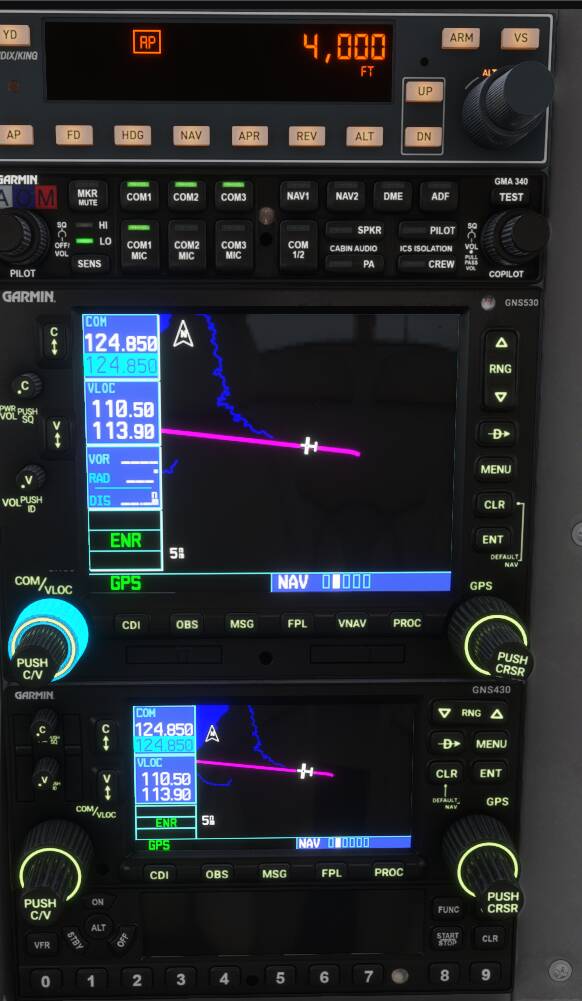
ALT, and VS don’t behave as I expect either. It seems like it will hunt the selected altitude, won’t hold you current altitude, and you can’t set VS either. You can adjust the selected altitude, and the AP just chases that.
I’m going to do a complete removal, and re-install just in case there was something left over from the previous version.
I am chasing after this one too. I can’t reproduce it yet but will find it.