I play with the Y axis inverted for the camera (It’s consistent with the plane!), I can set this up fine for the cockpit and external camera, but not the ‘Walk around the plane’ camera.
There is no option to set the Y axis on the ‘Walk around’ camera, so every time.
It would be great of we had a single setting to invert the Y axis for all cameras, failing that we need the option to change the camera settings for all cameras in the sim, not just some of them.
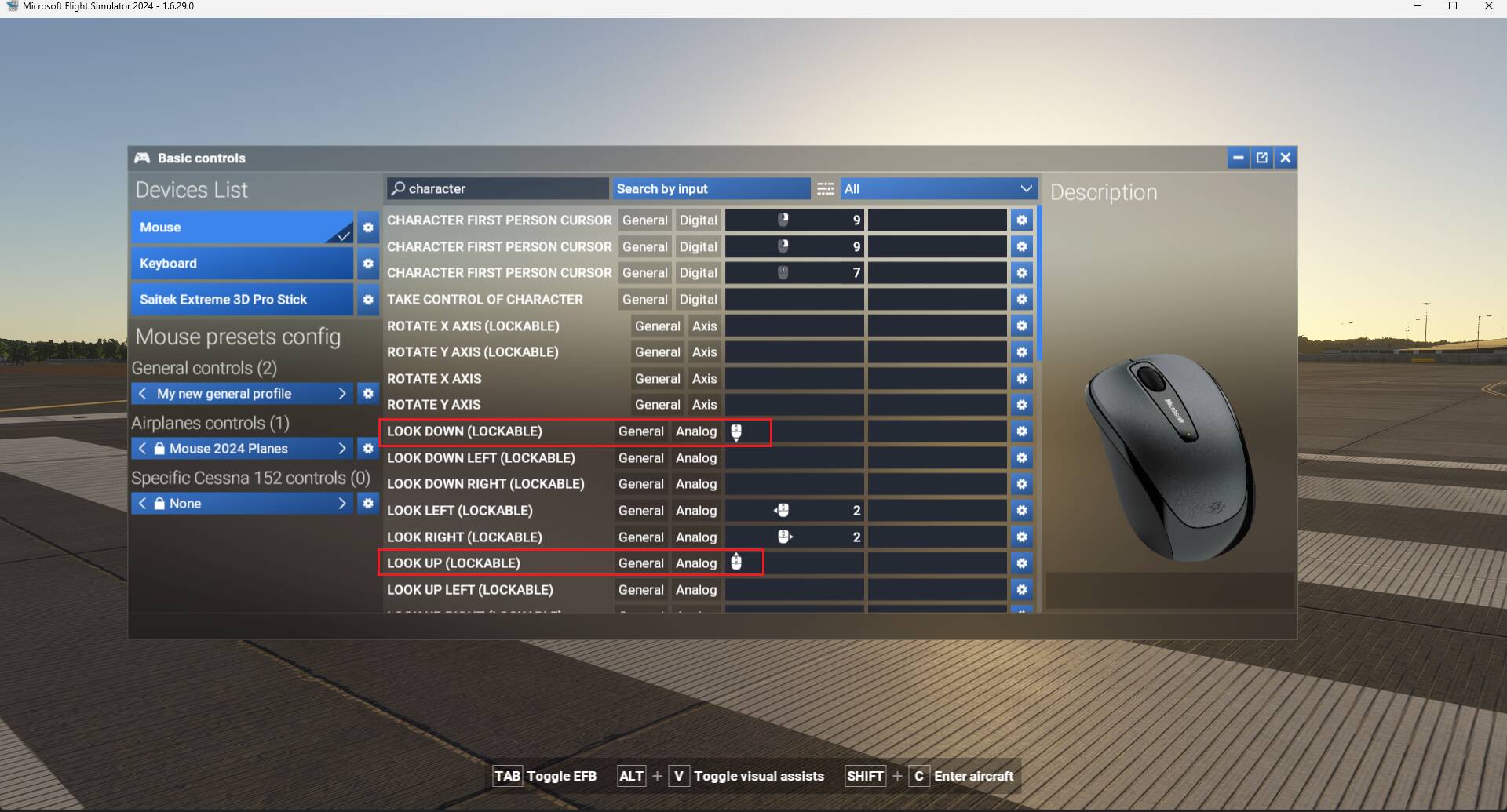
Have you tried to invert those 2 bindings ?. I did it in below screenshot and character Y view is inverted:
See also this related report that can be of some interest : Can't invert camera
Yep. Option is only available for certain camera’s though (e.g. Cockpit, external).
There seems to be no way of doing it for the ‘walk round’ camera. 
Changing the 2 bindings highlighted on my screenshot did change the walkaround camera Y axis. It is not working for you ?
Sorry, I’m not clear what you’re doing. Is there a specific camera I can select or do I have to type ‘character’ in the search?
Oh I see, I typed in “character” just to check if there was a camera with that name but there is not.
Search for those 2 bindings “Look Down (Lockable)” and “Look Up (Lockable)”. Then delete the current binding and assign the opposite one (as shown on my screenshot).
Your current walkaround camera Y axis should be inverted as what you are looking for.
Got it! The ‘Walk round’ camera is not under ‘Cameras’ at all, it’s under it’s own ‘Player Character’ section and there’s ANOTHER ‘Camera’ section under there!!!
Thanks for your help. 
This just highlights how confusing and obtuse the controller UI is, hopefully it will get some improvements soon. 
1 Like
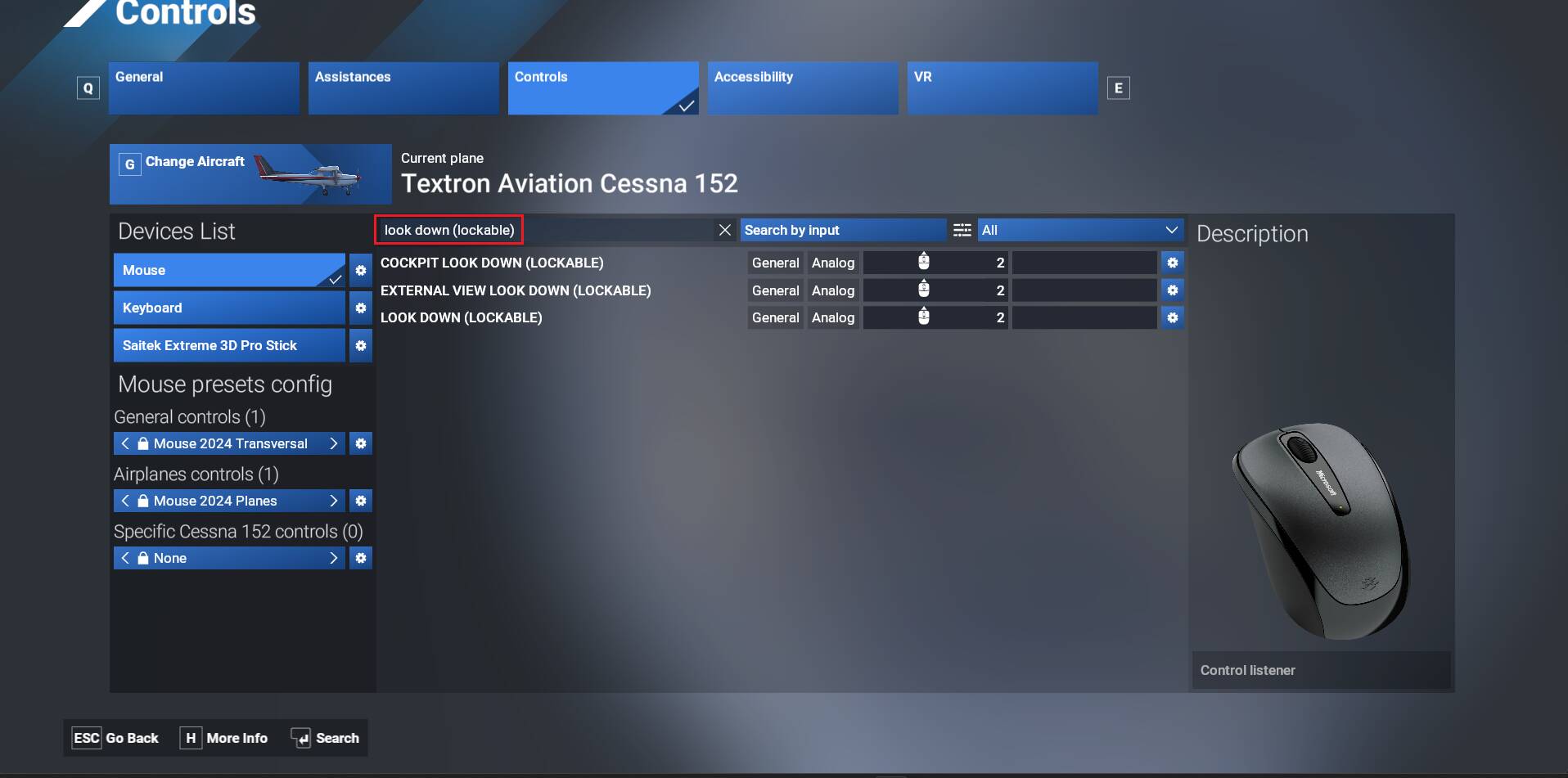
To easily identify the 3 views, just search using “look up (lockable)” & “look down (lockable)”
1 Like
Thanks! 
The controller UI is about as intuitive as quantum mechanics!