Update for NVIDIA driver 591.74
A simpler solution now appears possible thanks to improvements in recent NVIDIA drivers: limiting the FPS in the sim to 30 and enabling frame generation, without disabling G-Sync. This should provide the same benefit of an unsaturated main thread as described below, ensuring a stutter-free experience and perfect frame pacing.
The concept of the “airbag” and the underlying math remain valid—the difference is that previously, disabling G-Sync was necessary to achieve this effect. While the approach is still primarily aimed at RTX 50 GPUs, where it has been tested, it should now also work for RTX 40 users by limiting FPS in the sim to 30 and using 2x frame generation.
Once this change proves stable across multiple driver releases and setups, I will fully update the concept.
Hello everyone,
Let me share a concept that improved my MSFS 2024 experience to the point it feels like a completely new sim. I believe this can help especially those using RTX 5000 series GPUs, Frame Generation, and G-Sync monitors.
My system: Ryzen 9800X3D + RTX 5090 + 64GB RAM + LG 55" 120Hz OLED TV — and I can finally enjoy the benefits of this investment.
Three important parts of the concept:
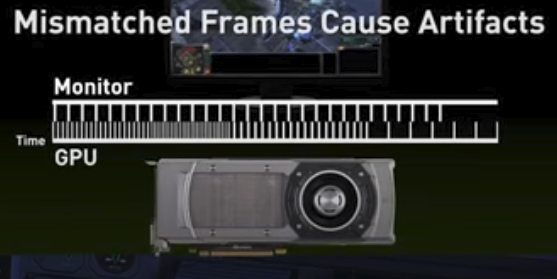
- Do not allow your FPS to drop below your monitor’s refresh rate — use Frame Generation (aim for 3x or 4x FG override on RTX 5000 series) to reach this goal and at the same time let the MSFS engine breathe. This is a crucial part of my concept. Once you drop below the target, the smoothness will break, as there won’t be a G-Sync ‘lifesaver’.
- Enable V-Sync (you must do this in the NVIDIA App; in the sim it’s not possible if Frame Generation is enabled). You can enable it specifically for MSFS or globally.
- Disable G-Sync specifically for MSFS. Keep G-Sync enabled for other games and disable it only for MSFS in the NVIDIA App. Note: this may not be necessary on some setups with NVIDIA driver 591.74, where capping FPS at 30 in the sim produces the same results – see update above.
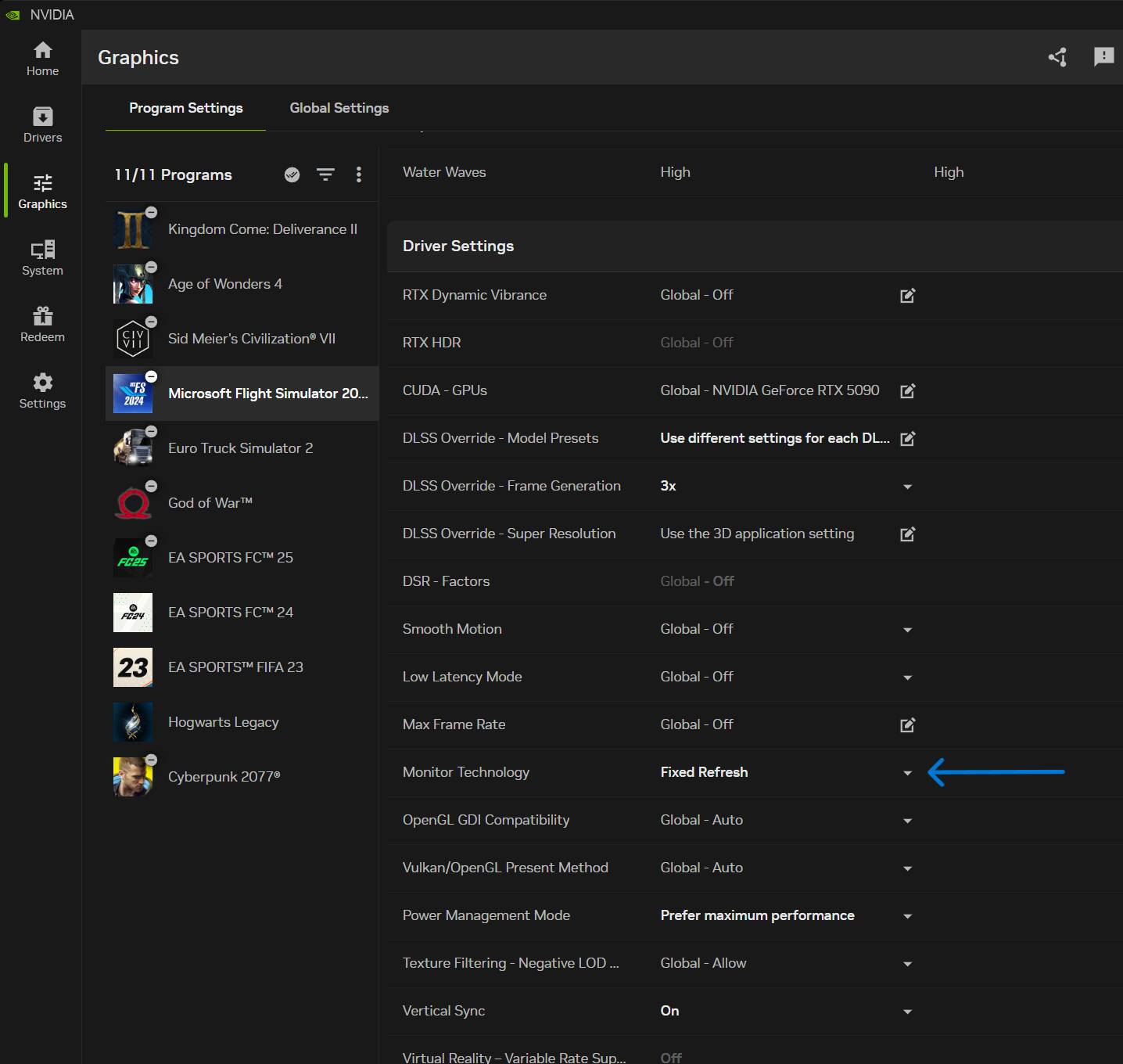
Key Results:
- Stable FPS, even at major airports in payware airliners (Fenix, ini A350, FSLabs A321neo).
- A more efficient main thread, more immune to “shocks” in demanding scenarios.
- Perfectly flat frame pacing — no feeling of “jerkiness” (some people are more sensitive to this than others).
The following screenshot at the end of a flight EDDL → LEBL in FSLabs A321neo demonstrates benefits of this setup:
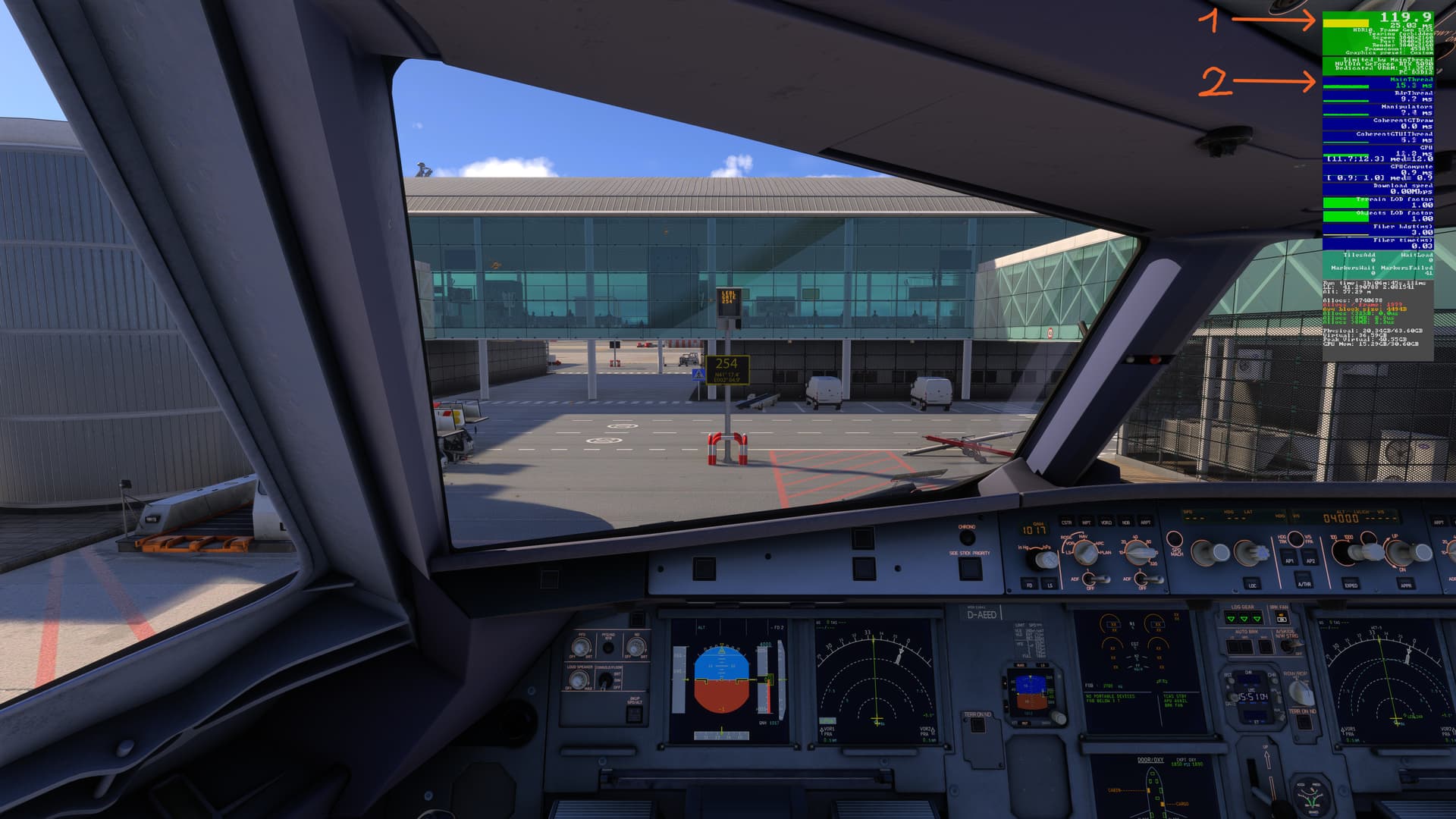
One can see two important things there:
- Perfectly flat frame pacing bar (on top of the frame counter) = zero micro-stutters.
- MainThread executes in 15 ms, which is safely below the 25 ms budget (the aggregate time the MSFS engine is allowed to spend generating one frame). This difference is your “airbag” and gives the whole system much-needed breathing room.
Here is the face-to-face comparison with only G-Sync changed (UPDATE: NVIDIA driver 591.74 no longer appears to cause this issue, at least on some configurations. Please test on your setup to determine if disabling G-Sync is still necessary):
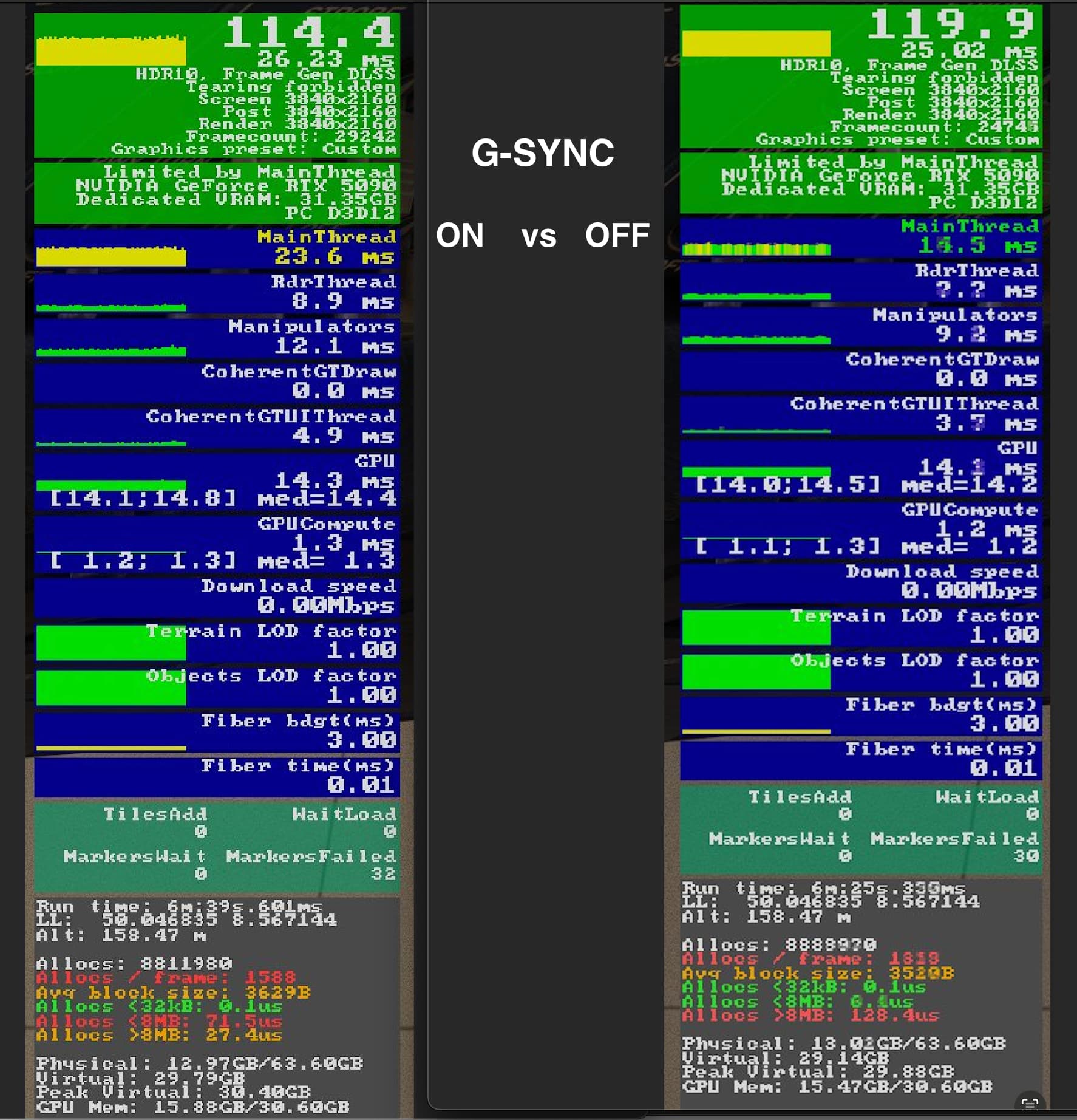
This concept completely transformed my MSFS 2024 experience — I’m enjoying flying again. Due to performance issues, I had started to feel skeptical about the sim’s direction, but now I see that it is capable of incredible smoothness — something I never expected to say. There are still other issues, but the most important one — performance — is currently solved for me.
See you in the skies,
Roman
Notes:
1. This concept may work differently — or not work at all — on different hardware.
2. The video that somebody posted below does not show the same method and will give different results.
3. If your sim is already working perfectly, simply enjoy it. This is meant for those who feel their hardware should be performing better.