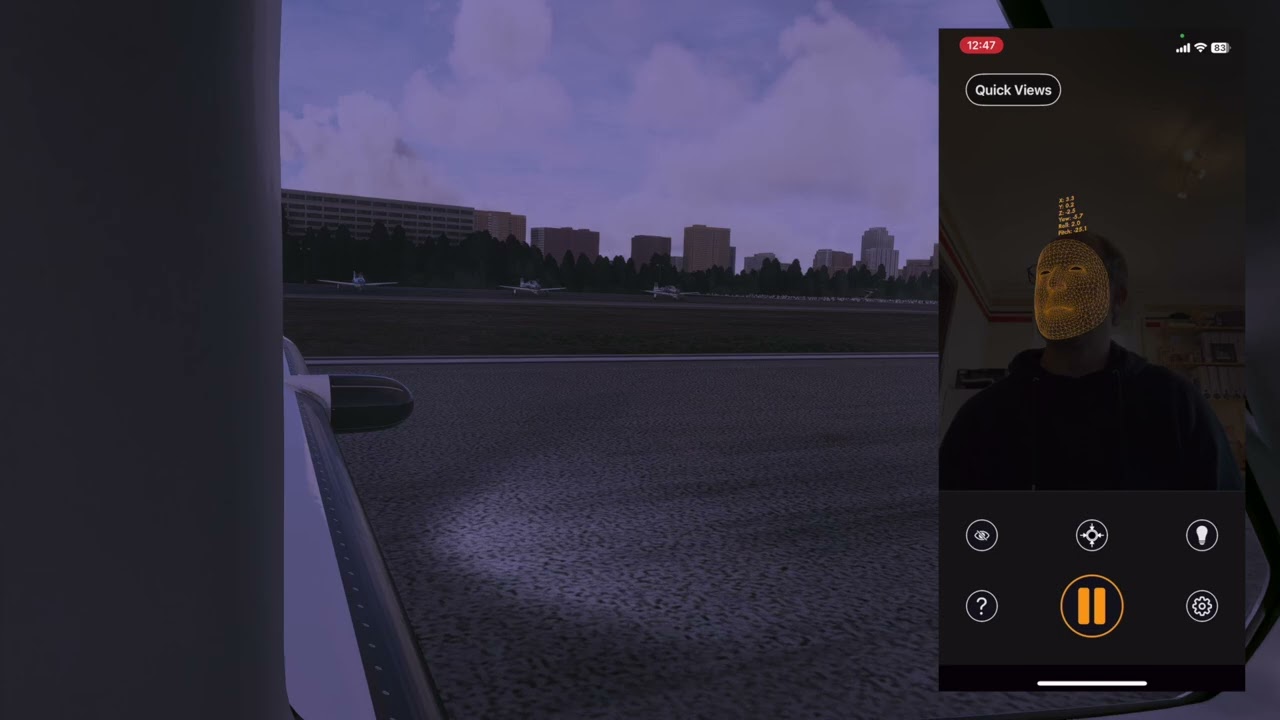
Hey gang, I’m the developer of SmoothTrack and just wanted to create an official thread that I’ll try to be monitoring in case anyone has questions about using my app SmoothTrack with MSFS. (Note that to get even quicker answers or any kind of support for SmoothTrack, please use the SmoothTrack Discord)
SmoothTrack is an app I originally wrote only for myself which provides silky smooth head tracking for any sim game including MSFS 2020 and 2024 of course.
After making a demo video of it for fun, /r/flightsim subreddit begged me to release it as a full app, so I have, and it’s done really well - over 50k downloads with a 4.7 star average, with lots of people telling me they’ve even sold their more expensive systems and are happier with SmoothTrack!
In November 2024, I released v2.0 which is a huge update including way nicer UI than before, camera control gestures, and simple eye tracking “camera nudging” on iOS.
Here’s a short video of what SmoothTrack looks like in action in MSFS:
And here’s someone’s video of a landing while using SmoothTrack:
I have been using SmoothTrack for 4 years now. It’s one of my most important tools in flight simulator. Perfect head tracking for 10$. I don’t understand why people spend so many $ in extra hardware like Tobi. I also like the new version. The animated head look great.
Latency depends a bit on which device you’re using as well as your lighting and also using USB connection mode really helps with latency. Try it out and let me know if it works for you!
Hey, are you using IOS or Android. The reason I ask is because I am using a recent android phone and the view moves a little even when my head is still.
Wow, convoluted startup. I finally got to the github thingy, and I can’t see a launch or download anywhere. Probably operator error, but it could be made easier for dummies. About to shelve it as money and time wasted.
Crickey, I just read some more installation instructions. It may be a great product but I don’t think I will ever know…
As the dev I’m obviously biased but I can say I have heard from many customers who told me they sold their TrackIR because they thought SmoothTrack was just as good and this way they didn’t need to wear a headset.
I’ve had a Trackir set up with pro clip and a Chinese version which seemed identical and worked just as well. Unfortunately eventually both broke after a year or two, maybe I was clumsy but I found it all too easy to snag the cables on things. I tried all sorts of ways to avoid having to wear headphones and even rigged up a pair of glasses without any lenses in. The other bracket thing with reflective tape on it wasnt very good either and necessitated wearing a hat indoors which feltvweird. Nothing worked plus I found that light finding it’s way through gaps in my blinds also played havoc with the sensor. So for me at least I wasn’t impressed, particularly bearing in mind the cost.
I stumbled across Smooth track a couple of weeks ago. Reviews were positive and it was reduced at the time so I thought I’d give it a go. Set up is a little bit fiddly but I use my old S23 Ultra mounted on a gooseneck arm above my monitor and it’s really good once you get the settings tweaked to your preferences. No hat or wires or anything to trip over and lights in my hobby room don’t bother it. I’d certainly recommend giving it a try.
That’s great to hear! I’d be interested in hearing what was a bit fiddly for you? Could I have had better default settings? Or was it trying to get it connected to OpenTrack?


 but I can say I have heard from many customers who told me they sold their TrackIR because they thought SmoothTrack was just as good and this way they didn’t need to wear a headset.