Here’s a video I recorded of the micro stutters I’m having. During the recording, I was getting a constant 32FPS, but the issue makes it look like I’m getting <20. I hope they get it fixed soon… 
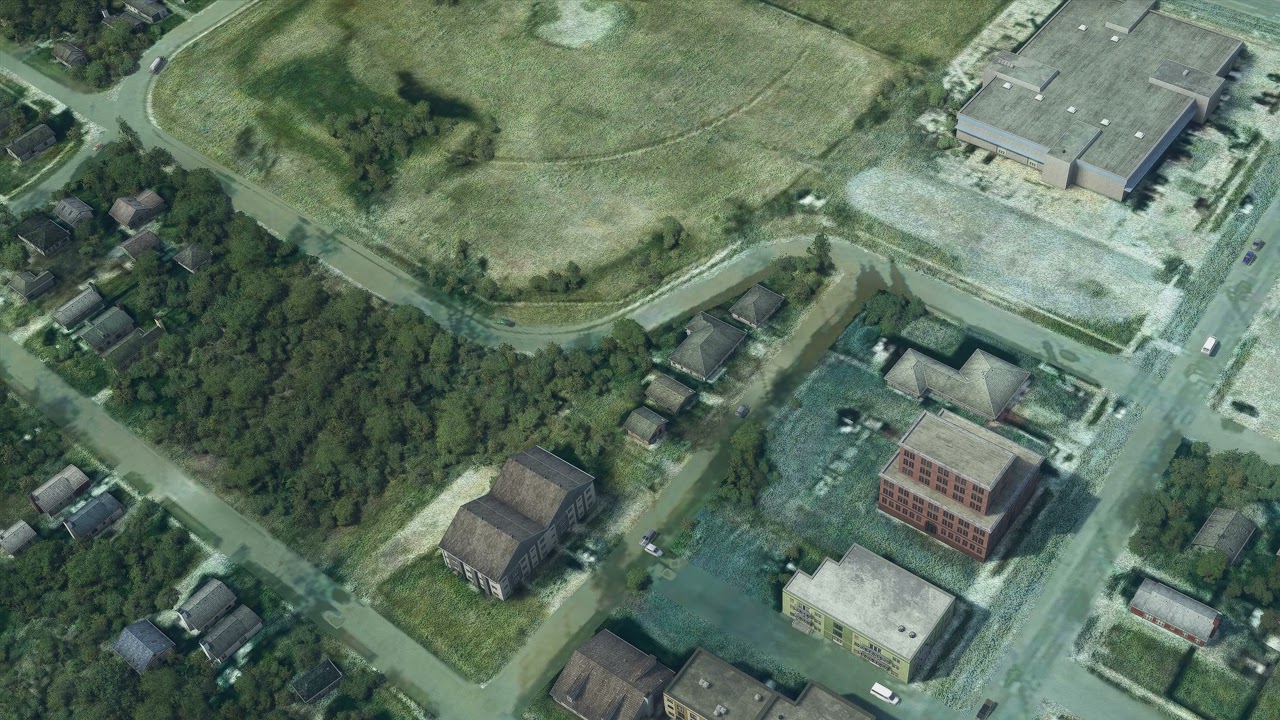
Here’s a video I recorded of the micro stutters I’m having. During the recording, I was getting a constant 32FPS, but the issue makes it look like I’m getting <20. I hope they get it fixed soon…
Hi folks,
using a 3090 with rog strix 570-e and a 3800xt. I regognize much more stutters than before!! I got freeze action as well. The most ugly thing is, that the clouds are again looking bad after the update. The dark areas of the clouds are very pixelated … ahhhhrggggg …
greets Klaus
I got rid of the big FPS drops to 5-6 but after the latest patch now I am suffering from freezes in the game. Sometimes the freezes are so long the game completely stops for 4-5 seconds. Normally I used to get 30 FPS but when these freezes begin it drops to 14-15. Don’t really know what’s the issue. I have tried it different aircraft but the issue does not depend on a specific aircraft. I have the online functionality on all the time. I don’t have anything in my community folder but FlyByWire A320.
my freezes are round about 20 seconds and more … the fps drop during final are gone. I only have massiv frame drops with CB´s … never had this before … whatever, a big thing are the stutters … hope they will find a solution…
greets
Same here. FPS are smooth now, especially at the starting point of a flight, so i am back at 40-60 with high - ultra settings ( i5 86K at 4.5 GHZ SSD Win 10 32 GB Ram and 1080ti in 2K 144 hz) - but as soon as a big city comes up, especially photogrammetry citys or big airports, i have massive stutters and fps drops down to 15 fps… i think the problem came into the sim with the last WU with the “new photogrammetry” thing, i guess this broke the sim, never had this problems before.
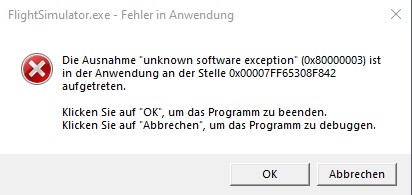
Stutters and poor FPS are small problems if you have crashes like I have since today. You may know the old washing machine joke: “there is no big defect, yesterday it was working fine”. I have exactly the same feeling.
The good(?) thing is, I get real crash popups from MSFS 2020 version 1.14.6.0, see:
I think I install MSFS 2020 again. Up to now I did not need this, but you know: MSFS 2020 is no flight simulation, it is a “what problem do we have today” waste of time.
At least it crashed two times at the same location. But with this little information no Asobo and nobody else can pin the bug. But it smells like a software bug.
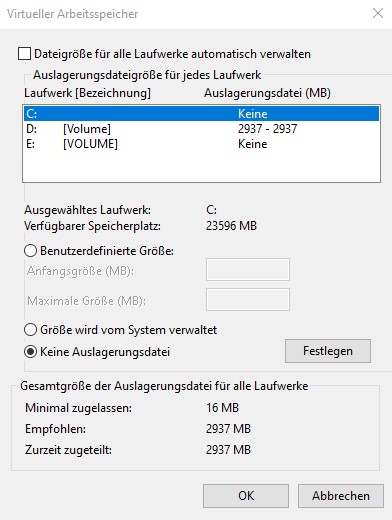
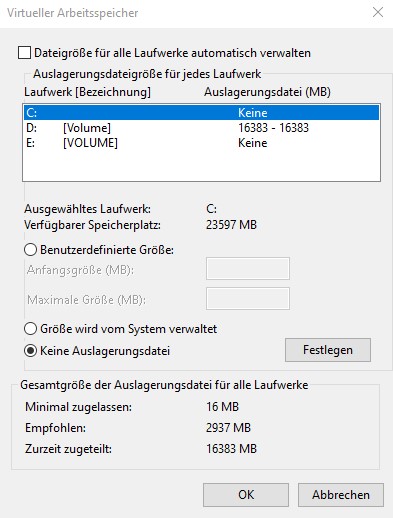
Update: If I set pagefile.sys to the fixed size MS-Windows recommends, I get crash popups of 0x80000003 kind. I have no VR. If I set pagefile.sys to the fixed size of my RAM, that is 16 GByte, I get no crash popups of 0x80000003 kind.
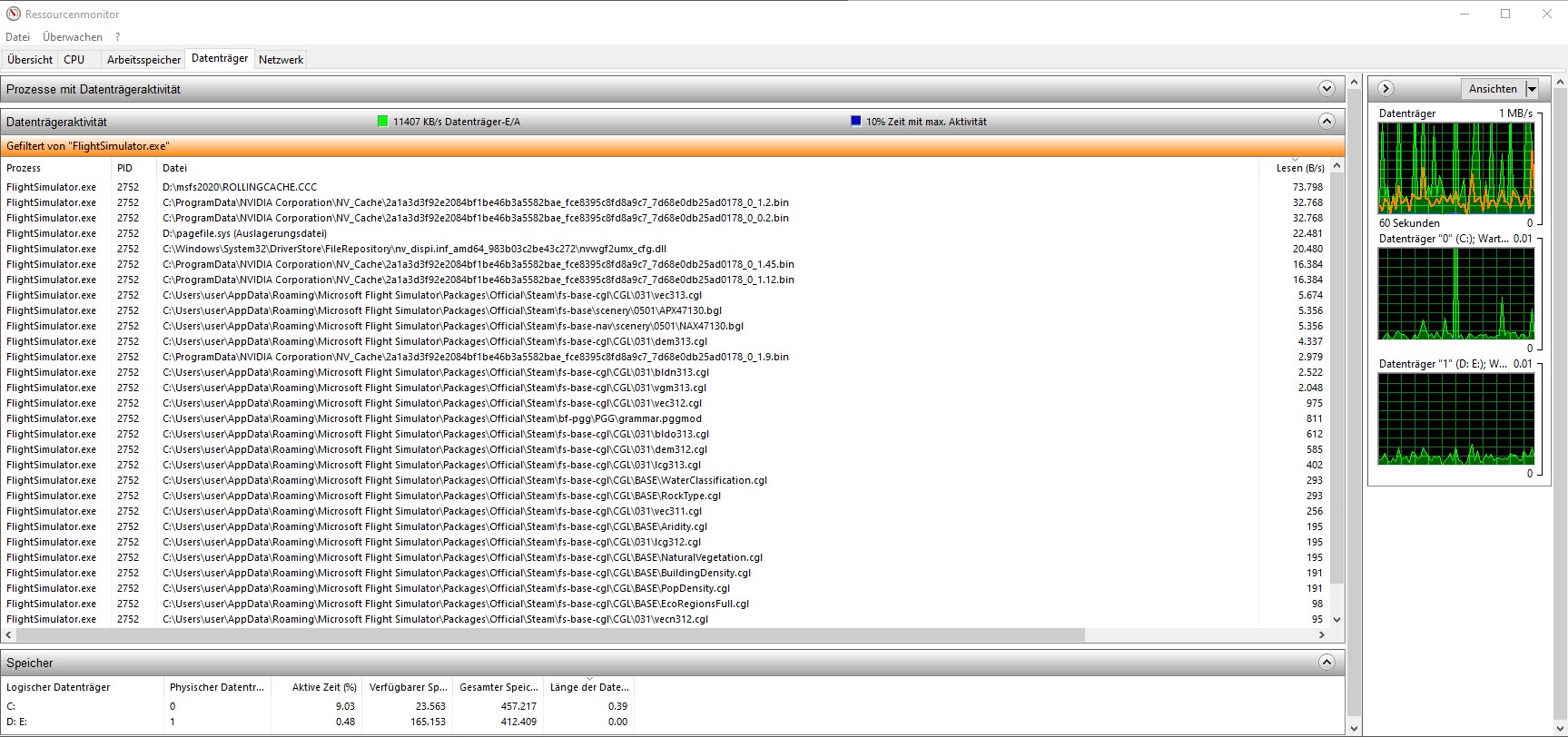
As last step I put pagefile and rollingcache to drive D. MSFS 2020 is on drive C. Pagefile and rollingcache are both the size of my RAM, that is 16 GByte. Up to now this setup is stable and gives the best frames per second.
it is the well known solution for users with 16GIG RAM and also the official FAQ mention that since a long while. ( simple forum search show you the results ). It’s nothing new and beside of this, it fix no Stutters ( and CTD is not the topic here ).
Hopefully they will fix these Stutters in the next update
This approach help a little from 20FPS to 30FPS so I can fly now.. Thanks 8)
 Today April, 02 2021 back to 18FPS… nothing works anymore… can not fly
 Today: April, 03 2021 back to normal: TBM930 FL280 60FPS cruise level and landing LOWS orbx 29FPS
 (resolution: High, PageFile.Sys : 10,000MB SSD) OK 8)
A small idea I tried and it worked (mostly) was to DELETE the US, UK and Japan POINTS OF INTEREST from the content manager. Sim still stutters, but just hardly negligable. I doubt this sim will ever totally stop stutering, but after the 14 update it seemed to make it intolarable. I am happy with what the deletion did for me. I don’t care about the points of interest anyway. I do want it to look good and fly. That’s all I ask. Having said alllllll of that, I did try to look for the Giraffes and can’t find them. Dont know if that was a point of interest or not. They’re still on the list but I couldn’t find them. Any way, still happy with graphics now, good flying and very little to none sturtters.
Thank you. I am not as wise as you are. I am sure you know the answer at which update Asobo will fix the 0x80000003 bug?
I have no answer for that. I only know that if you set Online Functionality=off still every 5 minutes MSFS 2020 is phoneing home - one HTTPS request.
My best idea for the moment is to have a fixed sized pagefile.sys and a rolling cache on the fastest SSD. Both have the size of the RAM - 16GByte in my case.
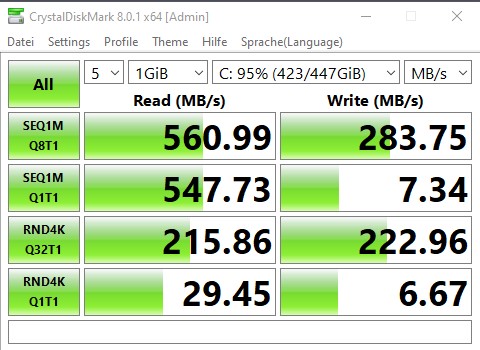
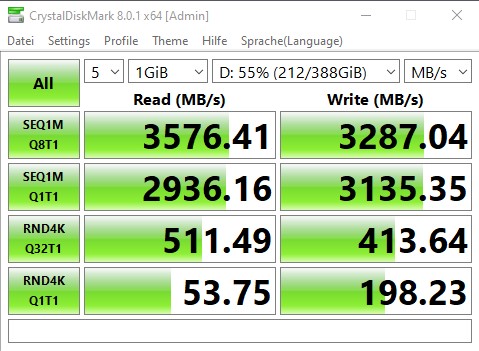
Later I put the complete 151 GByte of MSFS 2020 on this disk. The following pictures show the difference between my two SSDs:
I filed a report with Zendesk several days ago on some severe stutter issues that consistently occurred near the same waypoint. Besides those, I also experience almost constant jittery performance anytime I’m in the cockpit (external views almost always smooth). For the past few months I’ve only used VR, so I cannot vouch for the performance in the 2D version.
I would like to share my state of mind. I love FS2020 and it is a software full of promise and I hope it will be confirmed. Yet today I no longer want to play it. Despite a good configuration, sometimes a smooth FPS result, I often have stuttering even on less complex areas. It’s incomprehensible. With each update, the situation has clearly deteriorated. With the latest Nvidia driver, I still have a small improvement but the overall problem is not resolved. I also noticed that the windows (ATC, VFR Map …) as well as the glass cockpit (TBM930) losing too much FPS (30%)
because I’am not a member of these company, I can’t tell you more.
Low on virtual memory can you easily fix by your self, as the FAQ mentioned ( which is made for such cases ) and as the forum mentioned in many threads.
I’ve never had what some consider to be “stutters” unless it is the type of stutters encountered with low page-flipping fps around major airports. I’ve always had that. Regarding 1.14.6.0, I have noticed a remarkable fps increase in all situations other than major airports like Charles De Gaulle and surprisingly Orlando. Dallas-Ft Worth is not so bad, again surprisingly. London is still a mess, however, with photogrammetry ON. OFF and it is quite detailed and “cleaned up” looking with very decent fps. I would say that on average fps has increased 50% world-wide. Nice work Asobo!
drive C = is a SSD connected with SATA.
drive D = is a NVME drive. A SSD connected with SATA , have not 32Gig bandwith.
and yes.. of course can stuttter come from low memory and where windows must use the pagefile, which is much slower than normal RAM. Therefore the recommendation is: put pagefile on fastest driver you own, but have in mind “high usage of pagefile, limit the lifetime of the used ssd drive”.
Hi Hester40MT,
Thank you for the information, I have already sent my finding to Zendesk, where it was classified as a bug.
Looking at these posts it seems that no matter what we select/deselect, our sim will ‘phone home’ reguarly as one person put it. So I reckon the biggest contributor to the problem is likely to be the server(s) that respond.
Just had this idea on FPS issues, don’t know if this may help…
I’m part of the lucky ones who had most FPS issues solved with lastest patch
Using a gaming laptop with 2 GPUs, an integrated and a Nvidia. Both GPUs are active
W10 configuration is pretty vanilla, with pagefile or game settings all set to default.
Nvidia configuration also vanilla, just texture oprimisation set to performances
By default, the Integrated GPU handles almost every graphics: Windows desktop, browsers, Office, basic apps, steam browser, etc…
Nvidia processor does … nothing for basic usage
It is set only as GPU for games, like for instance, MSFS
The standard Nvidia / W10 configuration chooses by default Integrated GPU for all “low usage” apps, and Nvidia GPU for “high usage” ones
Now, I don’t know on high end desktops, if everyone keeps a 2 GPUs usage, or switch the integrated GPU off (when there’s an Integrated one)
But in case all computer graphics usage relies on a single GPU (Nvidia), I’m wondering whether managing all W10 tasks, apps, browser, etc… additionally to MSFS Graphics, could not create some kind of bottleneck
And if it could be a better choice to keep CPU-GPU graphic traffics separated: desktop and low usage ones, and gaming ones, processed by different GPUs?
Maybe that could be worth a try, if you’re impacted by low FPS and stutters:
and check whether there’s an impact on performances?