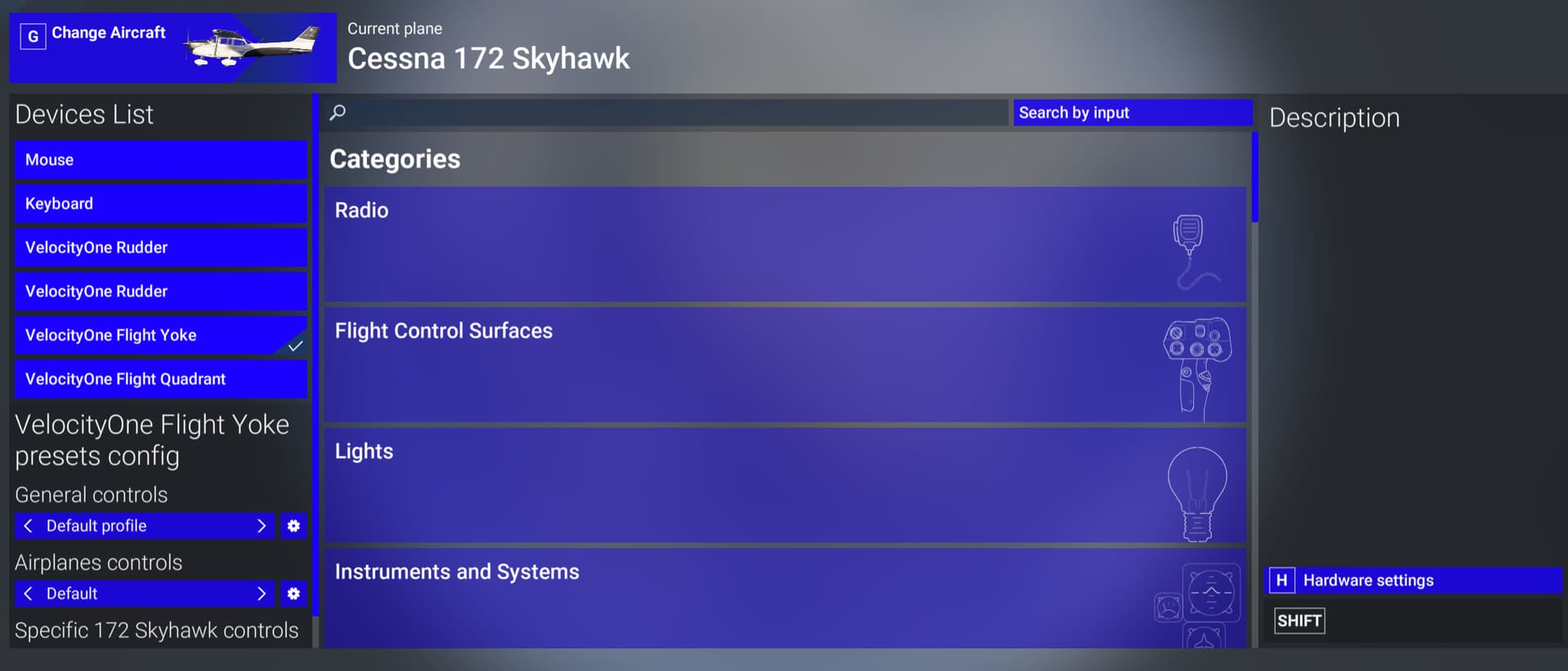
SU2 1.4.10 breaks control bindings!

Do you have the same issue if you follow the OP’s steps to reproduce it?
• YES

Provide extra information to complete the original description of the issue:
• The deletion of assigned buttons is also broken. If you delete one, it doesn’t refresh to show that it has been deleted.

I think Martial mentioned on one of the last streams that they were working on fixes and quality of life changes for the controls stuff in both SU2 and SU3.
It would be nice to have some kind of indication in the release notes what areas have been „touched“ or could be affected even if they don‘t want to include specific items in the release notes.

Do you have the same issue if you follow the OP’s steps to reproduce it?
• No

Provide extra information to complete the original description of the issue:
• Tried C172 and G58 loading C&D at WSSS, on both all control mapping screens looked and behaved normally.
PC, Steam

If relevant, provide additional screenshots/video:

Hi all, thanks for the reports regarding this bug. From my understanding of comments above, this is only happening on PC for MS Store users. Are there any Steam or Xbox users who can replicate this bug?

I have now feedback-logged this issue for the team to investigate!

Thanks
The MSFS Team

5 Likes

1 tag is requred - add it in the tag section next to the title above:

Feel free to delete this quote section after adding your appropriate tags.


ISSUE DESCRIPTION

Description of the issue:

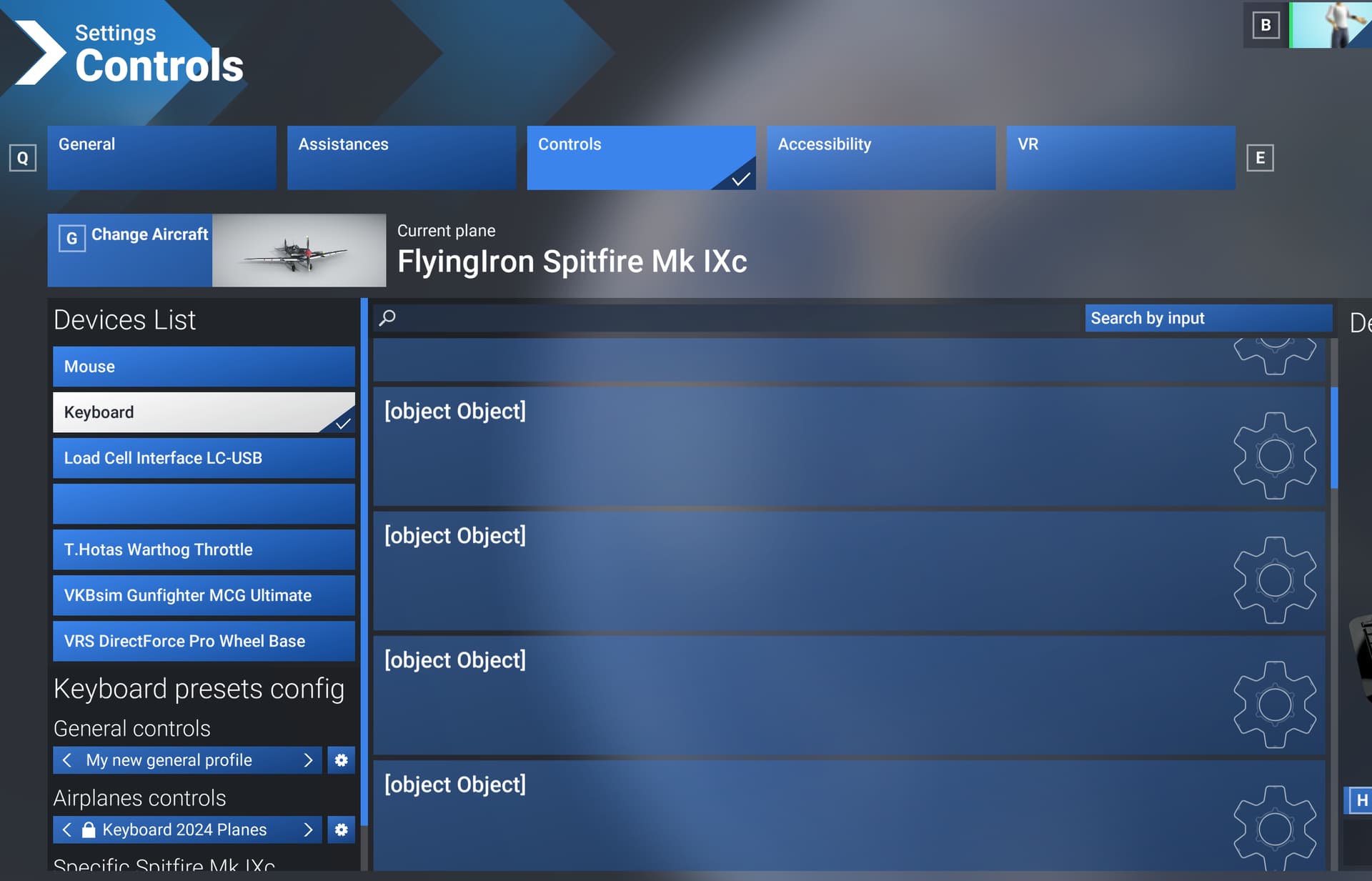
Can’t access control bindings, clicking on the weird object button results in CTD.

Did you experience this issue before you joined the Beta?

No

[PC Only] Did you remove all your community mods/add-ons? If yes, are you still experiencing the issue?

Yes

FREQUENCY OF ISSUE

Always

How often does this occur for you (Example: Just once, every time on sim load, intermittently)?

REPRODUCTION STEPS

Please list clear steps you took in order to help our test team reproduce the same issue:

  1. enter control binding menu
  2. behold [object OBJECT]
  3. click on it, CTD

YOUR SETTINGS

If the issue still occurs with no mods and add-ons, please continue to report your issue. If not, please move this post to the User Support Hub.

What peripherals are you using, if relevant:

Even with none, same problem

[PC Only] Are you using Developer Mode or have you made any changes to it?

Nope

[PC Only] Many issues may be due to an outdated graphics card. Please state your Graphics Card Driver Manufacturer (NVIDIA, Intel, AMD) and Version:

n/a

[PC Only] What other relevant PC specs can you share?

n/a

MEDIA

Please add a screenshot or video of the issue occurring.

[END OF FIRST USER REPORT]


:loudspeaker: For anyone who wants to contribute on this issue, Click on the button below to use this template:

Do you have the same issue if you follow the OP’s steps to reproduce it?

Provide extra information to complete the original description of the issue:

If relevant, provide additional screenshots/video:

No problem for me.
I’m on the steam version.

I’m experiencing the same issue. I went into the controls to configure my yoke, but it wasn’t listed because it wasn’t plugged in. As soon as I plugged it in, all control names changed to “object object” and won’t revert back.

Do you have the same issue if you follow the OP’s steps to reproduce it?
• yes

Provide extra information to complete the original description of the issue:
• PC/MS STORE

Do you have the same issue if you follow the OP’s steps to reproduce it?

Provide extra information to complete the original description of the issue:

If relevant, provide additional screenshots/video:
• I’m having the same issue as OP.
Store Version, Z690, 13000ks RTX3090TI

Today on entering controls all controls are unavailable - under headings just Objects - no control headings. First time this has happened.

Thanks for all your continued reports, the team have already been able to reproduce this issue and the bug-logged tag has been applied to this thread.

The MSFS Team

7 Likes

No probs here (steam PC)!

Yup, same problem here. PC / MS Store.

Really interesting the problem only exists on the MS Store version. I always thought that Steam was just an alternate store or delivery mechanism but that the “software” being delivered was the same. I don’t use Steam so don’t know it at all – does it provide different/additional functionality related to devices?

Steam has proven to be much more stable than MS Store, knock on wood! Many problems including people loosing their community folders, etc. have occurred for MS Store users only and not for Steam users.

Do you have the same issue if you follow the OP’s steps to reproduce it?
• YES

Provide extra information to complete the original description of the issue:

• If I try to furtherly go inside the menu by clicking on one of the “object object” categories, I get an immediate CtD.
The problem occurs when trying to access the device configuration screen from any starting point: home menu, from the paused settings on board the plane, from any other access screen.
Aviator Edition bought on MS STORE.

If relevant, provide additional screenshots/video:

Do you have the same issue if you follow the OPs steps to reproduce it?
• YES

Provide extra information to complete the original description of the issue:

• Access the configuration menu by clicking on one of the “object object” categories, I get an immediate CTD.
The problem occurs when trying to access the device configuration screen from any starting point: home menu, from the paused settings on board the plane, from any other access screen.
MS STORE version.

To add all is working fine keyboard, hardware only the menu has the issue and can’t be accessed which causes a CTD… so all assigned settings before 1.4.10.0 do work only can’t change any of those settings via the menu

Does this mean that if I get out of the beta and go back to the stable version, I can access the control settings ( that are saved on the cloud) and then return to the beta to use my new setup? My frame rates are just about doubled on the V2 beta.

Do you have the same issue if you follow the OP’s steps to reproduce it?
• Yes

Provide extra information to complete the original description of the issue:

If relevant, provide additional screenshots/video: