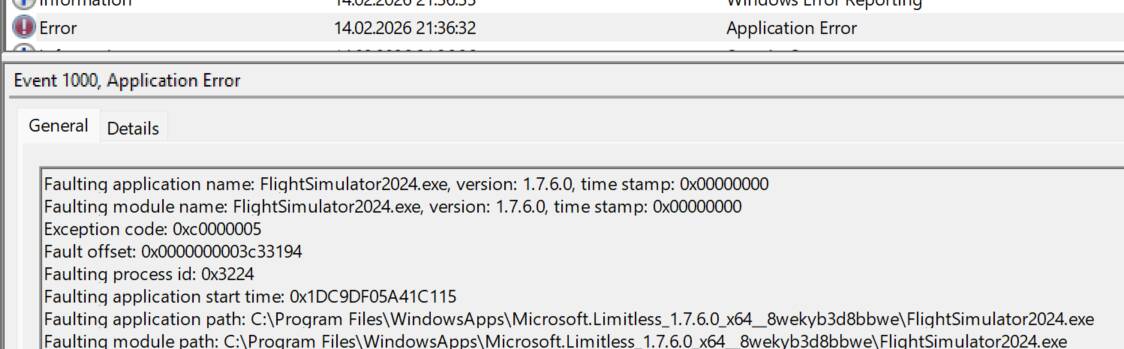
[SU5] Beta 1.7.6 - CTD when loading into sim (Frame Generation AMD FSR3)

ISSUE DESCRIPTION

Description of the issue: CTD on sim startup

FREQUENCY OF ISSUE

Every time Sim starts up, it crashes at 63%

REPRODUCTION STEPS

Please list clear steps you took in order to help our test team reproduce the same issue:

  1. Downloaded SU5 Beta - Crashes at 63%

  2. Clean install of sim on SU5 and empty community folder, - Crashes at 63%

  3. Disable Frame Generation in the xml - Sim does not crash and loads up

  4. Enable FSR Frame Generation in the sim settings when it is disabled - instantly crashes

  5. Return to SU4 - Sim does not crash and loads up

YOUR SETTINGS

If the issue still occurs with no mods and add-ons, please continue to report your issue. If not, please move this post to the User Support Hub.

What peripherals are you using:

What GPU (Graphics Card) do you use? RTX 3070 Ti

What other relevant PC specs can you share? N/A in this case, Frame Generation is the issue.

The topic title should be updated to clarify the issue. A suitable revision would be:

[SU5] Beta 1.7.6 - CTD when loading into sim (Frame Generation AMD FSR3)

This makes it clear that the crash is related to Frame Generation AMD FSR3, not a general frame generation problem.

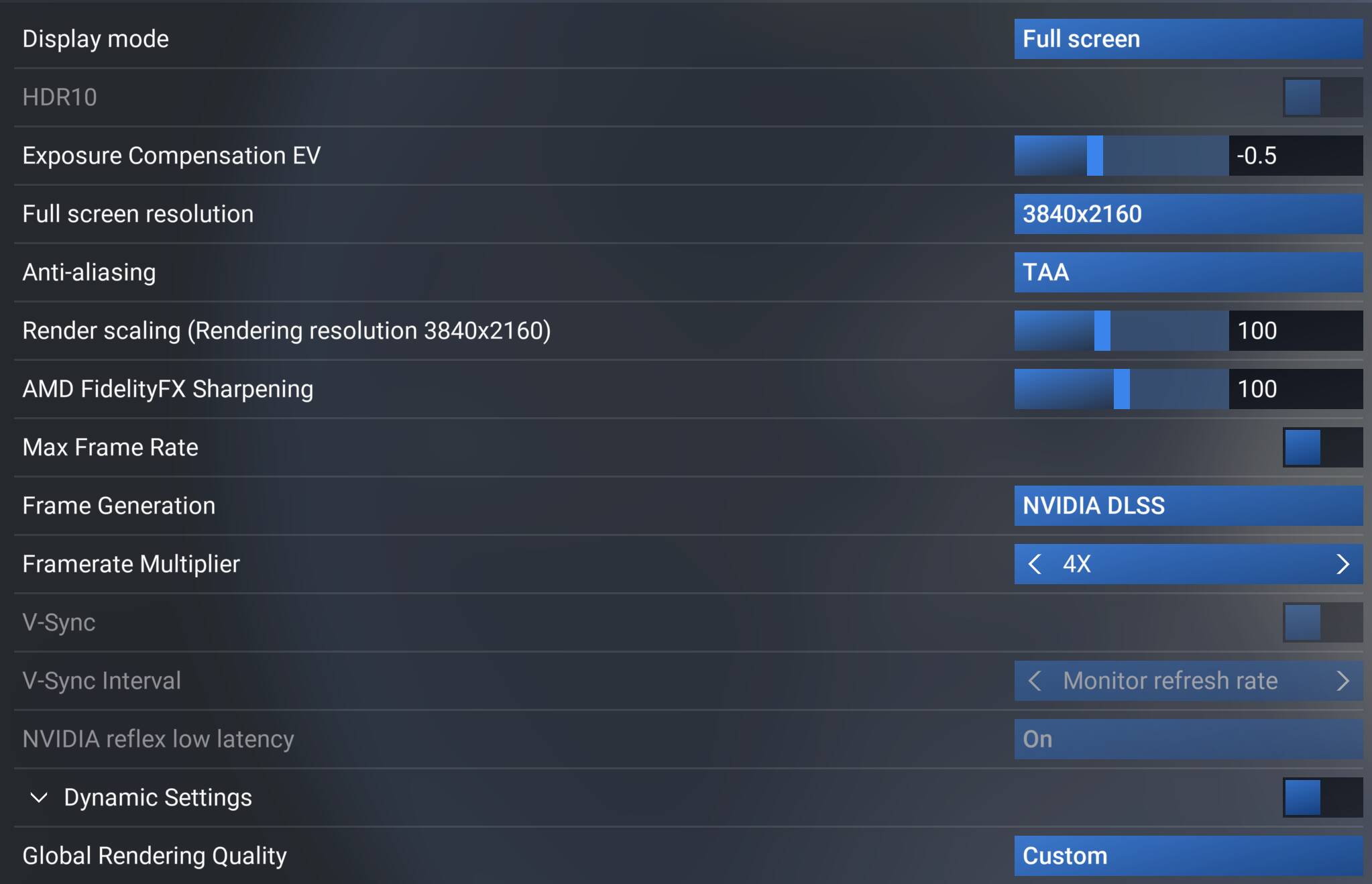
Anyway, after changing from “None” to Frame Generation NVIDIA DLSS x2 or x4, I didn’t experience any CTDs when loading MSFS.

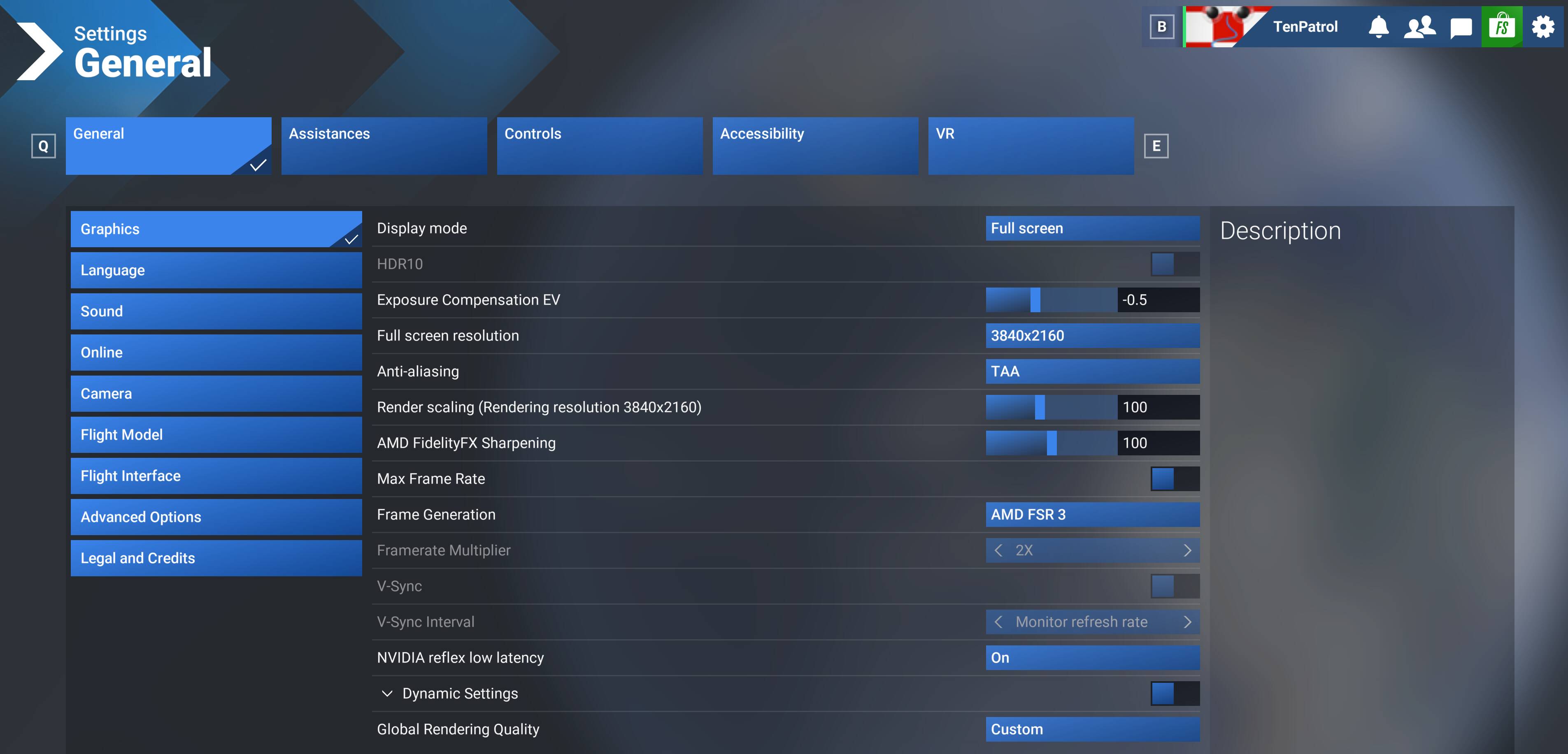
But after switching to Frame Generation AMD FSR3 and restarting MSFS, I got a CTD.

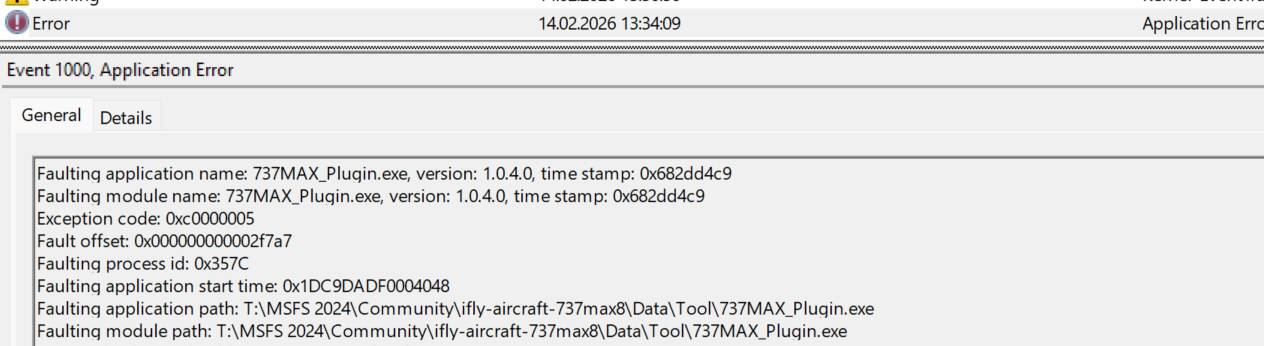
Fault bucket 2016066783380607062, type 4

After the third and fourth launches, I didn’t experience any CTDs with Frame Generation AMD FSR3 enabled.


MSI X870E Carbon WIFI, 64GB 6000 DDR5, RTX 5090 Gaming OC (591.86).

I have not had this issue on my PC. AMD FSR3 was enabled prior to SU5, and I have loaded into the sim multiple times since the upgrade without any issues.

Expand to see my basic PC specs:
Item Setting
CPU i7-12700K (no overclocking or undervolting)
RAM 32 GB 5200 MHz DDR5 CL40 RAM
GPU AMD Radeon RX 9070 XT (16GB) Driver v32.0.23017.1001 (Adrenalin v26.1.1)
Rebar BIOS Setting On
Main MSFS monitor 55" Hisense U7 4K TV @ 120Hz
Secondary monitors Two 32" 1080p 1360 x 768 @ 60 Hz
Internet Starlink, with max download speeds of ~ 400 Mbps
Peripherals Microsoft USB Natural Keyboard, Microsoft USB Wireless Intellimouse Explorer, Turtle Beach VelocityOne Flight Yoke & Rudder.
OS Windows 11 Pro 25 H2 v26200.7840 + all OS updates.
MSFS 2024 Edition MS Store Aviator + all WUs & CUs
Build Version SU5 v1.7.6.0
Downloaded Core Content None (i.e., all Streamed)
Marketplace Addons (Streamed) BijanStudio Seasons Enhanced 2024 v3.5.0, MamuDesign Marinas v0.9.3, Seafront Simulations Global Shipping 24 v13.0, Black Square Real Taxiways 2024 v0.1.0
Expand to see my graphics settings
Item Setting
Display Mode Full Screen
HDR10 On
Exposure Compensation EV -1
Full Screen Res 3840 x 2160
Anti-Aliasing TAA
Render scaling 100
AMD FidelityFX Sharpening 200
Max Frame Rate On
Max Frame Rate Value 60
Frame Generation AMD FSR 3
Framerate Multiplier 2x (N/A)
VSync Off (N/A)
VSync Interval Half refresh rate (N/A)
Dynamic Settings On
Frame Rate Target 40
- -
Global Rendering Quality Custom
Terrain LOD 400
Off Screen Terrain Pre-Cache Ultra
Displacement Mapping On
Buildings High
Trees Medium
Plants High
Rocks High
Grass High
Object LOD 200
Volumetric Clouds Ultra
Texture Resolution High
Anisotropic Filtering 16x
Water Waves High
Raytraced Shadows Off
Shadow Maps 2048
Terrain Shadows 512
Contact Shadows High
Windshield Effects Medium
Ambient Occulsion High
Cubemap Reflections 256
Raymarched Reflections High
Light Shafts Ultra
Depth of Field Ultra
Motion Blur Off
Visual Particle Effects Quality High [NEW SU5]
Glass Cockpit Refresh Rate High
Characters Quantity Low
Characters Variety Ultra
Characters Quality Medium
Airport Services Quantity Low
Airport Service Variety Ultra
Parked Aircraft Quantity Low
Parked Aircraft Variety Ultra
Aircraft Traffic Quantity Low
Aircraft Traffic Variety Ultra
Road Traffic Ultra
Sea Traffic Off (Using Seafront Simulations Global Shipping 24)
Fauna Ultra
Seatbelt Visibility On
Expand to see my other settings
Item Setting
Online Tab
Photogrammetry On
Aircraft Traffic Type Real-Time Online
Air Traffic in Career Off
Live Weather On
Multiplayer On
Multiplayer Servers East USA
Show MP aircraft in close proximity Off
Multiplayer Replication Models High Fidelity
Rolling Cache 16GB
Bandwidth Unlimited
Flight Model Tab
Flight Model Modern
Advanced Options Tab
Developer Mode Off (Dev-FPS enabled by using the -showFramerate switch)

I believe the conflict here is having dev mode enabled with Smart Docking. If you delete UserCfg, boot the sim, enable dev mode, disable smart docking, and then enable frame generation, you should be fine if my theory holds.

3 Likes

I’ll test your idea because that’s what happened to me.

As soon as I enabled dev mode, the simulator crashed and I can’t open it anymore.

Deleting UserCfg restores settings to default which should disable FG and allow you to boot the sim and follow the above steps. Good luck and let us know if that works!

Works! Thank you!

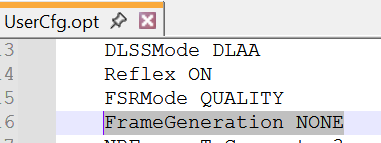
You don’t need to delete the usercfg.opt file - just edit FrameGeneration line so that it has NONE (which simply means frame generation is disabled) instead of FSRFG or DLSSG.

Regarding Smart Docking, in one thread I recommended turning it off because it can affect performance when Frame Generation is enabled, so it might also be a potential cause of CTDs.

https://forums.flightsimulator.com/t/solved-nvidia-dlss-broken-enabled-but-does-not-work/756086/2?u=tenpatrol

1 Like

Yeah, fair point - I spend most of my beta testing with default settings so this is the easiest solution for me, but totally reasonable to just change the single line within. Thanks!

1 Like

This does work, but enabling dev mode with FSR3 FG enabled will crash again.

It shouldn’t once dev mode has smart docking disabled, which is persistent between sessions.

Try.

Close MSFS 2024 SU5 beta.

Open usercfg.opt file and edit FrameGeneration line so that it has NONE (which simply means frame generation is disabled) instead of FSRFG or DLSSG.

Save changes.

Then launch MSFS again and open Developer Mode. If there’s no CTD, while in Developer Mode, go to the Options tab and turn off the Smart Docking System.

This does, in fact, work as a temporary fix, but Smart Docking System is something I do use. Hopefully devs can get both working back together again

2 Likes

This CTD is very easy to reproduce. You just need to enable Developer Mode and make sure the Smart Docking System is checked. Then turn on Frame Generation and select AMD FSR3 - the CTD happens instantly.

Fault bucket 1897429385600108003, type 5

If I was able to force the crash that easily, the team responsible for testing and verifying bugs should have no trouble reproducing it as well, and the thread will likely end up with a bug-logged tag.


PC specs (partial): MSI X870E Carbon WIFI, Ryzen 7 9850X3D, 64GB DDR5 6000, RTX 5090 (591.86).

1 Like

Thinking logically.

Dev mode is used by developers, therefore no Asobo developers (with framegen, Nvidia and smart docking) tested the 1.7.6 Beta.

Occam’s Razor?

Bit scary isn’t it….