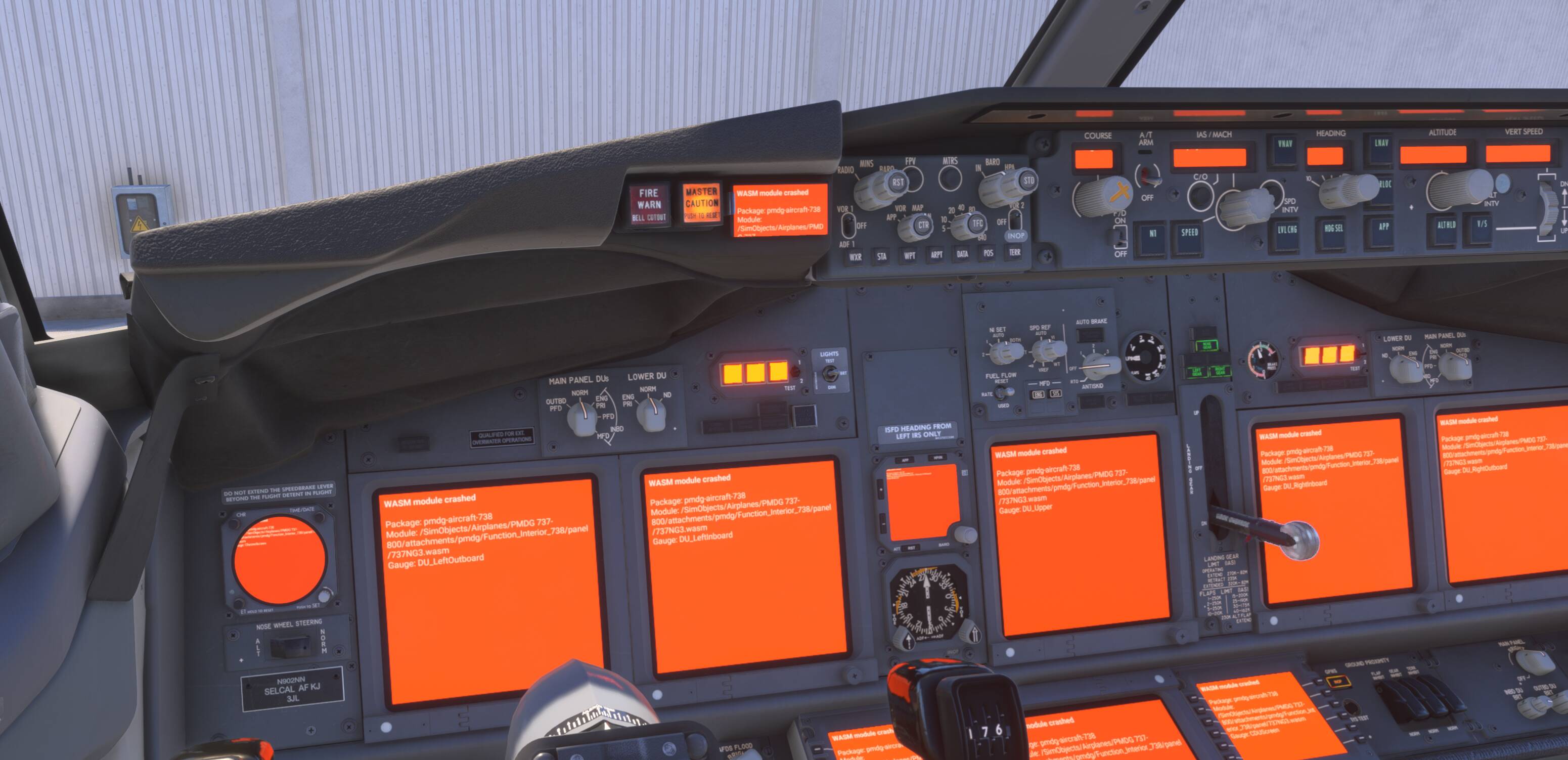
Since Sim Update 5 (SU5), I am frequently receiving the “Memory Resources Low” warning on Xbox Series X. This is a significant regression compared to SU4, which was stable.
When using the PMDG 737 at high-detail handcrafted airports, the memory pressure causes a total systems failure:
Black Screens: All avionics and glass cockpit displays go completely black.
Orange WASM Screens: Screens occasionally show orange “WASM” error blocks, indicating the systems code has crashed.
Loading Issues: The cockpit geometry and textures fail to load in properly, leaving the flight deck in a low-resolution or incomplete state.
Comparative Performance:
This issue is occurring with the PMDG 737.
The A320v2 is currently the only airliner I use that does not suffer from these issues.
FREQUENCY OF ISSUE
Intermittently (Usually triggers immediately upon loading into a heavy airport or during the pre-flight flow).
REPRODUCTION STEPS
Launch MSFS 2024 on Xbox Series X.
Select any PMDG 737 variant.
Set the departure to iniBuilds EGCC (Manchester).
Load into Free Flight mode.
Observe the “Memory Resources Low” notification followed by avionics going black or displaying orange WASM error screens.
YOUR SETTINGS
Platform: Xbox Series X
Peripherals: Thrustmaster TCA Airbus Yoke and Thrustmaster TCA Quadrant
Connection: Hard-wired (Ethernet) @ 400+ Mbps
Rolling Cache: Enabled (16GB)
Troubleshooting: Performed a full clean re-install of the simulator since the SU5 release; all caches cleared.
I am on Xbox, series X, I am getting black screens and Wasm crashes on ALL inibuild planes. I have tried the A320v2, A330 and the Beluga. I have cleared my cache and re-installed MSFS 2024. Happens in Free flight and Career Mode. Started happening after SU5. Please help.
I’m on PS5 and I’m getting the same even on free flight I keep getting memory issues I haven’t had the problem on Su4 but Su5 has genuinely made me want to delete the whole same completely its unbelievable
Thank you for this report. We’ve moved your topic into the User Support Hub.
The Bug Reporting Hub is for posting suspected or confirmed bugs that other users are able to reproduce without duplicating an existing bug report. Using the template or providing all the relevant information about your bug and sim setup is required in order to provide valuable information, feedback, and replication steps to our test team.
If you are not sure if your issue is a bug or need further input from the community, please use the User Support Hub category. If the community can replicate your issue, first search the Bug category to see if there’s an existing topic. If it already exists, contribute to that report. Duplicate bug reports will be closed.
If you believe it is a new report and no duplicate exists, then create a new bug topic using the provided topic template.
All issues caused by or involving third-party addons/mods should be reported to the third-party developer. Assure that no addons/mods are used when reporting issues in Bug Reports.
I think it will be very helpful to provide a lot more information
Platform and mSFS settings - especially Live Traffic, PG, graphics options.
But also details of all third party add ons and whether installed or streamed. It may be important to understand what we have that might affect memory loading
For example I’ve got 4 aircraft installed and 8 third party add ons streamed.
I don’t use any third party airports.
So far I’ve had one flight in the PMDG B737-900 KDFW-KATL - and one flight in the PMDG B777-200LR EGLL-OMDB. Both flights completed successfully with no problems or warning messages.
I did start this thread for us to compare settings and see if there are any temporary workarounds…
I’ve been having the same issue since Sim Update 5. The PMDG 737-800 on Xbox Series X runs out of memory at LEMD airport. This didn’t happen in Sim Update 4. Hoping for a fix soon."