Please use this thread to provide general feedback and impressions about Microsoft Flight Simulator 2024 Sim Update 6 Beta (v1.8.5.0). For feedback about specific aircraft, please post in the appropriate forum topic.
If you would like to report a bug, please create a new topic (or upvote an existing topic) in the Bug Reporting Hub section of the forums. Please use the full bug report template when creating a new bug report.
On a scale of 1-10 (with 10 being smoothest), how do you rate the Performance of Microsoft Flight Simulator 2024 in this build on Xbox Series X|S and Xbox Cloud Gaming?
1
2
3
4
5
6
7
8
9
10
0voters
On a scale of 1-10 (with 10 being most stable), how do you rate the Stability of Microsoft Flight Simulator 2024 in this build on Xbox Series X|S and Xbox Cloud Gaming?
On a scale of 1-10 (with 10 being smoothest), how do you rate the Performance of Microsoft Flight Simulator 2024 in this build in Virtual Reality mode?
1
2
3
4
5
6
7
8
9
10
0voters
On a scale of 1-10 (with 10 being most stable), how do you rate the Stability of Microsoft Flight Simulator 2024 in this build in Virtual Reality mode?
If you are reporting any issues related to perceived reductions to performance, stability, visual quality, or anything else, please share the following information:
Platform (PC, XBOX Series X, XBOX Series S, PlayStation 5, PlayStation 5 Pro)
If PC, please also list your system specs and in-sim graphical settings
Aircraft type you were using at the time you experienced the issue
Weather conditions including if you were using a Preset or Live Weather
Was the in-sim ATC enabled or disabled?
Departure and Destination Airport and/or approximate location when you experienced the issue
Any other information that would allow our dev and QA teams to reliably reproduce the issue you are experiencing
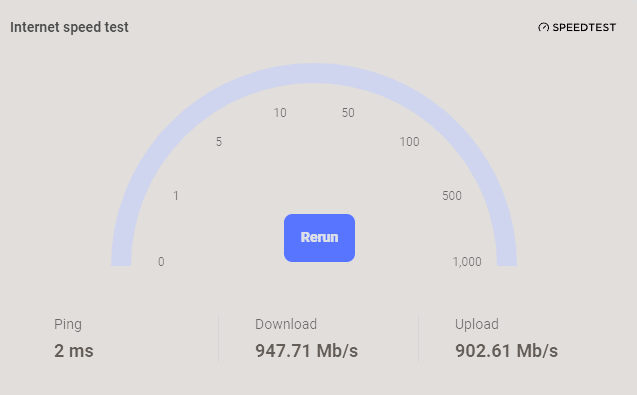
Optionally, you may also run an internet speedtest and share this information if you wish.
On PC and XBOX:
Open a web browser and type “speedtest” in the navigation bar
Run the speedtest when prompted and post a screenshot similar to the below (screenshot taken from Edge/Bing Search; other browsers and search engines may appear slightly different)
Go to Settings → Network → View Connection Status and scroll down until you see “Connection Speed”. Select either the Download or Upload options to run the speedtest.
I would like to have added to the polls but because the Hotas 4 has been broken in Beta SU6 I and others cannot do this for PS5! There is a bug report logged as feedback but it would be great if this could be chased down as a matter of priority please.
I and others are too used to flying with a Hotas and using a controller is impossible - crashed!
Way to go MS/Asobo!
The SU6 resolution increase on PSVR2 using PS5Pro is like a new sim! The cockpits are fully readable. The branches on nearby trees clearly visible. The blurry mess is gone.
It’s like switching a movie from 320p to 640p or maybe 800p. Or going from PSVR1 to PSVR2.
The resolution is much closer to the limitations of the headset now.
Fun fact, the in-sim resolution is now higher than the sim main menu in psvr2-modus (the menues still use the same low resolution from SU4-5)
Fun fact 2: after 5mins in SU6, i switched back to SU5 to compare. My brain kept telling me to wiggle the headset to find the focus sweet spot, because after SU6 it thought there was something wrong with my eyes in SU5.
After 2-3h of mixed flying (H145, C152, A320v2) I was not able to determine a degradation in performance, despite doubling the resolution. Will need more hours tho to be sure.
Anyone with PSVR2 on a base PS5, please feedback your experience!
If this is what can be done on PS5, I can’t imagine what will be possible with supersampling or PSSR2 implemented too!
Honestly, just about every corner of this sim feels the best it has ever felt on this build for me personally. A huge part of that is whatever changes have been made to FSR Frame Generation that allow me to use it now without any artifacting on menus/UI elements and very minimal artifacting in-flight. With that I’m now averaging 80-100FPS (max for my display is 100) on Ultra (with Texture Resolution dropped one notch to High because I’m not a masochist) with TAA at 3440x1440 resolution. I think a huge part of it is VSync being usable with Frame Generation now, but I don’t think that’s the whole story.
There are a few annoying regressions, but nothing game-breaking at all. Hoping to see a few more quality of life changes and possible some new features rolled in before final release, and especially a few more bugs and annoyances in Career mode addressed. Also looking forward to a healthy list of bug fixes for default aircraft, though I understand those typically won’t arrive until the final release.
Having been around the block with SU flighting before I do anticipate the roller coaster ride though - one of the, if not THE next build, will likely see some random regressions in performance or stability, but hopefully it can return to the state it’s in now, at least for me.
Please try flying the Transall for us. I was trying to check all the bugs on ps5 but my hotas doesn’t work in beta6. You don’t have to report them I just want to see if you get the same on pc.
In career though.
The checklist the eyes were not linking to object and the switches weren’t turning blue. I couldn’t get the large cargo door to open.
The mission reply had the wierd computer language instead of just text. Don’t know if that is just connected to the hotas not working in B6.
The overhead panel would be clear for a few seconds and then blur. Look away and back it would restore but then blur again if I touched the gen 5 switch.
The clock on the pilots side was blurred.
Just to clarify, the above issues were only present for you in the SU6 beta? Or are these (or some of these) issues things that have been around for you and you were hoping SU6 beta would fix/improve?
Just present in beta6 on ps5. I will continue to test if and when they give us back the hotas. Just want to see if this is also on pc. Im not in pc beta.
I just want to provide a little bit of feedback from an XBOX Series X player.
This is the first time in two years that the Sim works this great. Very promising and the best evidence that the Sim can actually work on Consoles.
Performance so far has being excellent, no stutters nor noticeable lag.
But to me the biggest improvement is the increase in graphics fidelity. Terrain looks sharper, as well as ground textures. Everything looks better now.
The rendering distance of trees and buildings has been improved significantly, similar to 2020 levels. Trees no longer pop up everytime the player moves the camera, which was very annoying in past Sim Updates, and now that’s fixed. I would also say that everything loads faster now, and it’s very pleasant during gameplay.
Huge thanks and congratulations to the Asobo and Microsoft team, this SU6 is looking very promising. I just hope it remains like this or better, and nothing breaks again.
Performance on base PS5 in VR is like another game. In the Grand Caravan I can even easily ready the speed and altimeter on the copilot side. Clouds look much better with volume, so cloud surfing is possible in an airliner.
Not only is the resolution so much better, performance seems also improved. Much smoother when looking out of the side window.
In a 1,5 hour sessions I jumped between c152, Caravan, A320 V2, Huey, H125 and different locations until it finally broke (models did not load in fully anymore).
MH60 is broken, says content is missing. Model is fine and flies, only avionics don’t load.
Live weather, live traffic and PG on.
I have fast internet, but set the limit in game to 100 MBits, gives me very consistent results on PS5 and Xbox.
Xbox series X. 70mbps download, 18mbps upload. 32Gb RC. PG off as well as everything else except from live weather. No EFB flight plan or ATC use
Generally performance in this build is good. Object loading distances continues to be very good and on the whole the sim is looking pretty decent while performing well
The only issue is that there is a very obvious memory leak going on from SU5.1 that continues into this beta. If you load in to Heathrow in an airliner (PMDG 777-300ER for me), take off, fly a decently long circuit to say 15 mile final and come back in for a landing, all is fine and it looks good. But if you were to take off from say Doha OTHH and fly to Heathrow, by the time you get there the terrain is barely loading in front of you on final. For me, this is 100% repeatable
I’m running into a frustrating issue in VR mode with this beta.
OS: Windows 11
Mode: VR
The Issue: When I am in the VR graphics settings and click on the “Global Rendering Quality” option, the dropdown window does not open. I can clearly hear the UI click sound, but nothing appears on screen.
Because of this, the menu stays locked and I am completely unable to tweak or change any specific sub-settings below it (like Terrain LOD, Object LOD, Grass and Bushes, etc.).
XBX. smoother.sharper. fewer stutters – maybe none… I need to check more places.
excellent so far.
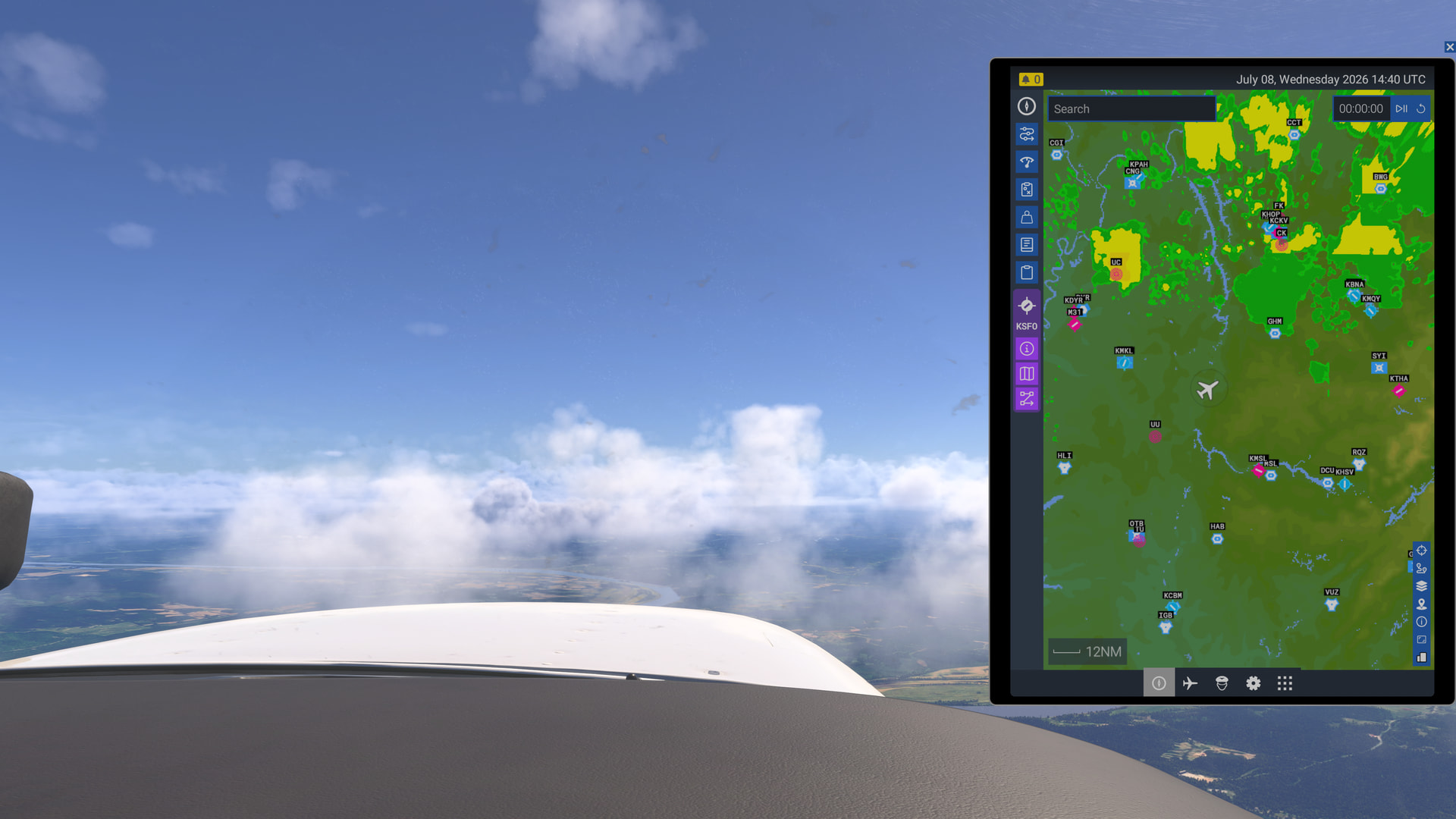
weather depiction is still bad though – but is it mainly in the USA excluding the west coast? Weather is not terrible in places like Australia but here, today, over Tennessee approaching storms again:
Had to give this beta version a lower than normal score on performance because of a bug(?) I’ve reported that results in not being able to use FSR 3.1 as I have before. Selecting it causes severe stuttering, although fps without fsr is down significantly for my system l, bringing it below 30 fps, below the 60 fps threshold needed for FSR. AMD rx 6650 xt, 5600x, 32 gb, empty community, 3 monitors, all settings same as for all previous betas.