SU6 Scenery Level of Detail Survey

Hi folks,

We have seen scattered reports from some players regarding perceived reductions to scenery/terrain level of detail (LOD). As always, we take these reports seriously and are looking to collect more information from players to aid in our investigation.

Please complete the following survey questions and provide additional information in the comments. Your feedback will greatly aid our investigation.

Have you experienced a reduction to terrain LOD in SU6?
  • No, I have not seen any reduction to terrain LOD
  • Yes, a minor reduction (only noticeable when looking very closely)
  • Yes, a moderate reduction (noticeable but not immersion-breaking)
  • Yes, a significant reduction (immersion-breaking but still flyable)
  • Yes, a severe reduction (scenery appears broken or unfinished)
0 voters
If you voted for any of the YES options, on what platform are you playing MSFS 2024 SU6?
  • PC (Windows Store)
  • PC (Steam)
  • PC-VR (indicate your specific VR headset model in the comments)
  • Xbox Series X
  • Xbox Series S
  • PlayStation 5 (non-VR)
  • PlayStation 5 PS VR2
0 voters
If you voted for any of the YES options, when do you most frequently notice degraded terrain LOD?
  • On the ground while stationary or taxiing
  • While climbing away from the departure airport
  • During cruise
  • During descent/approach/landing at the arrival airport
  • Throughout all phases of flight
  • Only after long (2+ hours) flight sessions
  • Other (post more details in the comments)
0 voters

If you are experiencing loss of detail that negatively impacts your enjoyment of the sim, please reply to this topic to contribute more details. Specifically, the following information would be very helpful to us:

  • Your platform
  • What aircraft you were flying
  • The geographic location (either the airport code if experienced during taxi/departure/arrival or approximate position if at cruise)
  • Were you using any third-party airport or scenery add-on products? If so, which one(s)?
  • The phase of flight when you encountered the LOD reduction (e.g. shortly after takeoff, just before landing, while at cruise altitude, etc.)
  • Your internet connection speed (please run an online speed test from the same device you use for MSFS and post a screenshot of your results)
  • Any other pertinent details, such as if you only experience this during long flight sessions or only when flying over dense cities or anything else that would be useful

Thank you for voting in this survey and sharing any details you can!
-The Microsoft Flight Simulator Team

4 Likes

Some of my finding that I posted in another thread complete with comparison screenshot 7 hour flight vs 45 minute flight

Edit: this was flying the PMDG 777-300ER from inibuilds Doha OTHH to inibuilds Heathrow EGLL. But of course the LOD reductions came long before Heathrow was in rendering distance. Flying from default Schiphol (non-premium deluxe) in the same aircraft did not cause LOD reduction, presumably due to the short flight time mostly over water. All graphics settings were off as well as photogrammetry. Basically the only thing that was on was live weather

Edit 2: my internet speed is 70mbps download, 18mbps upload. Generally I’m ok with the ground textures in the sim. The issue for me is the reduced LOD distances after a long flight and I have shown this in my screenshots where it goes from very detailed in the immediate vicinity of the aircraft to barely loaded beyond that

Not sure if this is the same thing, but in rural areas the ground textures are really blurry.

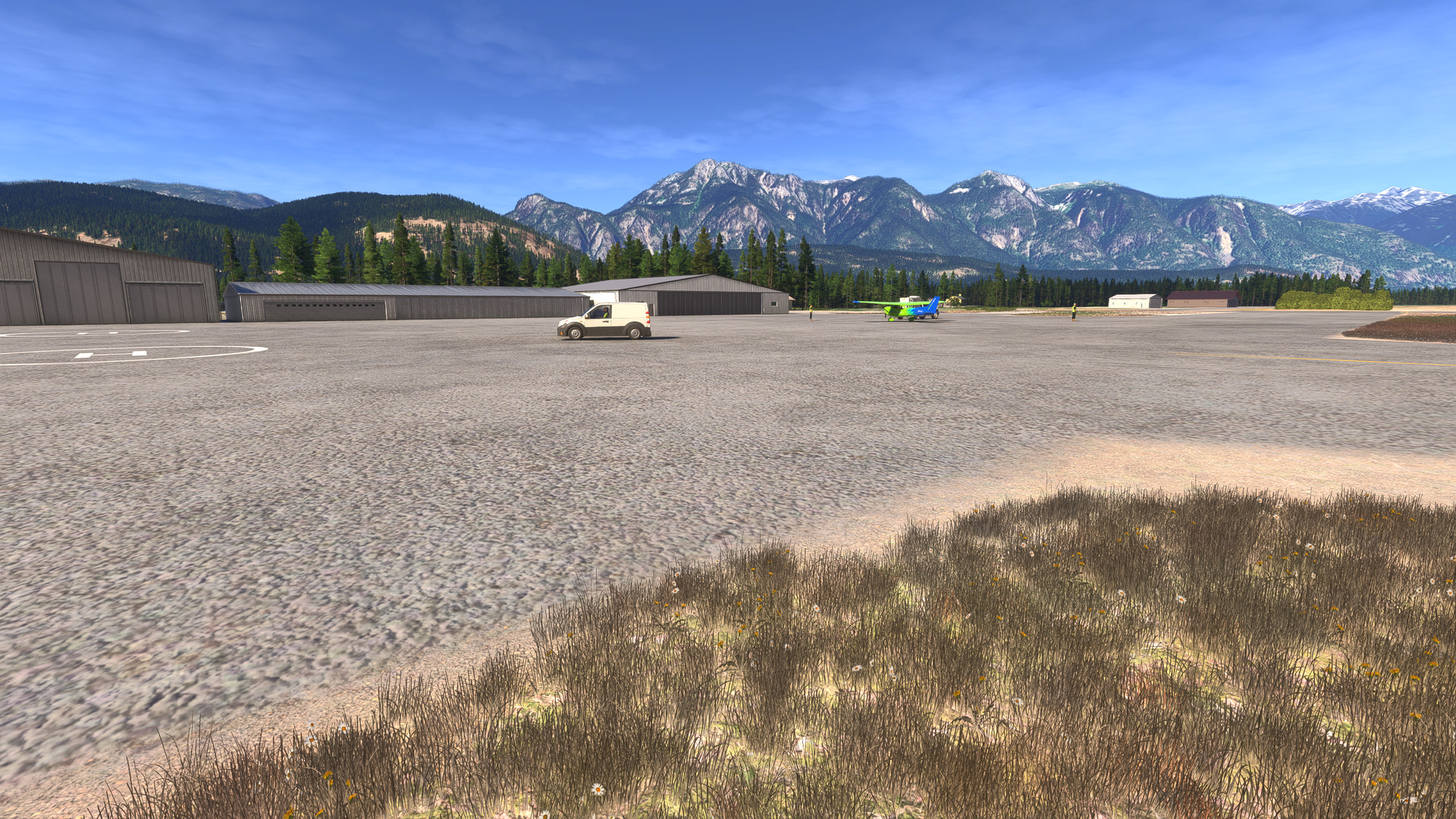
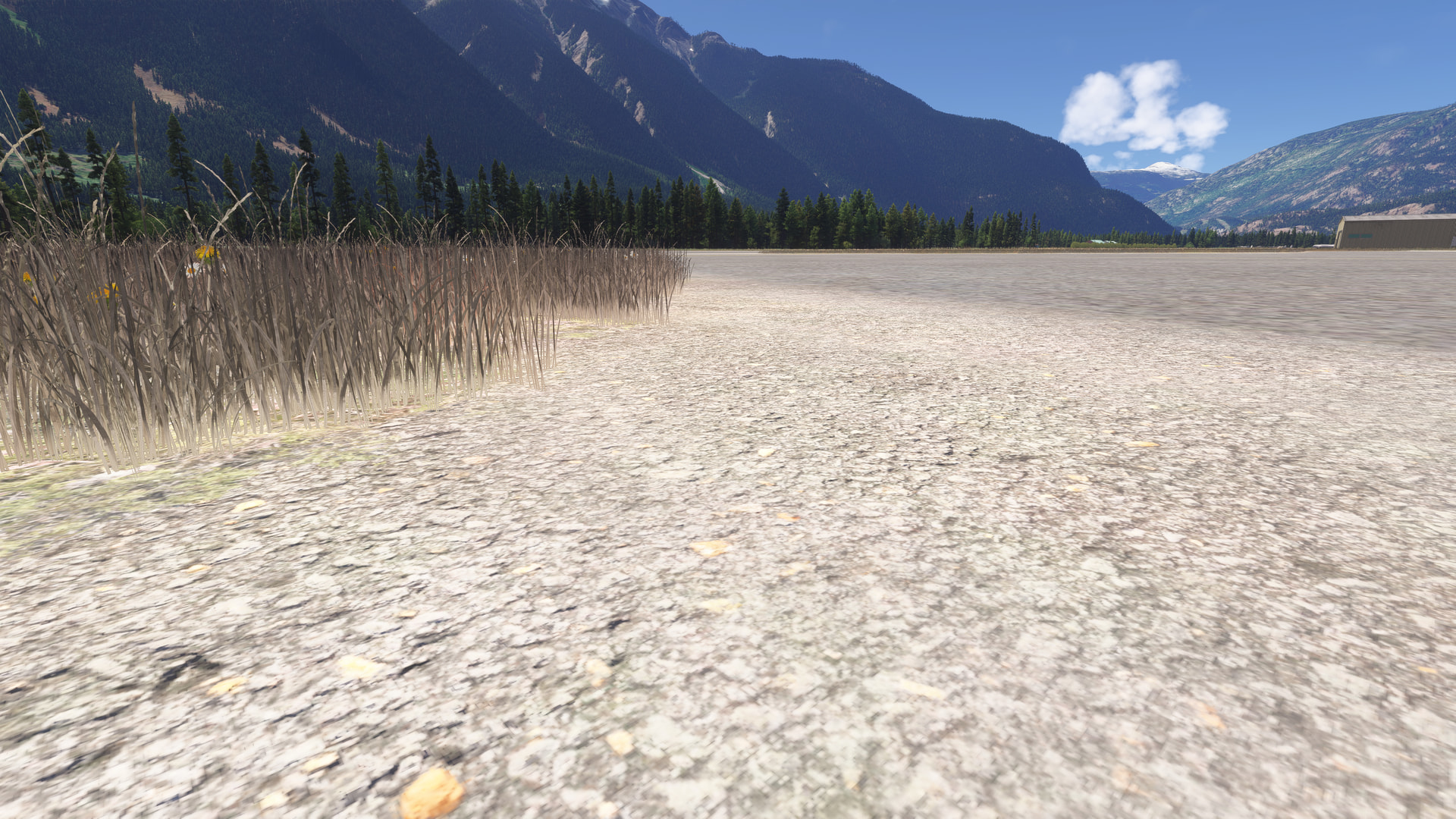
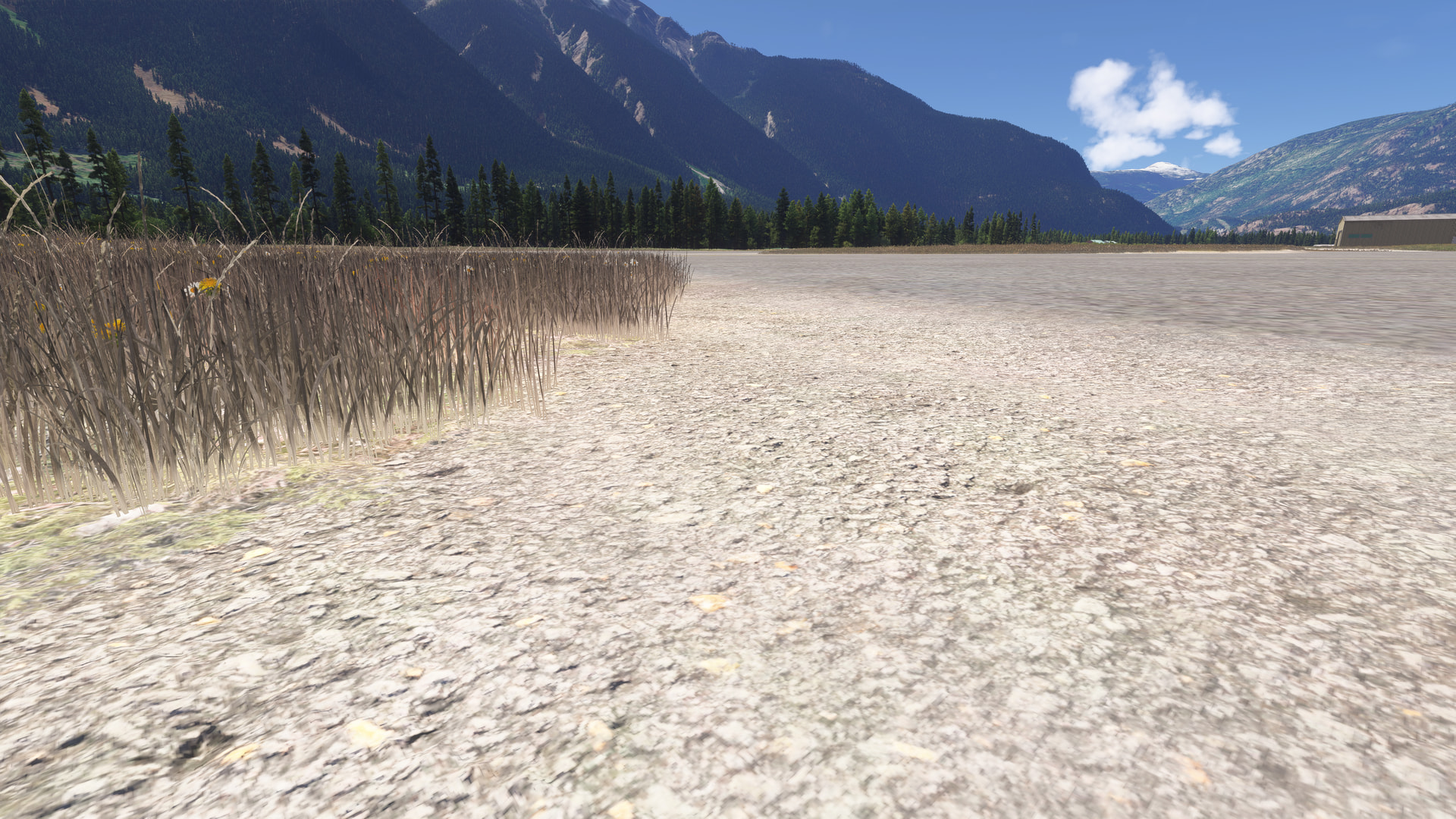
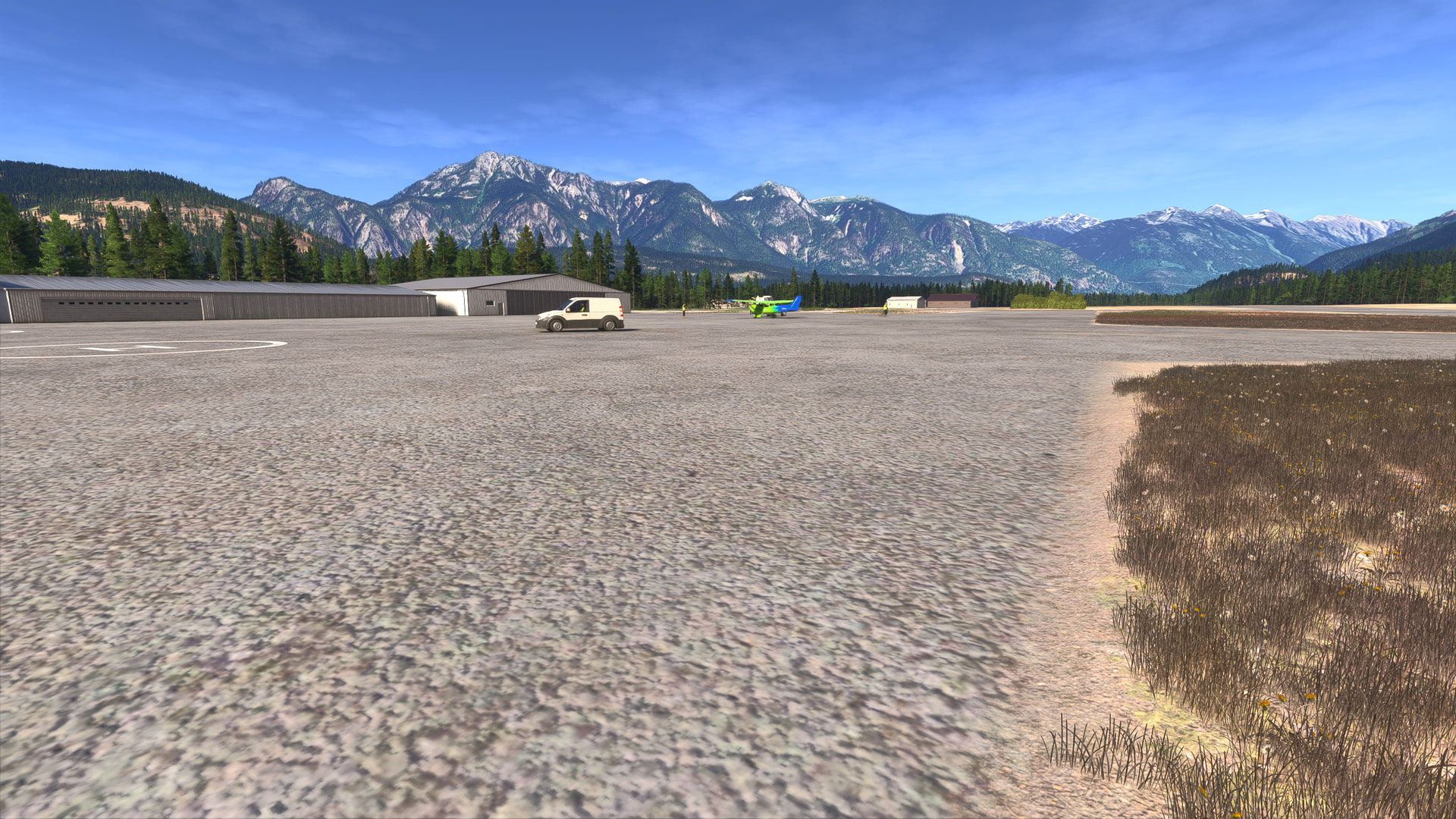
To emphasize it, here is the drone cam at ground level, settings are mix of High and Ultra.

Notice how there is a weird ‘banding’ deliniating an area of rocks and grass from the apron. And the Displacement Mapping doesn’t seem to be doing its thing

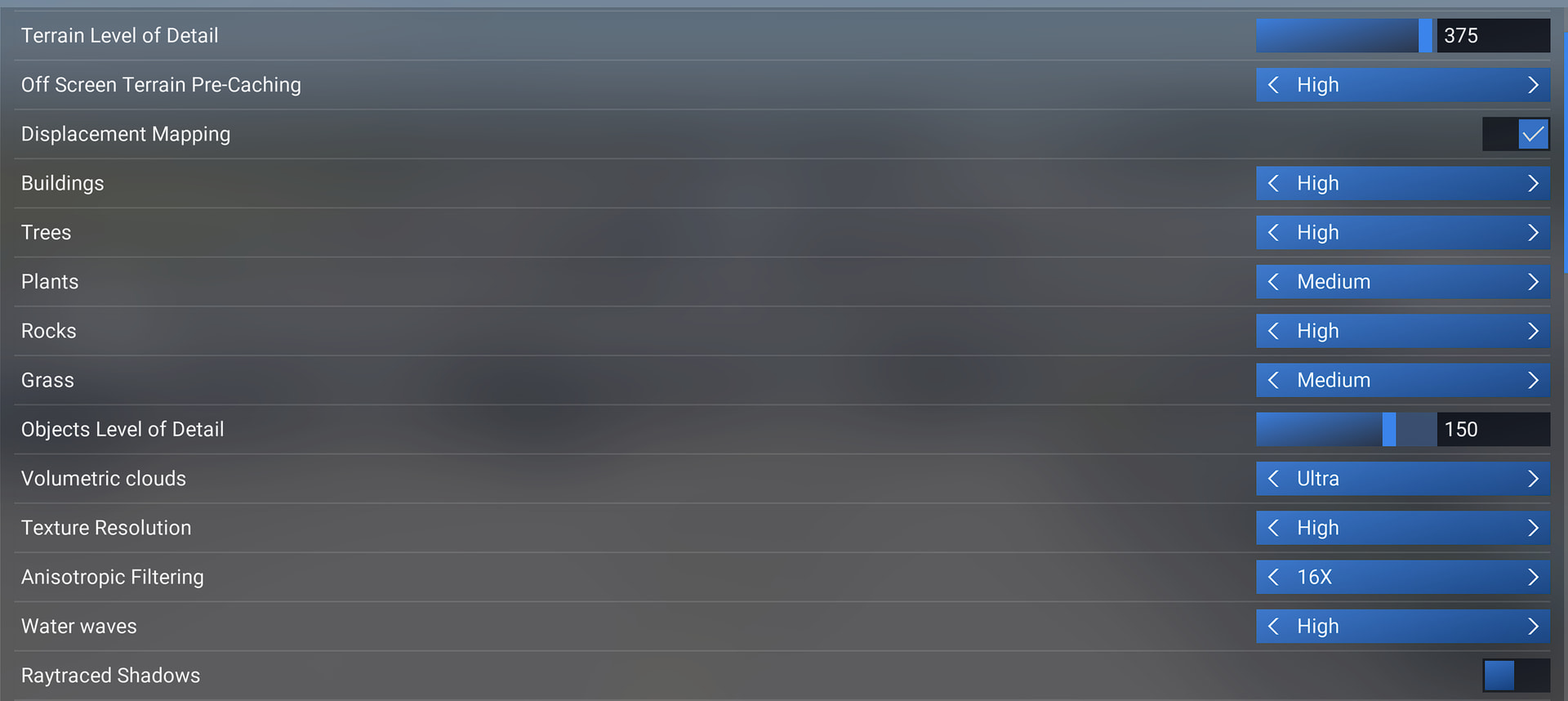
TAA / Max Frames 30 / FSR Frame Gen x2 / High TLOD 300 OLOD 150 (triple screens)

I admit this is a very rural airport: CYPS (Pemberton, BC, Canada). But I was seeing (and reporting) that the base map ground textures seemed much lower resolution in SU5 and 5.1 testing


Hello @GimbalAxis,

Please kindly share the location where you are seeing this.

Thanks,
MSFS Team

1 Like

Sorry! I admit this is a very rural airport: CYPS (Pemberton, BC, Canada)

1 Like

Hi again @GimbalAxis,

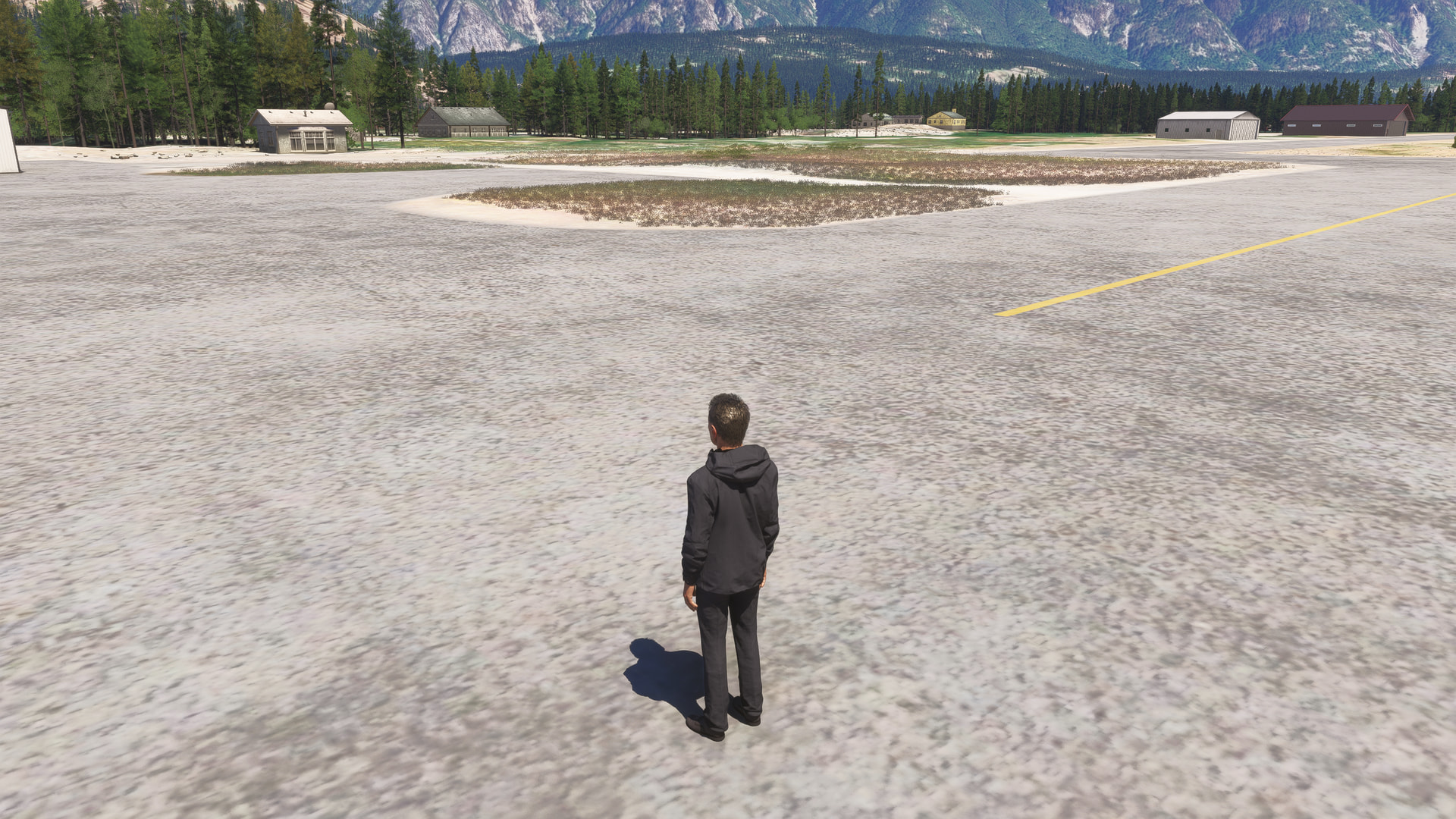
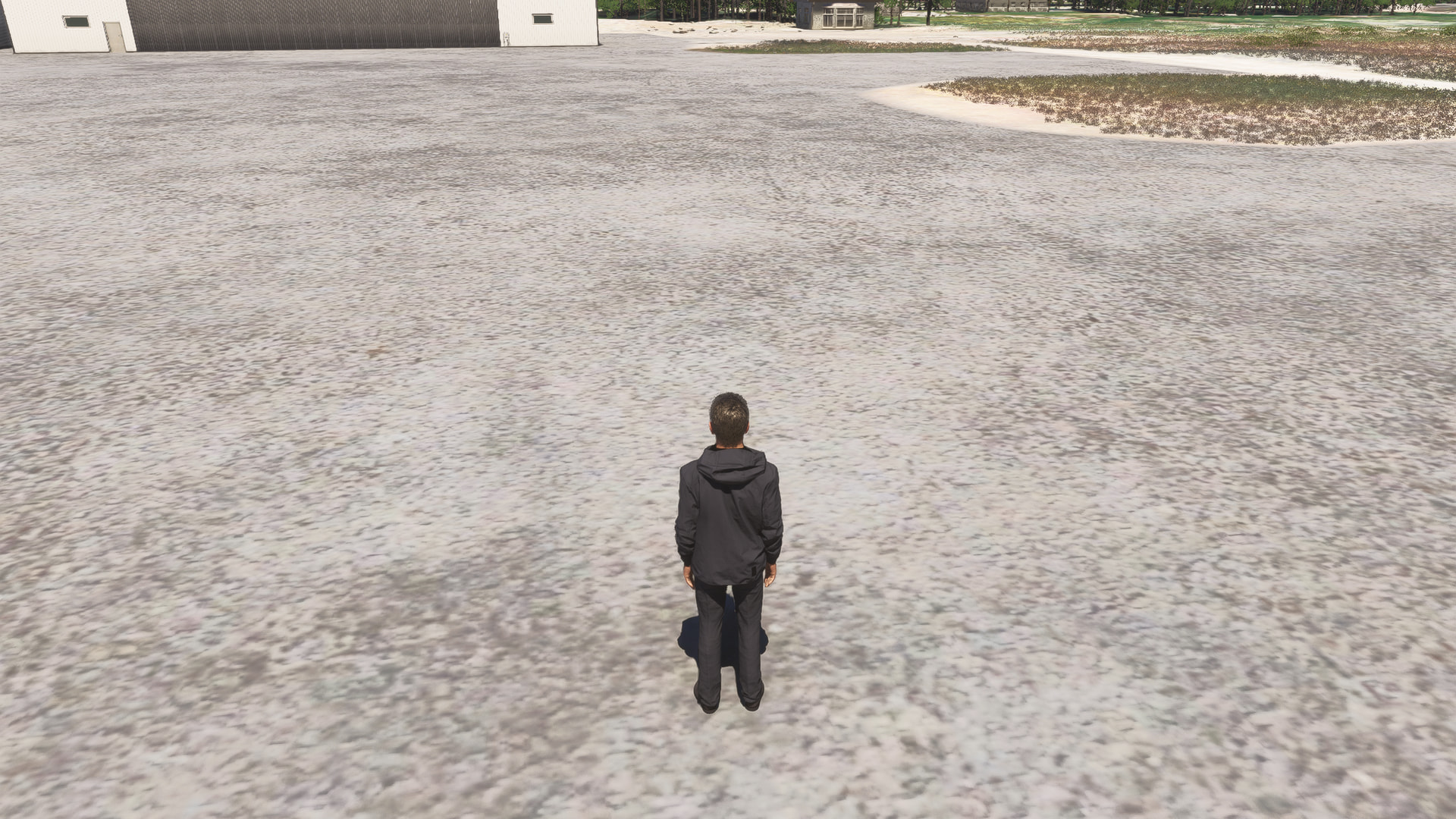
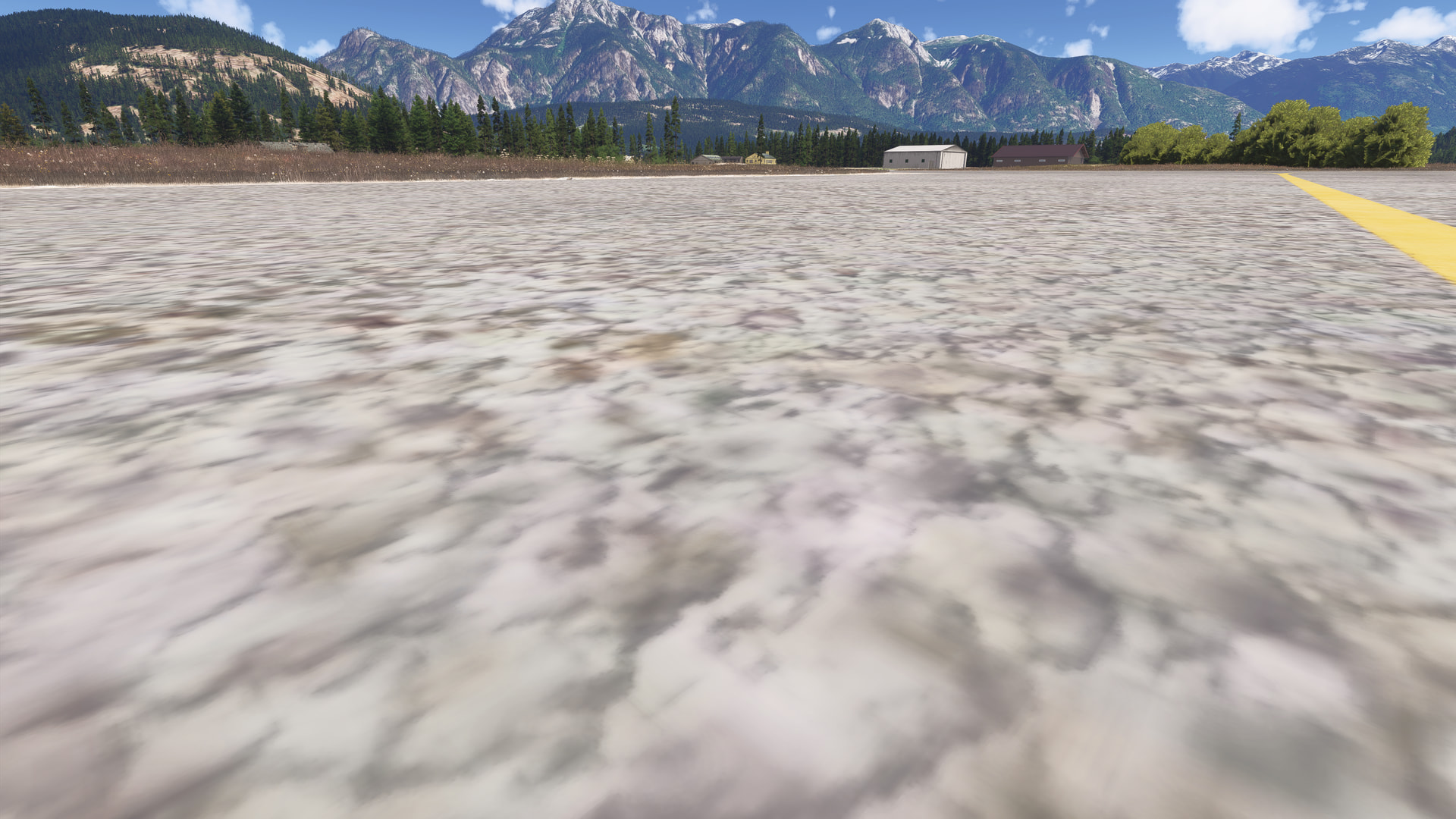
Are you able to provide some more information about your PC specs and any mods/add-ons you are using? I just loaded in to CYPS and am unable to reproduce what you are seeing. Here are some screenshots I just captured trying to match your POV.


Thanks,
MSFS Team

1 Like

Actually, your picture is the same as what I see - perhaps you aren’t noticing how blurry the ground (tarmac) is, and lack of displacement mapping (3d effect of the ground texture), I notice it right away on a larger screen (48, 4K). My first screen shot is the cam all the way down at ground level to emphasize. If I go to other airports (CYVR) it renders properly (will test more after flight).

Hi @GimbalAxis,

I apologize, but I’m truly not seeing it. In your screenshot, I can see a very clear delineation where the ground texture looks normal nearer to the grass but then becomes more blurry/distorted about 2-3 meters to the left of the grass. I don’t see that same blurriness in my screenshots at all.

Thanks,
MSFS Team

1 Like

Hello guys, I could be wrong, but it looks to me that both screenshots were taken at different heights.

The blurry one looks it’s has been taken very close to the ground, not at eye level. That could be the reason why it shows a less detailed texture.

I personally don’t have any problem with ground textures on Xbox Series X. They’re not the most sharp textures in the industry, but works just fine.


it looks really not sharp and no “3d-ish”. If I go and look at the place where it boarders the RW it is more visible

2 Likes

I experienced once a “severe reduction (scenery appears broken or unfinished)” near Jackson Hole (Update 22) after I took off in a TBM930 and turned into the Mountains at some moment it just stopped loading mountains properly below/in front of me, half of them were just fine, and some of them like a very basic shape without detailed textures and everything. I turned around and flew over few times, it did not load. Then I changed LOD/TLOD few times to higher/lower settings and when I already flew away I looked back to see that that mount loaded properly. I did not make any pictures of this and was not able to replicate, but this happened. In all the other aspects the level of detail looks OK on my lower than req (CPU) PC. There are a lot of improvements, I can even use some HIGH/ULTRA settings (exept preloading and traffic) and still be able to fly GA planes without stutters (2K-4K DLSS QUALITY, FG - FSR) at FPS 35-40.

However, in general, the LOD/TLOD system looks
 well, if flying an airliner with LOD/TLOD 100 I see that only a small spot below me loads Hi-Res (visible only if I use external view to look below the plane) and LOD/TLOD any bigger than 100 are not flyable
 this is not good. I do not complain as my CPU is below than needed, but I see reading posts that some people with a proper PCs experience the same.

I can confirm that.

You just need to position the camera properly on the ground, not above it.

Imgur

Imgur

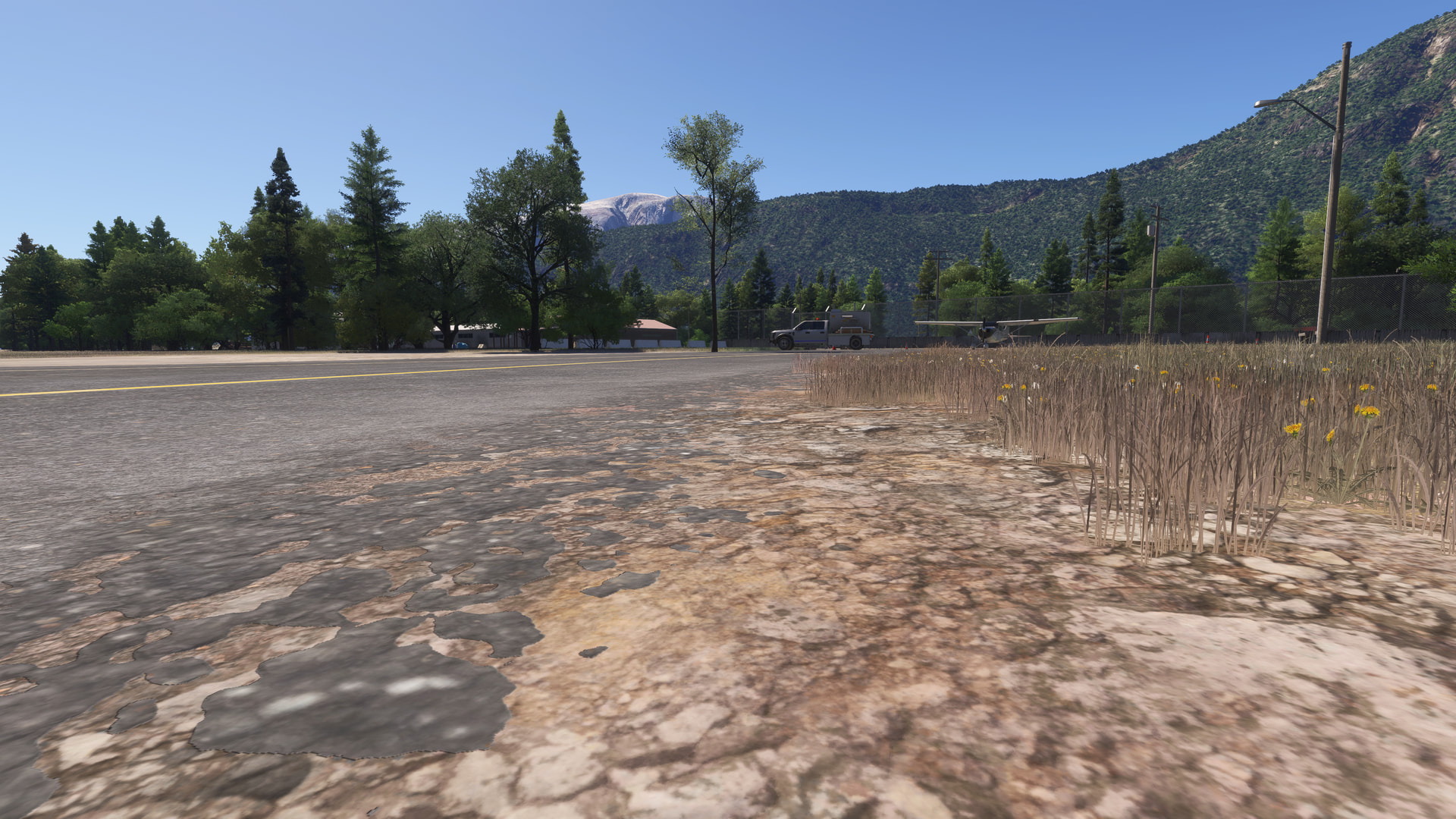
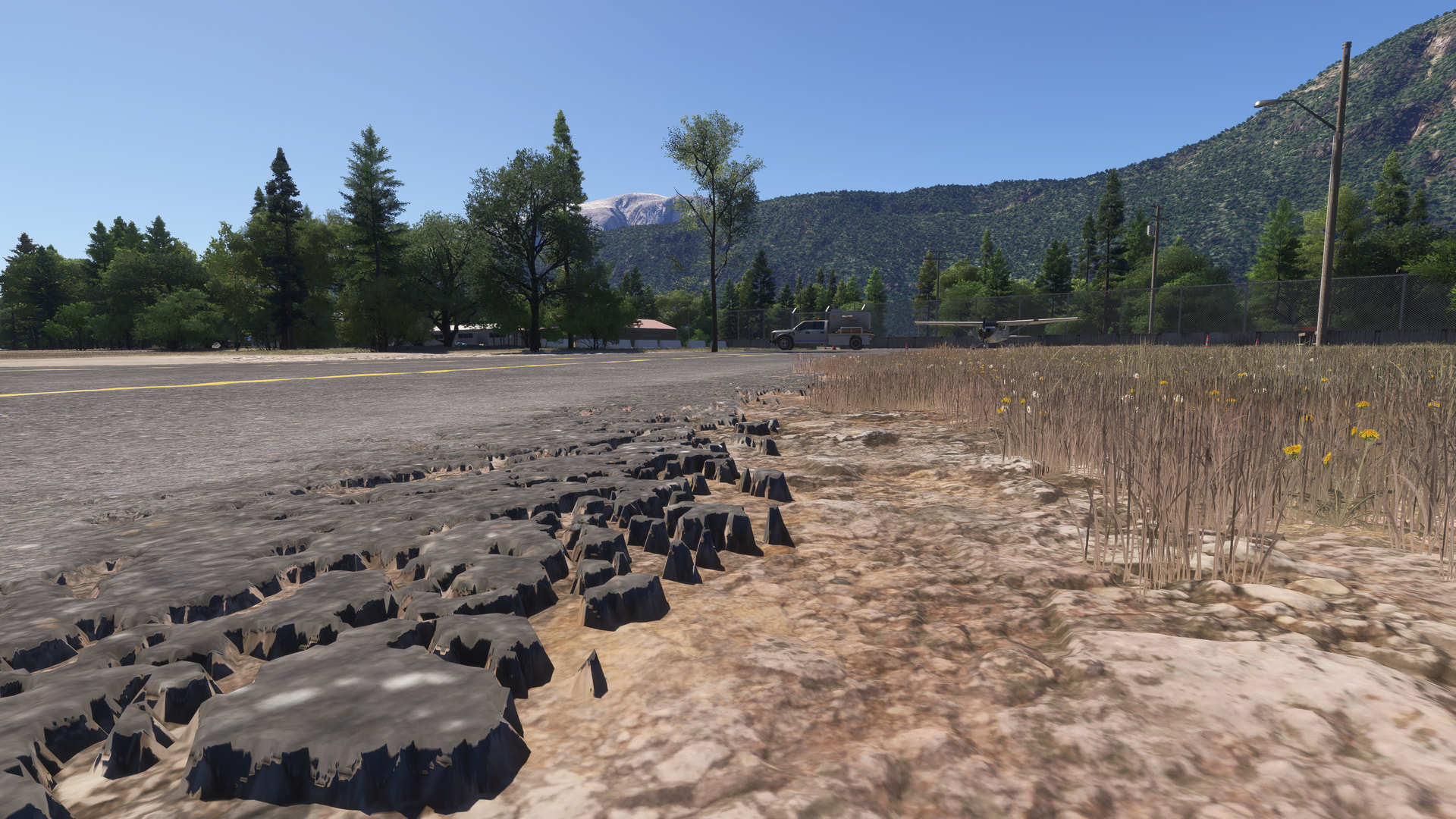
On the textures separating the grass from the apron, we can see small gravel stones, but in reality those stones are not there. In my opinion, they should be.

Displacement mapping - OFF

Displacement mapping - ON

The apron and taxiway textures are also low-resolution and lack detail.

BUT 


CYPS is not a handcrafted airport, so it has lower-quality textures. I don’t think this is a bug; it is most likely by design.

Displacement mapping works, for example, at CZST airport, which is a handcrafted airport.

Displacement mapping - OFF

Displacement mapping - ON

In my opinion we shouldn’t expect Microsobo-made free airports to have top-quality textures and the same level of detail as handcrafted third-party airports. That is what third-party airport developers specialize in.

Since this is not a discussion about taxiway or apron texture, I will leave it at that.

7 Likes

Yes, and on the same flight when I landed in Vancouver, the textures were what I consider normal. I don’t expect high resolution with a camera positioned at ground level - I was simply doing that to emphasize the difference.

My main point was that since SU5 / 5.1 there seem to be a lot of base map textures in many areas (outside of cities) with lower resolution base map imagery than previously, at least that is my impression.

1 Like

The look of the terrain matters a lot to me, so I will try to put some effort into documenting the behavior I notice in SU6 beta 1.8.5.0.

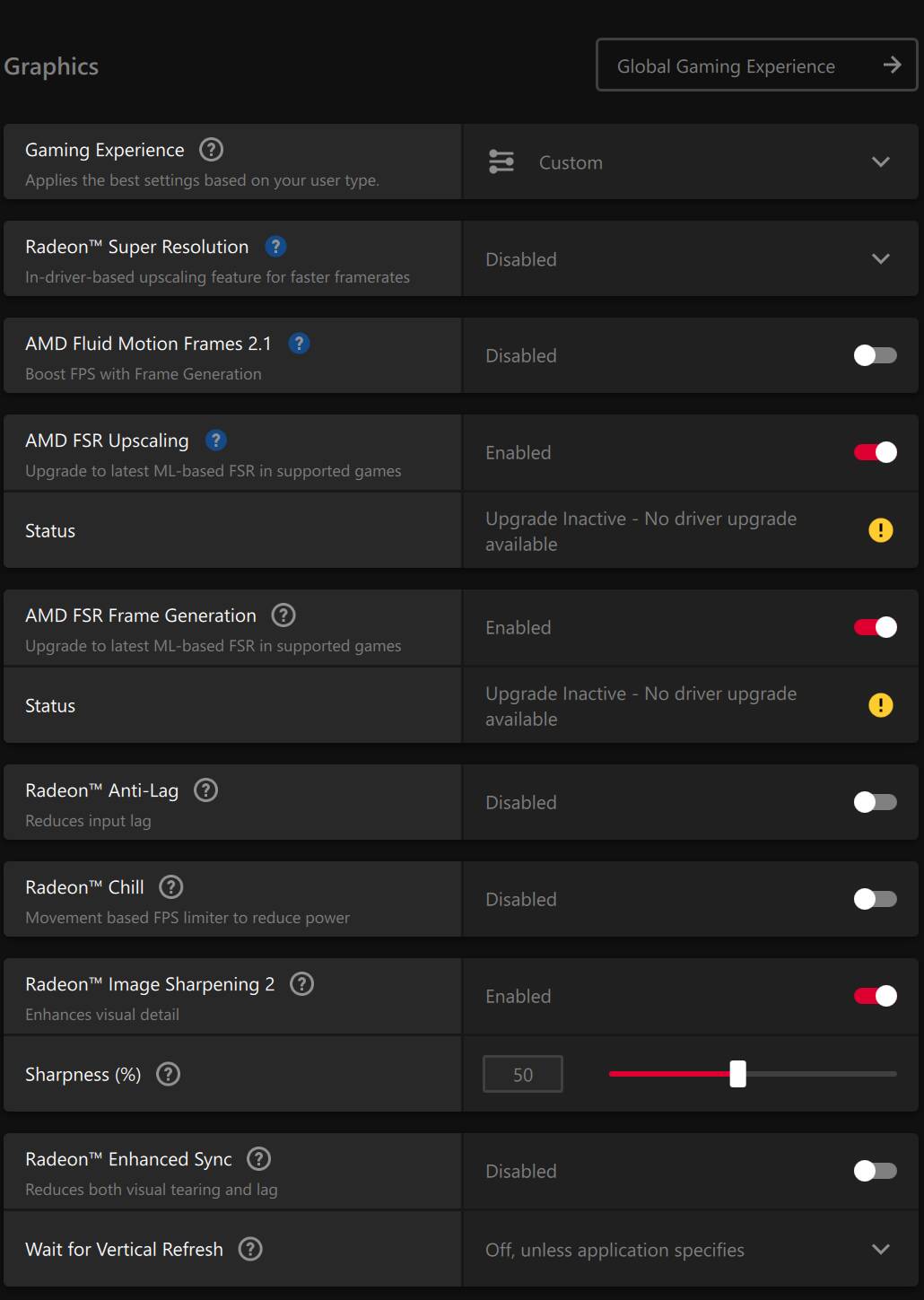
Running 7800X3D, RX 9070 XT, 32 GB RAM, NVMe, 1 gbit internet connection, 4K, FSR Native AA, 72 max framerate, FSR FG, dynamic setting to 35. Rebar off. LOD around 200-400 and OLOD 150.

I will start by uploading screenshots here, and hope the forum compression doesn’t sabotage the findings too much, but I fear it. The sharpness, or lack, is simply hard to determine, unless severe difference. I will reupload externally if needed at a later stage (EDIT: have done so, see links under images, possibly press ‘download image’ and see 1:1 on your monitor for proper experience/judgement).

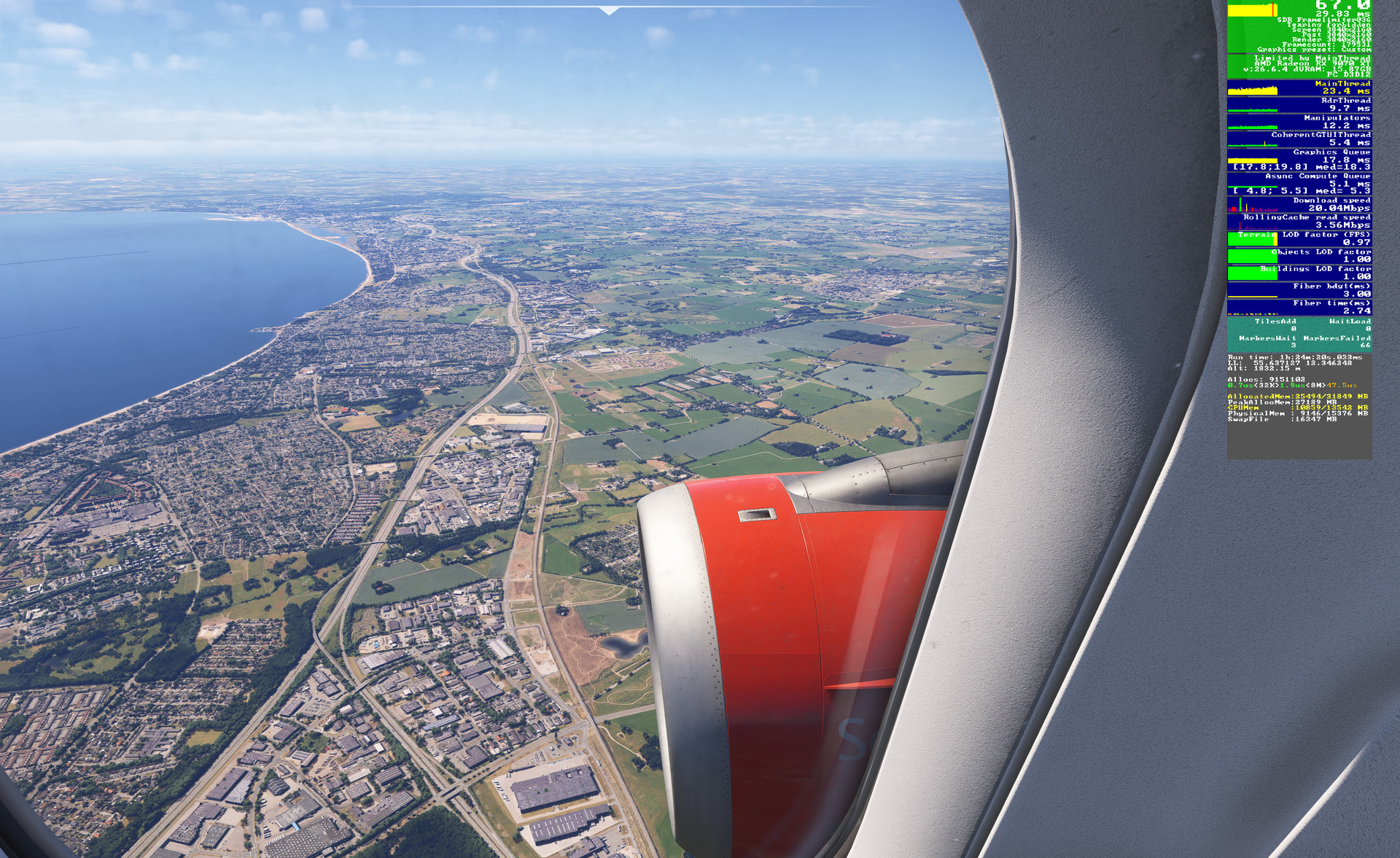
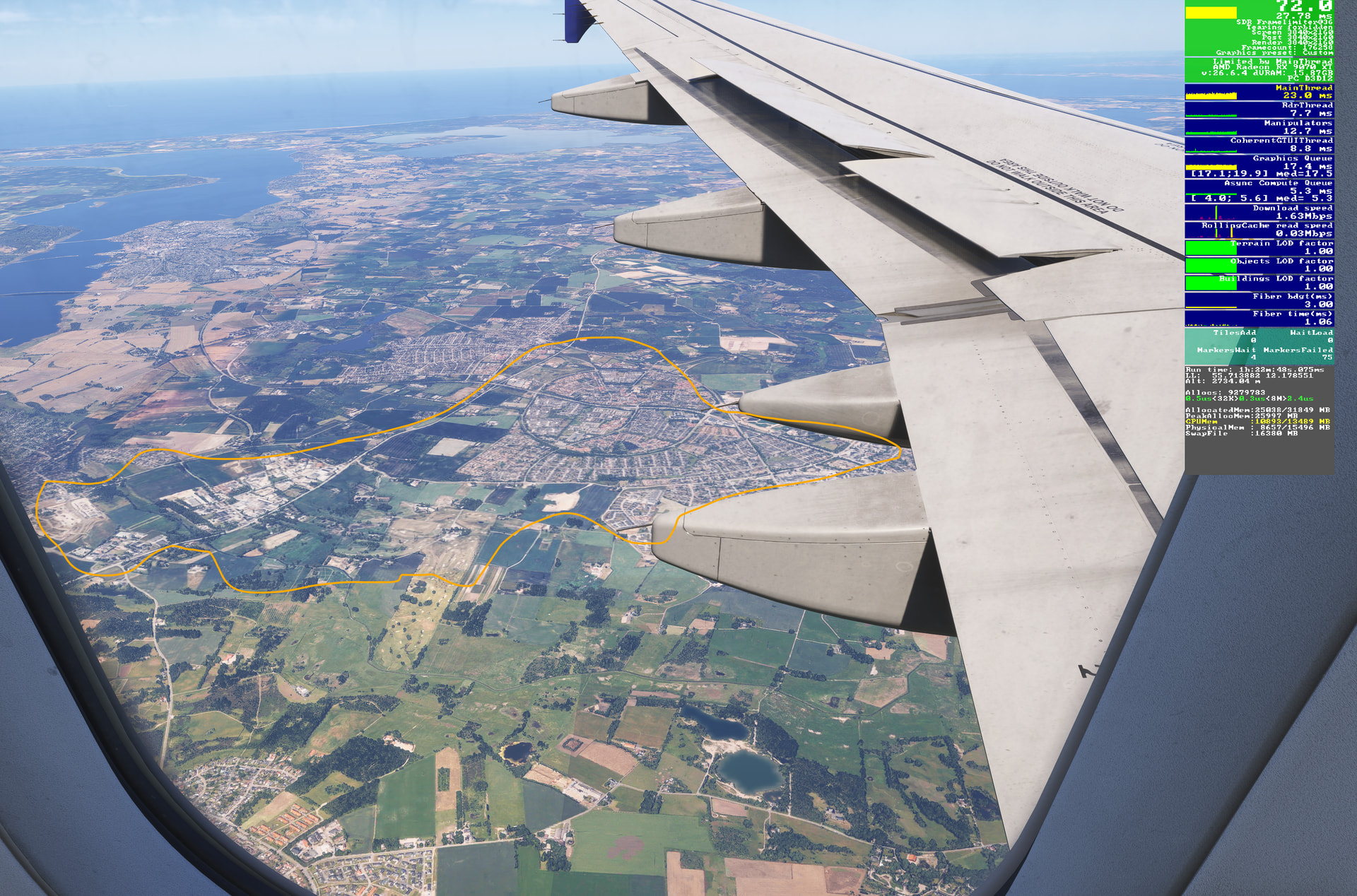
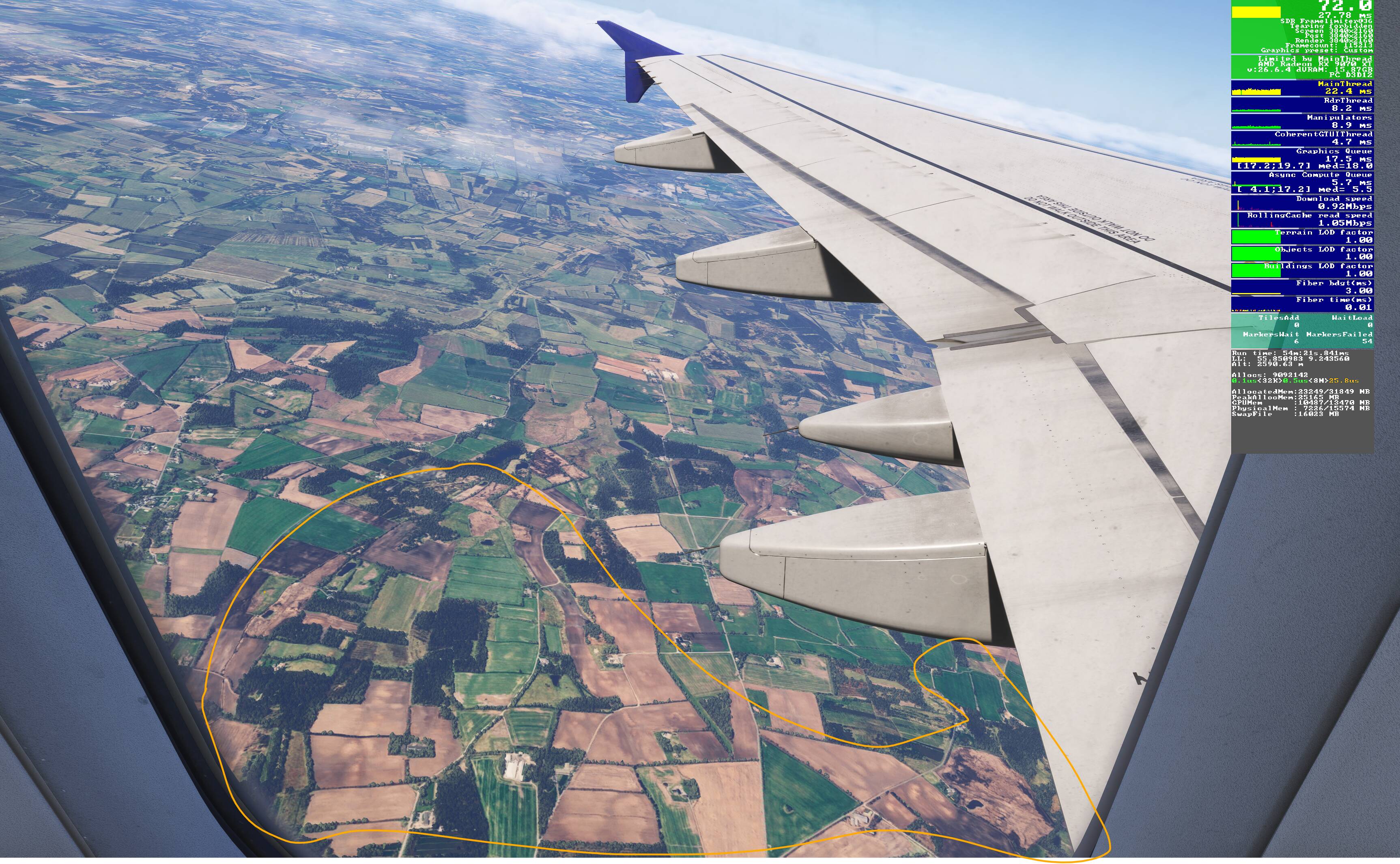
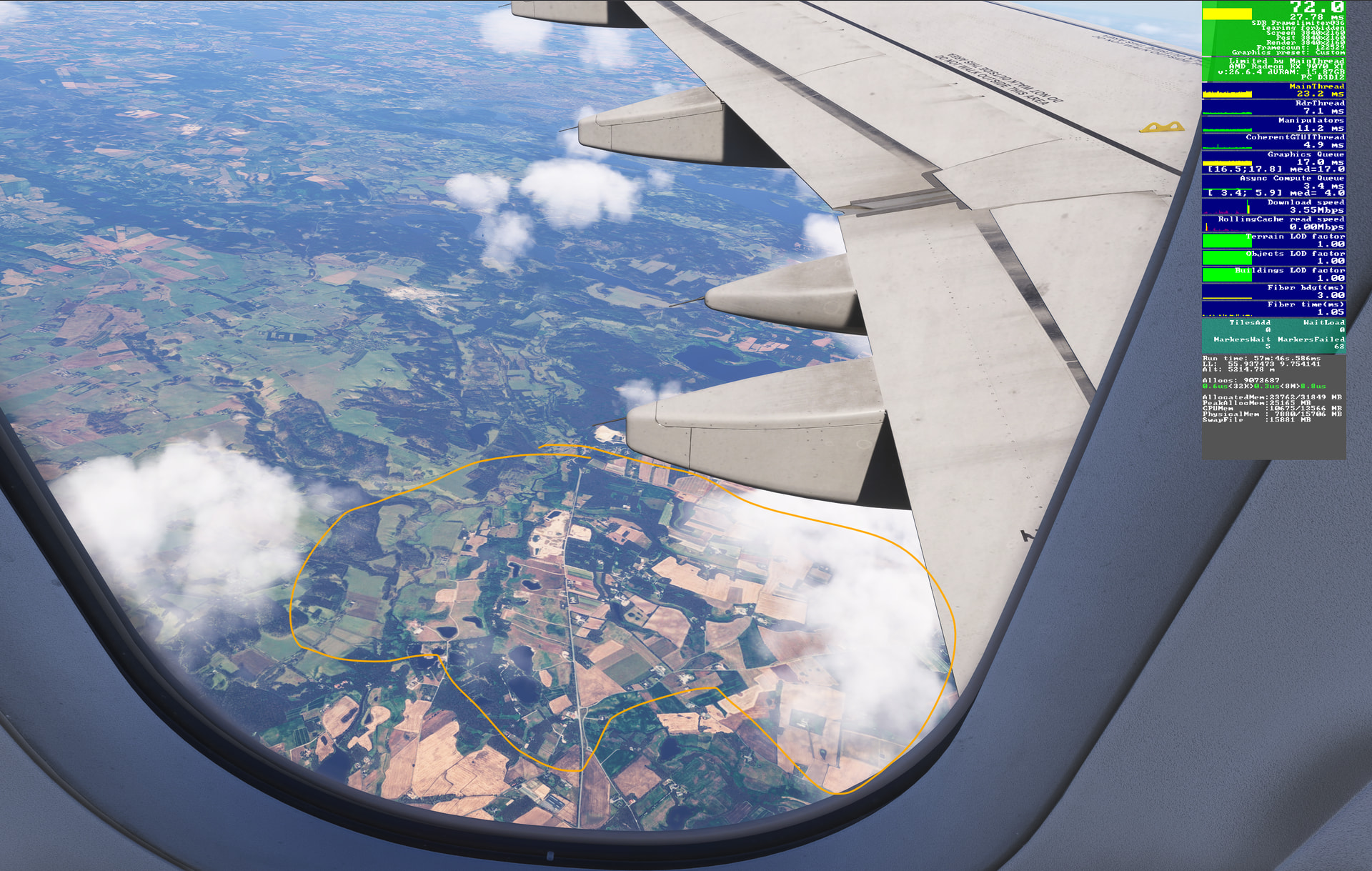
Screenshots include FPS display so latitude and longitude, and other info, can be seen for replication attempt / general situation. And below are some more of my settings.

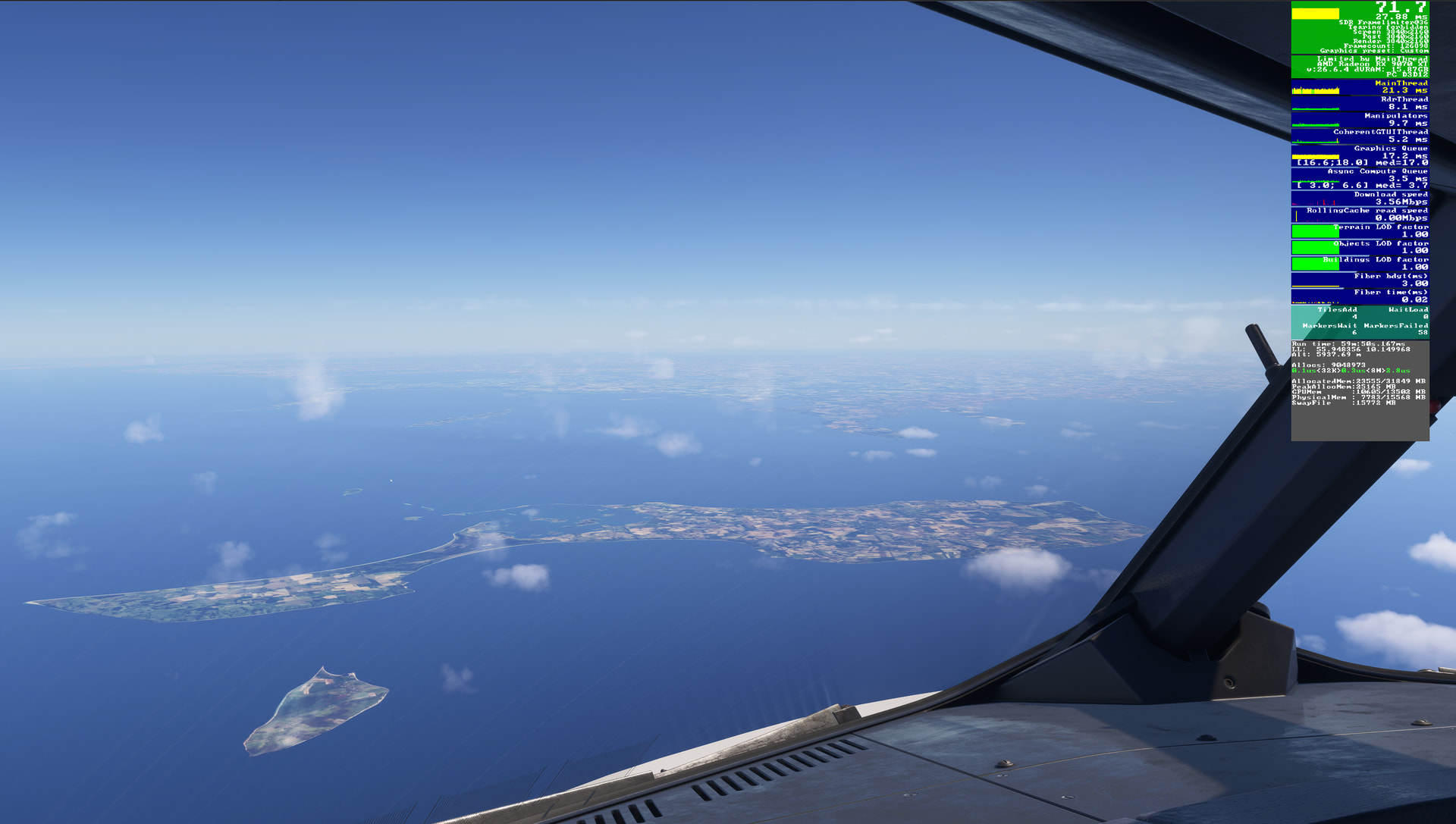
From EKBI to EKCH in Fenix A320, live weather, the following is seen:

First off, excellent(!) terrain quality on the screenshot right below. Just to showcase it can indeed look very very good. And a huge thanks for that! Hopeful that it will all turn out well, and eventually be the normal.

screenshot-2026-07-09-125314-crop.png (2994×2009)

Generally also looking well here, razor sharp, but some parts are strangely are sticking out quality wise (highlighted). Might be hard to differentiate because of compression. Let’s see - or not :\

Here again, many parts looking mushy, not crisp anymore. It’s hard to tell what triggers it. It can be sharp one moment, then a few pans or just a wait, and it’s like it enters another way of showing ground textures, suddenly dropping sharpness and fidelity for something looking compressed and flat.

Below, it’s odd again how terrain is odly low fidelity. Textures seem waay “turned down” and flat looking.

And two more where quality suddenly drops:

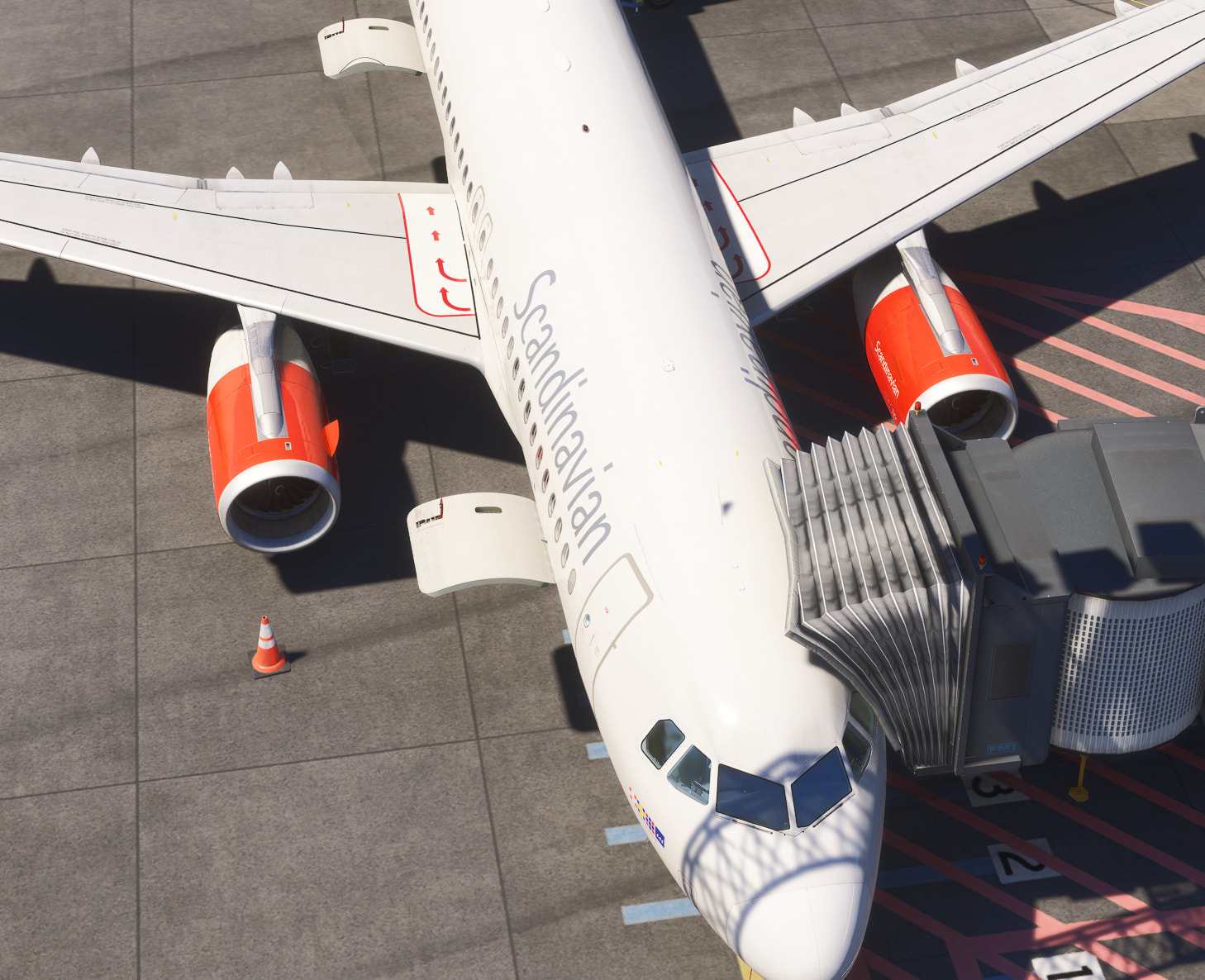
And now for something on the ground - been an issue way before SU6, but still, for completeness of what I captured. With external camera, when passing a certain angle viewing angle (look steeper down), ground textures turns from fine to real ugly. EKCH scenery from Simnord here, but have seen it on many other sceneries. When you tilt back a few degrees it’s fine again, and vice versa.

AoFUqUyq.png (1458×1186)

rgqWMMSx.png (1354×1078)

I hope it’s useful. It takes some time to grab and demo here, so hope it’s worth it. I forum compression drowns what I’m trying to show, I’ll try and see how to supply better screenshots. On my 4K monitor either live in-sim or looking at the screenshots 1:1, it very obvious.

The potential looks so high now when it works, that I badly want to help make it all sing.

EDIT: Having just seen the uploads, the compression is killing this so much. I’ll have a look around for alternative show casing, and will suggest the forum mods to try and reduce the compression level as it’s really brutal.
EDIT EDIT :): I’ve attempted to share some higher quality links as well now, either direct or to a page where you can select “Download image” and see it, hopefully fully uncompressed.

7 Likes

Related to ground textures moving in and out of focus - Edinburgh (pic 2). Happens at all airports for me on Xbox X, including Manchester (pic 1).

2 Likes

I see you have dynamic settings enabled, you need to disable it if you want to see the best textures.

2 Likes

I have definitely perceived much lower draw distances in this beta.

2 Likes

LOD factors at 1.00. Should not have reduced quality at the time of frame grabbing.

3 Likes

Could these be just heatblur from the engines?? I might be wrong.

2 Likes

FYI, it also depends on your LOD setting. Ground and airport textures will naturally appear lower quality with Terrain LOD set to 50 compared to LOD 200 or LOD 400. I actually demonstrated the difference between various TLOD settings not long ago during the SU5 testing period - well before SU6.

1 Like