The sun glare in my Sim is terrible, is there a way to reduce the intensity? thanks
1 Like
@ZonalCarpenter8 - don’t laugh, but in VR with the HTC Vive Pro, I literally wear sunglasses inside the HMD. Makes everything look much more realistic, and helps cut down on the eye fatigue.
I have also disabled Bloom in the graphics settings.
4 Likes
Haha, yes it’s really blinding, but it’s like that in real life. I normally wore sunglasses when flying.
3 Likes
I mentioned this to someone, it’s just like the real thing.
This one time IRL I was landing a plane in Oshawa, and the setting sun was perfectly lined up with the landing runway. It was my most painful flying experience to date trying to keep my eyes on the runway, and it was the day I decided to spend $400 on prescription sunglasses.
There are 3 things that I think we should be able to control in the Sim.
1- Sun Glare
2- Sky reflection on the water
3- And the ridiculous blue haze
This is one thing I don’t want just like the real thing in the simulation.
1 Like
The blue haze is one of the things thats realistic.
Maybe in England, not in the rest of the world😜 Today here in NYC, I can see for miles and no haze much less blueish one.
IMHO sunlight intensity and the shadows are some of the most realistic features in the sim.
I miss this addon.
1 Like
I thought I was the only one.
A little more information would be useful. Are you using a screen or VR?
I can tell you the sun glare might not be enough compared to real life 
I was flying into KLEB a few weeks ago, which is nestled in a valley with a hill at nearly pattern altitude to the east of it. The controller told me to come in for a left downwind for 18. I could not see a ■■■■ thing the sun was right in my eyes and I could not see that hill at all as I approached the airport, I couldn’t see any of the ground. I should have asked him to let me enter on a left base for 18 so I wouldn’t have been flying into the sun. But there was another Bonanza coming in from the south and he was told to come in for a right downwind for 18, so it was a little busy. I ended up coming in way high, then extending my downwind way out and let the Bonanza land first.
Point being, yeah, the sun can be brutal up there.
The haze is pretty realistic to me. I assume that’s the blue haze people are talking about. I am using a 4K monitory, so I haven’t seen the pixelated clouds people have been complaining about either, so, maybe monitor resolution has something to do with realism? But the haze is very real, and it looks great to me in the game. Sure, on a really clear day in the winter, you can see Mt Washington from Nashua, NH. But that is a rare day indeed.
Even on a clear day haze can be there. I can remember one time I went flying on a perfectly blue clear day it seemed from the ground. Till I got up in the sky. It was so hazy lookig down, you couldn’t see the ground from above 4000 ft, and I had just flown through Manchester Class C and had flight following, and, I had only recently gotten my pilot’s license, and there was no such thing as GPS back then, and I was getting a bit worried I’d lose where I was. But the controller wouldn’t let me descend to 3500 till later in the flight. I flew home at 2500 
1 Like
Whether I use my triple HDR monitors or My Pimax 8K Xvr the effect is the same, I understand if you look straight at the sun but the glare spreads way too far even if you not looking I live in NYC and I fly regularly and I can tell the Sun glare, the blue haze, and the sky/cloud reflection on the water is not realistic at all and it is right on your face. Yes, there is a haze but not that blue. Everytime I fly in the morning I feel I had my eyes dilated.
What mode are you using the Pimax in?
The haze does not look blue to me on my LG 55UN7300 4K monitor. Maybe our eyes are different?
The sun was on the horizon, and, flying into it, I couldn’t see a dam thing. I could look out my side windows. But my whole straight ahead view was completely obscured. A little scary actually. Granted, the windshield on the plane I was renting should probably be replaced.
Yeah, the water doesn’t look super realistic to me. Then again, it’s good enough for me, so perhaps I don’t care about the look of the water as much as you do. I will say every time I fly in the sim, I’m shocked how real it looks compared to where I fly (for the most part)(the islands in Lake Winnipesaukee, not so much, but, you can’t have everything).
It is not only the Pimax but my 3 brand new 32" HDR curved monitors, and I am not the only one, coming from FSX/P3D where we could tweak the atmospheric visual unlike MSFS2020 you are stuck to one size fits all no matter where you fly, that’s not realistic at all.
I asked about the Primax because it’s 4K. And mainly I’m talking about the haze.
And then it occurred to me maybe the blue haze is altitude related? I pretty much never fly above 6000 ft. At those levels, the haze looks pretty realistic to me. That line across the horizon is a pain, but I just ignore it.
Kind of like the pixelated clouds. I finally saw my first picture of that tonight, though I’ve never witnessed it in my setup. I didn’t know if it’s 4K vs 1440 related or not?
Sorry, HDR doesn’t mean anything to me (I just don’t know what it means). Are they 4K monitors? The only thing I know about HDR is what I’ve read in reviews, which isn’t normally good in terms of monitor support, but, I don’t know what monitor you have and maybe it supports it really well, and maybe HDR means something? I don’t know. As far as I know, it just allows deeper colors sort of.
Hope it’s obvious I’m looking to see what the difference is between our setups that might make a difference.
Maybe there’s a setting in your monitor that can ameliorate the blueness of the haze? As far as the sun being low on the horizon, I fly in that situation all the time in the sim and often in real life, it hasn’t been a complaint of mine that it’s too much. I have a 2070 super with an LG 55UN7300 TV as a monitor, pretty low end as 4K TV’s go, it was only $379 but I’m very happy with it.
This has nothing to do with the display but the “Aerosol Density” in weather, the values can be adjusted from 1 to 100, it should at least -30 to 100, even at 1 is too much.
1 Like
But what about it’s blueness? Or is it just too dense to you?
That has to do with atmospheric fog, and there is no way to adjust it as we could in FSX or P3D. look at the pic.
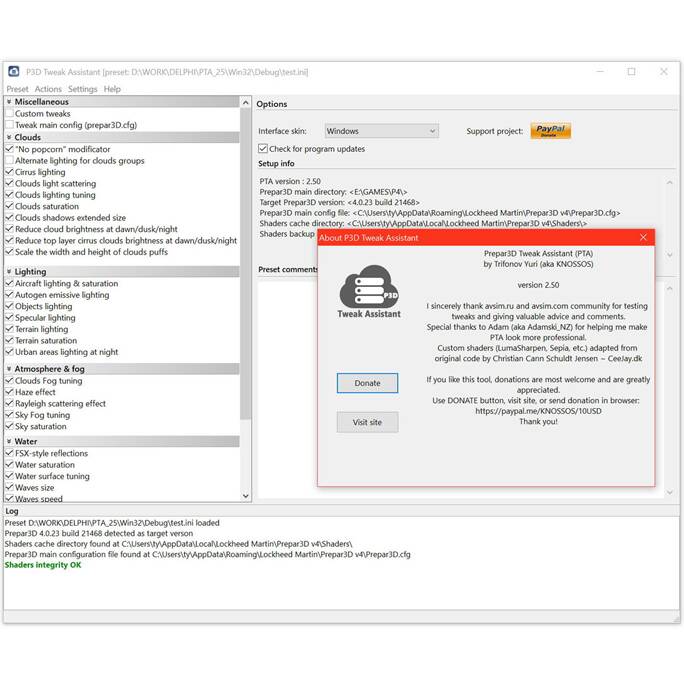
I don’t know that that picture means.
My bet is it is adjustable, just not through an interface. We’d have to investigate which files control this information.
It basically is still just FSX, except with a graphics engine change, a major change to the cockpit panel structure, trying as hard as possible to dump the old methods of gauge design, and a new file structure methodology (package concept). But most things FSX are still there, though many are broken/not fully supported yet (for instance some of the taxiway sign options are not working at the moment I discovered the other day). True, though, that the atomspheric aerosol particle is new and still in development. And particle effects don’t even exist yet.