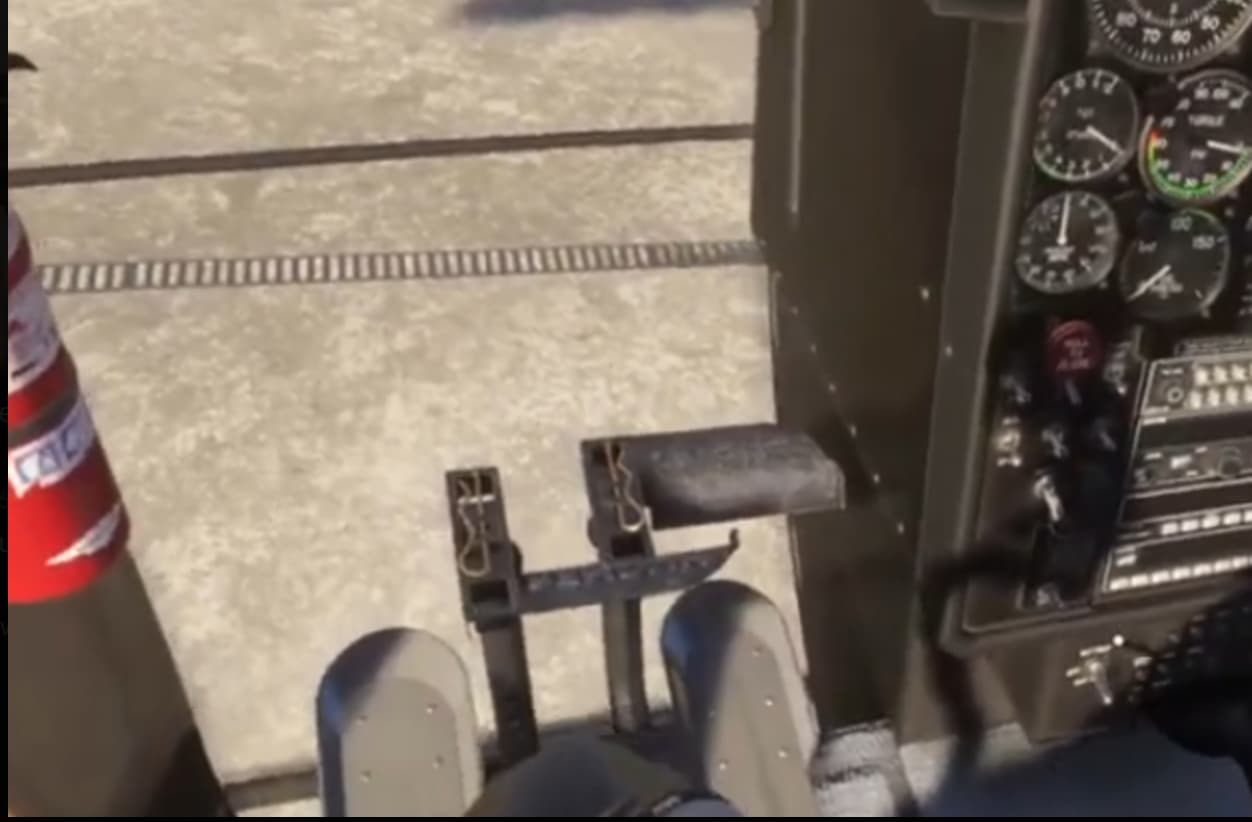
Probably a noob question, how do I work the collective friction lock ? I can highlight it from a checklist, my mouse pointer changes to a hand over it, but I can’t make it do anything.
I’ve tried every combination of left and right clicks and drags, nada …
But first, do I actually need to do anything with it ? The 500 seems fine with me not doing anything with it.
You dont need to do anything with it. All friction controls in the sim are meaningless, since in real life the do control the physical friction of the actuall lever and the force you need to move that lever. So in the virtual cockpit you can just ignore it, and I doubt that there is any actual function programmed behind it. I thing they just modelled the node to make the checklist as realistic as possible.
Hi
Not a noob question at all.
the control locks are modelled.
Pedals, cyclic and collective. Use the clickspot to highlight, then use the mouse wheel.
Its also persistent too. So if you park the heli and shutdown and lock the controls, next time you start, you will need to release them.
stu
PS
take off with any control locked, it is really locked ie deactivated.
Oh cool ! I found the pedals clickspot and see what you mean. I couldn’t find a cyclic clickspot (I did open a panel on the floor though, that was a surprise), and I noticed that when I had the collective friction lock turned one way with the mouse wheel everything was normal but when I moused it the other way the stick kept returning to zero when I raised it - but visually there was nothing happening with the friction lock. So I’ll be leaving that one unlocked !
Also spent a frustrating 3-4 minutes trying to unlock the throttle cutoff lock so I could shut down but I couldn’t get the engine to stop. Note to self, if you really must watch helicopter videos on another screen watch your instruments because you can’t hear when your engine shuts down !
That’s true, but it wouldn’t have helped me - the engine shut down as soon as I rolled the throttle to cutoff, I just didn’t hear it run down because of the helicopter video playing in another screen.
By the way, I got the hint from Taog’s that if the heli spawns with the high (200c) TOT, you can restart the flight and it will actually spawn with ambient TOT as it should.
Just tried it and it worked for me. They are trying to fix that in an update.
When is the Hughes 500C expected to be fixed or updated? Is there a list of bugs that will be fixed? Several effects need to be fixed. The glass is transparent from the outside, as if it weren’t there, I could list many more problems that need fixing.
There is no thread on the Taog Discard interface about the Hughes 500C helicopter. What is the reason for this?
The Chat interface does not appear for me on the Hughes 500 C helicopter. I see the chat interface for other helicopters. It would be nice to have a spectacular glass effect in the external view, like on the LAMA helicopter.
Hi
I sent a DM, but maybe you haven’t noticed.
The discord is just a matter of using the ‘down chevron’ next to where it says 500C. It will expand out the available channels.
The ‘glass invisible bug’ is probably in your settings, as it is unique to you. Have a look through the pics in this thread, and the reviews on youtube, and it is not there as a bug to others.
THe discord is a great resource for you. Hope to see you there.
Stu
Bought this three days ago. This is the best helicopter out there imo. Love the alouette (had a nice flight to K2 base camp tonight in it before going over to the 500C) and Miltech’s MH60, but the 500 is just incredible. Well done to Taog.
Request for help. In the 500C my engine keeps quitting. Even if I use the ‘Repair all Damage’ function and resart a flight a few minutes later the warning light and noise will start again and I lose all power.
I am starting from a helipad with the heli ready to fly.
I am at my wits end on how to fix this so I can enjoy flying this helicopter again. Any assistance would be greatly appreciated. Thanks.