What is “PBR?” Without knowing what “PBR” stands for, I don’t know what to look for in the screenshots taken from straight overhead, and without knowing what you’re talking about, I don’t think I can tell any difference between the three.
Physically Based Rendering.
PBR can add detail where there isn’t. Giving a brickwork texture the apperance of having a bumpy surface even when it doesn’t. In the example above, the joins between ramp slabs appear to have a dip between them.
Nothing wrong on my end either. I was just too inept to use the quote functionality correctly. That statement concerning LOD issues etc. was from another user.
I don’t know if anyone else has encountered this, but if I turn the LOD up over 400 in the cfg I always get switched to offline mode when I am back in the sim.
Hope Asobo fixes the TLOD performance issue in Ms2024. Hoping that everyone Should Not have to buy a 13900k and 4090 card to run it . My 12900k and 3080ti should be well enough
Max out you graphics and you should be ok … unless of course you are not using 4k, the MS recommended resolution for your gpu.
Asobo should just add option to select terrain texture resolution and draw distance.
But i think the best was on SU9.
LOD has been horrendous lately for me. Terrain tiles changing 150 ft ahead of the aircraft when flying low, photogrammetry morphing 200 ft ahead, etc. It’s not good even with LOD at 400 (can’t use LOD 400, but tried just for testing. I use 100 or 200 depending on location and airplane)
it has been bad for over 7 sim updates now, it got worse when they increased the slider to 400.
That would be a rather insidious thing to do.
Make the old 200 now 400, but claim that this is because of render improvements, meaning you have to lower the settings. Not to get what you think was the old 200, but even 100.
Nah, not possible. 
it’s basically like this
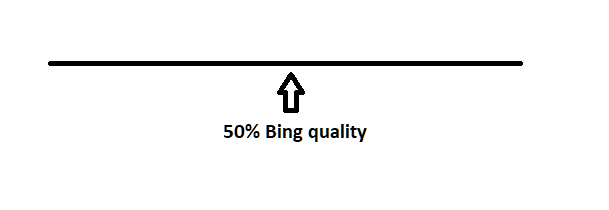
LOD and draw distance improves, but bing maps still stream 50% in the middle, 100% at 400
currently 200 gives the same quality of ortho streaming 100 previously did when the max was 200.
trees draw further now and other objects, but i personally dont care about that.
I just want full quality maps below me without having to set the slider to 100% TLOD400
I believe i made like 2 wishlist topics around this issue.
i also made many posts requesting Asobo to unlink ortho streaming from this specific slider.
it’s just wrong.
Exactly! I don’t think that we will see much improvement.
As i’ve said for months and months, i don’t think that it’s a mistake or a bug. I believe it’s intentional by Asobo to make the sim more stable. We now have the news of the “new” sim, and i think the whole situation is absolutely unacceptable.
What if the changes they needed to make to improve things require substantial rewrites due to other changes they cannot, or are unwilling to unpick?
If this new version does exactly what you want, would that not be acceptable? Maybe this is an attempt to update legacy code.
Many people have been fighting with this simulator, now for several years. - Every time there has been major issues, and you reach out to Asobo, they would always give you the same questions about your system.
I have been absolutely convinced for about a year, that it’s all Asobo changing things behind the lines.
But because they have maintained their (IMO) lies or just remained silent on major issues. People like myself have spent countless hours trying to “fix our system”. Complete reinstalls of the sim, complete reinstalls of windows and so on. All along Asobo knew that the sim (code) in the current sim simply was so screwed up, that it would never work as intended.
If they came to the conclusion that rebuilding it from scratch was the only way to fix the major core issues, then i definitely agree that it’s the right call. BUT i want them to admit to it, and i want an apology for all the wasted time.
You are never going to get that, so I wouldn’t waste any time on that front. Relistically, they don’t owe us anything. The only contract we have with MS/Asobo is a license to use their software, which they can withdraw any time they please.
I’m not saying its right or wrong, just stating the facts as I see them.
We all want the sim to be the best it can be, but there is only so much we can do. At the end of the day, if it all gets too much you can always vote with your feet/wallet, which is about all we do have control over.
I agree with that. I just think it’s an extremely disgusting way to treat your customers.
If MSFS 2024 was stable, normal optimization’s with regards to performance, normal looking PG and not blurry ground textures, functioning ai traffic, FIXED LOD so everything doesn’t pop in/out all the time, then it would be great.
Right now if Asobo was selling the only pacemakers in the world and i needed one to stay alive. I would take my chances without it. I have ZERO trust in them.
I had one pop in as I set a 16gb rolling cache on ramdisk last night. First time I looked back at Toronto, then none after. Started at tlod 6.00 and worked it to full tlod 9.00. at least 6 payware airports loading in, samscene toronto, and every other possible payware, freeware for the area. It jumped to as high as 32.5fps on the ground. And quickly rises to my 40fps cap once airborn.

{OffscreenTerrainPreCaching
Enabled 0
Quality 0
You didn’t get this from me
This is another example of the change in loading terrain.
I have followed this guy on YT and he always makes these great flight vids with a “Cruise” sequence".
It didn’t load in this obvious or close before. This is the issue with both PG, ground textures, mountains, snow and night lighting. Looks horrible. (Look at the cruise segment)
Those who don’t think this is an issue, i’m happy for you.
If you mean the tiling you see at around 12:00, I think that’s a separate issue that came in around WU5. If so I shot a couple of videos about that, back in June 2021.
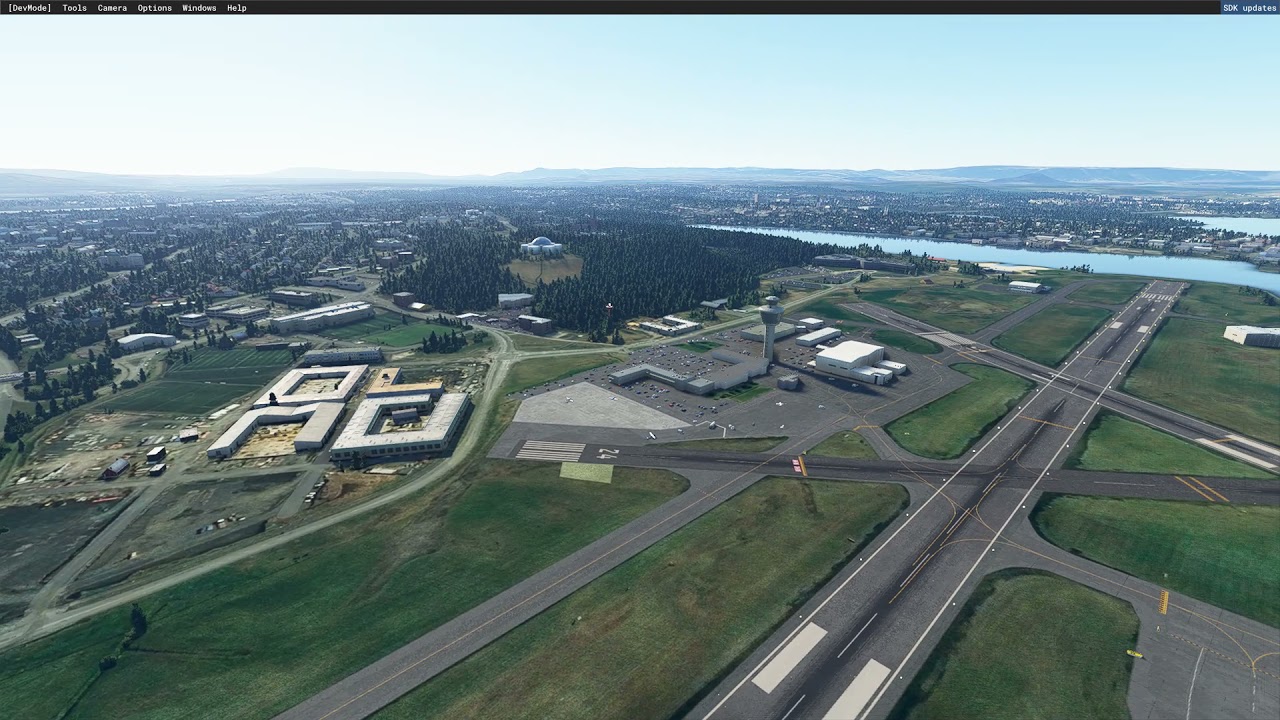
I don’t see this all over, only certain places though.