The problem is that many users think that as soon as they buy a new graphics card they think they can set 400 t-lod when in fact they are mainthread limited (cpu-limited). And then they get in here and complain about performance is bad with 4090. And that may cause bad quality for all of the users when Asobo decides to tune down graphics on ULTRA settings to make those with 4090 be able to run the sim with 400 t-lod because they upgraded wrong hardware.
Those users will get educated here as to what is going on, and why, if they don’t know it yet.
All I can confirm, through already posted images, and video, is that I don’t have the issues described in this thread because of my graphics settings.
It could be argued that the sim should look better on lower settings than mine, but that’s not my argument, merely that the graphical artefacts as shown are not defects of the sim, rather products of a graphical setting. If upping that setting has a detrimental effect on sim performance, that’s a different argument, and one for another thread.
Are you aware of a thread, sticky or otherwise, from Asobo that illustrates the difference between the CPU & GPU, and the effects each can have on the sim, as well as general performance, and upgrade advice? Images showing the dev. mode frame rate counter in a variety of states, indicating “low” framerates based on a CPU and GPU bound condition, and advice on what could potentially be upgraded in each scenario would be a useful thread that users could be pointed at.
I’m not sure if that exists. But why not have those descriptions in the settings menu while hovering the specific settings?
Yes! That’s an excellent suggestion. Hover over the setting to get a more in-depth description of what it does, and what can affect it. Throw in a hyperlink to a forum article for a more thorough explanation, that kind of thing.
They already have general description of settings. But they don’t tell much of what the settings do and what hardware it affects most. I’ve tested the settings much and know what most of the settings demands. But i would also want to have that and Asobo knows best what those settings affects because they added those settings.
Example: lowes preset t-lod 25

Lowest preset t-lod 400, notice the increase load on the cpu and decrease on GPU load because there is less frames to render bacause the main thread limits the FPS.
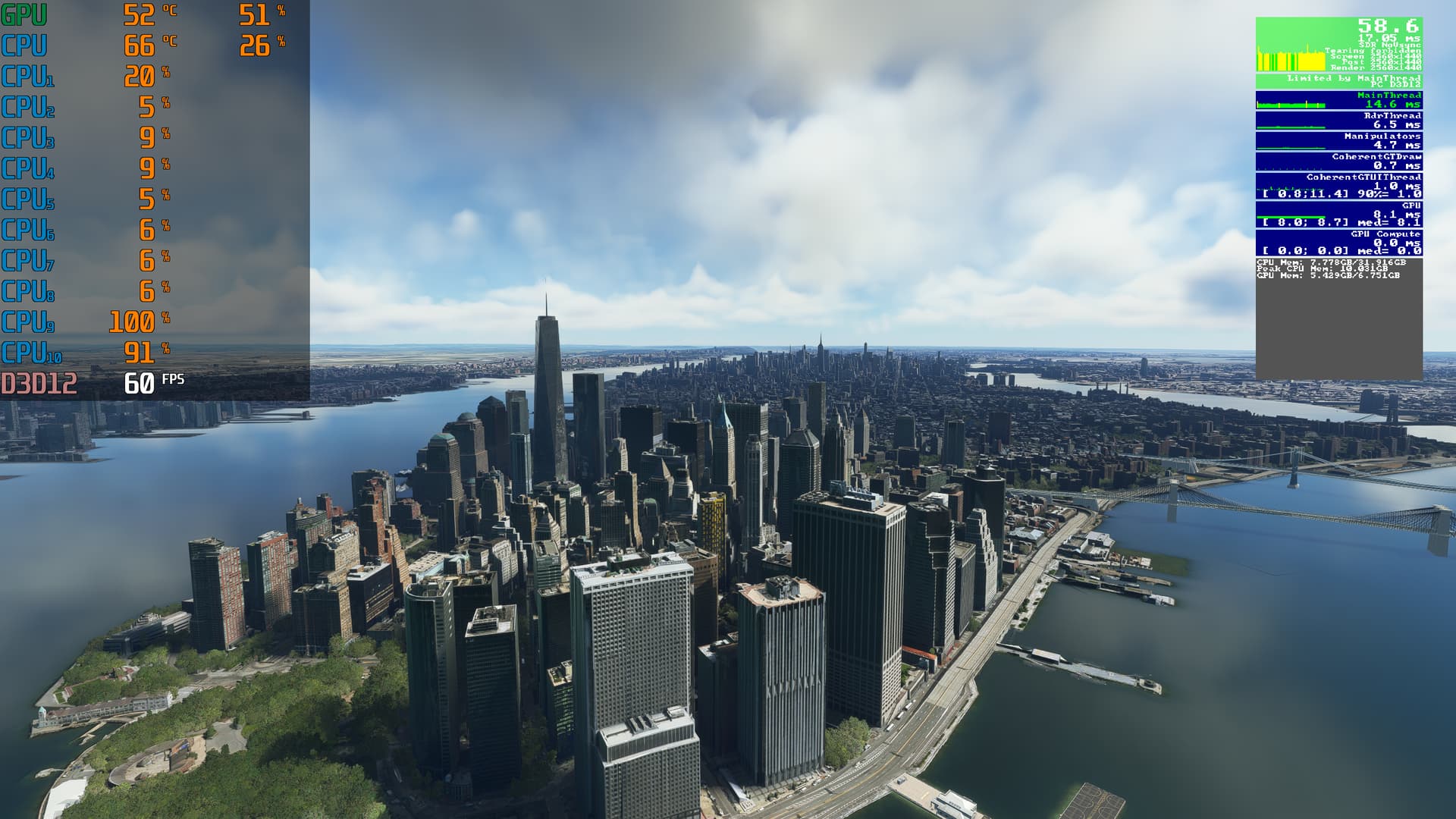
Edit: i want to add that i have not the best hardware. If i would improve somthing it’s my CPU to be able to increase t-lod and traffic.
Intel(R) Core™ i9-10900 CPU @ 2.80GHz 2.81 GHz
RTX 3070
32GB RAM
so what kind of CPU do the ones with TLOD above 200 have?
I have a 12700K and cant even go higher than 150.
TLOD 300 and 400 sounds insane to me. Is it even possible to not have a stutterfest with that?
Also, what kind of a freak-computer does Asobo expect most people to have to avoid patches-popping right below the aircraft?
Some of these discussions starts to sound dangerously “elitist”, leaving a impression that if you dont have a i9-13900k with a 4090TI you should expect to have stuttering and texture/mesh pop’ins.
we didn’t have above 200 at release 2020. That were added by demand of the users 
Depends where we are flying or the aircraft in use. Some places in default aircraft i can use 400 but t-lod always demands more cpu than gpu. I’m not sure why but thats how it is. Even where there is no buildings or objects we get lower FPS and higher Cpu load when setting T-lod to maximum.
i remember back in FSX/P3D(64Bit) there used to be a tweak to the .cfg file to make LOD better, can it be done with MSFS ?
If you look at any recent video I have posted, they are all at TLOD 300. Spec. is in my profile.
Yes, search the forums for the “usercfg.opt” file.
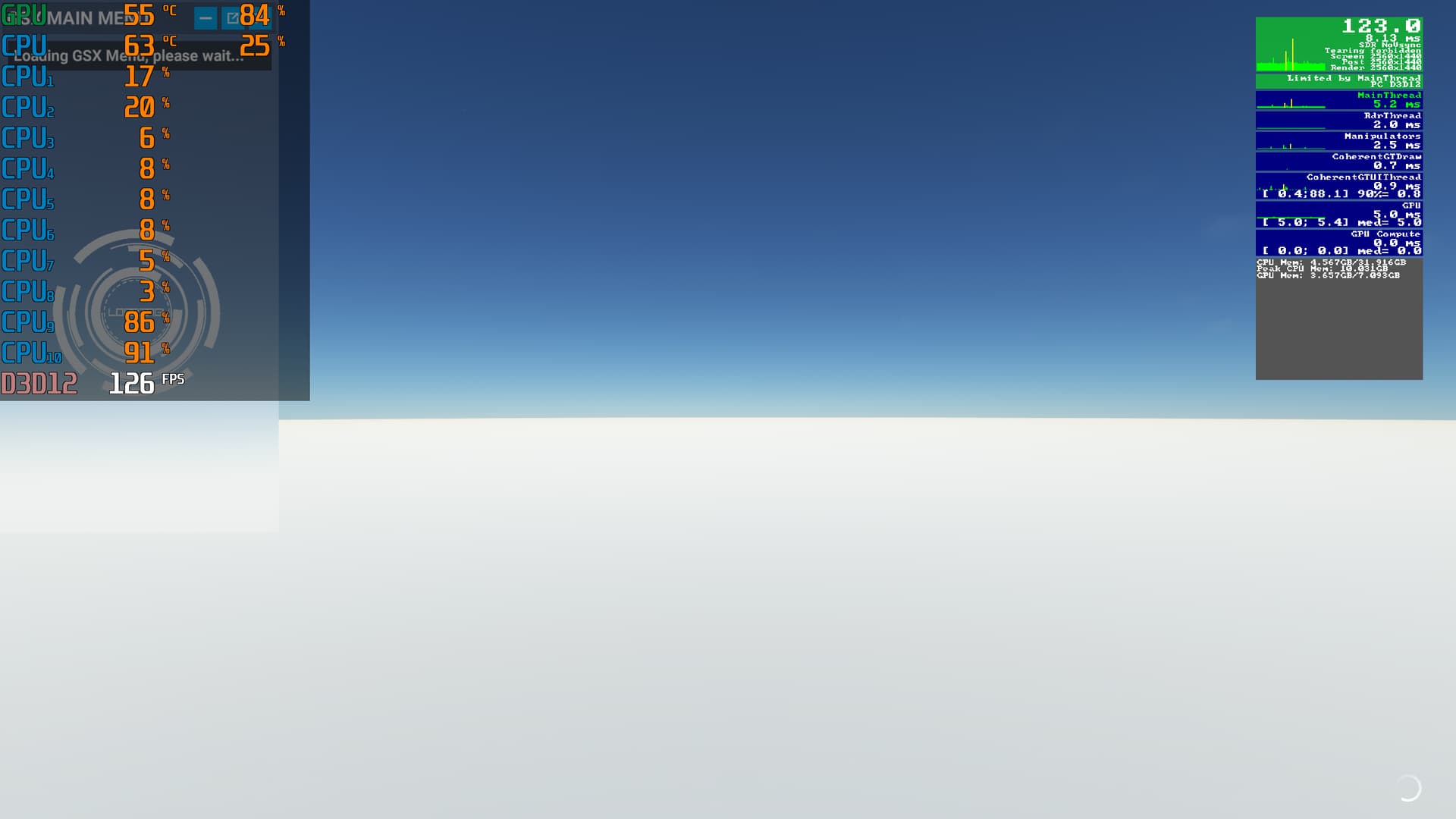
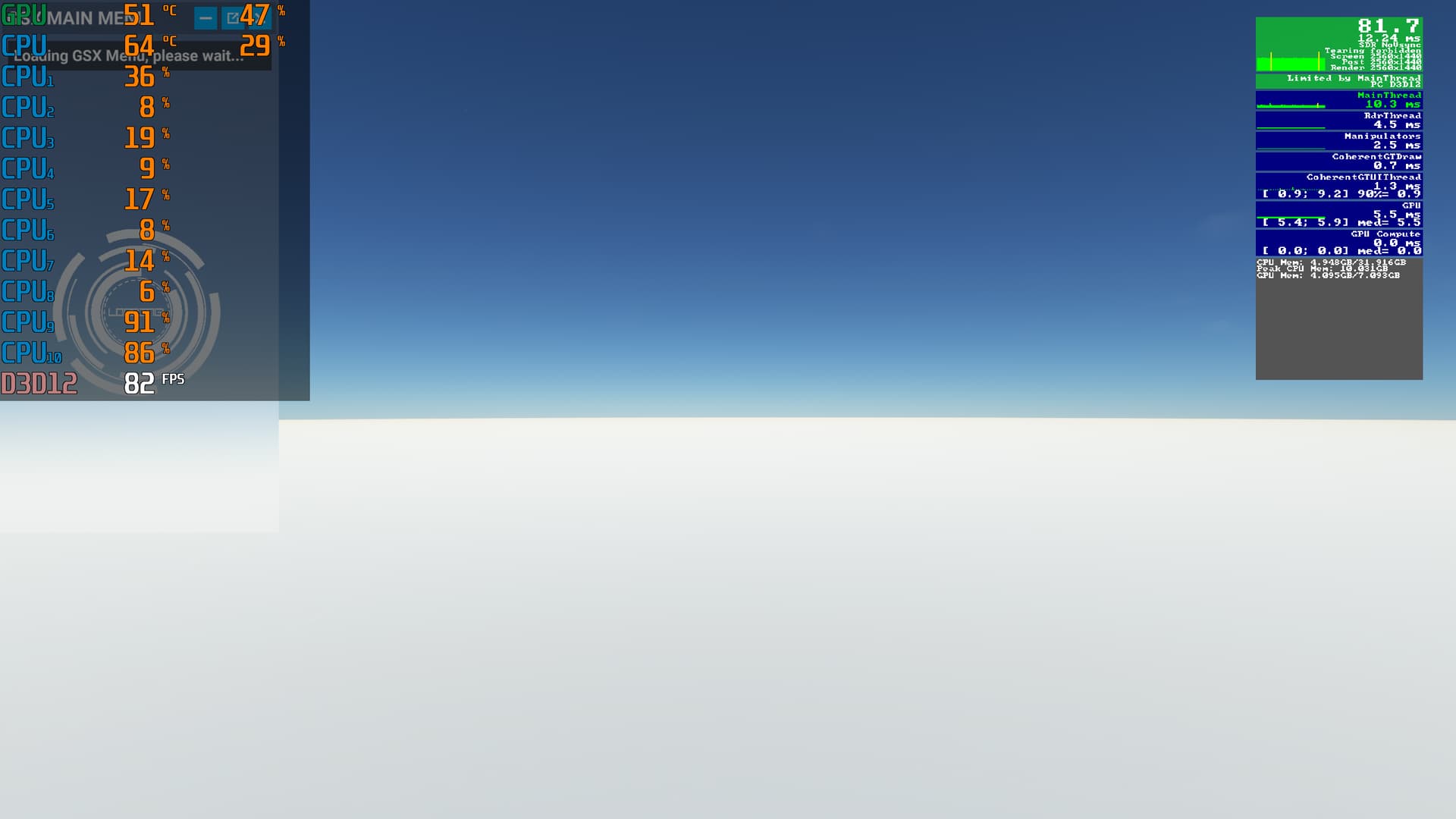
Looks like there needs to be some optimisation there. It has nothing to display, yet frame time has roughly doubled.
But that’s how it is all over the world. T-lod decreases the fps much even if there is no objects to render. I’m not sure what the t-lod does but it for sure do more than draws objects. I also know when we increase the t-lod slider the details of mountains/terrain increases too.
Yeah, it does seem like there is some default penalty to this, irrespective of what it actually has to draw.
My own thoughts. The buildings or objects drawdistance would not cost much fps if they manage to reduce the cpu demand of the t-lod.
But i’m not sure what is causing the drop in fps by setting 400 t-lod. Only Asobo knows what it does for sure.
Another test:
Only water (atlantic ocean) lowest settings tlod 25
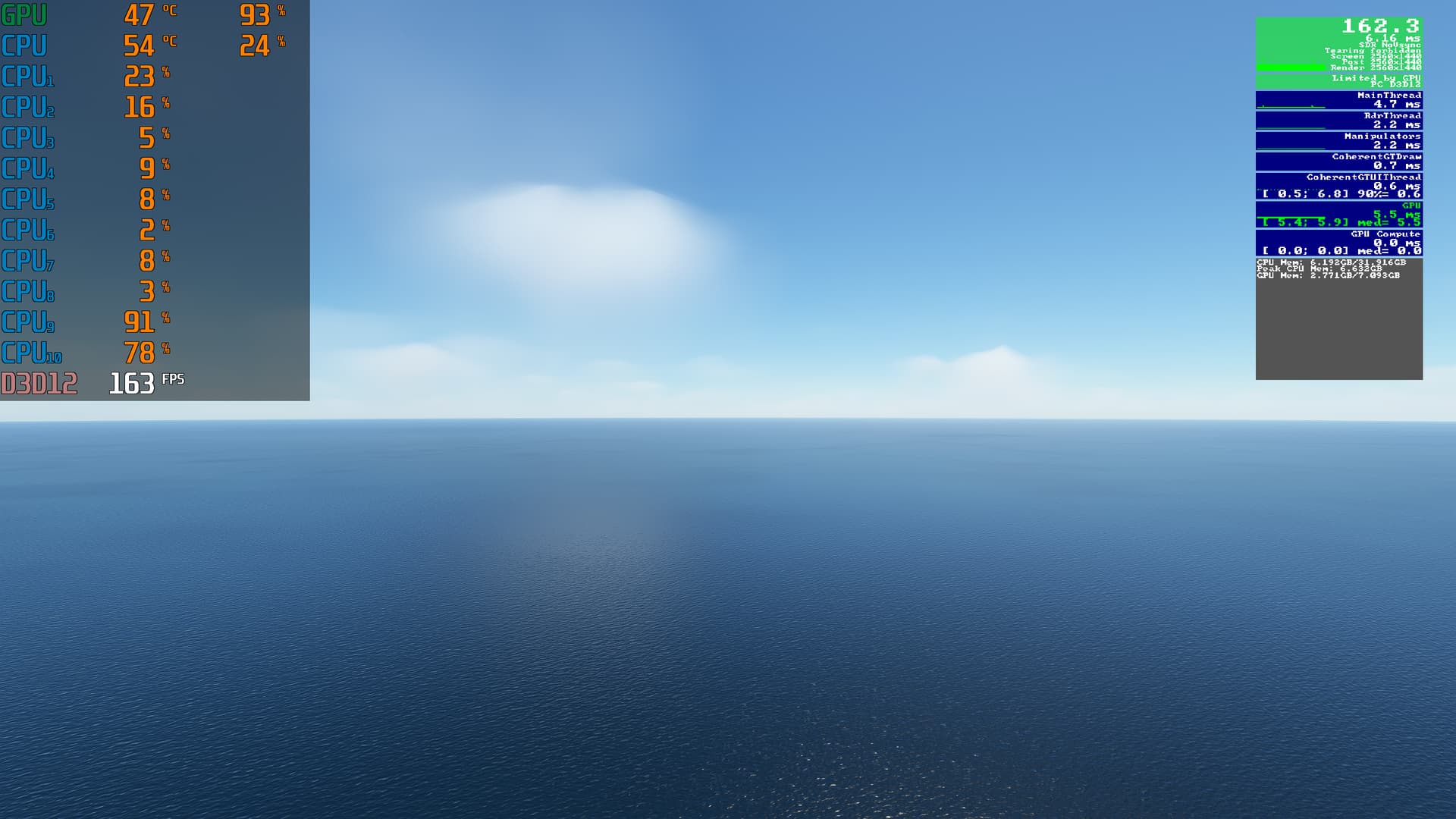
Lowest settings tlod 400

My conclusion is that the cpu needs to be upgraded to be able to achieve higher t-lod settings. Not upgrade GPU.
I’m running RTX 4090 along 7950x3D even I don’t play the game with 400 LOD. I could I guess but I wanna get over 60 FPS around JFK with FSLTL, and I wouldn’t be able to achieve that with LOD 400.
Depends how much traffic you are using with FSLTL, more traffic= more cpu load= less fps
Traffic also makes the FPS less predictable. Sometimes it requires more cpu load and sometimes less
I’m not lucky enough to own either but from what I gather it’s very hard to get any xx90 gpu limited even with the best cpu’s going. Make sure you have every graphic setting maxed including texture quality etc. in NVCP and don’t use DLSS (unless maybe in DLAA mode), bump renderscale in TAA or fit a 2nd monitor etc. … simply put, the harder the gpu works then the more headroom for mainthread.
I would say it’s better to have a balance between gpuload and cpu load. will increase the lifespan of those hardware. I set it upd to achieve above 60FPS all the time then i set vsync 100% that will lock the frames at 60 FPS.
My own opinion. We can set it how we want to as long as we’re not limited by gpu or cpu because that means it drops below 60FPS or 30FPS depending on what limit we want to use.
I kind of agree but even then I would tune for max gpu use before capping it, if nothing else this should help with the lows. BTW there’s nothing wrong with running your hardware hard so long as it stays within thermal limits (and they are far better regulated nowadays).