I bet your speed test was against a local server, so all that tells you is that your local connection works okay. It does not prove that you have a sufficiently fast connection to the MS server. In fact the sim client told you that you didn’t. It could be due to server overload or it could be a bottle neck somewhere on the internet.
But it does hint that insufficient content download speed plays a huge part in the super-low FPS situations we’ve seen for some time. Personally, I suspect that the World Updates are more to blame for this than any bugs in the client. When I fly in South America, I never see this kind of FPS drop.
Im getting over 200MB/sec internet speed. Yesterday I had a 80GB update and now my framerates are somewhere around zero. I’m also getting the photogrammetry alert. Even the menu map of the earth has terrible framerates. I emptied my community folder, re-booted, everything. It’s unusable until fixed. Again. Also no ATIS at any airport and the mouse not clicking on things properly.
I see your point but that wouldn’t explain why I see good performance in most flights in completely new areas I’ve never flown before. The gradual fps degradation happens regardless of the area being in cache or not. Perhaps you are onto something and it’s more prevalent when there’s definitely nothing in the rolling cache, but I doubt a Logan-Kennedy flight would completely overwrite 10Gb of data.
The ticket I opened regarding the low FPS while landing was marked as “solved”
I really cannot believe that. The only solution I have found is to get back in X-Plane!
Seriously, how can they mark it as “solved” without at least letting us know what has been done to consider it so?
I am really rooting for this sim, I love the graphics, but it´s really hard for me to do so when we have REAL issues, we provide the info, attachments, steps to reproduce… and it gets marked as “solved”.
I know that in the big scheme of things I´m just a single user, and I amount next to nothing to MS/Asobo. And it is really sad to realize how little they care about us customers.
Yeah, tried that, but there was no response or anything. Now, I guess it´s just a matter of trying to be patience. Really hard to, when the landings are a powerpoint presentation, but I guess that´s all I can get now. Really hope they fix that.
Interestingly, on my I7 9700K, RTX 2070 Super, mostly Ultra settings, London, Paris improved to 30-40 fps, Hong Kong Sam Scene all fairly good. But flew around Philadelphia several times yesterday, and fps was only 18-22 and not improving. Last week, for the hell of it, I increased RAM from 32 to 64 GB, no change.
Today Philadelphia is 5-8 fps faster today, not related to RAM though.
Addendum … I flew NYC yesterday (haven’t in a while), and its now performing poorly, 18-22 fps (sometimes down to 12) with some stutters, and delays in responding to camera view change …
I tried varying LOD today between 50 and 200, while in NYC, monitoring FPS, and CPU vs GPU utilization with task manager, though the shifts weren’t as dramatic as I had anticipated. I did get quitevan improvemement with LOD 50-80, then upped towards 150 … its as if you have to coax it along.
I wouldn’t be surprised if a lot of the people you mention, who attempt to invalidate legitimate user complaints on this forum, are Asobo PR employees…
If legal action was taken against Asobo, for using paying customers as unwitting beta testers, this forum could be used in litigation. Therefore, watering down and delegitimizing user complaints can be a form of preemptive legal defense
I agree with the writer quoted above
seriously… if the game is working well for you, why waste your time trolling performance afflicted users on this forum?
I read a lot recommendation about disable virtualization, but disabling VT-d in BIOS not helped.
I was diging some options, and now have acceptable FPS with ULTRA preset.
What i done:
Disable VT-d
Disable HyperThreading
Disable Hyper-V/Windows Hypervisor Platform/Virtual Machine Platform (In Windows Feature) it’s broke Docker, WSL functionality
Disabled all external panel window (ATC/PFD/MFD/Checklist). Keep only one game window.
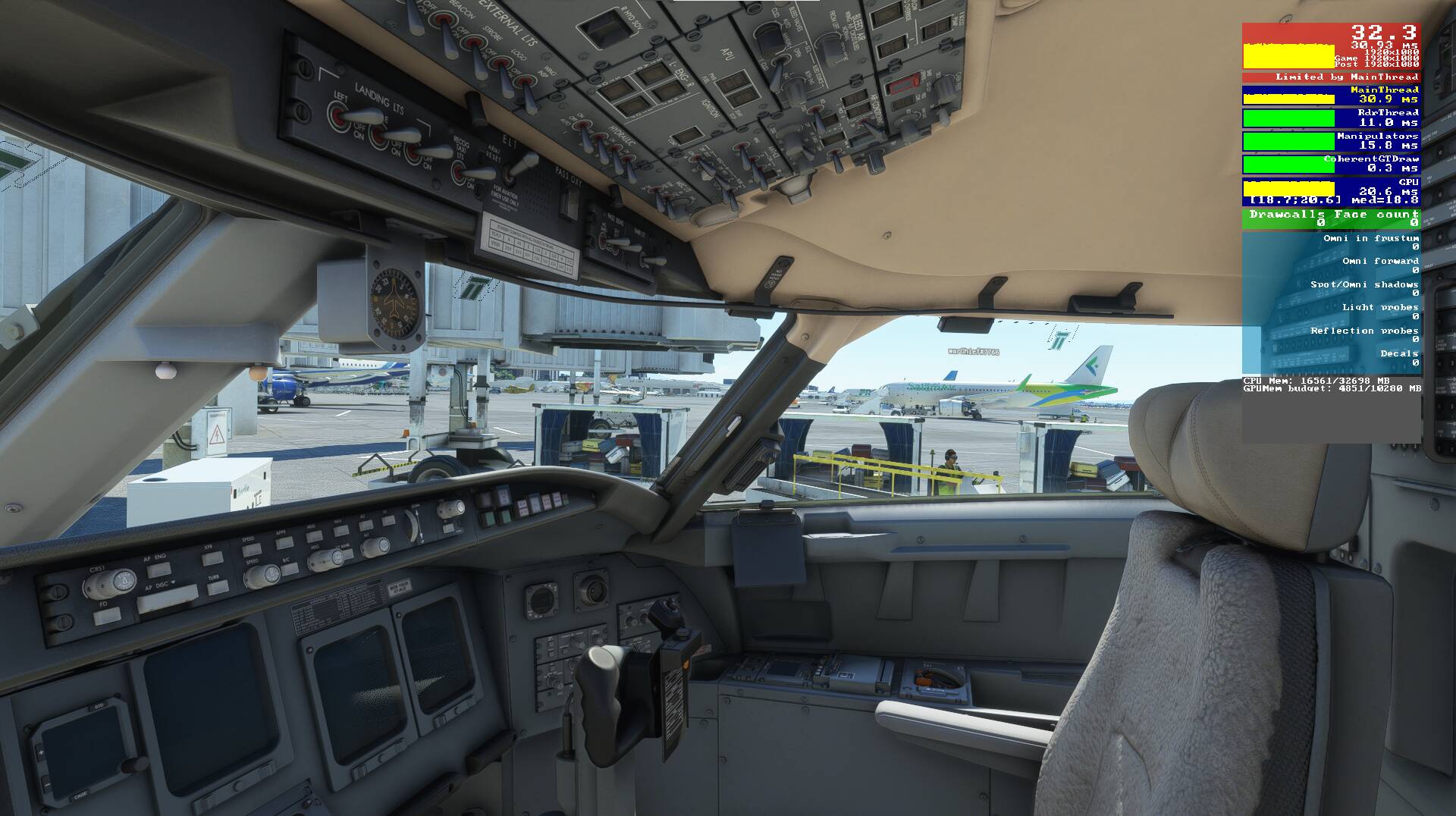
Now i have Stable 30FPS in KLAX Ground without stutters/delays/lags. All multiplayer functions is turned ON, All trafic is Set Real-Time online ant 100% for Ground.
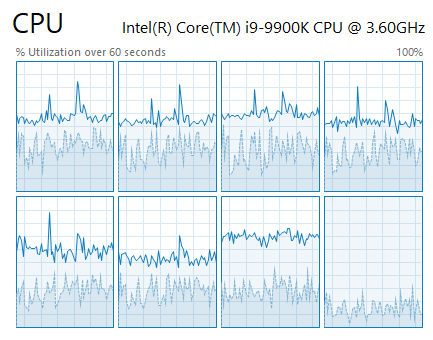
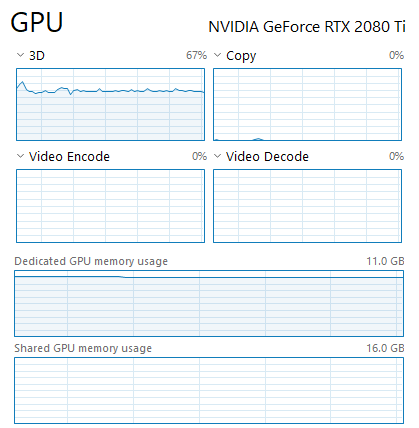
CPU is still one CORE limited, but other cores working also, GPU usage growing from 40% to 65-70%
hi yesterday all was good, was averaging 20 to 30 fps with the glass panels a320 flyby wire stand alone version popped out and running on on a second monitor.
today without changing anything ..i start the game and im getting 30-35fps so i think this is good something has changed for the better…BUT as soon as I popped out the panels guess what frame rate dropped to a stuttering 10fps. close down the second monitor and back to 30 fps…
remember ive made no changes to my pc or game setup since yesterday so the question is what has changed because something must have.
Hi there mixMugz…what I love about this sim and the flight community is Im sure it will be folk like yourself who will figure out the problem , come up with a fix and best of all share the answer. Im still in awe at what you did with regards the visible copilot mod…once again cheers for that .
cheers
h
also should have said what ive noticed running 31fps … pop out panels dont move them to second monitor and i drop to 25fps…so there is a loss of a good 5fps just by popping the panels…and this loss is then magnified 3 fold when moved to second monitor


 Last week, for the hell of it, I increased RAM from 32 to 64 GB, no change.