Yes I use it for DCS too, I also so that warning but too late, I have to plug my Warthogs and try it again, but I’m sure everything will be fine since as of last week I was playing DCS because my A320 wouldn’t taxi in MSFS 2020, I even thought it was Pushback express or a bad binding but when I saw the pedals axis I realized something was not right and started troubleshooting. I don’t remember if I had messed with the windows calibration already when playing with DCS, but I will try it later and report back. As for MSFS 2020, last night, I was able to get it working even better and with Thrusmaster software working. What I did was unusual Thrusmaster TPR driver and went back to Windows game controller calibration and instead of calibrating I got the Reset to default, move the pedals to make sure everything was working correctly, the crosshairs should be at the bottom right and then I installed Thrusmaster TPR and everything started working flawlessly. Now when I got into MSFS 2020 and look at the type brakes axis is a smooth even progression and not starting from half way like it was, also the rudder for some reason was super sensitive to the right but smooth to the left and after this everything is smooth. I always heard the Thrustmaster’s drivers were a little weird and I didn’t experience it until now. This could take you awhile to figure it out and couple tries but that was what worked for me. Just let me know if you have any questions.
Note: This images are not to be exact to your peripheral but to demaostrate close enough:
This is the reset in Windows Game Controller:

This crossshair needs to be in the bottom right.

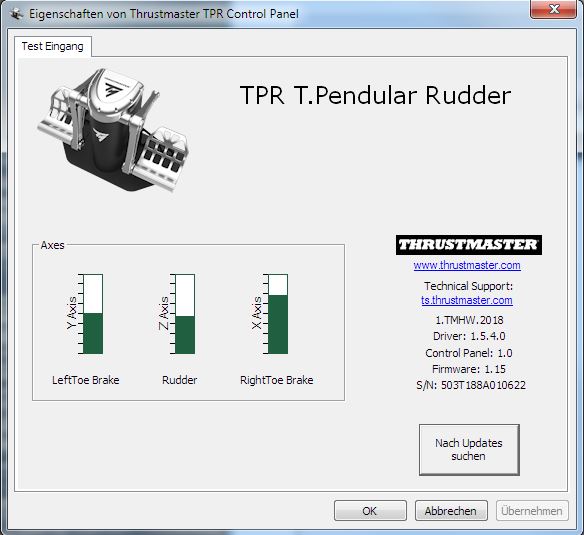
Then after you instal the Thrustmaster TPR driver
Incorrect:
Correct:

Toe brakes should not be half way.
Note: I can report that DCS is also working properly.