Personally I think it’s much better than the previous beta. The laziness effect is certainly gone, at least.
Haven’t had time to actually get in the air and do some circuits but at first blush the new default is very responsive. However I’m not finding it difficult to hold my view steady to fiddle with dials and switches.
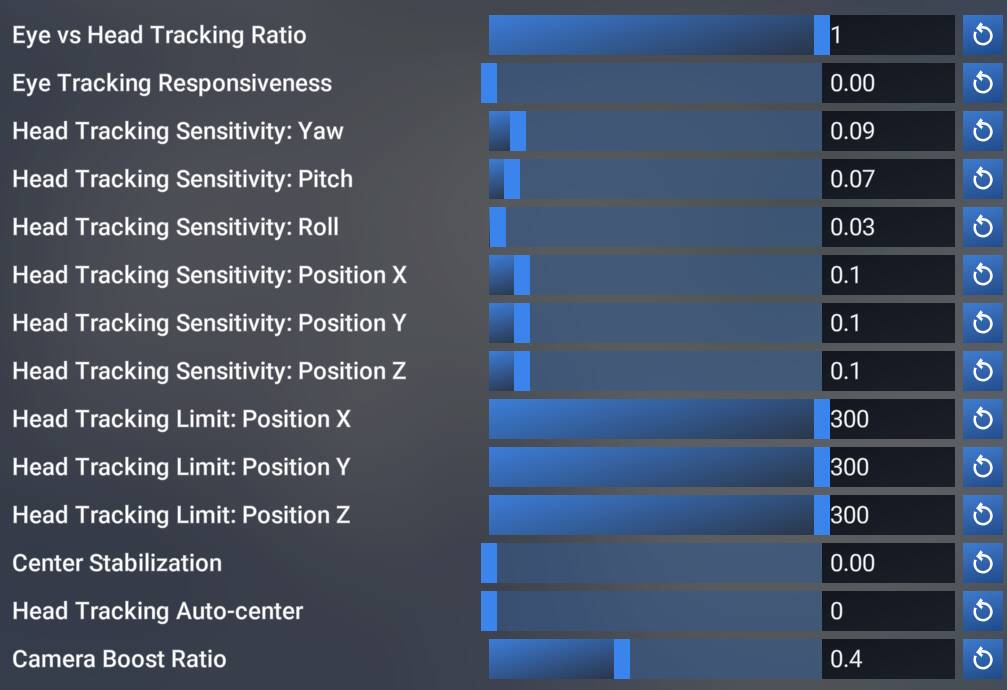
Adjusting the Camera Boost Ratio seems to mellow out this responsiveness without re-introducing any laziness.
My guess is that somewhere in the code Head Tracking Responsiveness and Camera Boost Ratio are multiplied. When HTR was only 0.5, the CBR only had half the intended effect.
Again, speaking only for myself, I can definitely live with this current situation and overall the performance is very good and feels smoother than SU4. But I can also see where other people may not be as happy.
I don’t want to suggest a middle-ground number because I’m afraid that will become to new default IMO a proper solution is to introduce a slider. Maybe that will come later?
Exactly this. The laziness/dampening effect seems to have gone now, I had to turn the camera boost right down. Overall, very happy after a first test flight.
I am glad to hear this got somehow resolved that quickly.
Even if it is not the perfect solution. As long as it is working that is all I could hope for.
OK! After spending the morning doing some patterns and then off to the neighbouring airstrip for a $100 breakfast (more like $200 these days!) I have to say that I’m very, very happy with the performance of MSFS’s native Tobii headtracking.
Any complaints I could have are either a “me” thing or I’m just being picky for the sake of being picky.
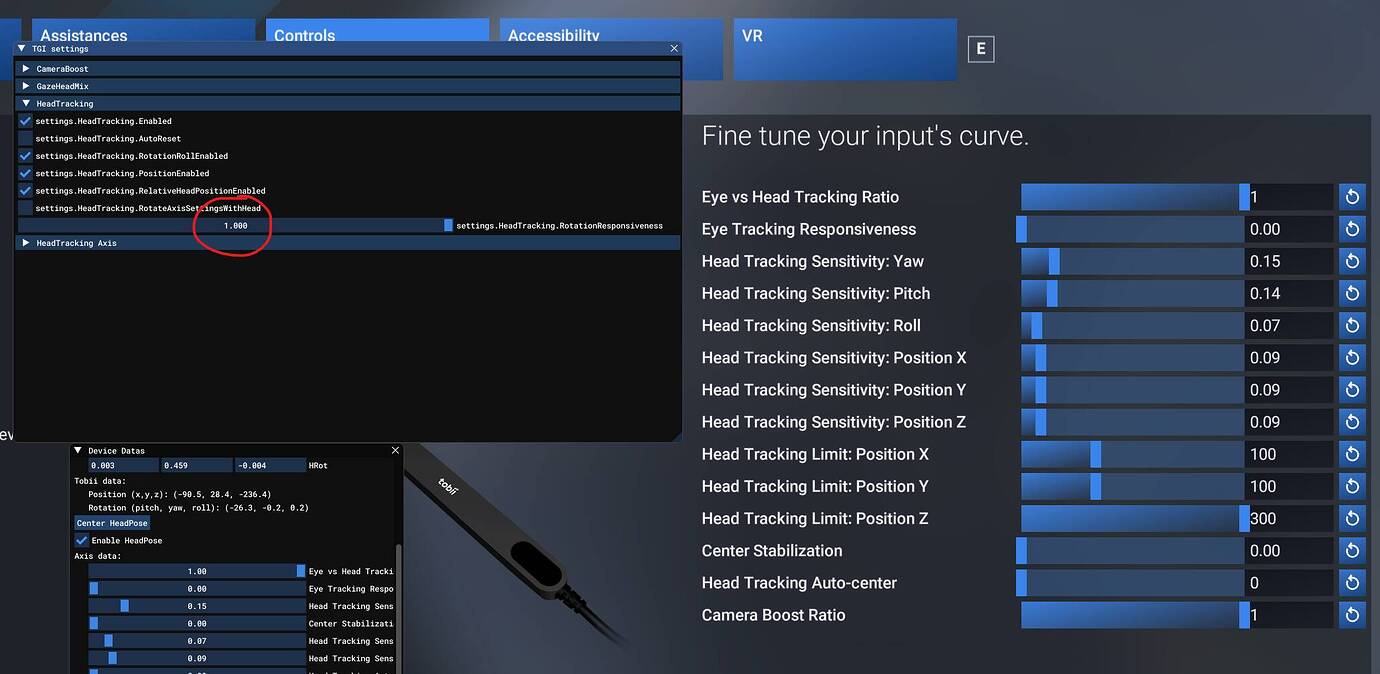
A theory I came up last night is that maybe the settings.HeadTrackingRotationResponsiveness variable was always supposed to be 1 and not necessarily user-facing, and the other settings are the modifiers that are applied over top of that?
Regardless, I’m very pleased with how SU5 v1.7.21.0 is performing and I consider this issue solved.
IMO other people’s settings are a ok place to begin if you have no idea where to start but getting it working it’s best for you will depend on many factors:
size of monitor [34" @ 3440x1440]
distance from monitor & sensor bar [~ 75cm]
tolerance for unnatural speed of view rotations [low, too fast or too slow gives me a headache]
the user’s ability to hold their head steady and neutral [good at keeping neutral, relaxed, and steady]
whether you use eye tracking or not [lol no]
external hardware vs just mouse [I have a lot of extras so I barely touch the mouse and I do a lot of knob twiddling by feel]
size / type of aircraft cockpit [GA mostly]
style / type of flying [VFR mostly, lots of looking out the windows]
etc etc etc
and on and on and on
and hence and so forth
Fortunately we now have a decent set of tools to make these adjustments!
TBH, i just find it very jerky now and over-responsive. For me, 0.700 responsiveness was perfect !
Why not to simply add this value to the controls and give us an extra fine tuning tool ?
Or it least make the setting on the dev tool save the selection between restarts.
I understand that the current fix was the easiset, but still…
 IMO a proper solution is to introduce a slider. Maybe that will come later?