I tried to fix it with a mod. But unfortunately, Asobo has closed all access to her files…
There is a great mod in 2020 that changes runway lights…
Yeah. Im so tired of Asobo/MS being protectionist. They claim to be working with the community when they really seem to be working against us.
How extremely naive and pretentious must they be if they think they alone can make “the perfect sim” without allowing 3rd parties to modify it… It makes my blood boil
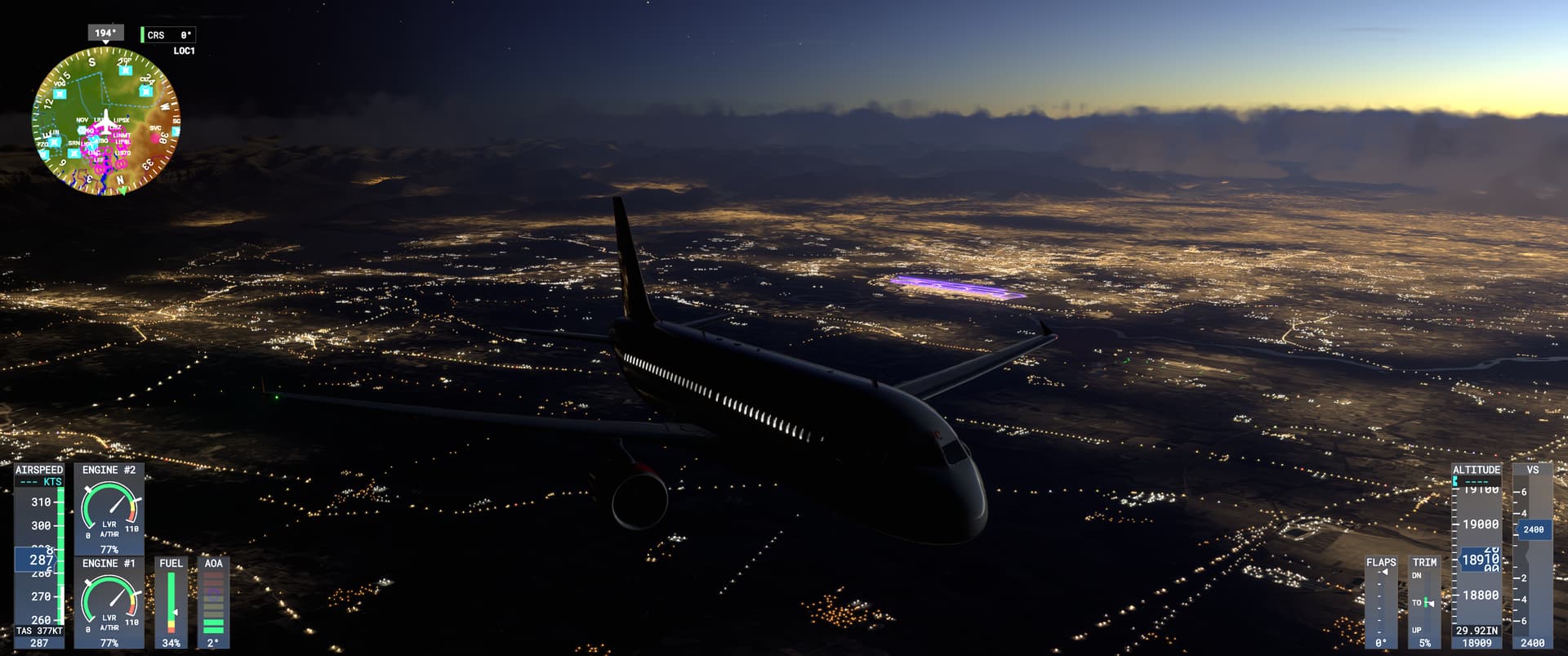
There are some real problems with the lighting, including this, cockpit and exterior lighting, and assistance ribbons. I noticed the taxi ribbon is very blown out looking in 2024 with HDR enabled, almost a violet color. But if you turn off HDR, they look like they did in 2020 (which was already overly obtrusive, IMO).
If this doesn’t go away once they fix the lighting issues, I’ll submit a ticket for it eventually. But I’ve already submitted quite a few for things that are genuinely broken, and this is just a minor annoyance for now.
I disagree. I think they too are too bright. Many areas are just bright with no details. I like the 2020 better. My opinion.
I think it may be a matter of a global lighting setting. I think MS wanted to make flight simming easy for newbees, so they made the airports easy to spot from a distance at night.
I hate the buildings with very basic rows of windows and rural highwasy lit up like they are main city streets. Again to make the roads look easy to spot for newbees.
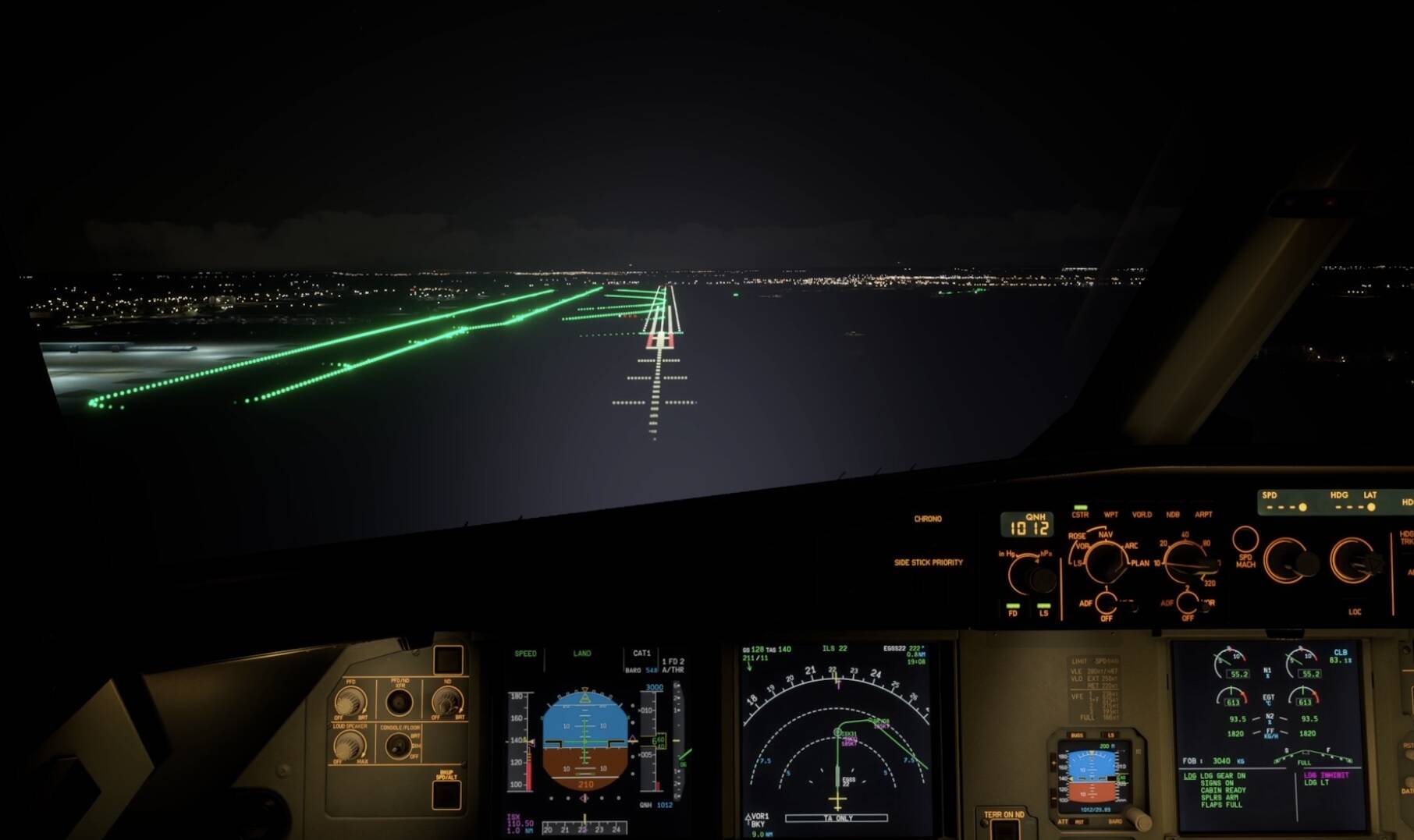
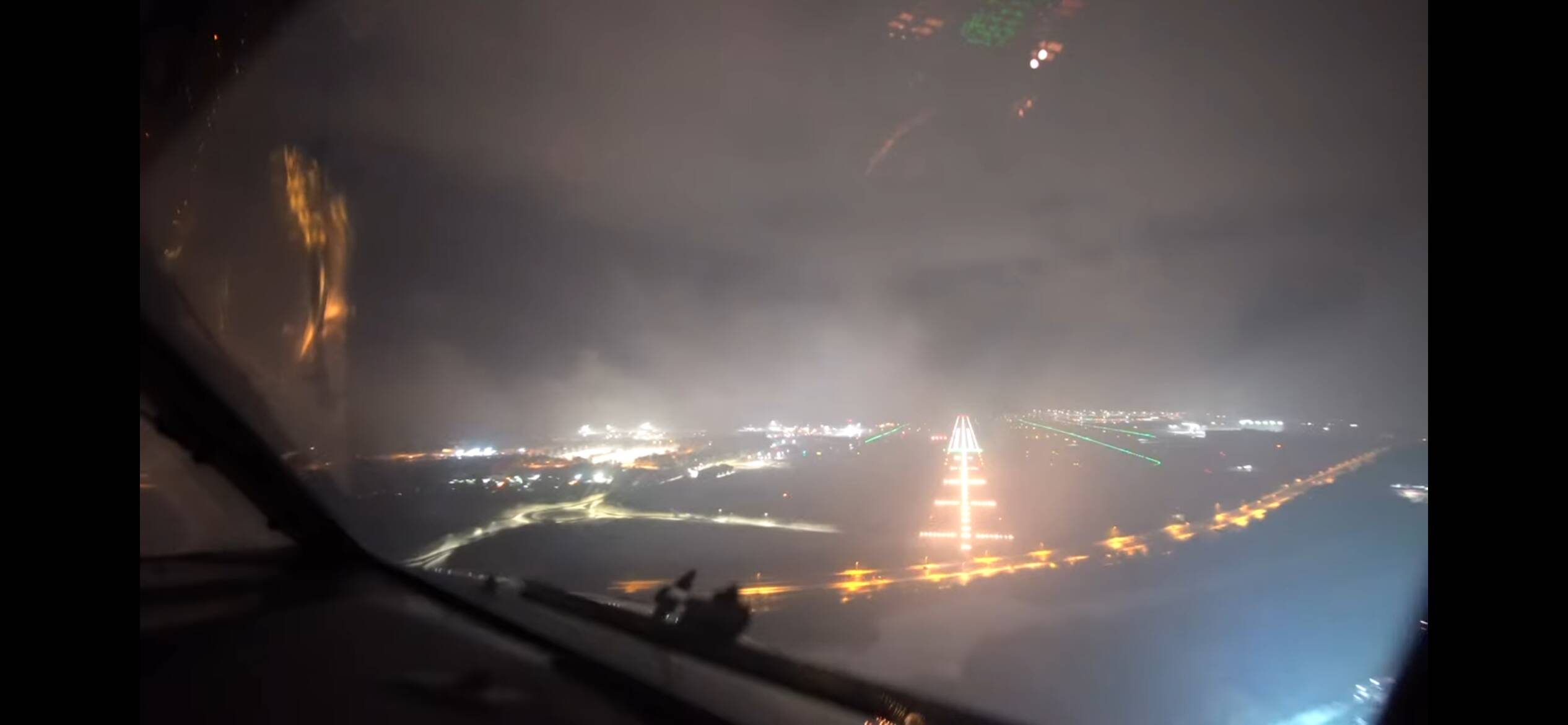
As a civil aviation engineer, I confirm this. But the blue lights are still unreal
Just a reminder that a lot of the lighting (the bright blue taxiway lighting in particular) is a bug endemic to scenery devs that used the light row tool. They just need to tweak the settings for that tool to match those of the procedurally-generated lights.
I agree the 3rd party airport lights are even worse but the lights are still overly bright on default airports. They had it looking pretty good in 2020…
Agree. I will say that in the real-world, newer LED taxiway lights are a lot brighter and visible from much wider angles than prior. I don’t think that’s the intent here, but the world is slowly changing.
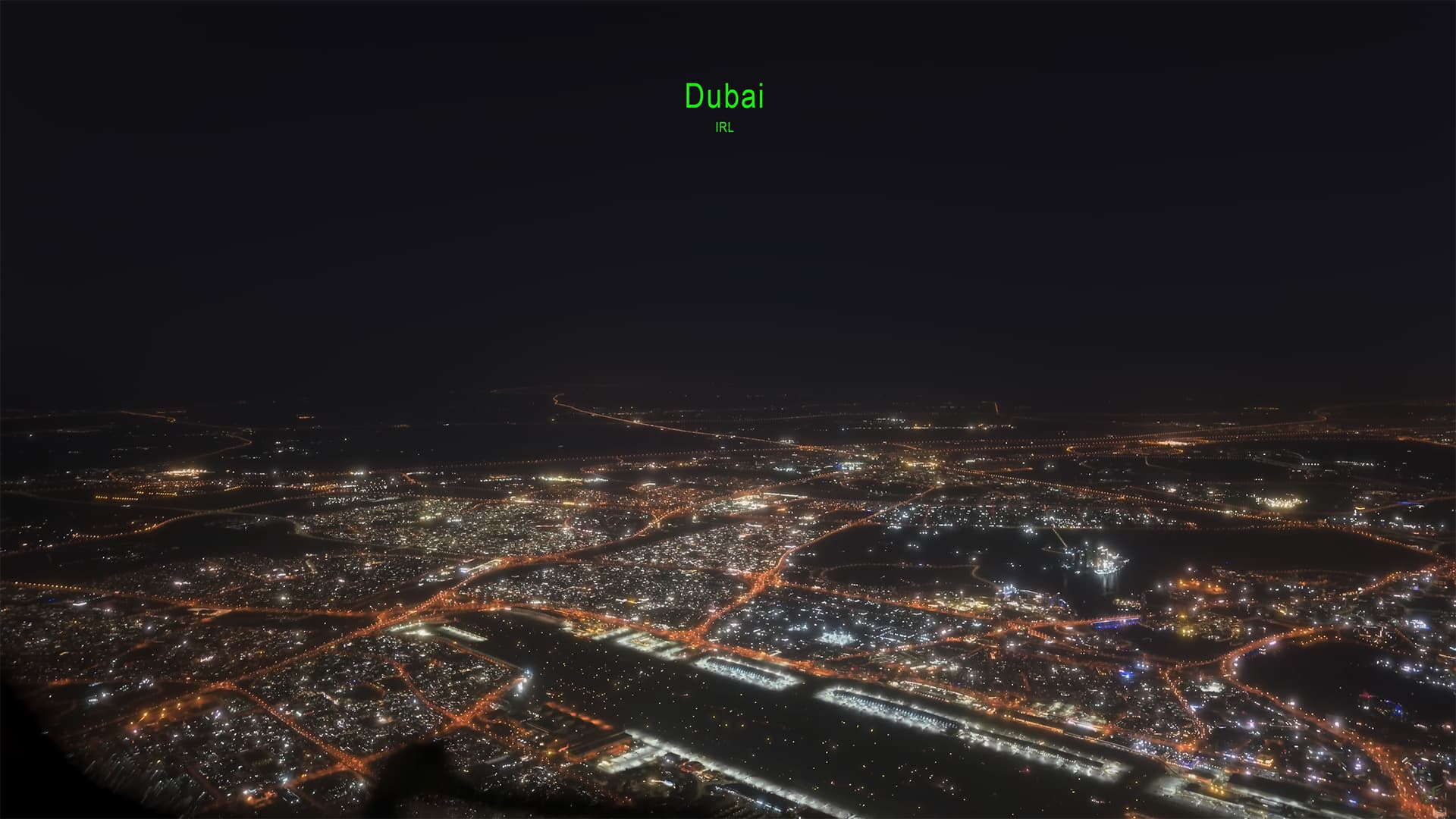
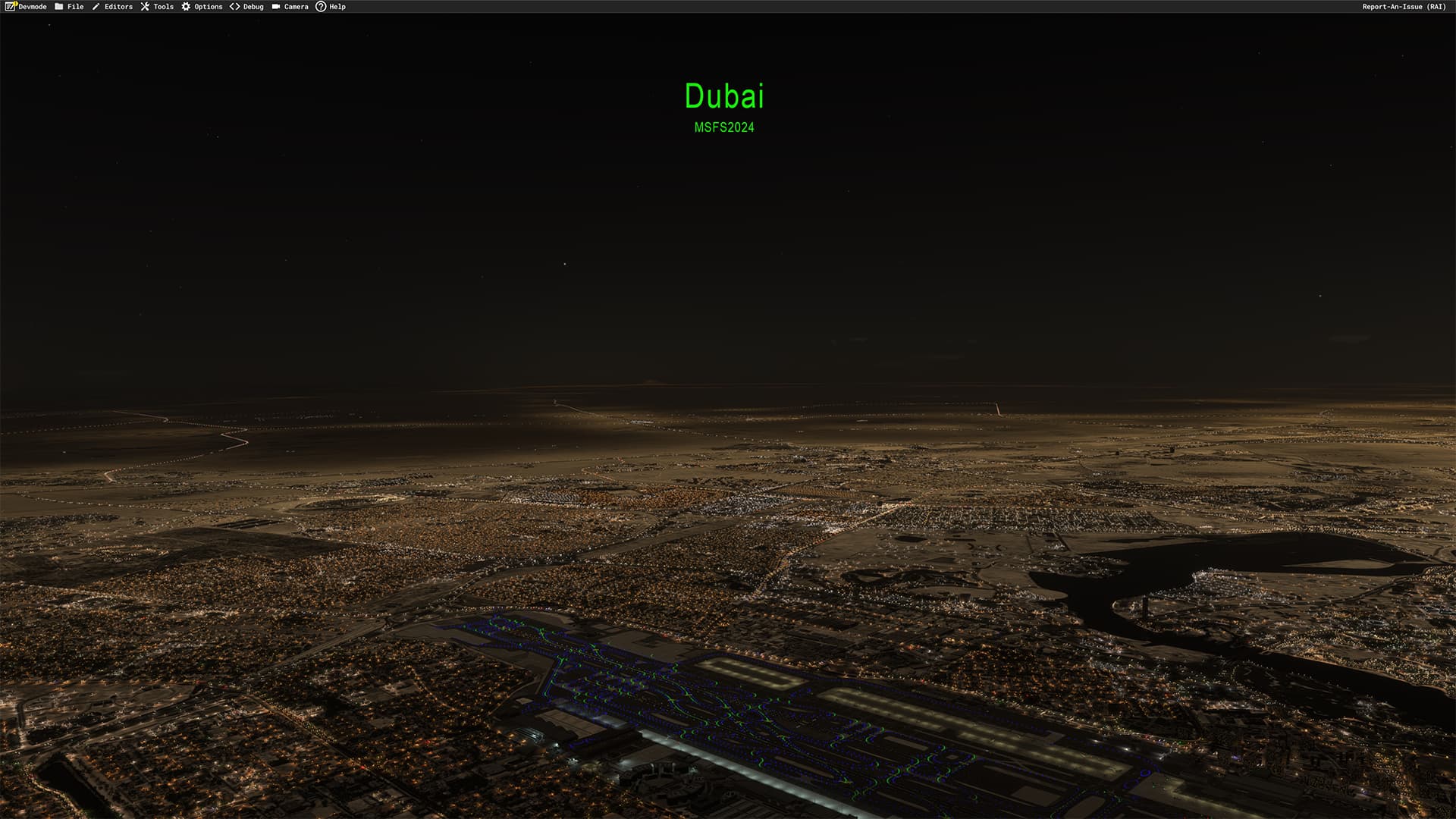
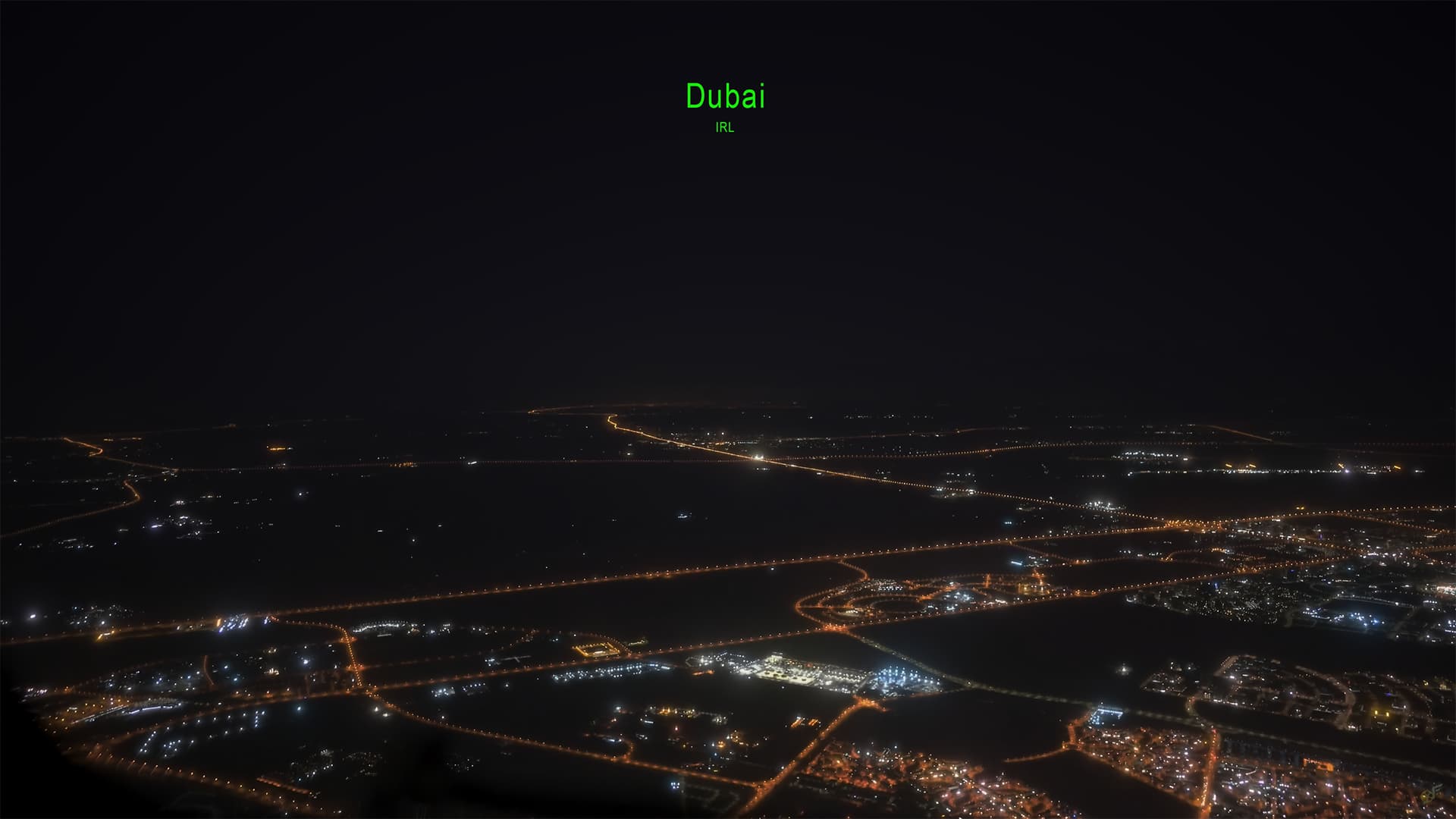
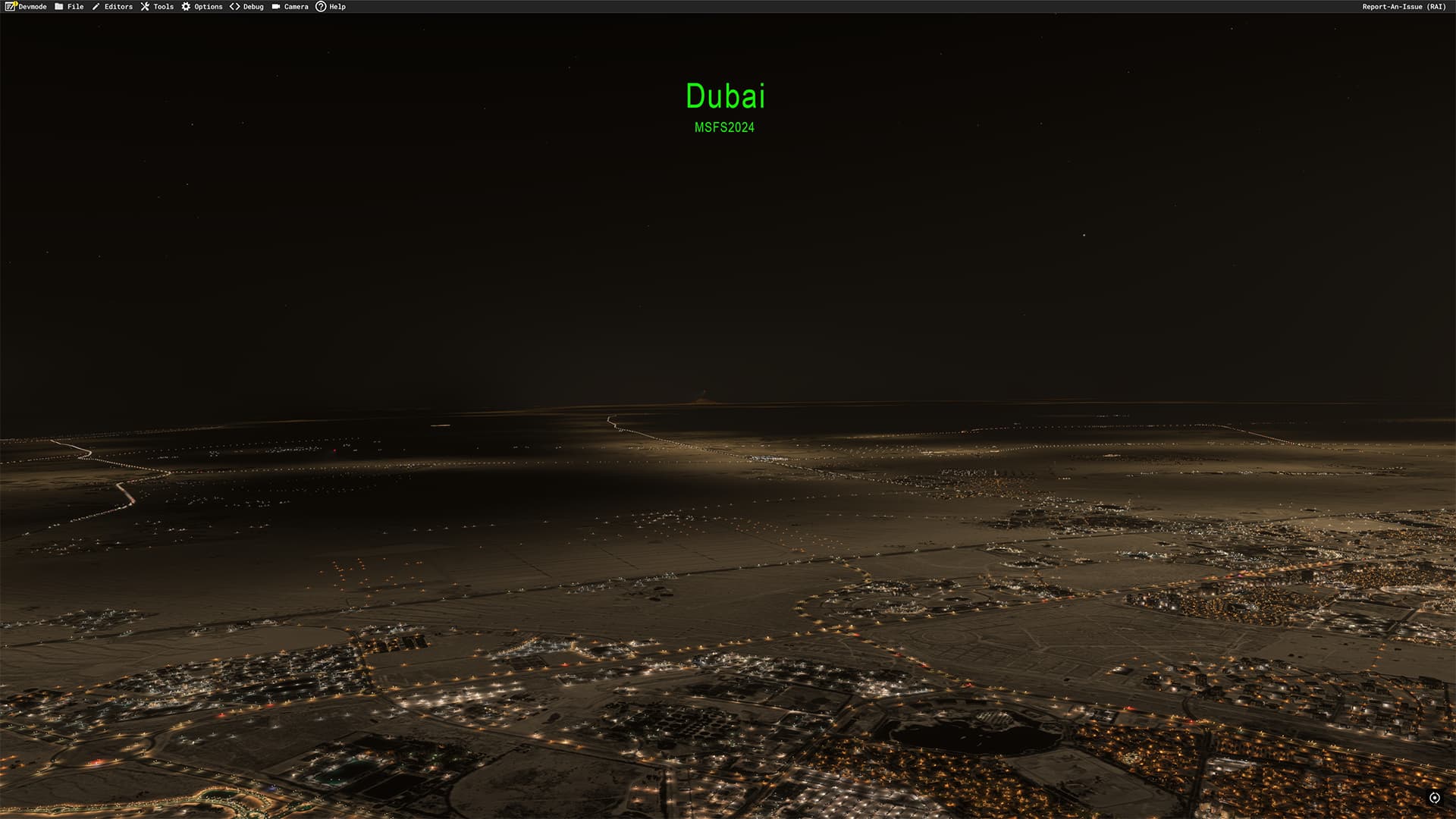
Another comparison, Dubai , shot with a Sony a7s3 with very impressive low light sensitivity and very similar to what I’m used to seeing with my own eyes flying airliners at night to big (and small) cities, followed by MSFS 2024.
Showing night lighting in general is fundamentally broken when it comes to what should be illuminated or not(notorious Sepia Mask is back), general color balance, and some more things.
Who is ‘they’, scenery devs or Asobo? I didn’t find what to ‘tweak’ in the SDK.
What I’m curious is if it existed during the alpha tests ? If this is something that is added after the release then I’d say this is a regression. It really isn’t how it looks IRL, why do they need to implement this sepia ?
At lower altitudes, the sim looks insanely good to be honest, I loved the new night lighting but this applies as long as you are not high above the ground.
CAT3 app lighting in CAVOK conditions
I was referring to the default airports and the fact the blue/green taxiway lights are way too bright, at least from further away. It’s almost like the lighting gets larger as you move further away…I could swear this was also an issue early-on with 2020. I did a freeware airport for 2020 and the blue lights have extreme bloom, worse than the default airports. The lights may have to be totally redone on some addon airports I think..
The first month or so of alpha, there was no sepia mask at all, all lights where point source lamps, even from high altitude +100 miles, and it looked absolutely stunning (not perfect, many rural roads that IRL would be black were lit in the game), but after just a few updates, the sepia mask was introduced, ruining night immersion at the same time as actual lamps visibility and number of lamps got severely reduced, disappearing after just 5 miles or so, replaced by the low res Sepia Mask. Extreme close distance lights where awesome now though. But everything further away than just a few miles, looked absolutely horrible. Nothing like real life.
Then nothing much happened until the official release of MSFS 2020. Then the Sepia Mask became one of the most voted bugs, and many iterations followed trying to fix the night lighting, but just tiny adjustments, sometimes even making it worse. The Sepia Mask got reduced over time. But now with 2024, it’s back (?!?!?!) .
What I don’t get, day-time flying is totally next gen looks absolutely stunning!
But at night, a very low-res oversimplification than doesn’t come close to the beauty of real life… farmlands and desert glowing in the dark, uniform pale brown scene, that has no equivalent in the real world…
I couldn’t agree more of anything you say. Due to my time, night time is generally the time I fly, and I fly with live time and live weather, not a fan of custom, but I just can’t like this sepia filter because in some places even half of the mountain is yellow. I wanted to do long hauling in MSFS but anytime I opened the sim at night I hated it so much especially around Dubai and towards Europe. I was really hoping that it’d change in the MSFS 2024, but it’s there again. Why it must be there I don’t know. But I wish it wasn’t there.
I confirm that the brightness and bloom are a real problem with msfs 2020 since the introduction of msfs 2024. These issues were not there before november, 19 . Most of the time, I learn to fly with the Cessna 172 G1000 and the interior of the cockpit is way too much illuminated during night. Anormal visibilty of the stars in the sky. Like looking in a spatial telescope. Milky way too much visible. Lights at the airports are too much illuminated.
Looking through the windows of the cockpit is like flying in a light fog. Couple of tweaks with my new tv help a bit with the brightness and contrast but there is definifly works to do with those issues
What we can only do is to wait and hope that next week’s patch would solve this problem.