Please tag your post with #pc and/or #xbox. PC
Are you on Steam or Microsoft Store version? Microsoft Store
Are you using Developer Mode or made changes in it? NO
Brief description of the issue:
At my second landing challenge flight, so after just a few minutes of flight, TrackIR stopped working completely. Tried several things. The only thing that works is restarting FS !
FS and TrackIR disconnect from one another, because the green light on the right on the TrackIR receiver switched off, the first time.
But on a second flight, during a standard flight with the Extra, MSFS and TrackIR sopped working but the green light on the right on the TrackIR receiver this time remained.
How can this be happening, especially it never disconnected from MSFS, from 18 Aug 2020, up until this v 1.21.13.0 ?
It never ever disconnected from FSX either.
Provide Screenshot(s)/video(s) of the issue encountered:
Screenshots won’t show this!
Short video: Read below, re Camera…
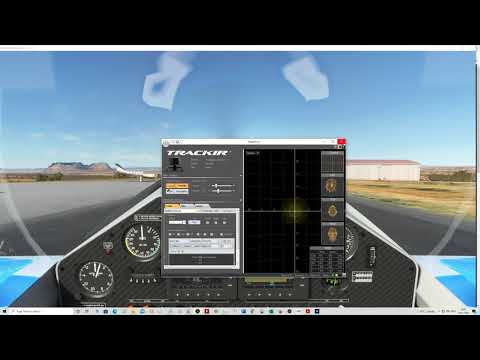
I won’t buy the full Reno Air Race as long as this TrackIR bug is not fixed.
This needs a patch urgently, please…
Detail steps to reproduce the issue encountered:
Fly until TrackIR disconnects from. Well you know it, since it’s in the Release Notes!
PC specs and/or peripheral set up of relevant:
CPU: i7 5960X
GPU: RTX 3090, Asus Tuf Gaming OC
Motherboard: Rampage V Extreme from ASUS
RAM: 64 GB at 2133 MHz
C: is a 512 GB SSD: OS, programs and FS app only
D: is a 2 TB SSD: FS main folders for most of the data
E: is two 3 TB HDD 7200 RPM is Raid 1
Build Version # when you first started experiencing this issue:
1.21.13.0
EDIT: I found that TrackIR works if you then turn it on in Camera, Cockpit

It is a bug in the menu, or FS loosing TrackIR for some new reason?
Known issues mention to press F12, but this doesn’t work.
Instead Camera, Cockpit, and Turning on TrackIR works, so far…
