I’m trying to get back into FS2020 after a bit of a break, got a Crystal Light to replace my Quest3.
I’m trying to adjust for best settings as my system is marginal (3080ti, i9-12900K)
Inside OXRToolkit, what would the best setting be for resolution override please, not sure where to put this one.
I have OLOD/TLOD at 100%, world scale 100%, most other settings at medium, DLSS Super/Performance, Pimax Play at medium render, 72Hhz, smart-smoothing on.
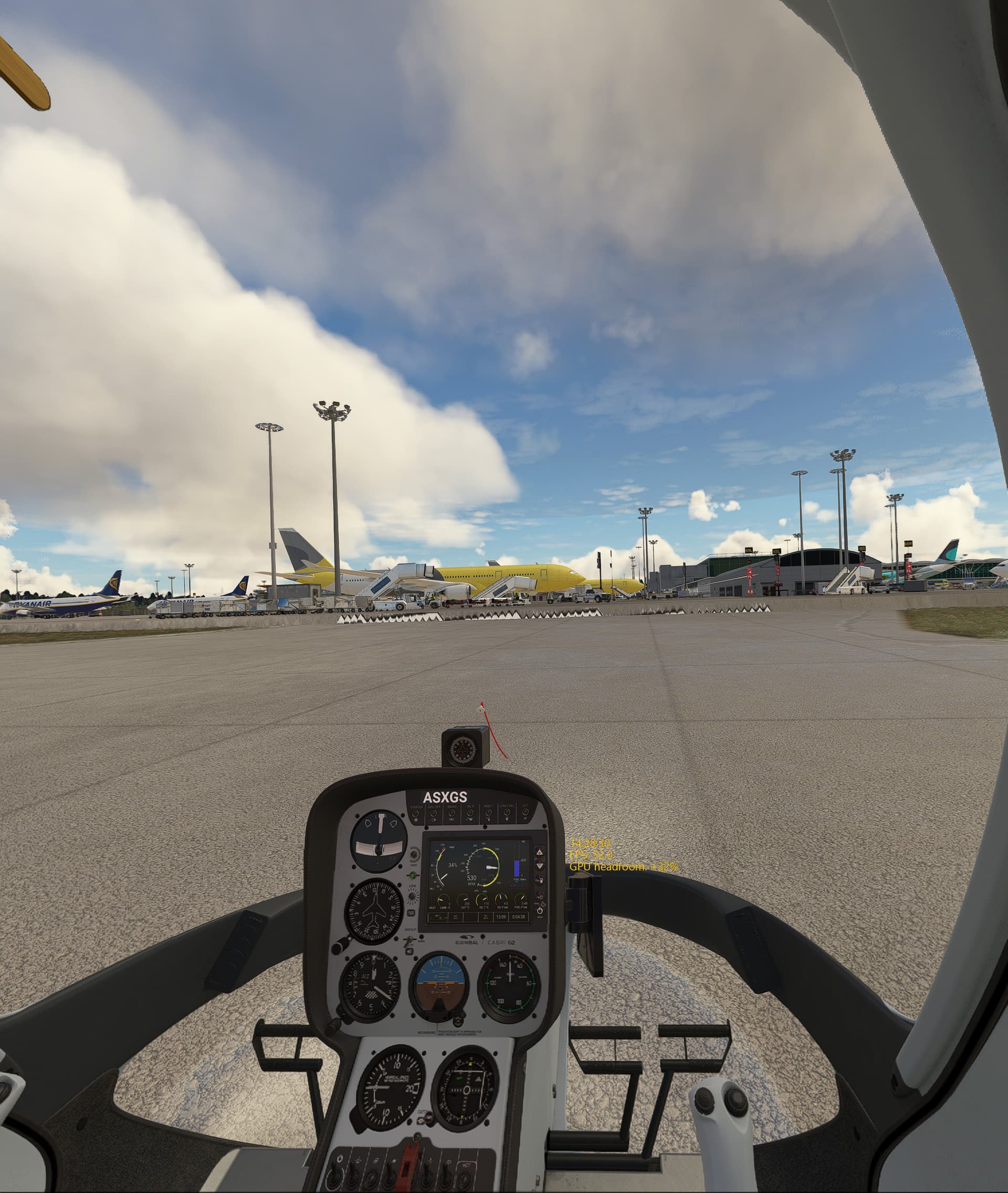
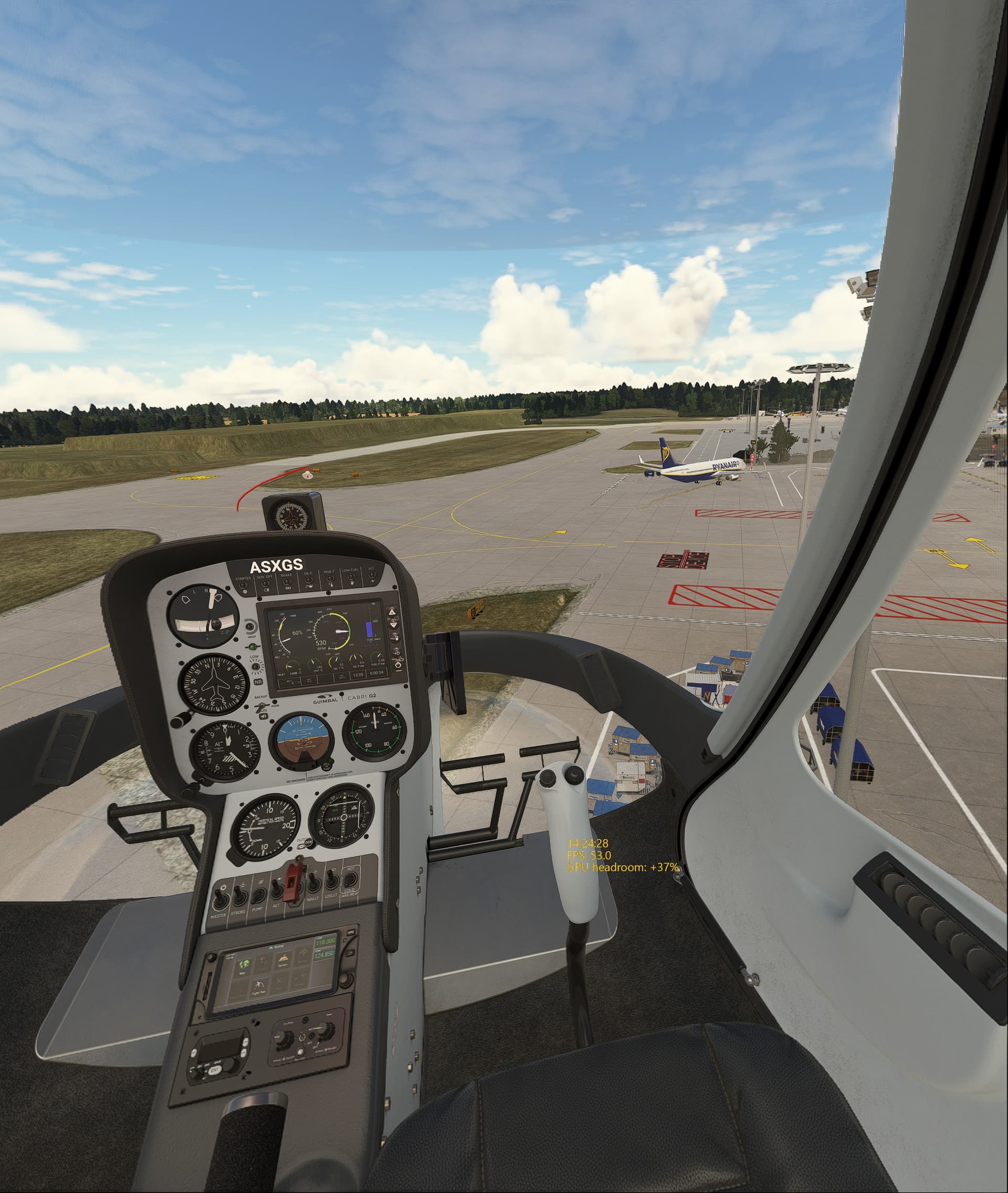
Also, I am very certain things looked better when I left the sim some months ago, now the roads and general terrain looks terrible, the terrain is full of valleys and dips, roads are more like dry rver beds, generally it looks very poor - i don’t recall it ever looking like this but I don’t see how changing VR headset can change it??
First off - your scenery suggests you don’t have Bing Maps turned on in the Options menu. MSFS2020 scenery is pretty good ATM in my experience so check that first. I ran my Pimax Crystal Light on a RTX3060, even in VR. You do need plenty of RAM though, 32GB is really a minimum IMO.
As for settings there are a couple of good Utubers, VR FlightSimGuy does regular videos including setup of various installations.
But a good starting point is to set everything to low, then gradually increase the important-to-you levels. Some things, such as volumetric clouds and TLOD are very resource hungry
I’ll check the Bing Maps but if it is off, I fail to see how it was turned off
I do have 32Gb so thats a start. My problem is that there are more than just in-game options and I have no idea where to start with each one - Pimax Play, XR Tools, in-game etc, all have a big effect and I would guess some could be affecting the others as well.
Sorry, meant to mention that I gave up using the improvement add-ons as I found them confusing and the results were mostly subjective anyway. Just ensure Pimax Play is on and anything Steam related is off. Pimax have a vid about it if I remember correctly.
As for Bing getting switched off, it’s a little foible of MSFS that it has a habit of randomly changing settings for no apparent reason!
Yup. TBH I think even it’s own developer says his product is now outdated. But, hey, I’m no expert on these things, just have found what works for me.
Good luck.
Bing data was on so thats ok, everything else seems ok in settings.
Below is a couple of pics of Stansted Airport, my local, the terrain is terrible with hills on the airfield and big ramps on the taxiways, I’m sure these were not there before?
I’m still searching for decent settings, I know it can do better, just not got there yet.
Is that a 3rd party airport? They may have to update it to account for any updated maps that were incorporated into the sim. The Denver update really screwed with a freeware version of my local airport and there was a 45* runway at one end instead of it being flat. Removing that addon fixed the strange hills. I ended up purchasing a newly released airport for that area and the issue was not there. Asobo’s map purchases for areas have much more accurate elevation data.
Photogrammetry off? That’s quite a big resource hog too. I never switch it on as it produces horrible effects in my scenery.
Agree with SgtDinkyDuck that scenery generally does appear to be a lot better than it used to.
It’s micro-stutters I think, I have gone down to low render in Pimax Play, turned on FFR at performance setting, the image was bad so went to TAA in-game which helped pull it back a bit.
OXRT is turned off.
I’m getting a decent 40-50fps in VR now, but still it’s stuttering or jittering when things move from side-side in the image.
I have found now that setting the Crystal Light to 120fps, no FFR, and LOW render, then capping the fps to 40 with RivaTuner gives at least a usable display.
The graphics are average, I guess due to the low render but it does seem better in-game now. I tried capping FPS in the nVidia panel but it did not have the same effect, no idea why.
It does seem the PCL favours 120hz but it limits the render.
I can get a solid 40fps if I go to LOW render, run TAA and no XRTK but the displays look terrible etc.
I just managed to get 40fps (just) by running MEDIUM render, DLSS Super/balanced, with XRTK doing a pretty hard FOV crop (visible letterboxing but usable).
However, in both cases as soon as I take off in my Guimbal heli, anything going side-side, or past me front-back is badly blurred, there are three visible frames to the image I see and looks terrible. Straight ahead the image is good.
I’m sure this is not normal and I’m out of ideas now - I really don’t want to go to LOW render as the image is no better than my old G2 or Pico was, the Quest 3 was ok but from what I recall still had the jitters.
Is this normal? Have I got a basic system setting wrong maybe? Seems I just can’t run VR on FS2020.
May I suggest trying the Quest 3 with the following settings with Oculus Debug Tool - pixel override to 1.3; FOV tangent multiple to 0.8 and 0.7; and ASW to Force 45 FPS and enabled.
Little update, I just found this while trawling, answers my jitter issue perfectly…
At 120Hz and 40fps locked I do see three distinct images, the above explains why and more. Basically there is nothing I can do as I can’t drop for a 4090 or above and the PCL only goes down to 72hz which I can’t hit.
Maybe we need to beg Pimax for a 40hz refresh rate?
You are welcome. I am currently running in a GPU bound state by turning up my headset resolution so I get 20ms GPU frames and 10ms CPU frames, thereabouts. I find this to be the smoothest. It takes some fiddling to get there. Easy way, select Low-End preset, TAA 100%, and use the Render Scale slider to find the right resolution. Then flip it to 100% with the new resolution in the headset. Then play around with one setting at a time to get the visuals right. Stay below your VRAM limit. Happy trails.