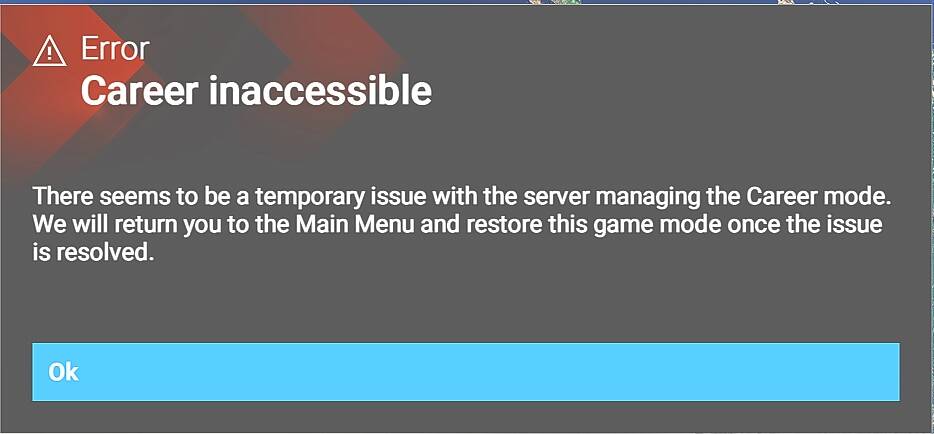
Unable to get into Career Mode since [1.7.6.0]

1 tag is required - add them in the tag section next to the title above:

  • One for platform (ms-store, steam, xbox , or xcloud)

  • One for aircraft if related (start typing in your aircraft name in the tag section and pick correct option)

Feel free to delete this quote section after adding your appropriate tags.

ISSUE DESCRIPTION

Description of the issue:

FREQUENCY OF ISSUE

How often does this occur for you (Example: Just once, every time on sim load, intermittently)?

Every time

REPRODUCTION STEPS

Please list clear steps you took in order to help our test team reproduce the same issue:

  1. From the main panel select the Career section

YOUR SETTINGS

If the issue still occurs with no mods and add-ons, please continue to report your issue. If not, please move this post to the User Support Hub.

What peripherals are you using:

[PC Only] Are you using Developer Mode or have you made any changes to it?

Developer mode off

[PC Only] What GPU (Graphics Card) do you use?

RTX4080 Super

[PC Only] What other relevant PC specs can you share?

Nothing I believe to be relevant.

MEDIA

Please add a screenshot or video of the issue occurring.
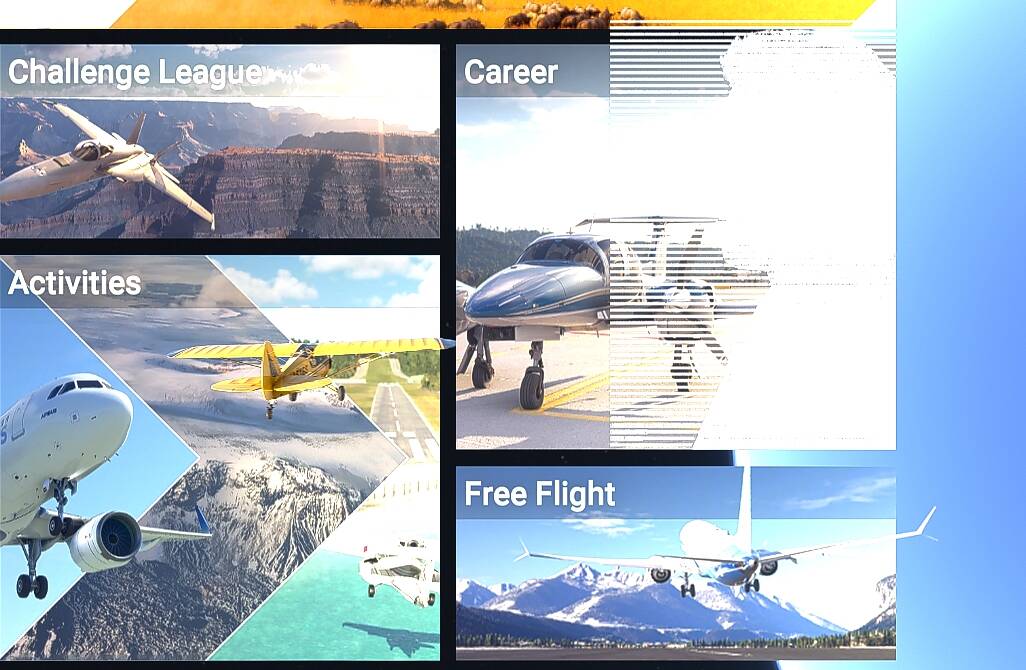
Other information that may be relevant.

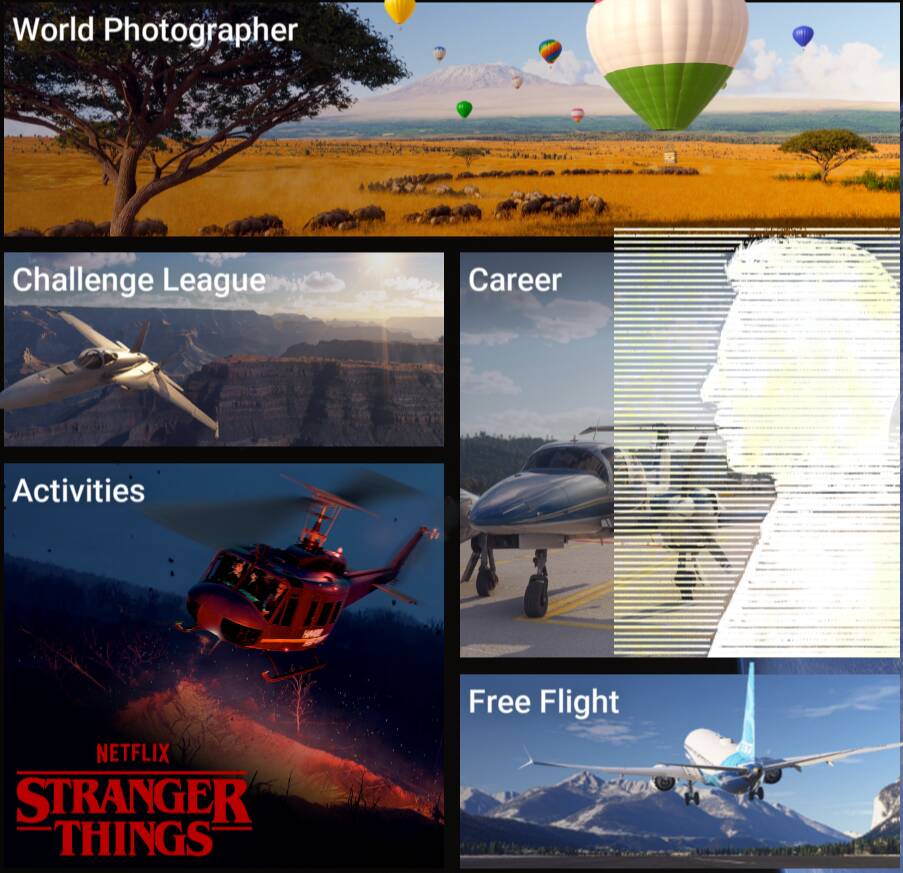
As you can see the Avatar overlay is also corrupted. I tried to go into that section and alter/fix it and it seems to work fine until it is saved. Shows corrupted even in the Pilot profile Overview page.

I have never started a career before. It maybe that this is the issue and the beta will not let a new career be created. If so that is fine, just note it as such and feel free to close.

Note that neither of these issues existed pre-SU5 beta.

NOTE

Yes, I have tried to completely uninstall/reinstall to see if that solves the issue.
If you went back to su4 will it let you into career mode?

I have not through the rigmarole of doing that, however what I can say is that I did not get that error in the SU4 beta. In SU4 release I never went into it.

The corruption of the avatar has only happened since 1.7.6.0 and this is why my comment about new people entering career mode may possibly be barred in the beta.

The avatar is perfectly fine in SU4 as I would see it on the main panel on every launch. This is why I think the two are linked, but I have no proof that this is the case.

Since your title says “[1.7.6.0]”, are you not able to access career since this version or since the latest beta [1.7.7.0] ?

Thanks for asking. It first happened with 1.7.6.0 and is still the case with 1.7.7.0 and since then a complete delete and reinstall has not altered the issue.

In short before SU5 beta no issue, since the first SU5 beta the issue is there.

“since” added to the title to clarify issue started in 1.7.6.0.

Whatever you think is most appropriate, I am happy with.

ISSUE DESCRIPTION

The Career tile button on the main game screen has a bad animation.

FREQUENCY OF ISSUE

everytime

REPRODUCTION STEPS

Please list clear steps you took in order to help our test team reproduce the same issue:

  1. open game on main screen

YOUR SETTINGS

If the issue still occurs with no mods and add-ons, please continue to report your issue. If not, please move this post to the User Support Hub.

What peripherals are you using:

[PC Only] Are you using Developer Mode or have you made any changes to it?

[PC Only] What GPU (Graphics Card) do you use?

[PC Only] What other relevant PC specs can you share?

MEDIA

I have exactly the same thing, plus it won’t allow me into career mode. I did raise a bug report some time ago Unable to get into Career Mode since [1.7.6.0] but it doesn’t seem to have even been reported yet so presumably no Mod was able to reproduce it.

It is nice to know that I am not alone though.

I don’t have this issue.

@BohumilBrazda : if you click on “Career”, are you also getting the same message than @FirebirdFGR2 “Career inaccessible” ?

FYI, as I posted here, moderators are not the gatekeepers for when an issue is tagged with feedback-logged or bug-logged.

“The bug topic is marked as feedback-logged by the Community Managers when community feedback is logged in the internal Microsoft bug database. The Microsoft test team will then work to reproduce the issue, once it is scheduled to be worked on. If the feedback is verified as a bug, the thread’s tag will be changed to bug-logged, again by the Community Managers.”

and from SeedyL3205’s follow-on post:

" Any bug report thread on these forums that has been tagged with feedback-logged or bug-logged has been entered into the system where it is viewable by the developers, producers, and QA teams at both Asobo and Microsoft. From there, the Production Team regularly meets to triage issues and prioritize which bugs and feature requests will be part of each Sim Update. Also, some issues are identified and logged internally by our QA team without there ever being a bug report submitted by players."

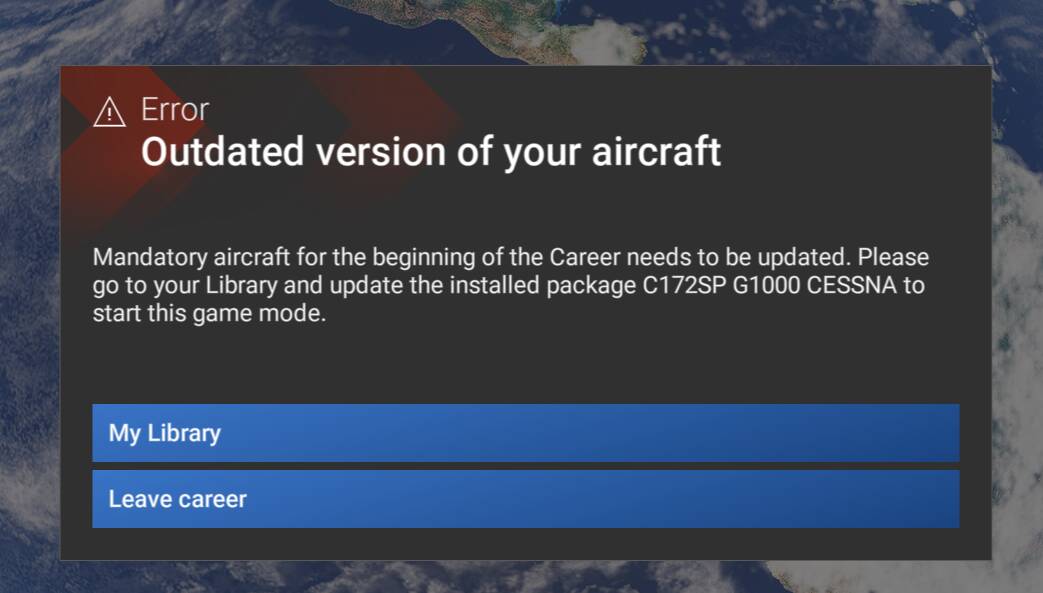
For me it is diffrent..and yes i have installed C172 but nothing to update in Marketplace My Library.

Can you test with “Streamed” instead of “Installed” for the C172 G1000 ?

Appreciate the clarification.

As this was raised sometime ago and, as far as I can see it has neither been feedback-logged or bug-logged, I was assuming that it was one of those things that nobody else had experienced therefore it was waiting for somebody else to experience it.

This is occurring for me with 1.7.10.0.

Hi folks,

I’m not able to repro this in 1.7.10.0.

For those of you who are experiencing this issue, have you tried launching the sim with all mods and add-ons temporarily removed/disabled just to rule out it isn’t a conflict with a mod that is causing this?

Thanks,
MSFS Team

Been playing in Career Mode on both the PC and Xbox since the Beta began and haven’t had any issues getting into the mode.

I tried again and the sim correctly offered the C172 update in My Library. After that, Career Mode became accessible. The graphical glitch on the Career button from my first picture remains the same.

OK I do have some update. I have to thank @BohumilBrazda for leading me to at least a part resolution.

He mentioned about the C172 not being up to date. Now I have the C172 disabled in my system, along with quite a few others, on the grounds that I would never fly it and disabling them quickens load time.

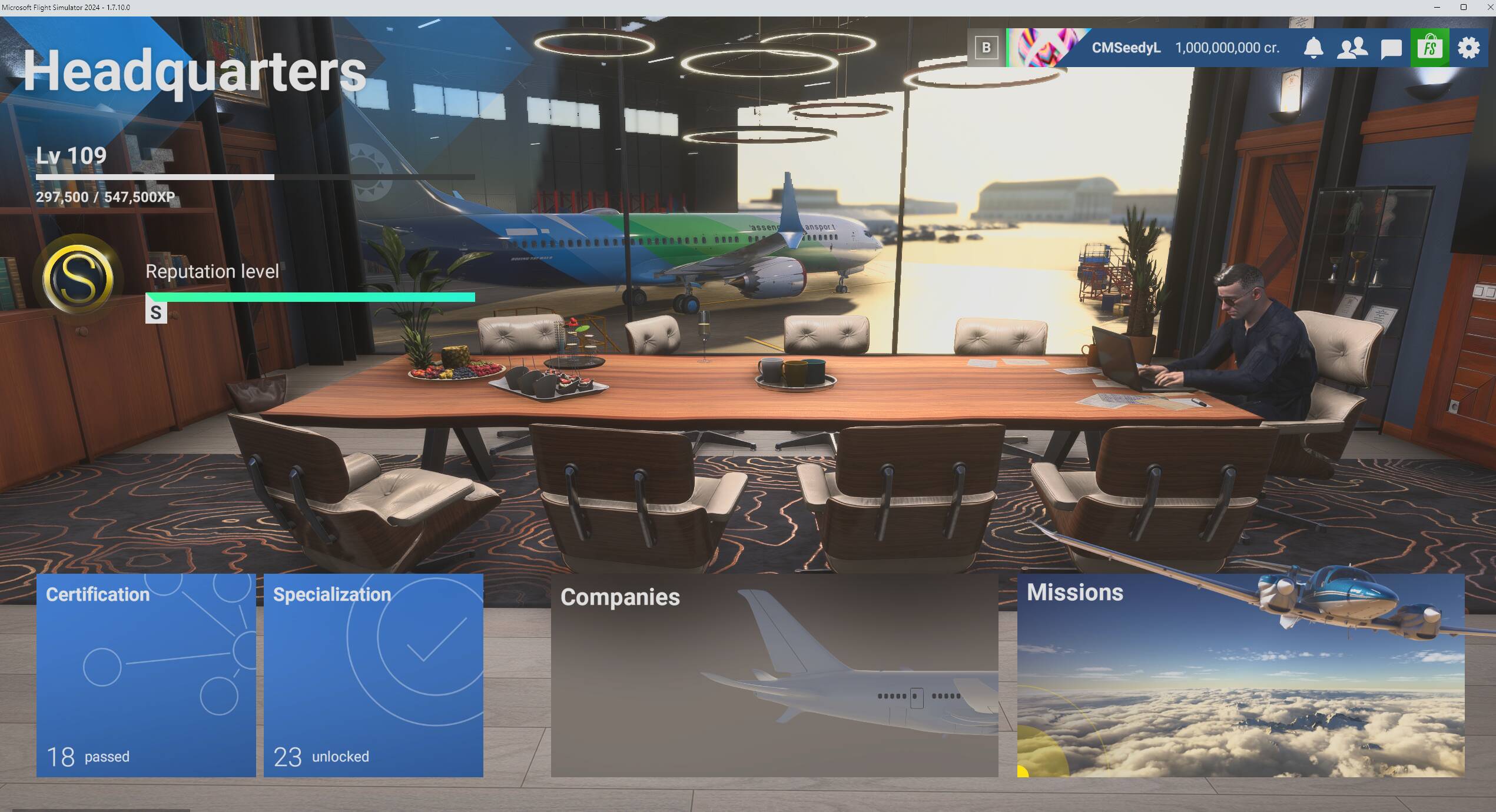
So thinking that there might be a massive logic flaw, i renabled the C172 packages and sure enough I was able to get to the Headquarters screen.

So the issue is that if the C172 is disabled/corrupted then Career Mode will not load. it would seem that the obvious thing to fix the flaw is either : -

A. Ensure that the C172 packages cannot be disabled.

B. That if they are disabled then you can still load to the Headquarters screen.

Further on from that i will do some other checking to see if I can get the avatar to load now that one part of the equation is fixed.

OK Update on the avatar corruption.

I checked my community folder to see if there were any UI mods that were there and there aren’t. All aircraft and scenery related.

However, I did think that it might be either addon or cache related so I reset the rolling cache and checks revealed that this was not the cause.

I did rename my community folder and set up a new one. The avatar returned uncorrupted. So it would seem that the cause is an addon and by the nature of them it is either aircraft or scenery related. With 589 packages in my community folder it will take some time to narrow down exactly which package is causing it.