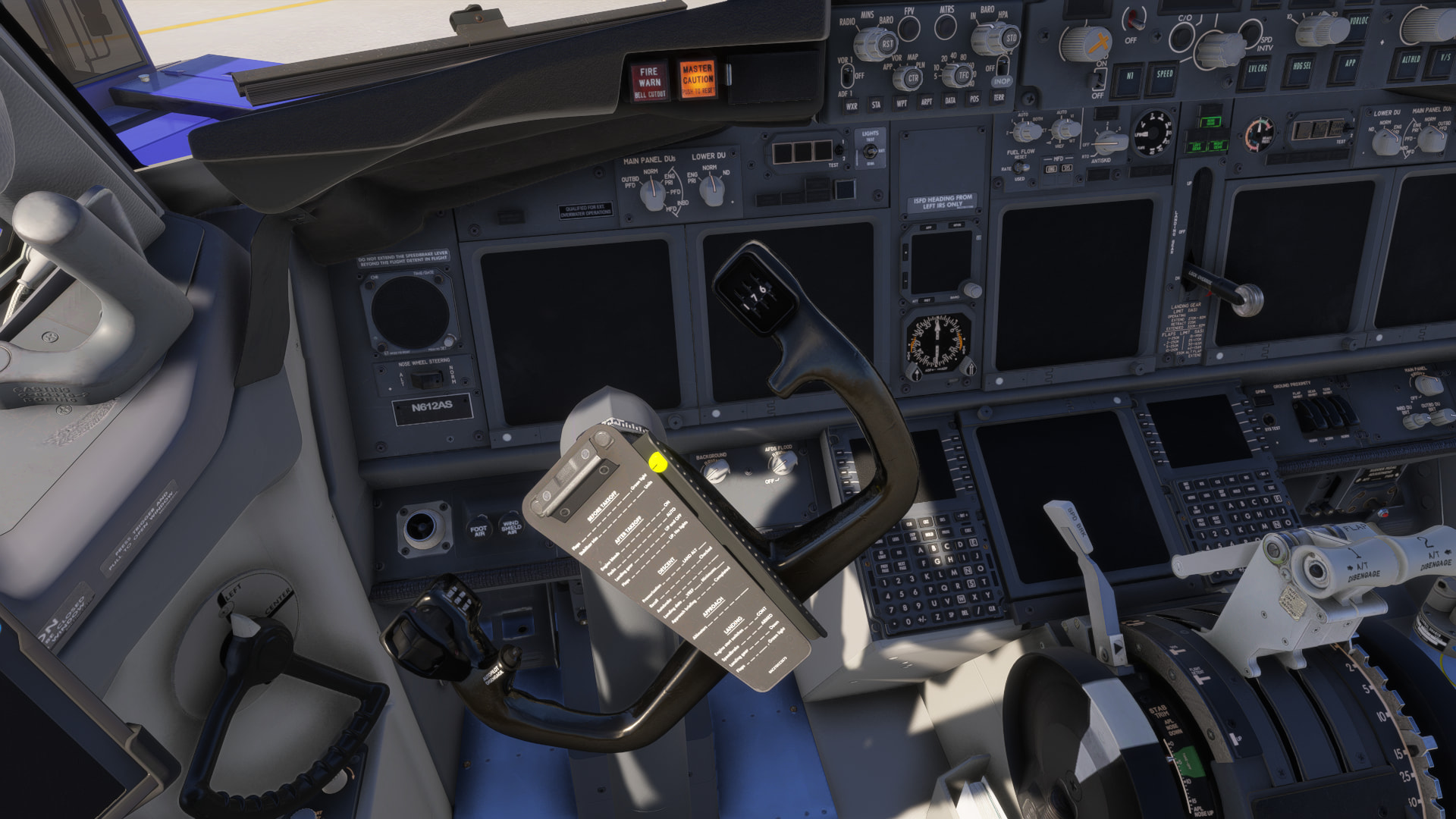
I am having issues with PMDG aircraft not initializing WASM when loading into them. I have the 736 & 737 I purchased from the MP. I have the 738 & 772 I purchased from PMDG.
The 736 & 737 are installed via My library, and the 738 & 772 are obviously installed in the Community folder. All are currently available versions. When I load C&D into any of these aircraft they appear WASM locked. The yokes are turned fully to the left stop and nothing works. Waiting doesn’t resolve it. If I reload the flight, my avatar cannot move (other than crouch) and the enter cockpit command no longer works.
Since I don’t see widespread comments in the beta thread, I feel this is a me issue, but I’m unsure why. I don’t see this WASM issue with other WASM-based aircraft. This has been noted in the .34 build.
FREQUENCY OF ISSUE
How often does this occur for you (Example: Just once, every time on sim load, intermittently)?
Every Time
REPRODUCTION STEPS
Please list clear steps you took in order to help our test team reproduce the same issue:
Delete WASM folders associated with PMDG aircraft
Load C&D into the 736, 737, 738 or 772
Observe WASM locked state
Reload flight
Observe avatar unable to move in any direction and the command to enter cockpit is no longer functioning
YOUR SETTINGS
If the issue still occurs with no mods and add-ons, please continue to report your issue. If not, please move this post to the User Support Hub.
What peripherals are you using:
Mouse & Keyboard
[PC Only] Are you using Developer Mode or have you made any changes to it?
No
[PC Only] What GPU (Graphics Card) do you use?
GTX 1060 Max Q
[PC Only] What other relevant PC specs can you share?
Intel i7-8750H 2.20GHz / 4.1GHz Max Turbo
MEDIA
Please add a screenshot or video of the issue occurring.
On my 9950x they take a very long time to initialize when launched Ready for Takeoff on the runway. I know it’s a separate issue, but neither the 772 or the 738 will stay airborne without the autopilot. Both will eventually nose dive regardless of throttle position.
Have you contacted PMDG support? I had this same issue with the 738. I can’t recall what they had me do, it was delete a folder that was causing the issue. They’re not the fastest to respond but got it resolved.
I tried it on my PMDG 737-800 PAX SSW Single Class with the default PMDG livery and everything works fine on my side. No issues observed.
I don’t think this is a PMDG specific issue, as I’ve seen it on other aircraft like the iFly 737 MAX 8-200. In my case, the ESC key also stopped working, so I had to kill MSFS via Task Manager.
So this worked on the very next launch of the sim with the 777. However on next launch of the sim I tried the 737 and it wouldn’t initialize.
I exited the flight, switched to the 777 and now I’m stuck on the overhead world view with a spinning circle in the corner and it won’t finish loading.
I don’t get it. Something is jacked here with these PMDG aircraft and my sim.
I did a full reinstall of the sim this evening. I didn’t have much on this install as it was, but I’m going to restrict it to just my PMDG aircraft and see how it behaves tomorrow.
I loaded C&D into the 737 and it is not initializing. It’s sitting here stuck with the yoke fully to the left stop and nothing working.
So, to date, since I tried to use the 73x aircraft on this PC with the .34 beta, I have been completely unsuccessful. I haven’t tried the 777 since I reinstalled, but I’d expect the same behavior based on the previous posts I’ve made.
I’m going to remove this PC from the beta and retest.
Some element of the aircraft selection is retained in the user’s cloud save.
What do I mean?
Well, I had the Alaska Airlines (N612AS) Single Class selected for the 737-700 PAX BW.
When I uninstalled the sim and reinstalled it, the 737-700 BW was pre-selected with this combination upon first launch of the sim (rather than defaulting to the PMDG House livery). Therefore, this configuration is being saved as part of my cloud save, rather than in local data.
I quit the partially initialized flight, I switched the livery to ANA Two Class and loaded C&D.
This time it initialized.
Now, is this coincidence or is the “3rd time’s a charm” principal at play?
Anyhow, after three tries on a fresh install of the sim (with one quit/relaunch cycle of the sim) I have the streamed version of the 737 initialized and working.
Will it survive an aircraft change and/or sim quit/relaunch?
I switched to the 738 (PMDG direct) and purposely switched liveries and seating variation (again, the sim retained my previously selected livery/seating from before the uninstall/reinstall).
It won’t initialize and is, again, stuck with the yoke hard left.
I think I’m done here. I would prefer to spend my time doing something other than this.
I left the beta (so another fresh install of the sim to SU5 public release) and the issue continues.
I seem to be able to load, first time, into a PMDG aircraft and have WASM initialize, but when I quit the flight and change to a different PMDG aircraft, the subsequent one won’t initialize.
I checked our support database to see if there were more users reporting this (that could indicate a problem on our (or Microsoft’s) side), but did not find any. Are you sure you are running the sim with Administrative rights?