I just upgraded to a RTX 5070Ti with 16GB VRAM and a 750W PSU. I just did the hardware and driver install, checked that everything is working, but I haven’t had the time to try the result in MSFS2024.
My system (AMD 5600X, 32 GB RAM, all on SSD) had a 3060Ti with 8GB VRAM in it. I’m running it with a 1440p 165Hz gaming monitor. I’ve found settings (basically all on medium, all traffic off, RT shadows, fauna and rocks off, LOD and TLOD on 100, DLSS preset K) which worked quite ok for me. I got 35-70 fps, with frame rate dropping to around 25 on dense scenery and occasional stutters on short final.
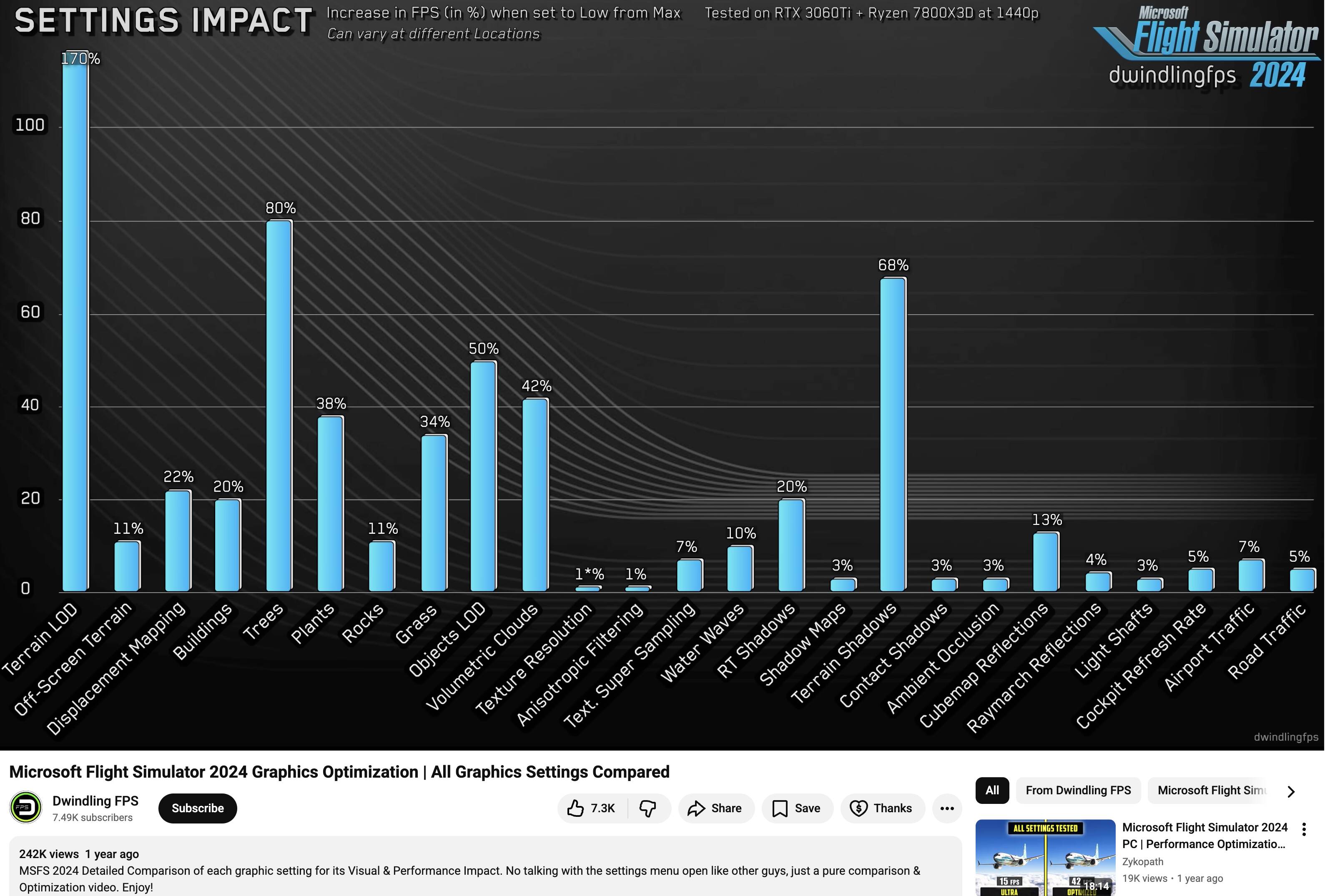
I did the upgrade to have a little more overhead and get rid of the stutters while landing. But maybe, I’ll be able to raise a few settings. Which ones would you suggest? I guess, the more GPU dependant ones are the better option? Thanks in advance for your support.
Nice upgrade. Your CPU is the bottleneck now. Keep in mind that your 750 watt is the bare minimum now. An upgrade to a more powerful CPU would require a PSU upgrade to be on the “safe” side again, but for now 750 should do it. LOD 120-150 TLOD 150-200 with everything on high and some on ultra (like clouds) should get you decent enough FPS with DLSS quality.
Hello, I’m running an 8 month old PC (spec in my profile) with a 5070Ti and an 850W PSU which barely breaks a sweat running 2020 or 2024. The 5070Ti rarely pulls more than 185W and often runs less than that in flight, so one may surmise you will be good with the 750W you have now?
May I suggest trying DLSS 4.5 with the latest driver and set to Performance? Should look good and go easy on your CPU too.
I just did a first test. All settings as described above (all to medium, traffic and RT shadows off), but clouds now to ultra and water to high. LOD and TLOD are at 125. I’ve tested with DLSS at Quality with Frame Gen at 2x. Would you recommend using frame generation? The fps counter shows 75-100 fps with the PMDG 737 parked at Aerosoft EDDF.
There’s some noticeable tearing as V-Sync doesn’t seem to work with Frame Gen on, and the ghosting is pretty bad.
Edit: The fps counter shows 7.600mb of VRAM usage and its always green, the “limited by main thread” is gone as well.
The DLSS override is set to preset “K” in the Nvidia app. Everything else is at default value.
I used ChatGpt to test an optimal configuration with my 5070TI. It’s important to specify not only your GPU and CPU, but also the model of your sceen. I was surprised by the precision of the results. ChatGpt gives you all you have to know to adjust your settings, with very useful explanations. I followed most of them and I’m fully satisfied with the results. Stutters almost totally disappeared since then.
For example, I could get more than 120 FPS with frame generation. But according to my monitor, it’s better to limit the frame rate at 82 FPS.
Another example : according to ChatGpt, VSync has to be set to on in NVidia Controls panel, but off in MSFS, and it told me why, even it is contra intituitive…
Divide 75 /2 = 37.50 FPS
That’s at a complex airport in a resource-intesive aircraft.
I would be OK with that, and would maybe try DLSS 4.5. Preset M, using DLSS Performance .
I’ll bet you can see closer to 50 FPS without frame gen in the same scenario.
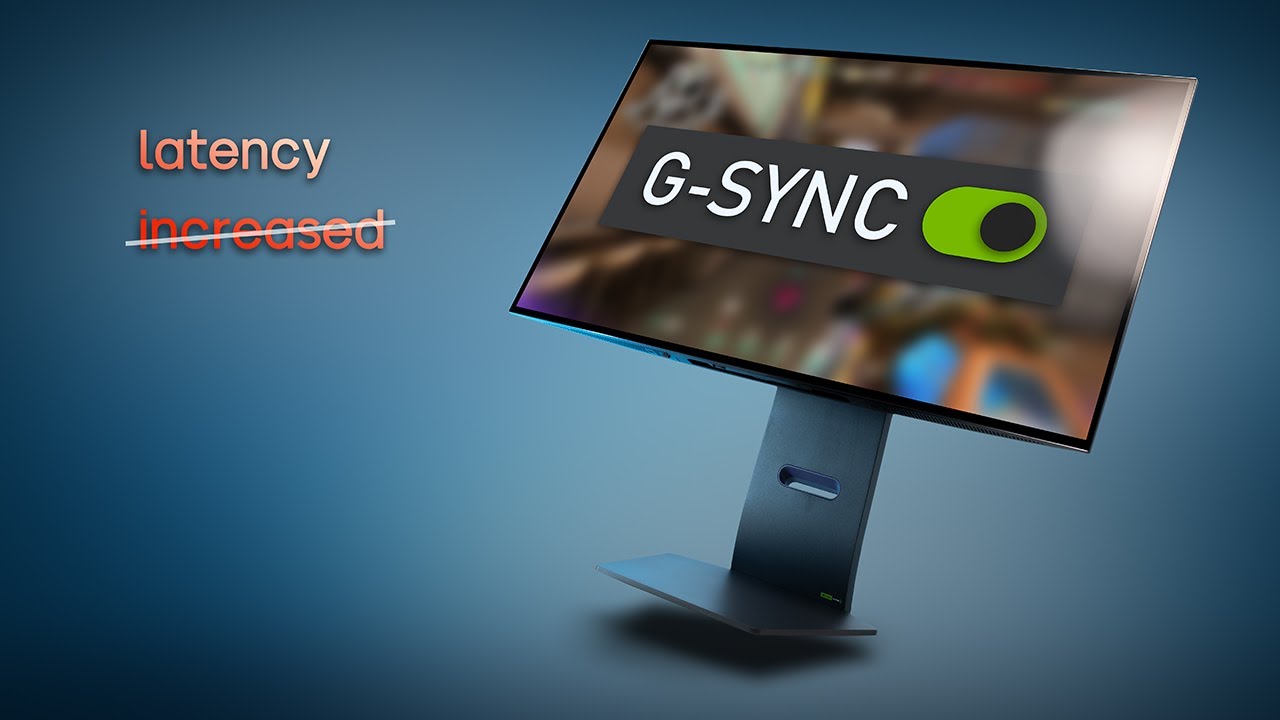
Then you can add frame sync.
Maybe watch this video regarding monitor sync optimization.
Hi, to two of your questions above, I would not (and do not now) use FG with your (or my own) PC. Why not try without FG and Vsync on to see if you get the look you want to see. And I would leave texture set at Medium for now. Maybe later after getting other settings sorted, try High, but save that for later, IMO. Cheers!
I actually recommend the opposite - I start with my FPS target, lock the frame rate (On my 7950x3D /4080 I use Virtual Desktop locked at 45, using 90Mhz, Godlike) then load Ultra settings with TLOD/OLD set at 300/200. Then walk it down from there.
Reasoning is that I saw that when I actually had my GPU pipeline ‘full’ I got smoother graphics and stable framerates. I run my system at 250/200 TLOD/OLD, most other settings set to High or Ultra and in VR getting 35-45 native FPS consistently, no hiccups or stutters.
I would get a larger psu like 1000 watts and i would use the latest dlss version. I would not use frame generation. Limit the size of the monitor 4k is hard to do with this card but does work.
I’ve set up GSync, chose Preset M in the Nvidia app and turned FG off.
The picture quality is much better. I get 35-50 fps in the PMDG cockpit at Aerosoft EDDF and slightly less on the outside view (30-45, slight stutters when panning the view).
FPS counter is all green. If I turn on FG now, the counter is red pretty much all the time and “limited by main thread” is back.
I would be more than happy with these figures, as it feels quite smooth (not flown yet), and the ghosting is gone.