Since DLSS 4.5 Performance/preset M became available with the latest NVIDIA driver/app, I’m only experiencing stuttering at the very heaviest, most complex, airports; and even then, far less than before. I’m seeing my target 60 FPS (60 Hz HDTV) nearly all the time, and Dynamic settings are lowering TLOD below my target 60 FPS when at these very heavy airports (and then mostly on the ground). All other times the 5070Ti is giving my super smooth 60 FPS with no graphical ghosting or smearing. Performance/preset M is rendering in 2k, I believe, and outputting 4k to my HDTV, which is going very easy on the CPU. This should work well for you with your older CPU. How did your flight test go?
Very cool!
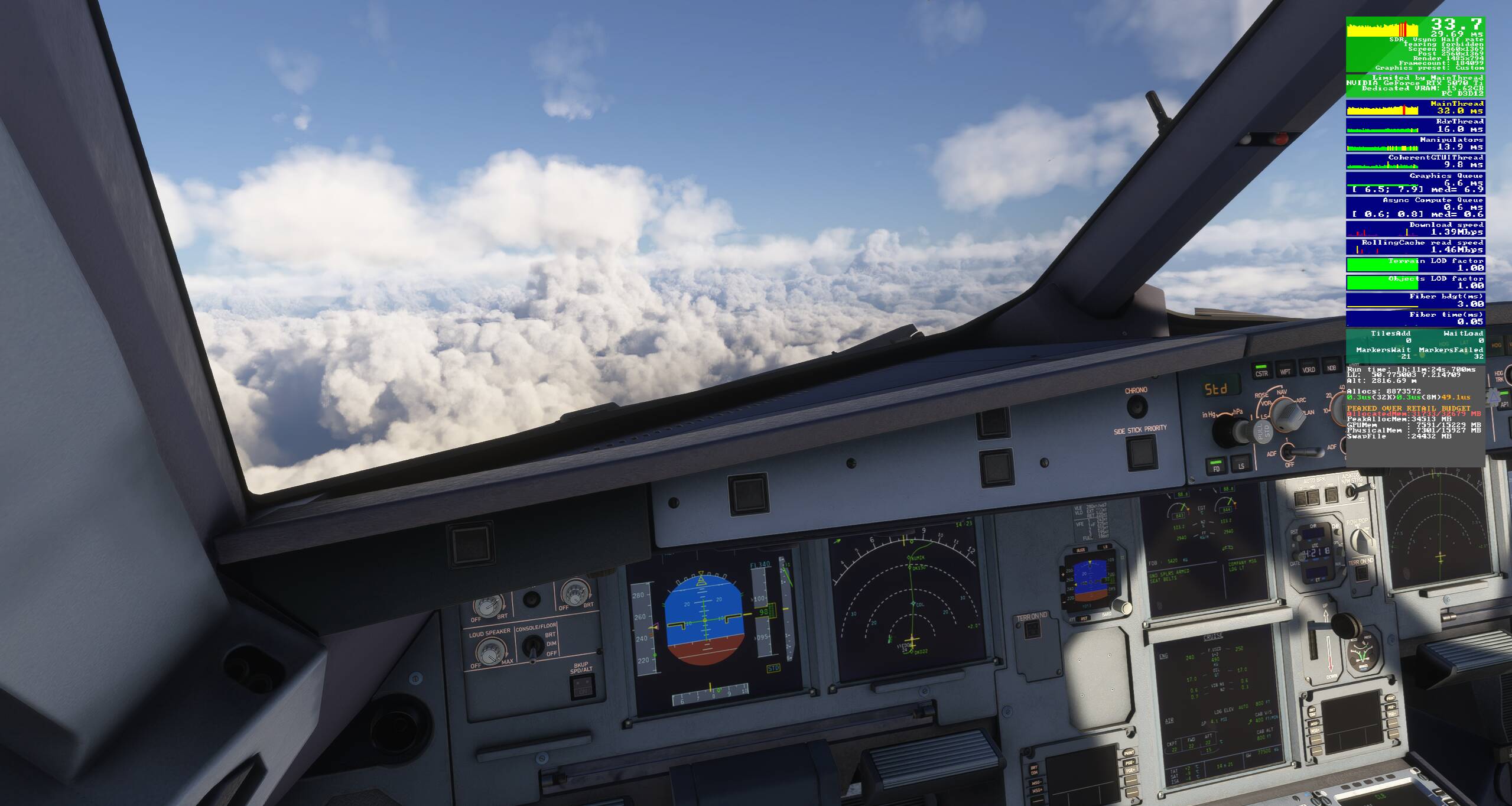
I´m still on the ground in the FSL A321 neo. It´s the “worst§ performer in my hangar, so I chose it. Right now, the plane gets loaded (GSX) at Aerosoft EDDK, and I´m at stable 45 fps inside and out with the counter being green all the time.
I just noticed something. Never seen this before:
The dev mode FPS counter says: “peaked over retail budget” and the system´s RAM is at 32/32 GB. Why is that?
My advice, max everything gpu and if you haven’t already then PBO undervolt your cpu (lower temps mean a higher boost). At 1440p 16GB vram should suffice almost everywhere but if you do start hitting vram limits then textures are a good place to start (and/or dynamic settings). Frame gen for more fps if you need to …. happy flying
More than medium for most settings doesn´t seem to work. LOD and TLOD are at 125. Clouds at Ultra. This way, I get around 35-60 fps. Frame Gen maxes out my CPU load and leads to “limited by main thread” all the time, which ultimately leads to stuttering.
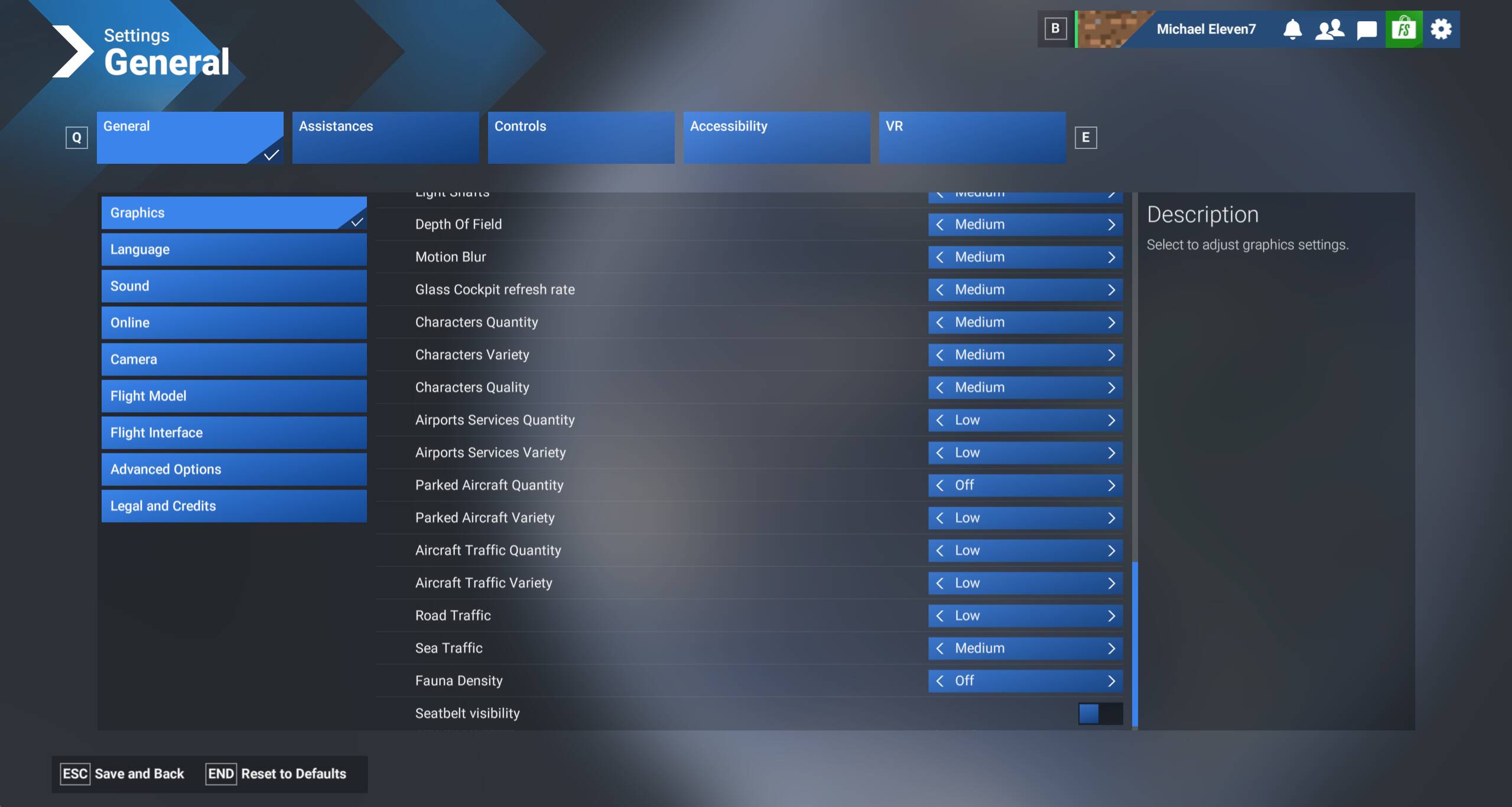
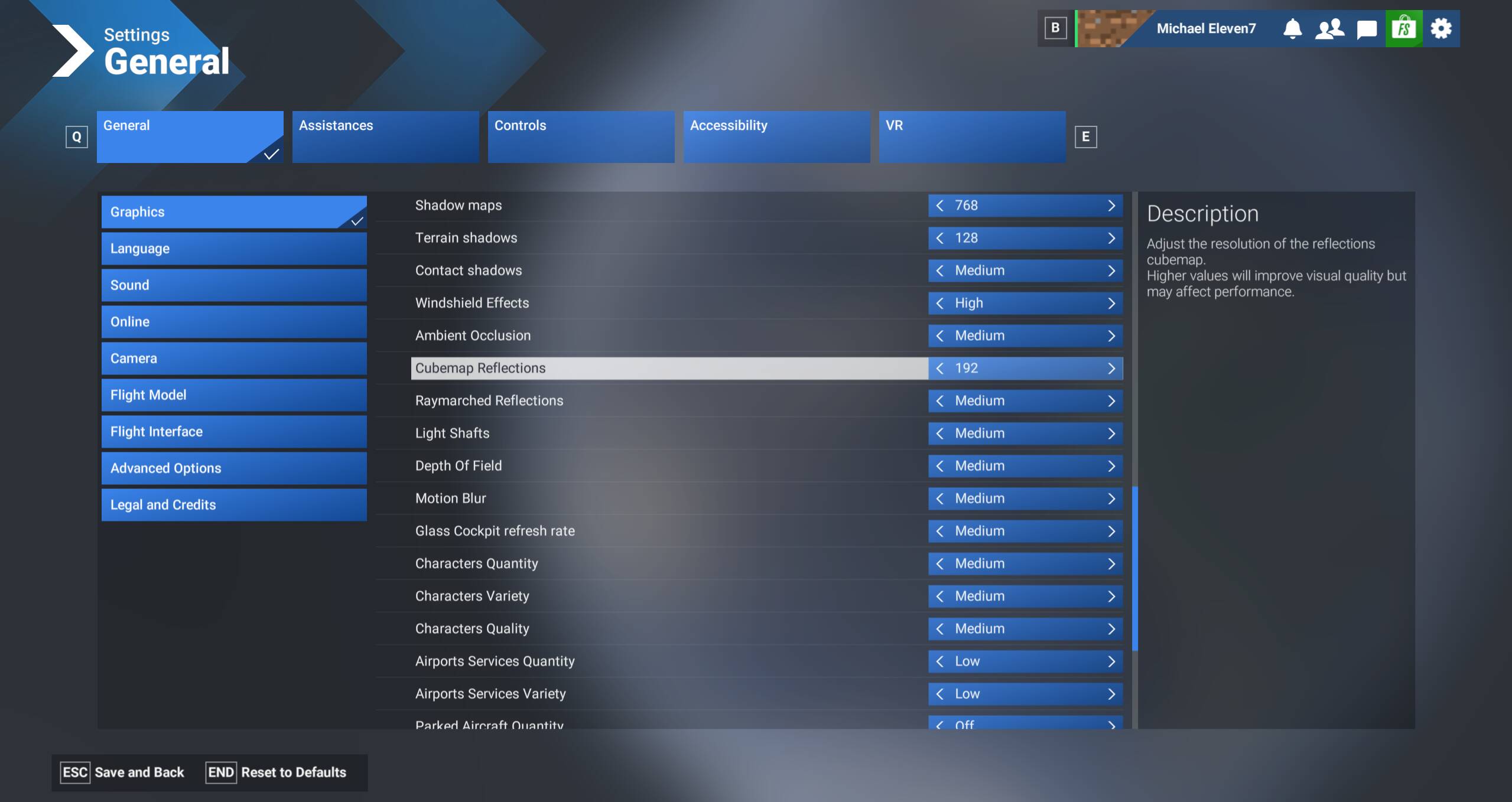

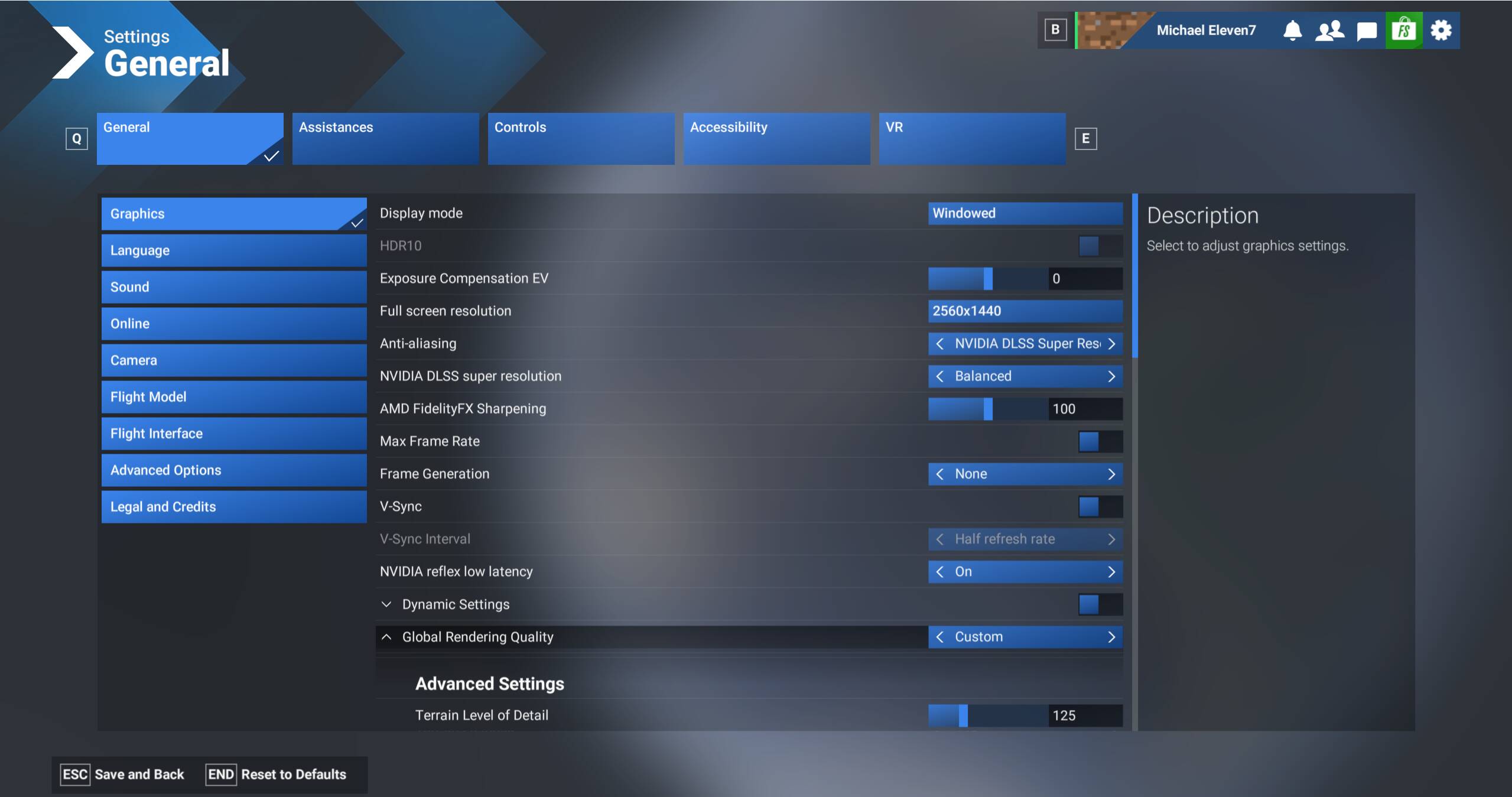
LOD is very much CPU tied so set them medium, gpu heavy settings would be aliasing ,textures and quality and that includes High Quality in the Nvidia control panel. For DLSS use the ultra quality or DAA setting, anything less and the imbalance between gpu and cpu frametimes is too great
What would be a medium setting for LOD and TLOD? Do you think 125 is too high?
I have an undervolted 5800X and mine are set 300 and 150 however I only fly gliders, in more complex aircraft I’d drop to 200/100. Your 5600x is not that much less powerful so 125 - 150 should be good IMO. If all else fails then dynamic smoothing is a good option
Ok. Thanks a lot. I’ll try turning dynamic settings on. Which minimal framerate would you suggest?
And one more thing: Why is Frame Gen (2x) so extremely heavy on my CPU?
You have a very good gpu, let it fly and adjust downwards if you need to. I’m at 30 but with FG so 60fps tops (my monitor’s refresh rate). But then again I only have a 3060 12GB, with FG x2 at that res I never dip below 50fps.
Frame Generation doesn’t work for me as it absolutely hammers the CPU performance. “Limited to main thread” is shown all the time with FG on. And taxiing on dense scenery becomes a stuttery mess. Maybe I have to lower TLOD to 80-90? I’ll try that tomorrow. I’m done for today. 
OK goodnight and of course good luck
Thanks so much. I’ll report back here tomorrow.
FWIW, I found similar sluggishness on both my old and new PCs, so I generally have FG disabled. This was true with FSR as well as NVFG. If I need FG now I use lossless scaling app (external app from Steam), which can do 2-4x FG with seemingly no in game impact on CPU load. In ‘adaptive’ mode it can target a certain/specified FPS by varying the FG multiplier, so think 120FPS target on a 120Hz monitor/TV=smooth). It’s only £5 too (from Steam). One of the best buys in FS2020/2024 for me, and highly underrated/below the radar. Works with any game too. Downside is you need a Steam account to buy/use it, but I have one just for this purpose as I have a store copy of the sim.
Hmmm worth a try but I’d have thought letting his big gpu do the work would be optimal. I don’t have that option with my 3060 so I use FSR, however at the end of the day I’m guessing my 5800X’s two extra physical cores have a bigger effect than I thought they would. Suggest Michael sells his 5600x and upgrades to a 5800, 5900 or 5950 (XT versions preferable), don’t spend heaps on an X3D.
I have a 4070ti super but I found using max frame rate 30 and frame gen x2 (60fps) smoothed a lot out for me.
TLOD 100 and Olod 125, texture resolution high, DLSS performance (preset M)
In the nvidia app I enable Vsync, set DLSS to recommended, and another setting in there I change is “prefer maximum performance”
I fly the PMDG 737-800 currently, I had a few stutters before I switched to max frames and frame gen.
The 5800X (AM4 socket) would be a possible upgrade. And it’s still within reasonable price limits (around 180,- EUR). It’s quite heartbreaking to have to turn settings down after the GPU upgrade. 
I do have Losless Scaling, so I can give it a go. But first, I have to get rid of the stuttering, so it’s all about making the sim run smoothly, with some CPU overhead.
Thx for your input. Yes, lowering the LODs will be mandatory I guess. Where do you have texture resolution set?