Sharing this here for people looking for a simple, quick and reliable flight generator.
TLDR: VECTOR, is a free, browser-based flight generator. No spreadsheets, no guesswork - just suitable runways, realistic payloads, and routes that favour the add-on airports you’ve already bought. Built for MSFS 2024.
Key Features
-
Selectable Target Flight Time: 60-120 minutes. Designed for short-haul, not long-haul.
-
Extensive Scenery Database: Features a massive MSFS 2024 airport database. Scenery Links provided.
-
Searchable Aircraft Fleet: Supports over 110 aircraft.
-
Airframe-Specific Missions & Job Tickets: Flight generation is tailored to your aircraft type e.g. GA, Turboprop, Business Jet, Civil Jet, Military Jet, Glider, Helicopter.
-
Automated MTOW Logic & Loadsheets: Passenger and cargo loads are dynamically calculated with automated payload checks to ensure you never exceed maximum takeoff weight.
-
Custom Departure: Leave the departure blank for a random route, or enter a specific ICAO to generate a flight departing from your current location (must be in the database).
-
Routing Options: Choose to fly from/to the Americas, Europe and Rest of World or Worldwide. Choose to only fly from Navigraph Airports. See which approaches are available at your destination.
-
Custom Owned Airports Filter Enter a list of ICAOs for the airports you own and the dispatcher will prioritize generating flights to and from your favourite airports.
-
Native MSFS .PLN & SimBrief Export: Automatically send your generated flight plan directly to SimBrief, or generate and download a native MSFS .pln file.
-
Custom Database: Add your own airports and aircraft if they are not included in the core database.
-
Logbook: Save your flights to your logbook.
Core MSFS 2024 Database Includes:
- 110+ Supported Aircraft Models
- 850+ MSFS 2024 Airports from: Contrail, iniBuilds, ORBX, UK2000, and Flightsim.to
- 1140 Asobo Hand-Crafted Airports, Glider airfields and small detailed airports
- 230 Missions e.g. cargo, passengers, military, medevac, intercontinental, gliding, rotorcraft etc
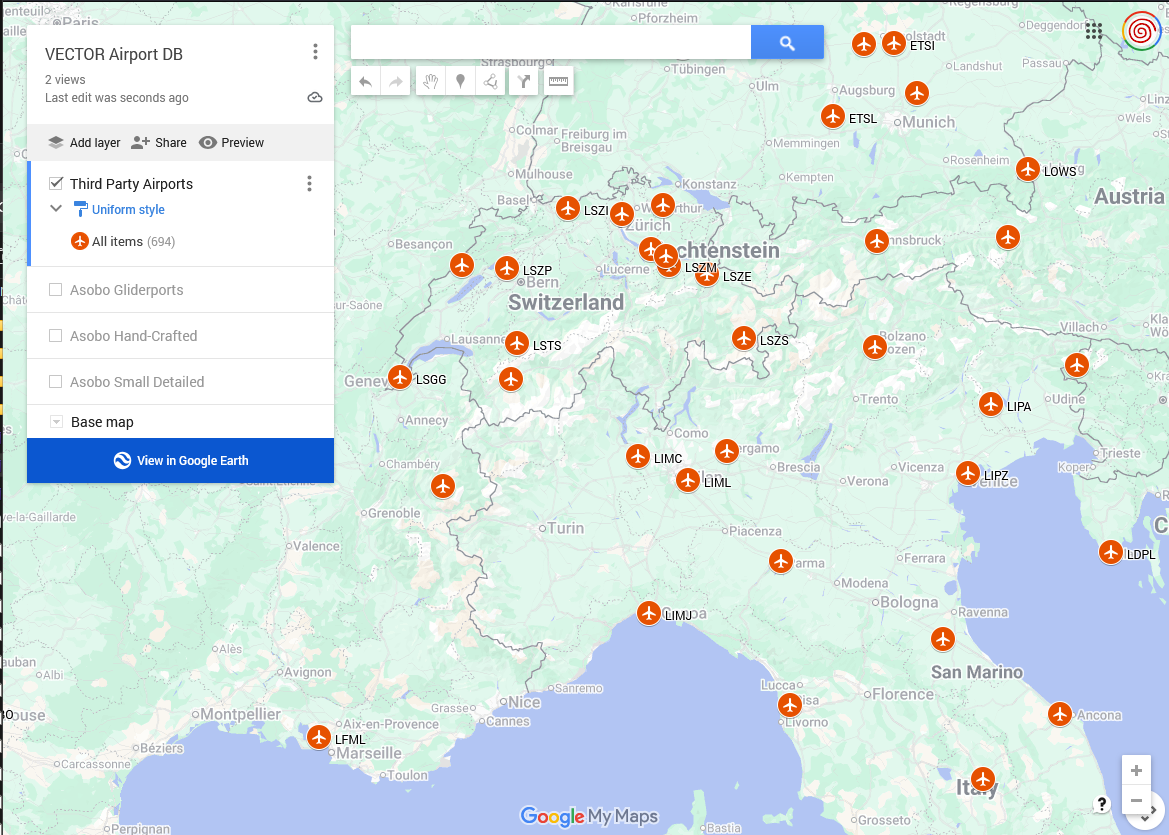
New in VECTOR - Airport map for the full database.
All airports in VECTOR’s database are now on a shared Google Map you can open straight from the app.
Airports are separated by Third Party, Hand-Crafted, Gliderports and Small Detailed Airports to make it easy to find what you are looking for.
In VECTOR, click  Map of Airports in Database. You can also view the maps in Google Earth if you prefer.
Use it to see which airports VECTOR includes in each region, plan routes, or check coverage before you dispatch. Screenshots below.
As always, feedback welcome!


VECTOR v2.3 is online!
For anyone who followed along back in June: thank you, genuinely. This started as a “why doesn’t this exist yet” idea and turned into a lot of long days and late nights getting the numbers right. Since then I’ve found a new job, so I won’t be pushing updates at the pace I was over the summer. VECTOR isn’t going anywhere though, I’ll keep it maintained and I’ve still got a couple of features I want to add when time allows.
What’s new in v.3:
-
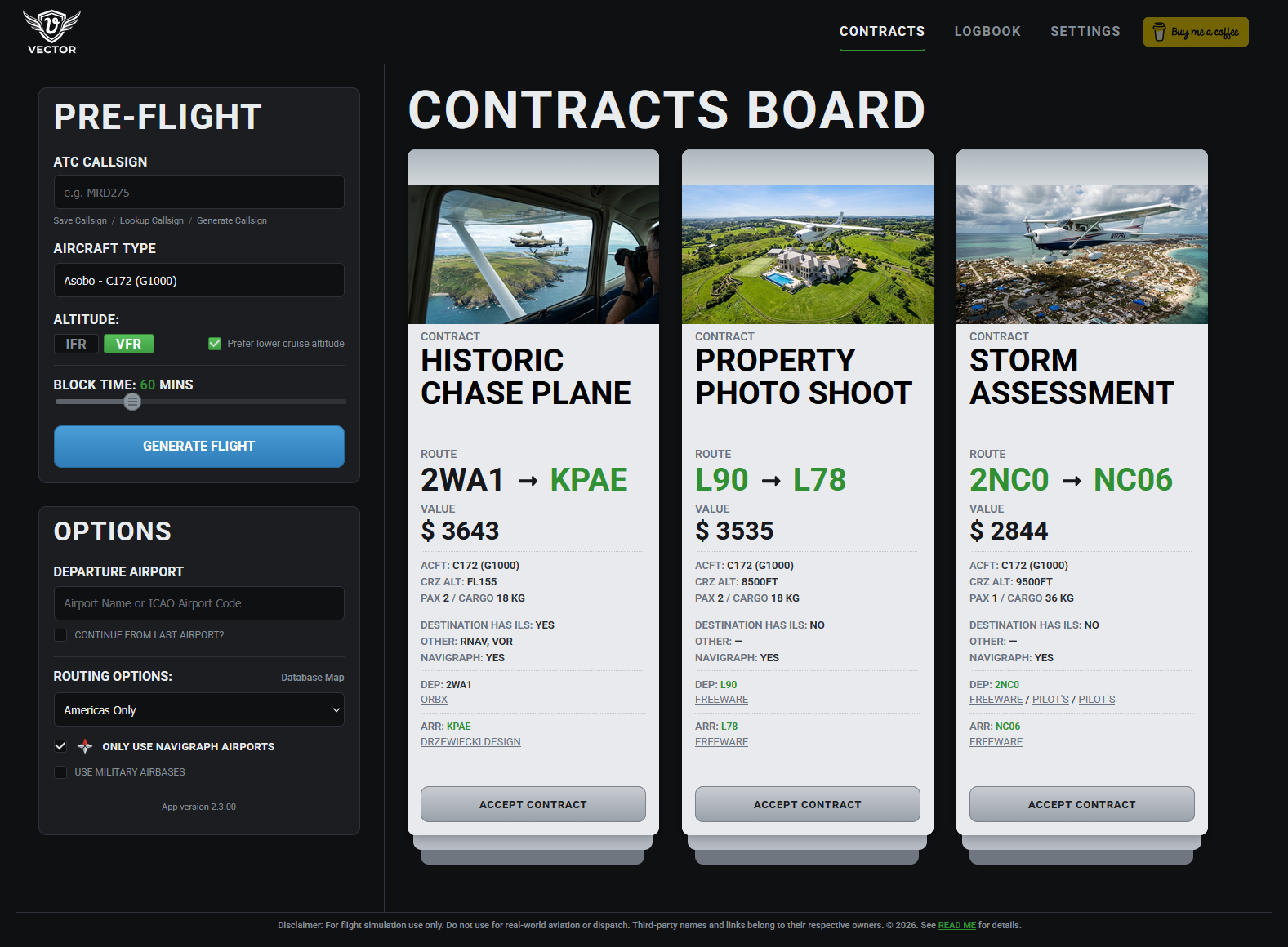
Only use Navigraph airports as an optional toggle.
-
Job tickets show what approaches are actually available at the destination, so you know before you fly.
-
You can now select VFR or IFR to set correct altitudes and there’s a “prefer lower altitude” option for anyone who’d rather stay under class A airspace.
-
The biggest layout change: you get three job tickets to choose from now instead of one, so there’s actually choice involved instead of just accepting whatever the dispatcher selects for you.
Underneath all of that, most of the actual work this cycle went into the dispatch logic itself, not the interface. Runway suitability, MLW on arrival after fuel burn, payload versus what the airframe can lift, cruise altitude versus terrain and aircraft ceiling. None of that is visible in a screenshot but it’s the part that decides whether the flight VECTOR hands you is one you could genuinely fly, not just a route with numbers attached. More details can be found in the updated README. And if someone had told me at the beginning how much information needs to be analysed and calculated to dispatch a flight accurately, I’m not sure I would have started this project!
Same as always: runs in your browser, nothing to install, no account, no telemetry, and still free.
Toby