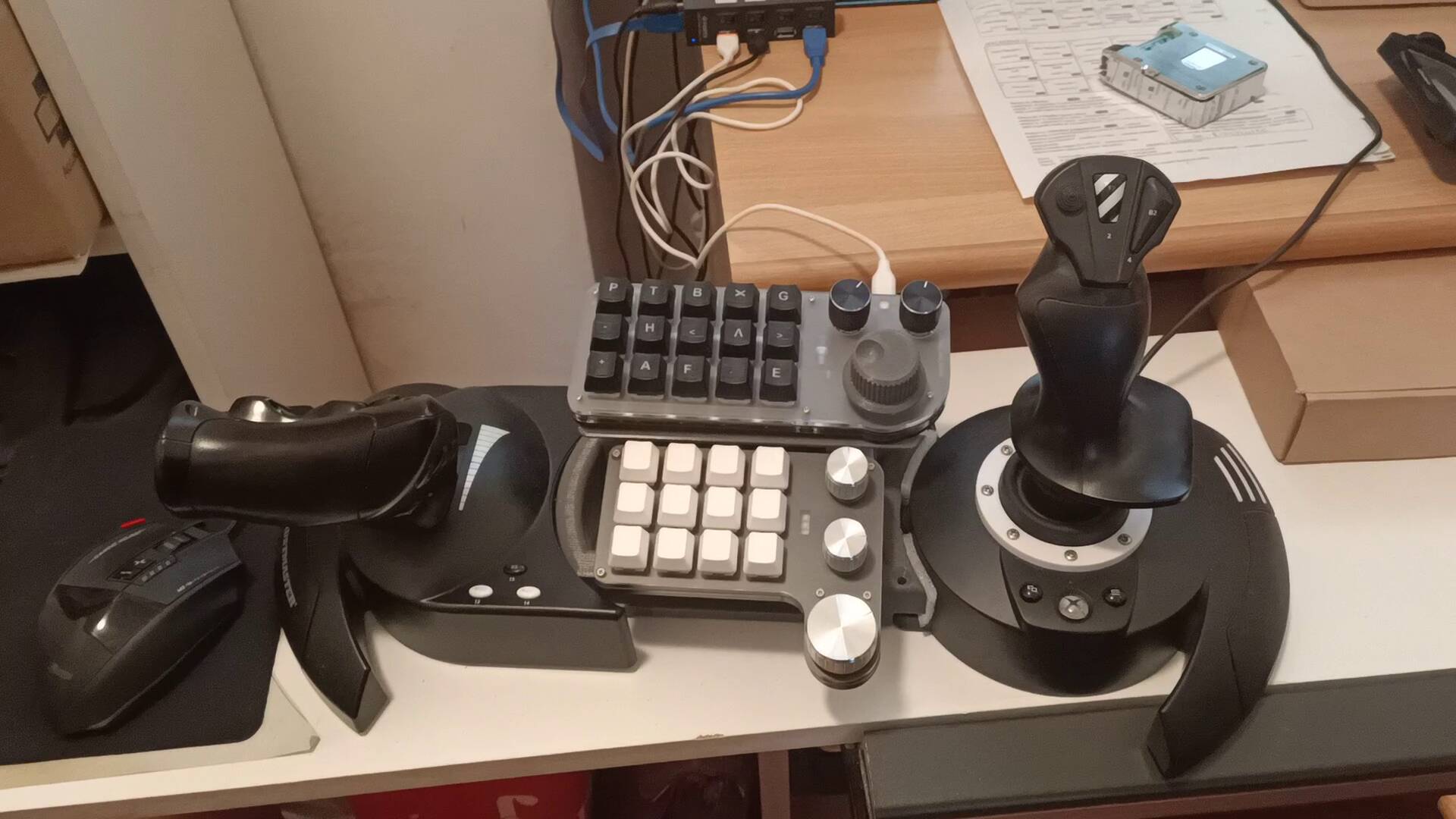
My Cockpit see my solution! https://www.youtube-nocookie.com/embed/080-3nT9F48 Want to fly but have a very limited budget? Is your desktop PC or laptop too old and lacking in resources to run Microsoft Flight Simulator 2024 properly, and you can’t afford a new, high-performance machine just for virtual flying? Here’s the solution: an Xbox Series S, an entry-level Hotspot like the Thrustmaster T.Flight for PC and Xbox, an old, still-functioning full HD monitor (if it doesn’t have audio like mine, add an HDMI audio-video splitter and an external speaker with an aux input), a game mouse with a few extra buttons, and a couple of macro pads. You can see the result in the video. If you’re interested in how I configured the peripherals, let me know in the comments. Total cost, Xbox and monitor aside, is less than 200 euros, so you can fly in full HD with an exceptional cockpit!!! Have a good flight! See the Video on Youtube!
Thank you for this. Could you please share your configuration of your macro pads? Thank you.
I’ve only a configuration file in pdf and in ITALIAN language (it is very simple to understand in english or other language). Please note that for some functions I’ve changed the default keys associations (indicated with * in the scheme). Consider also that for each command I’ve idicated in brackets the set [GENERAL,PLANE,SPECIFIC] and in brackets {searching string for the command in italian version} This is a very great configuration for General Aviation planes and in particular for my preferite plane Cessna C208 Grand Caravan! - For other planes you can use a slight different configuration changing the set of macro (every macro key has 3 sets of different associations!) Have a pleaseant fly!
due macropad fs 2024.pdf (265.3 KB)