Yes I already have that set to ultra. Thanks
1 Like
This is an issue that has the 95% (or maybe more) of people flying the FBW A320. Your system is very good, you should run the aircraft without any problems and without micro stutters when taxing from/to the gate and when turning left or right.
I have exactly the same problem as you have and its completyl annoying!  it ruins all the inmersion!!! A performance fix its urgently needed from Asobo or/and the team of FBW!!!
Here you have a fix that worked fine (without solving the whole problem) before the last update, now still works but not so great as before. Mmmmmmm  the true es that you have a MUUUUUUCH BETTER system as I have so maybe it will works great for you:
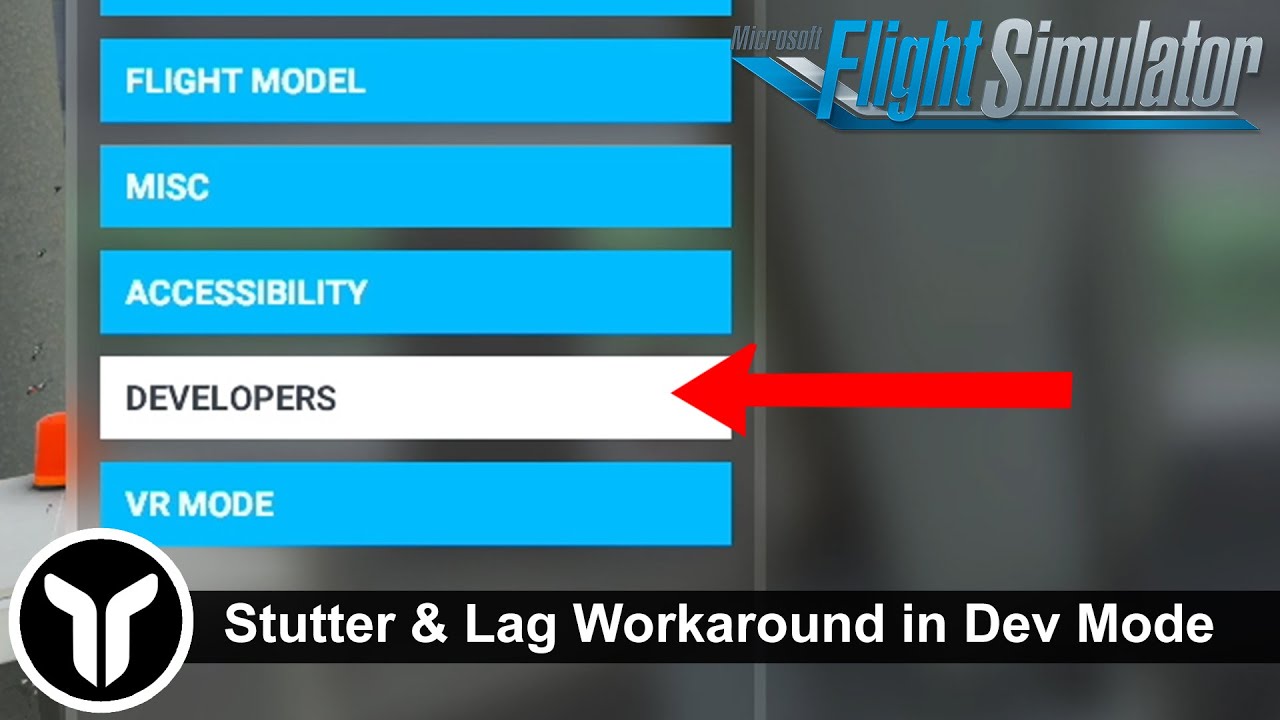
Good luck!!! 
Hi,
I noticed the same behavior like you did. I have these micro stutters with the a320 fbw (even with the default A320) but with a default Cessna or the aerosoft crj I don’t have any micro stutters.
I also have a high end PC (5800x, 6800XT, 32gb, ssd m.2 etc.) and tried so many things to get a solution for this issue but nothing really worked.
The only thing which worked for me so far is to limit my framerates. I have around 30 to 40 fps in the a320 fbw on the ground. When I cut the fps at 30 fps the simulator is running quite smooth.
Do you mean turning on vsync in the sim and setting limit to 30 fps or setting the limit to 30 fps in the nvidia control panel?
I’ve got an RTX 3080 and a 5600X with 32GB of 3600mhz RAM. The number one thing I can recommend for immediately winning yourself back about 10FPS is if you set the sim at the full native resolution of your monitor then reduce the sim render scale to 80%. You won’t notice any drop in image quality and sim will be much happier, higher FPS and less stutters. Thats been my experience anyway.
You can experiment and drop the render scale down to 70% and even 60% and win yourself back even more FPS but you will start to see things less sharp.
I mean the limitation about the graphic driver. So in your case Nvidia control panel.
Do not use the vsync in the sim. The vsync in the sim seems not to work correctly.
With you talking about it doing little stutters when you make turns on the ground, I think this is just what it does when you start a flight.
Whenever I load in I always go to the external view and pan around the plane so it takes in every part of the airport. It will stutter like hell but once it’s done this initial load I find it doesn’t do it again when I’m taxi-ing around.
Give it try. It’s just something I have personally done for months now. I don’t think there’s a fix for it though as it’s just the way the SIM loads in the airport and the surrounding area when on the ground.
2 Likes
you can try disabling HyperThreading also in bios. it seems to work for some, not all (like for Virtualization)so why not trying.
and also try to off (or on) “hardware accelerated GPU scheduling” in graphical setting of Windows 10.
Thanks for sharing my video, i was just about doing the same. 
To @xxYUNIORxx :
Im in flightsimming since a very long time and i have seen multiple new sims getting released and it is/was always the same:
The simulators are pushing the hardware that is available at the point of the release to its limits. I have stopped chasing FPS a ling time ago, for me, it is about the smoothness, thats all what matters to me and thats what i try to show in my video.
30FPS seems to be ancient in 2021 when compared to a “normal” game, but flightsims are different. Try to get your settings so you can stay above 30FPS almost always and limit them there trough vsync. Sure, there are small stutters here and there but it will make a big difference.
Also, with your hardware, basically the only graphic setting that really has an influence in performance is “Terrain Level Detail”. I tested all the settings and this is by far the one that has the biggest influence, besides you resolution, of course. 4k is still a heavy task for a demanding game or sim like MSFS.
Im faithful that we will see quite a bit of improvement in the near future due to DX12 and moving the glasscockpit-rendering to another thread and optimising of multicore usage.
Right now, its mainly our CPUs that are the problem, well, not the CPUs itself, yours is powerful enough, but it doesnt get used to its capability by MSFS.
For now, try my way to be happy with “only” 30FPS, but enjoy the smoothness. In a few weeks or months, maybe we will already have a better optimised sim. I really hope so!
2 Likes
There seems to be systems that work fine with the in-game vsync, and others that dont. I have tested EVERYTHING possible on my system and i came to the conclusion that the in-game vsync works better, for me.
But i see there are multiple reports of users where the in-game vsync doesnt work correctly and even lowers their FPS. So, everyone has to try it. Preferable, use in-game vsyc as it might enable optimisations of the game-engine. If it does not work, turn it off and force vsync in Nvidia control panel.
If you have a 60Hz monitor, you might wanna try “Adaptive vsync (half refreshrate)” in nvidia as it will lock the frames to 30FPS.
I turn off VSync in MSFS, but use the “FAST” VSync on Nvidia control panel. Works like a charm. No tearing, no lag.
Yes, they do, but they have decided to focus their performance efforts on the DX12 version, which is a very smart move.
There is no fix , trust me. I have spent countless hours.
The game is poorly optimised/not optimised at all.
2 Likes
Huh, that’s interesting. I’ve just disabled it in my bios. I was never able to break 30fps at high settings on the ground at 1440p, let’s see if this makes a difference.
If the GPU isn’t at 90 - 100% utilization, it isn’t sending maximum FPS to the monitor. It’s like driving a car at 1,000 RPM. It isn’t close to its top speed. And increasing graphics quality and detail cannot improve FPS.
Edit: No FPS difference. Still 24 FPS at CYBA.
hey, i think this stuttering came from the pfd of the A32NX, FBW work on a custom pfd, I have read it ,since in the future the stuttering is reduce by the custom pfd…
HXArdito what program are you using in the video in the upper left to show the info and also that graph line showing the smoothness?
Its RTSS (Riva Tuner Statistics Server) and HWinfo.
The “smoothness” is a frametimegraph. It comeswith RTSS
2 Likes
This would work exceptionally well as it did in FSX offering unparallel smoothness! BUT FS2020 is not true fullscreen as FSX but borderless window hence the half refreshrate trick does not work unfortunately…