This is mine: C:\Users\xxxx\AppData\Local\Packages\Microsoft.FlightSimulator_8wekyb3d8bbwe. I just renamed it to C:\Users\xxxx\AppData\Local\Packages\old.Microsoft.FlightSimulator_8wekyb3d8bbwe.
Then Uninstalled MSFS, change the name back to C:\Users\xxxx\AppData\Local\Packages\Microsoft.FlightSimulator_8wekyb3d8bbwe. Then click Install
Note, the XXXX is my Default User Directory, yours will be different
I did that: renamed the small directory that you indicated, uninstalled MFSF, restored the directory original name, and clicked to reinstall MSFS in the MF Store. But now it asks me to select a drive with 120GB available for a new install, but no space at all has been freed during the uninstall! So, now I’m out of space on my SSD.
…Followup: I nevertheless chose to install on the original drive. It then proceeded to download 620MB. But then it got stuck and signaled an error. It now repeatedly fails to reinstall.
This procedure worked for me. It downloaded 1.2GB from the xbox app and then about 300kb from the mandatory update screen inside the game. Nothing else with the store/xbox app worked.
Same here, had to wipe and roll back to Win 10 and reload everything. After that the sim would CTD. Shut down for the day, started back up Sat morning and suddenly things are working. Too bad, I really liked Win 11.
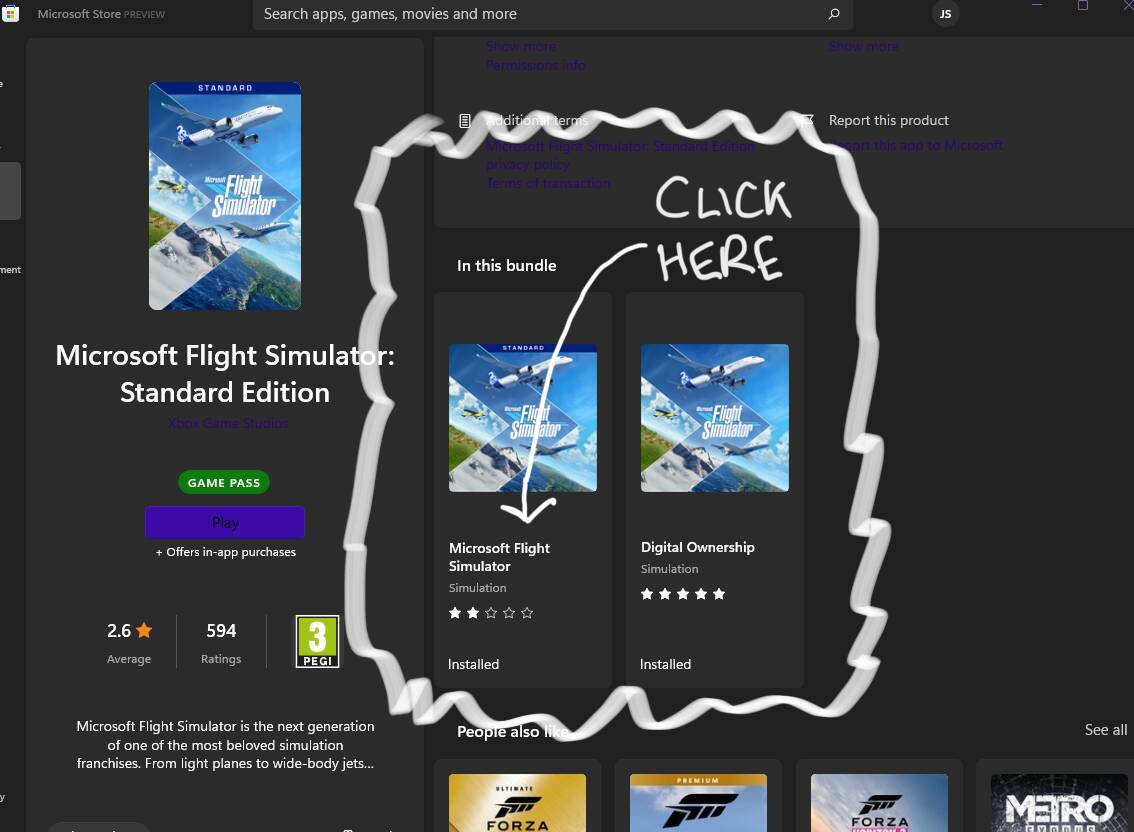
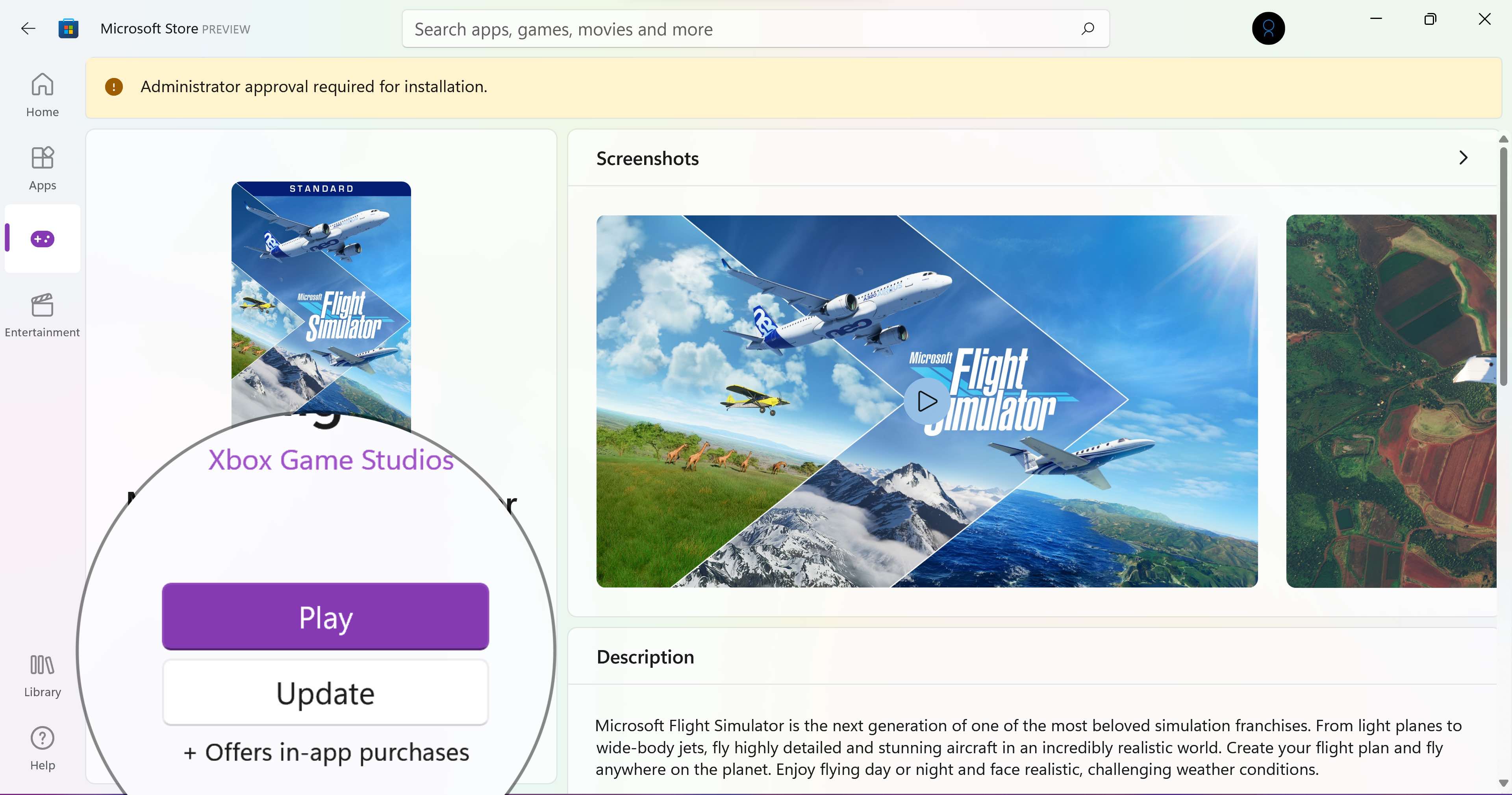
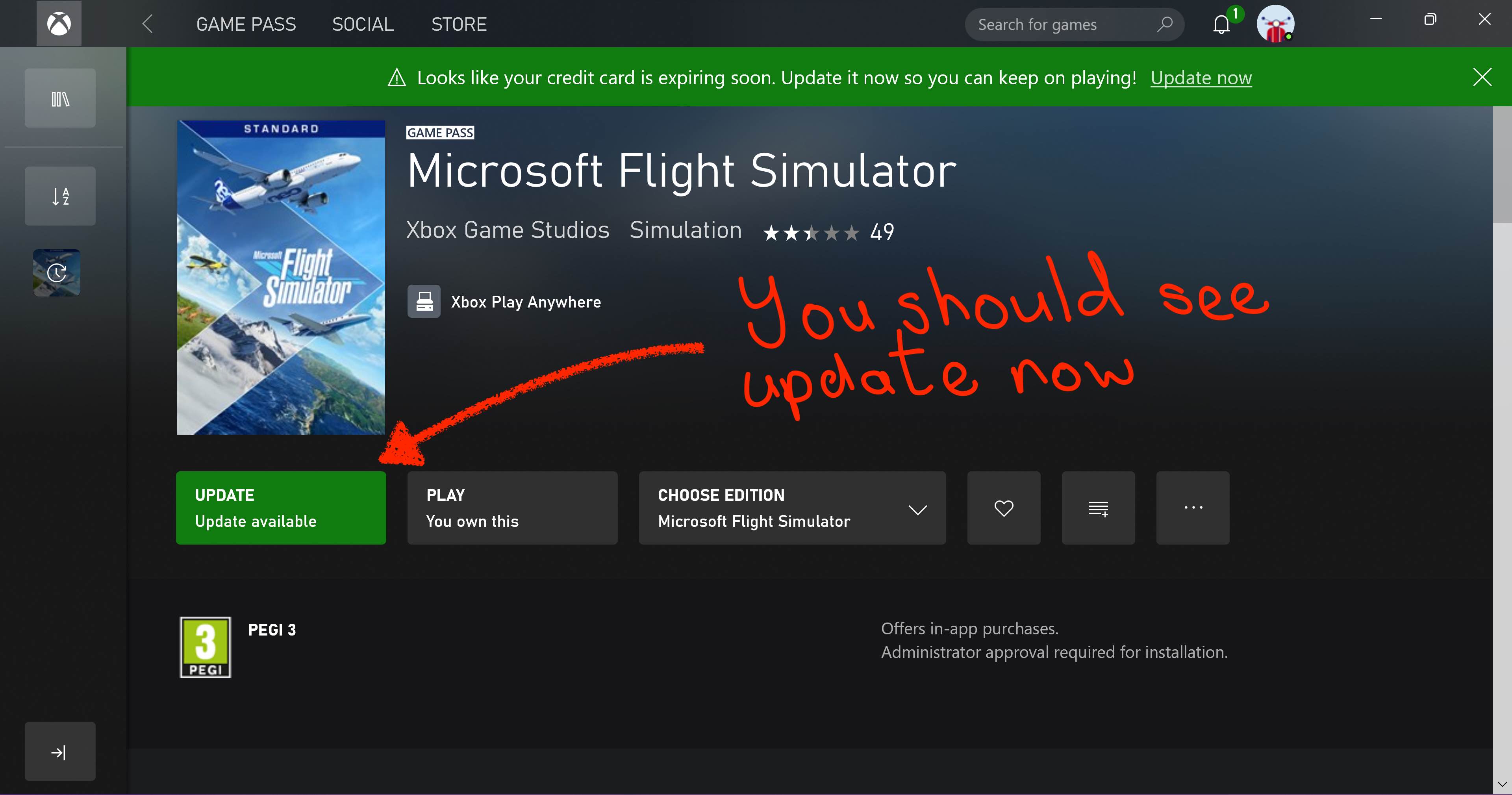
Thank you, clicking the link from the game for a mandatory update doesn’t take you to the proper page in the Windows 11 Store. In this bundle select standard then update opens the Xbox app where you can update. What a palaver!
And to think some are recommending reinstalling Windows and then the whole game
Search for Microsoft Flight Simulator in the Windows 11 Store. Click on MSFS Standard. You’ll see the play button but no option to update. You have to scroll down the page until you see some more thumbnails for the game titled “In this bundle”
Thank you! Yes I confirm I was able to get the update that way. I do have to admit I don’t understand why some of the other apps just update automatically but FS frequently needs this manual update.
Finally I managed to download the 1.18.14.0 update of FS2020. I specify that I am on Windows 10, and that I have the DVD version of FS 2020 Standard. This is how I proceeded, I downloaded XBox Installer.exe, I ran this program, and I opened the XBOX app, I found the usual page of my installed games and the Download buttons and I asked for the nth time “Get updates” and this time, the download miraculously (390 MB) went well and I was able to install it on FS2020 … Here we are, hoping to have been able to make service to other simmers who have not yet been able to perform this laborious download.
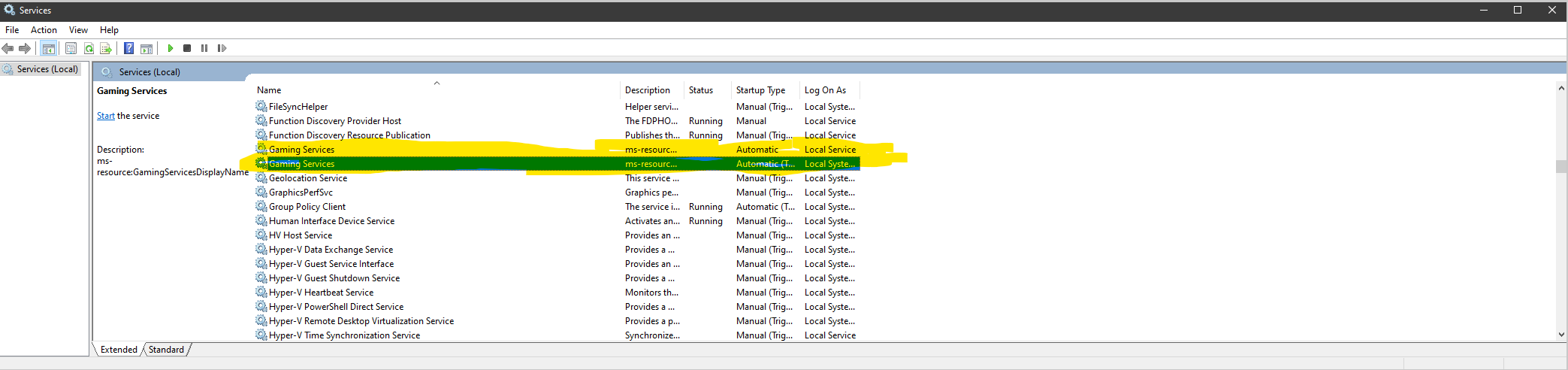
So I tried everything on this thread, as well as those in the rest of the threads and nothing seemed to have worked. However I DID manage to finally get this to work by going to services (Start>run>services.msc) and setting both instances of Gaming Services to STOP. I then loaded up FS2020 and it started the update.
Brilliant, Thank you, so simple and it all now works, Why Why we do we have to go through this so often, where is the quality checking at Microsoft et all?