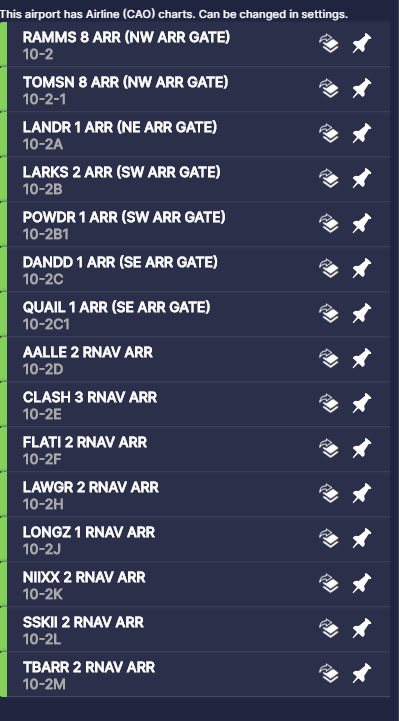
I can’t find out where to find trans for my sids/stars any help would be appreciated!
Charts either on Navigraph or some other freeware charts.
any suggestions because i am using fox charts but I don’t know where the trans are
On standard charts it’s on the airport chart somewhere. I’ve never heard of fox charts so I don’t know if they look like standard charts.
which chart program should I use that is free?
skyvector is free I believe
how to make a flight?
That’s a big question. You’ll have to do some research on that yourself.
1 Like
bummer  jjjj
jjjj
Yeah, life sucks
3 Likes
Transitions are any common waypoints between the STAR and the approach. For departure airports, SIDs are determined by the departure runway. Any gaps either use ‘DCT’ or RADAR VECTORS PROVIDED BY ATC.
Use Little Nav Map and click on the Show Procedures with any airport selected. You’ll be shown full Transitions when you click on each of the SID/STARs. Hint. Pick a Departure Airport and SID first, then select the Destination Airport and designate it as such. Then go through each of the STARs, add the one you want, then finally the Approach. It all gets appended and overlaid neatly. Enroute will be on an appropriate airway. Save it as a MSFS PLN file and put it in your Roaming subdirectory. Away you go.
You need to search Google for the STAR plates for the airport you are trying to fly to. The STARs will show you the Transitions.
what about sids?
The SID just gets you heading the general direction of your route. Normally you will fly the SID until you get the release from tower. ie: “Turn right to 235, climb and maintain 6000, resume own navigation.”
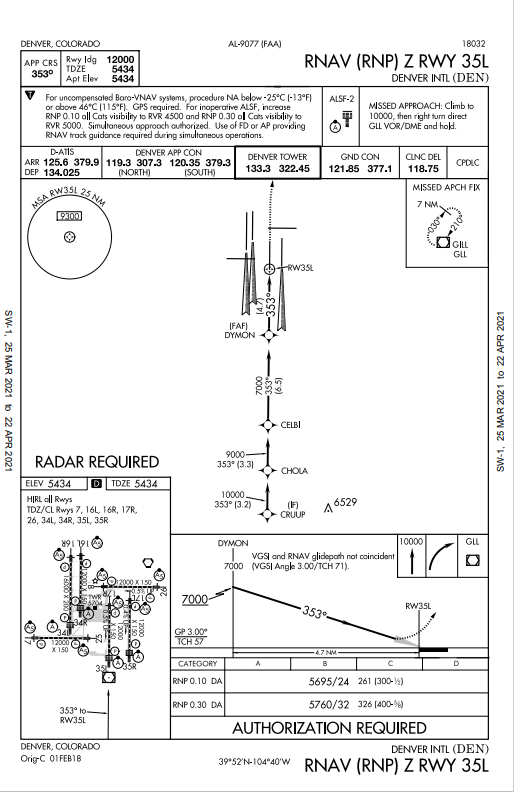
Navigraph is worth every cent IMHO!
2 Likes
That is an approach plate, not a STAR.
which star should i use?