It is where you installed it.
Which is where the “Installed Packages” were installed.
If you chose the default install, it is on C: or your boot driive.
If you chose a custom install and specified another install location, it is physically on that drive\folder.
If it installed on another drive/folder, there still will be a Symbolic Link
on C: (or boot) that points to the physical drive\folder.
Yoy can access it on C: or the physical drive\folder.
Is there no way to download on our PC the “packages” it downloads every time? Just that.. make it faster loading
How come there’s nothing to be shown in the “community” tab inside the library, even though I added airport to the folder and it even loads?
Seems the community tab is always empty, no matter what.
To save a load of typing you can use this to open the Community folder:
%LOCALAPPDATA%\Packages\Microsoft.Limitless_8wekyb3d8bbwe\LocalCache\Packages\Community\
N.B There are no spaces in that address, it is just the format of this place splitting the text.
Just save that somewhere and copy and paste it into Explorer address bar.
What a crazy naming system though - don’t want to make it easy do they? I mean even the address is too long for the window top line to display.
1 Like
Or just use the “pin” feature in Windows Explorer once you’ve opened it. It will always be available on your sidebar.
2 Likes
Put PMDG 737 incl. livery files into the community folder and the plane works for 95%. some minor problems with lighting.
I have shortcuts to that folder and the 2020 one on my desktop.
I just think that there are people who don’t know about the %LOCALAPPDATA% feature is all.
There is actually. In main menu click the green fs shopping bag, then click library in the top. Then click the settings button the right. That is where you can move your community folder to a different location whether that’s a different drive or anywhere.
3 Likes
Well I can click it and it shows ALL of my community folder but only ONE of them shows up. Everything else ..nothing. In game for the 1st I saw plane I thought was going to get ready for take off but.. just keeping passed the roads up the MTN. haha
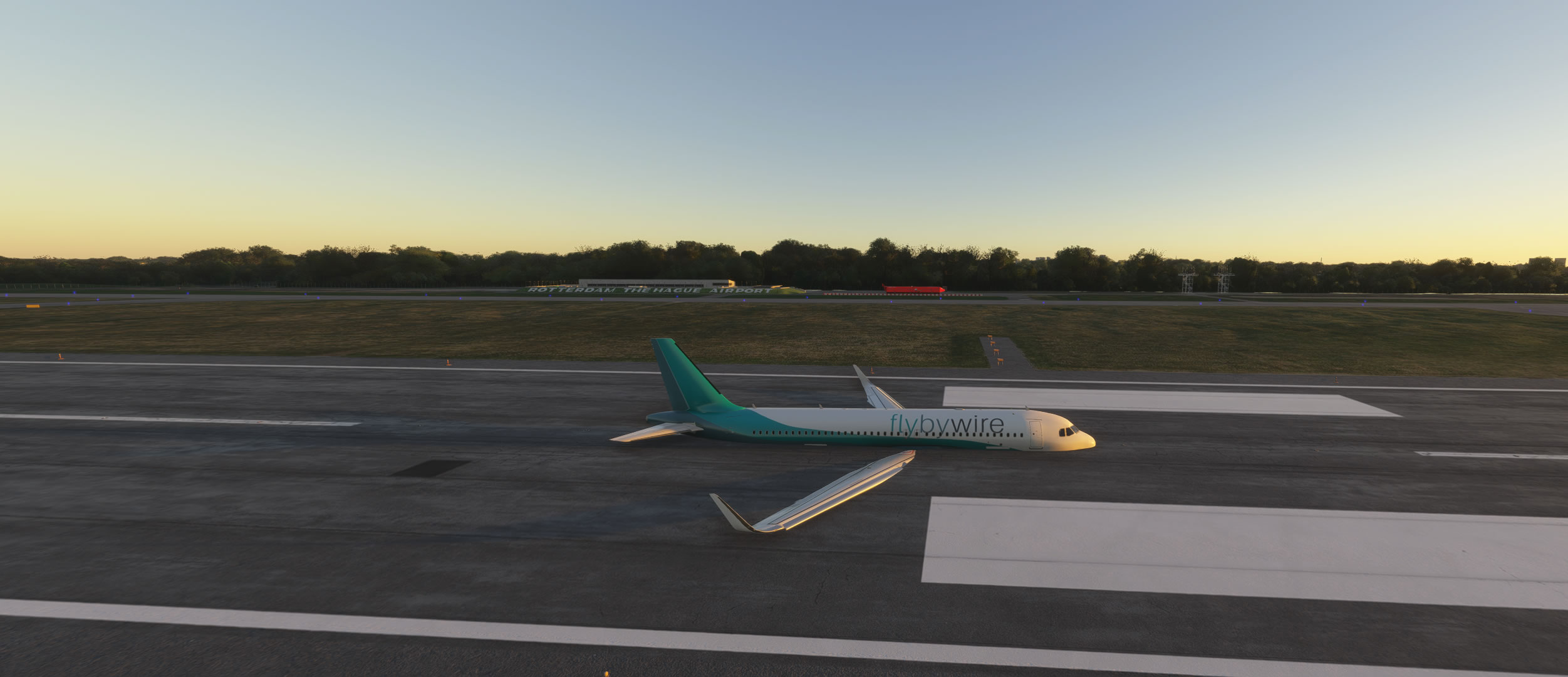
The FBW A320 will not fly.
It´s loaded to the sim, but crashed on the runway.
So, we have to wait until the FBW A320 and A380 made ready for MSFS2024 by the developers.
Not only this, if you drop , for example, 10 livery folders (for fbw) to community folder,then in the aircraft selection menu in the game, you’ll have 10 FBWA320 - each with a single livery.
So far, the sim is total chaos and the game interface is so bad. I feel really stupid for uninstalling mfs2000.
There is no option for a custom install with the Steam version.
There isn’t an option on the FS2024 installation screen to change the install location in the install location box for Steam?
Can’t you right-click on the program in your Steam library, select Properties, then Installed Files, and then Move Install Folder?
I did change my location to a different drive during install, but the sim is still utilizing C: for all the AppData stuff. And apparently this hidden Community folder
That’s the Steam part of the install, not the MS folder stuff
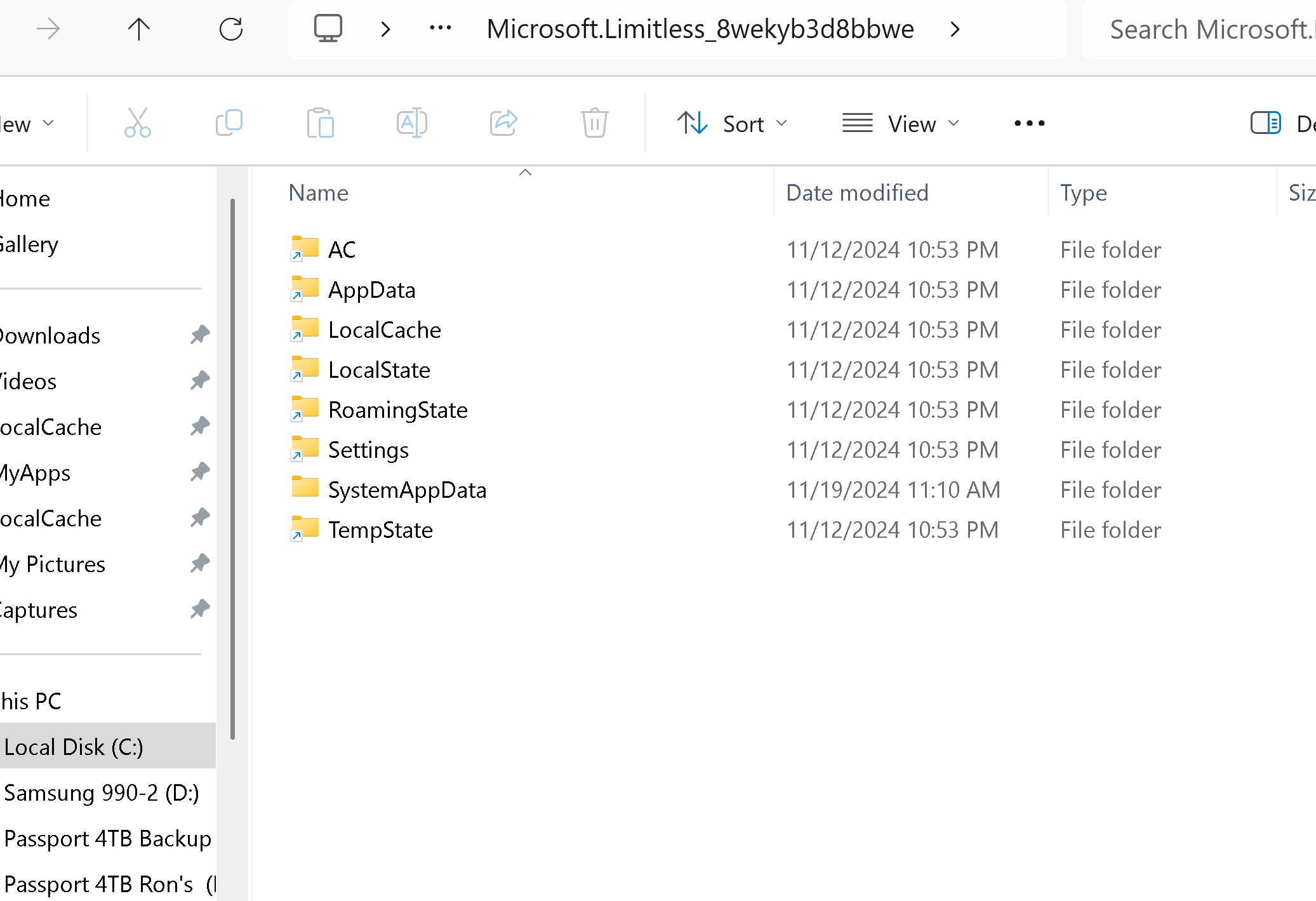
The C: folders are Symbolic Links to the actual physical location
of the folders that you set for the install.
the folders don’t show as symlinks when I open them in Explorer
My C: folder.
C:\Users\myid\AppData\Local\Packages\Microsoft.Limitless_8wekyb3d8bbwe
The arrow on the folder icon indicates that it is a Symbolic Link.
The folders at the physical location do not have the arrow.
You can force the cache over, but yeah I’m not sure about the community folder.