Why is 2024 not as sharp as 2020

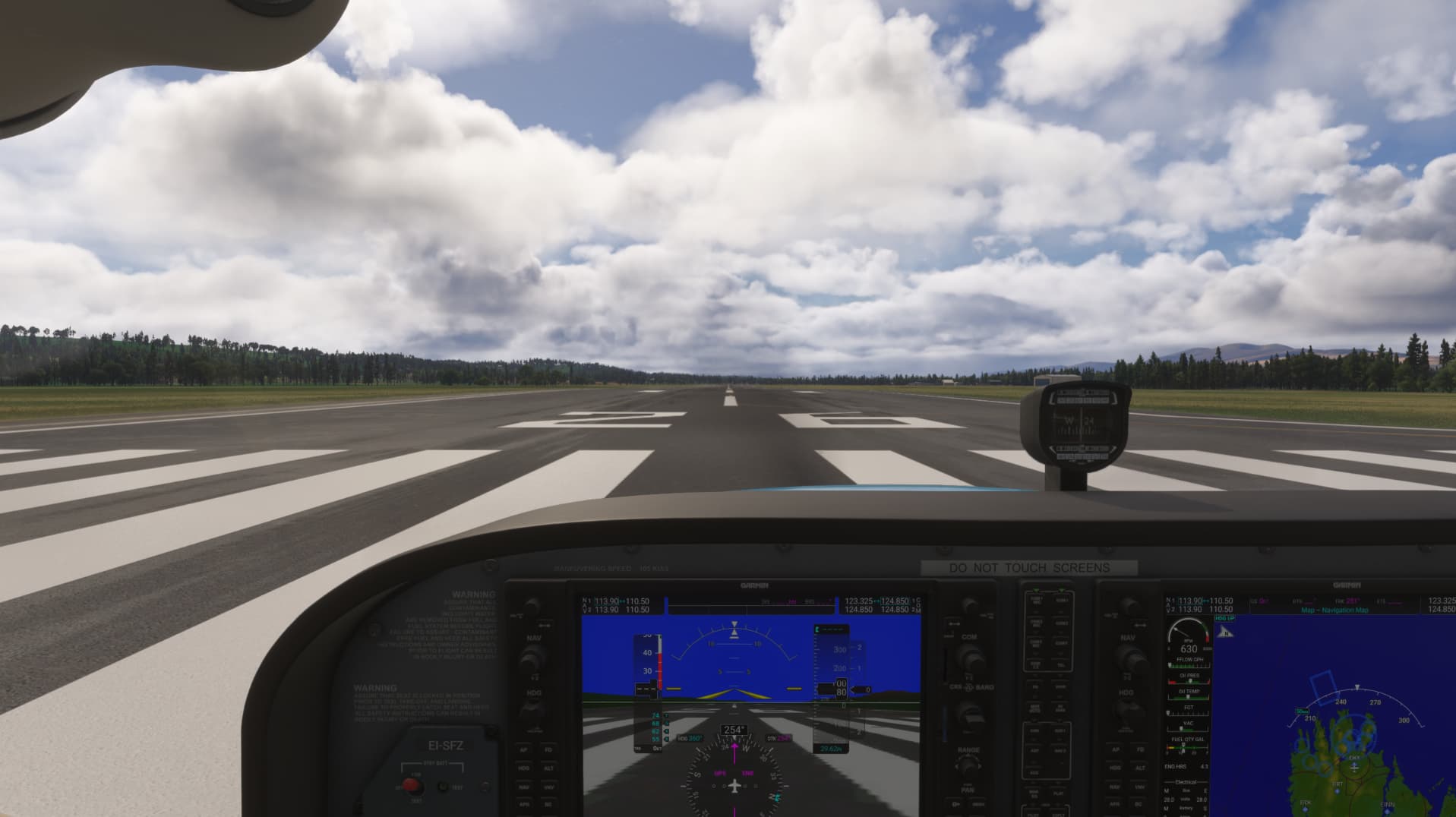
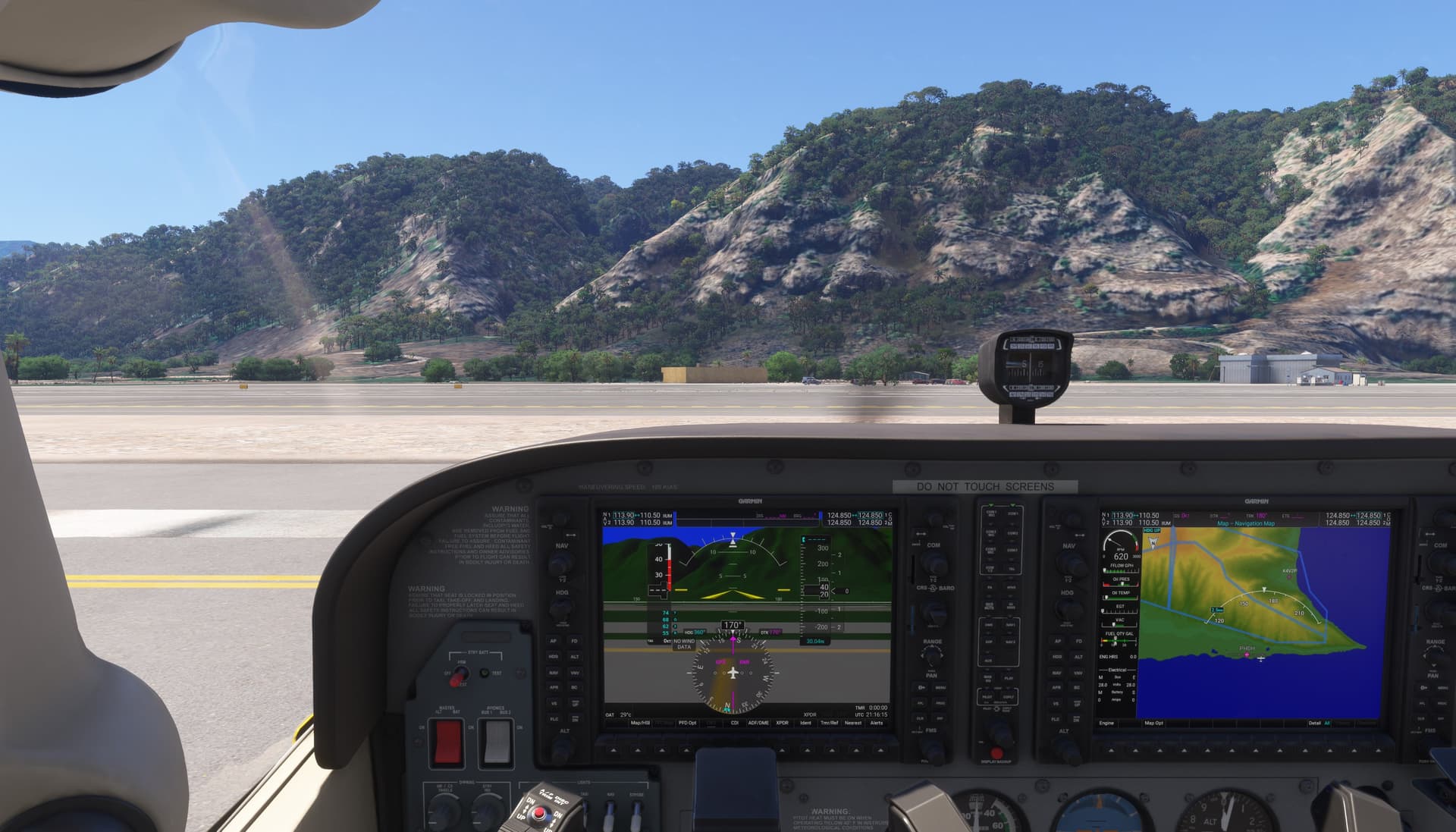
The first picture is 2020 and the second 2024. The difference in clarity inside the cockpit is huge in my opinion, is it the lighting? It feels like 2024 has a haze covering the entire game.

2020

2024

Am I the only one noticing this? It is crazy to me that the newer version looks less sharp than the older version.

8 Likes

FS2024
FSReborn Sting S4 (native FS2020 aircraft.)
Western Oregon

2 Likes

Everything seems hazy in 2024

5 Likes

Your correct!

1 Like

As a kind of a workaround I use Image Scaling via NVApp (Graphics\Global Settings\…) It looks like on the screenshot we can not see any improvements, but it looks better in the sim. DLSS - off. NG - on. TAA+upscaling

2 Likes

This is how they nerfed the stutters which doesn’t always nerf the stutters anyway.

3 Likes

A better comparison, IMO, would be to take two screenshots at the same position at an airport, with clear skies and with mountains in the distance.

Using clear skies for both should rule out any induced atmospheric haze present in the weather in one sim & not the other.

Then compare the distant mountains in to see if they are hazier / blurrier in one vs the other.

This also assumes all graphics settings are, where applicable / possible, the same.

4 Likes

This is due to the volumetric lighting in 2024. Basically, the atmosphere looks like it has moisture that refracts light.

3 Likes

Its one of the main reasons I stick with 2020. It just looks terrible in 2024.

8 Likes

FS2024
FSReborn Sting S4 (native FS2020 aircraft.)
Western Oregon

It’s not even the exterior that bothers me that much, it’s the haze inside the aircraft.

3 Likes

Quit hotboxing the cockpit! :sweat_smile:

3 Likes

That would bother me as well if I saw it.
Do you get that same effect in all aircraft?

Yes , every single one. I have the sting S4 you posted. I’ll try that later.

2 Likes

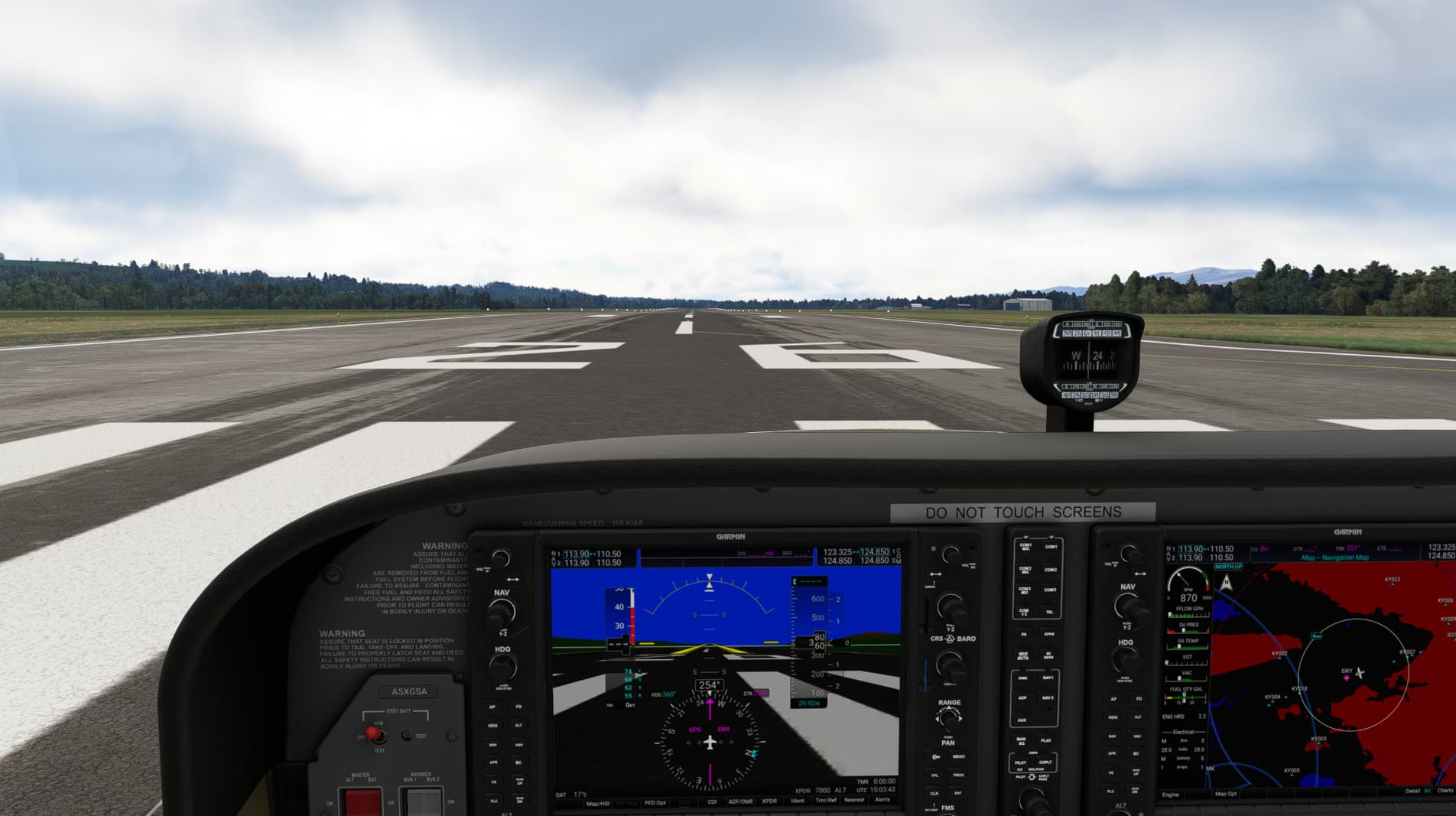
ReShade fixed this for me. I use a filter called “clarity2”. It’s the only filter I use. It pretty much gives 2024 the same sharpness as 2020.

I’ll never not use it again.

Can you point me to where I can find that preset? I can’t find it with a google search

Download the thing and follow the instructions on the site.

It looks scarier than it is. Might take a few minutes to get your head around, but once it’s set up, it’s fire and forget. You never need to touch it again.

The preset is part of the big pack you can choose to install with the program.
1 Like

Thanks for your help, I can find clarity but not clarity2, maybe it has since been removed

Clarity is almost as good!

Found it. Awesome. Thanks so much, it looks much better now. Still not on par with 2020 but it is much closer than before.

1 Like