Why the Career Mode Weather System Doesn't Work and How to Make it Better

@CharlieFox00 are you able to make head or tail of this?

i responded to the OP and made my own, highly inconclusive, investigation.

TLDR: the OP suggests that he was able to use SET ZULU keybinds to change Zulu time to the current time. I however, was unable to do this. The four binds seem to set arbitrary dates and times (one is 40 years in the past) and one almost gets the right date and time, but it seems to use my local time as zulu time, minus 20 minutes…

the sytem is opaque, bizarre and probably horribly broken at present, but if it could be made to work, it would solve a lot of problems.

EDIT: then there’s the issue that the EFB time does not match the Garmin 1000 time.

for example, on a flight in the UK (UTC+0) after pressing the keybind for SET ZULU HOURS, in game date and real world date match, but although real world time is UTC 10:00:00 and local computer time is UTC+8 or 18:00:00, the Garmin 1000 timestamp on the C172 PFD shows UTC 09:12:00 (which is real world UTC time minus 48 minutes), and EFB time shows 17:12 (which is Garmin time +8 hours, and also… local time minus 48 minutes?). gah.

“designed by clowns, supervised by monkeys” seems apt.

It’s interesting - I’ll have to play around with that. I imagine if they find out people are using that in career mode, they might also disable it like they did with the time acceleration.

One technique that can help in anticipating the weather at destinations for airports that lack METARs is to find a nearby airport that does (often having blue symbol) in the EFB, click it then ‘More Info’.

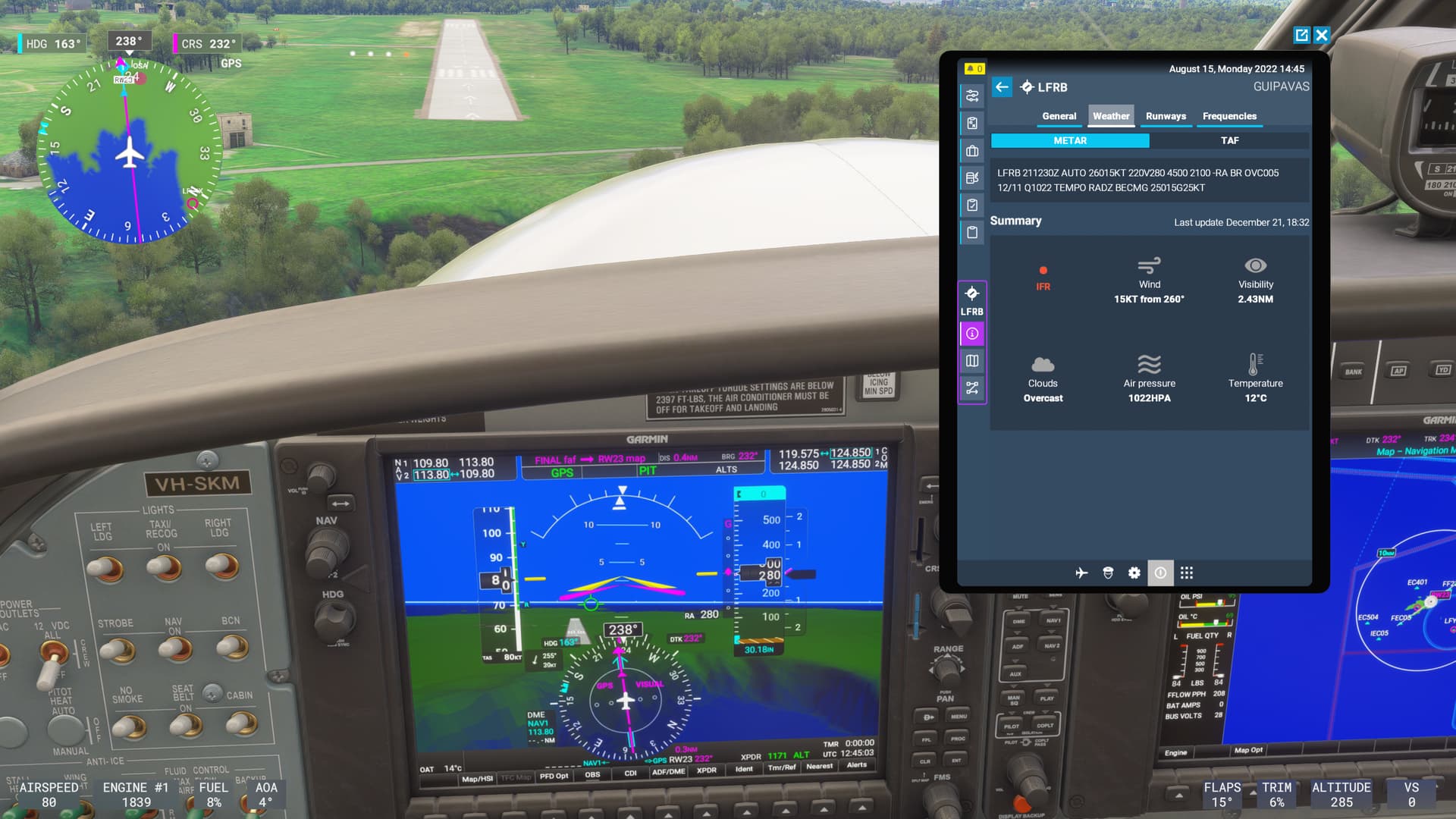
I’m currently heading to Ouessant LFEC, and Brest LFRB is not too far away. The METAR is updating sensibly with the UTC on the G1000.
Another bug though is that it does not refresh automatically over time unless you pull up another airport’s info then go back to the one you want.

Little Navmap does a good job of interpolating METARs for all airports, but only for live conditions of course. If that process could be used for historical weather too we might have something. But really, as has been said, since MSAsobo must be doing something to interpolate historical conditions in order to inject them on arrival, surely they could surface that data in their online EFB and Flight Planner.

LFRB looks grim at the moment. 90 minutes to go.

PS Time acceleration seems to work still.

1 Like

Thank you very much for your work and explanation.

They do mention after taking the IFR exam that you will encounter live weather and can adjust the time up to 24 hours backward. However, there is definitely a lack of explanation regarding how the entire weather system functions.

Using the time slider is essential—without it, you might find yourself flying into the Alps and attempting to land at an airport with little to no visibility, even though the mission initially indicated clear skies at the destination. It made for a tough landing—one I would have aborted to climb out of the valley as quickly as possible.

1 Like

Without a doubt! I’ve found most resources to still be kind of thin on historic weather details outside of the US. But you’re absolutely right that the entirety of weather - live and 24h historical should be integrated into the EFB (and I’d say starting all the way back at the planner website). If they want people to be successful, that’s something they definitely need to address given the current system.

But now that people are starting to grok the weather system in the manner it seems to be intended, there will likely be a lot more feedback as to what’s working and what’s not (and of course the bugs). Hopefully it gets to the right ears! Keep it coming!

Oh, okay - I’ve never used it, but maybe I misunderstood that it was “fixed” (taken away) after patch 3. That’s good if it’s still useable - I completely understand the need for it for some folks even if it’s not my thing.

1 Like

Thank you for this! Helped me figure out the wind system and where to fly. It’s still an issue but definitely not as bad. Make us kind of locked to where the winds aren’t so bad which makes it kind of boring. I still have the issue if I go over an ant mound (hills) where it turns into a rollercoaster again that is way to exaggerated. I call my plane a toddler at this point always shaking its nose “no” rapidly or wanting to be a dolphin.

Thank you again.

1 Like

On the question of UTC time, local time etc I have little hope of it being fixed anytime soon just because it is currently such a mess.

I’m fairly sure the landing light not on when required problem in daylight was caused by it using the timezone of whereever you last were

Well I’m not a fan either but used it for some money-making missions early in career. I have to be careful not to let the career gamification become the point rather the aviation.
Specifically as regards the weather it does raise some interesting questions though. If I take a 6 hour mission starting an hour ago and use 4x acceleration in the cruise, I may well arrive well into the actual future, thus requiring forecast as well as aftercast weather. And that’s without even including the messed-up utc/local/time zone offset systems.

1 Like


Conditions on arrival - the METAR in the EFB is LFRB 26 miles inland to the West, and 15 minutes ‘ago’. So quite a bit breezier but not outlandish for an Atlantic island.

time acceleration still works for me. i’m using Sim Rate Bandit from flightsim.to. EDIT: it does seem to be disabled during approach, though. which is probably for the best.

oh, that sounds horribly plausible. :confused:

so, Ive been using the wind overlay for planning (as per this topic), and its made things SO much better … really happy now :slight_smile:

ofc, there are bugs, and its a bit of a hassle to actually find the mission you want to do… as really the tooltip should be giving us this ‘overview’ - but at least its works well enough, am Im pretty confident in using it to plan.


I still haven’t 100% decided if the arrival weather is determined using take-off time or if as you progress the flight, its moving thru the historical data (up to live point).
I get the feeling its progressing as you move thru the flight - but Ive not yet had a situation where the weather change enough to know for sure.

one example, Ive seen (but is not conclusive) is to do with conditions (vfr/ifr)

I had a mission that was within 1 an hour of live time, but would take 3 hours to fly.

it said departure VFR, arrival UNKN
my assumption is because during the flight you are moving into live weather, so it cannot know the weather for arrive at take off time.
note: if weather is set at departure time then arrival would be known !

BUT…
because we have 24 hour of historical data, on this flight I could actually move the departure to use the weather from 24 hours previous. (as we have an hour window on flights),
doing this , I got departure VFR, arrival MVFR (rather than UNKN)
I speculate this is because its now using the historical weather of -24 hours to -21 hour

so in theory this is ‘proof’ weather time is moving as we fly

but why is this not 100% proof?
because Ive seen quirks in the past where I get UNKN when the weather should be known.
i.e. I cannot 100% say, unknown is because its only due to live.

that said, Ive seen this a few times, so was not a one off``

so for now, its still just feeling this is what is happening…


my working assumption of how its working… and what Im trying to test :slight_smile:

at take off, it uses the mission start time (which we know we have an hour window on)
then during the flight it progresses thru historical data using sim time for your location (in flight)

if you use sim rate (or you start at live time), then at some point it’ll run out of historical data, and will just move to using live weather.

note: weather is reported infrequently, and only at certain locations - so Id assume its using interpolation between locations and also time slices.

ofc, this could be ‘wishful thinking’ , but given we know the sim has ‘live weather’, and we also know it has historical data - it doesn’t seem too far fetched/complicated to work this way. its just where you source your data points from.

Id also assume, free flight works exactly the same as career - I dont see any reason for them to differ. I think career missions essentially just set parameters for a flight.
1 Like

Sim rate doesn’t appear to affect the world time. The aircraft is in its own little time warp bubble while the world around continues at 1x.

But, in theory, it doesn’t have to run out of historical weather either. Flight Simulator gets most of its weather from a numerical forecast model, and it could use the forecast from several hours from now if you somehow wound up several hours in the future. In practice this probably isn’t implemented, so I’m guessing it would just use the current/Live Weather, which itself is actually a forecast that was created several hours ago.

It actually should since it’s using a forecast model. The data already exists. But I’m not sure these departure and arrival conditions are implemented at all as they rarely seem to match the actual conditions in the sim. Further, it doesn’t really say if it’s supposed to be the current conditions or the forecast arrival conditions does it? I kind of assumed it would just be the current conditions.

The model Flight Simulator uses has global coverage with points spaced at approximately 30 kilometers. You should be getting different weather at each point, at each hour, interpolated in between. There’s a few complications in there, like METAR observations are also mixed in sometimes.

But since the source is never listed, it’s just a guess at which forecast it’s using, and why the weather is doing what it’s doing. A black box mystery.

1 Like

I thought I’d noticed an update on this where they’d added wind speed and direction for airports but I was accidentally looking at the Free Flight World Map.
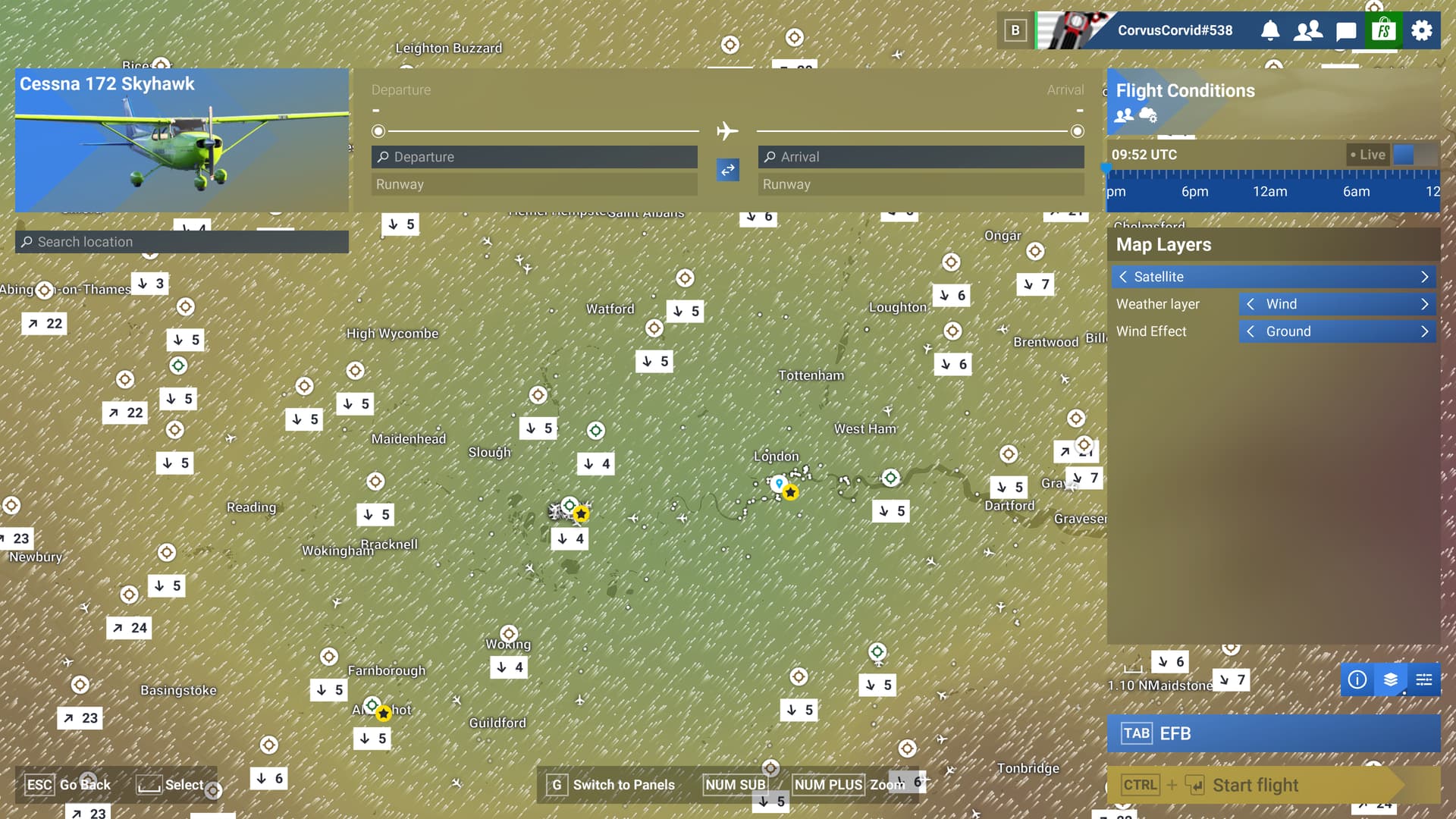
I don’t know why we can’t have these on the Career Mode map too. The weather appears to be exactly the same on both maps and the time slider changes the weather as you’d expect, although the wind speed and direction don’t change with the time unless you ‘look away’ so to speak. I zoomed in on Heathrow after changing the time back by 24 hours and after zooming out all the other airports showed the much higher winds we had yesterday but Heathrow stayed the same until I moved another part of the map and back. You can actually see this effect on the left side of the screen where I’d zoomed in and back out slightly. As it certainly wasn’t 4kts wind at Heathrow yesterday,

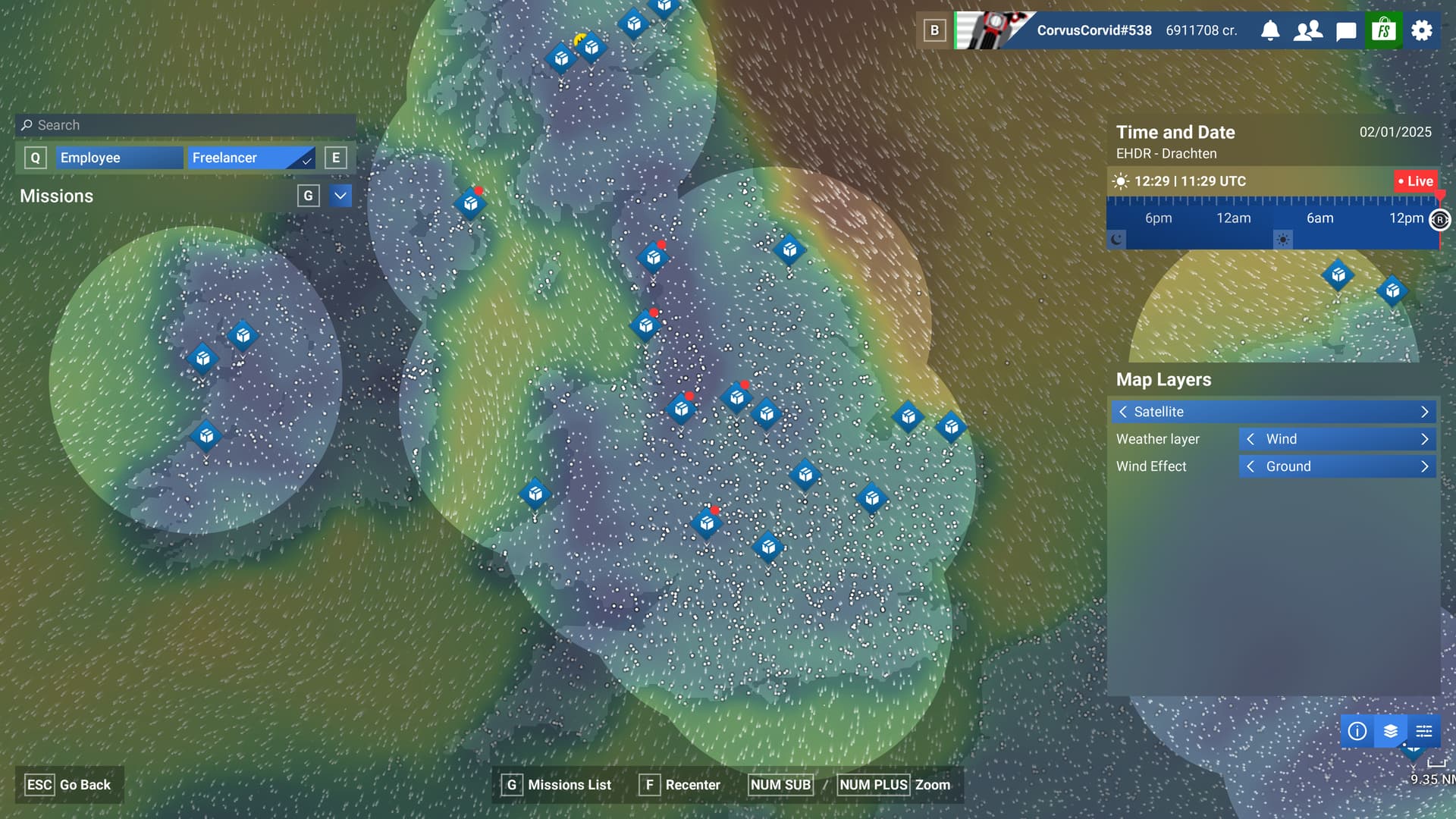
I also just noticed, when looking at the Free Flight World Map that the wind direction and speed arrows are only shown when ‘Wind Effect’ is on, whether it’s Ground, Low or High. I must admit this is new to me as I haven’t really used Free Flight yet, only Career. It does puzzle me why this detail doesn’t show on the career mode map.


Free Flight Mode Live map showing Ground Wind but with added wind details (more appear as you zoom in)


Career Mode Live map showing Ground Wind but without the speed and direction arrows.

1 Like

Thanks to all of you who have educated me today on this subject. Not as concerned about wind but visibility is a problem where Career Mode asks you to land at those tiny strips. I would sure like to know if there is some way I could know the sim visibility conditions at the destination. Is there anything I missed in all the above that would have helped me to predict <1/4sm visibility and zero ceiling on a flight that was listed as VFR?
Those clouds you can see on the World Map are partially useful but it’s only a guess as to the cloud base altitude.
The little airports don’t have METAR but it might be close enough to one that does - do you think 24 hour average visibility from a reasonably close real-world METAR source would be a valid indication?

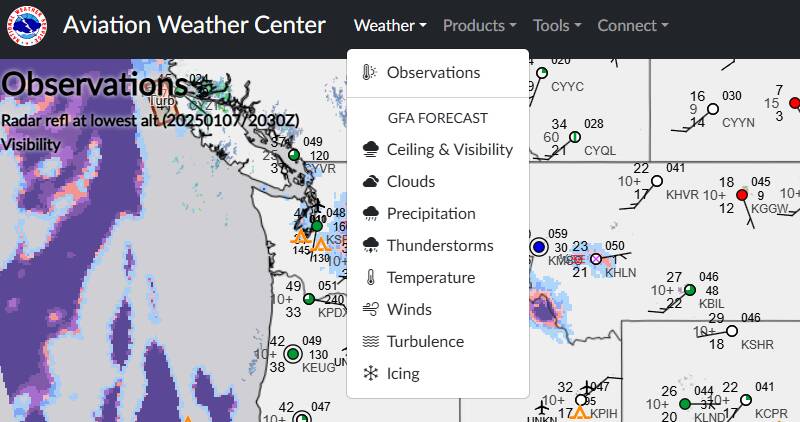
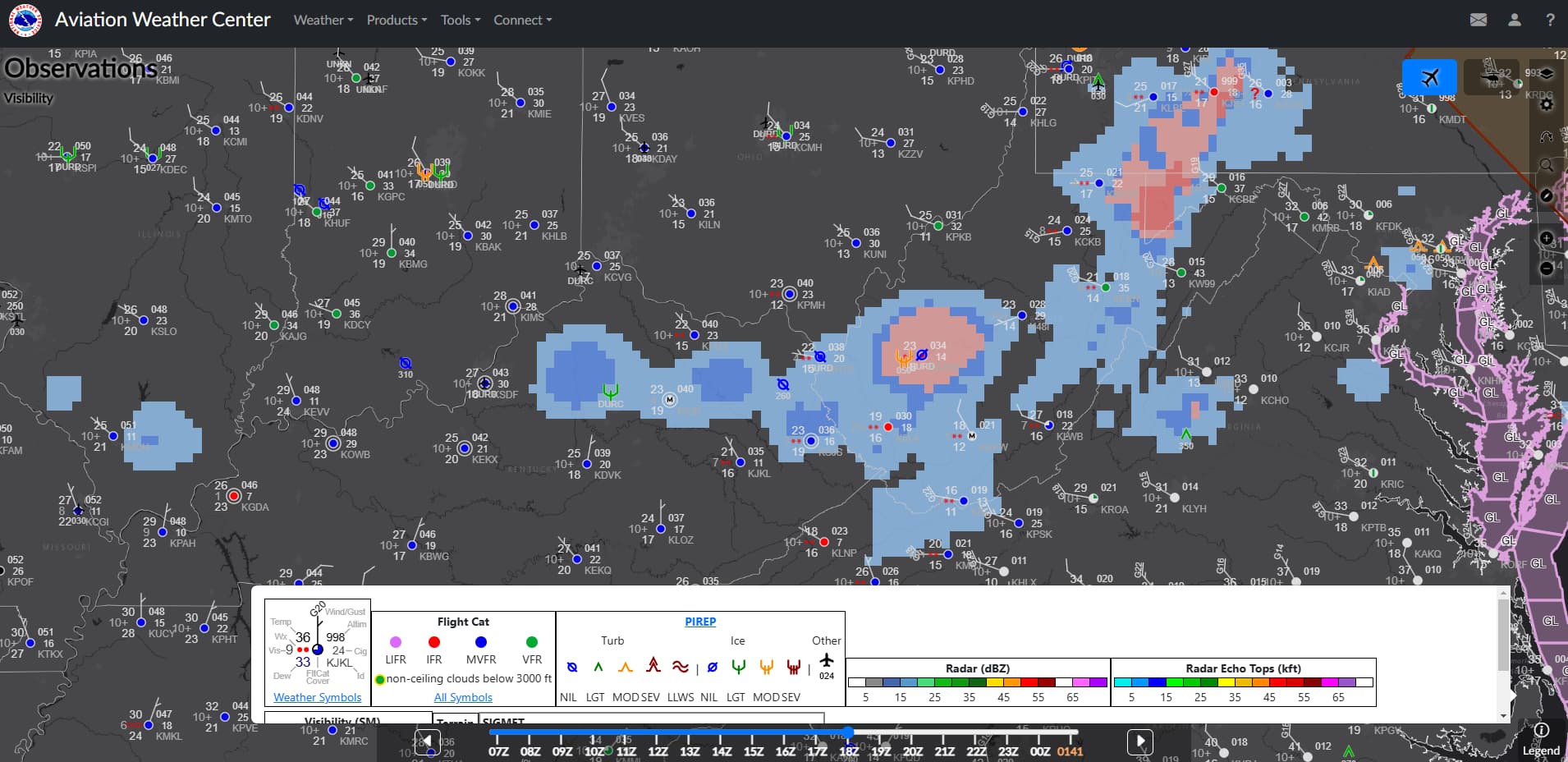
Make sure you select observations:

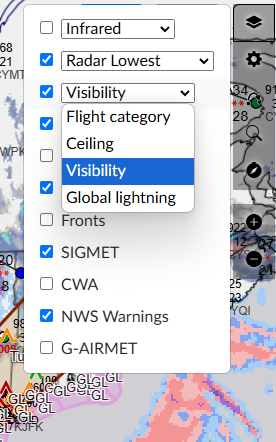
Select and checkbox Visibility on the layer menu on the right:

slide back to the Zulu time of the flight (It goes up to 18hrs back which hopefully is enough):

Zoom into the area that you are interested in:

Red Circles means IFR, Blue means almost IFR (Marginal VFR), Green is VFR. The painted blotches are statue miles of visibility.

You can also see a lot of information about Icing, Rain, Wind, etc. This is proabably the best way to look at what the sim is going to throw at you in career mode. Unfortunately, this website is US centric.

You can use archive mode to go back as far as two weeks. When you do that, it looks exactly like it would have if you were looking at it at that time. So observations are current, but best yet, all forecasts are available going forward from that time.

And it’s definitely the best site for getting “free” aviation weather, but as it’s run by the US National Weather Service, as you can imagine, it’s not very useable outside of the US.

1 Like

Thanks for doing this deep dive! I’m just getting into career mode and was really puzzled by the weather system after finishing the IFR cert.

I think there are still some plain old bugs in the system on top of the confusing UI. I flew a mission near where I live and the weather in the sim was bonkers, nowhere near what it was for the past 24h. I’m pretty sure I would have noticed 50kt winds if they had happened recently in real life haha. It seems like maybe there’s a misplaced decimal point in the sim weather generator causing it to 10x the speed of the wind data.

I can’t land the plane due to terrible conditions. Firstly, the wind is 30+ meters per second, both crosswind and headwind. Secondly, the runways are too short, and they have very pronounced terrain, which is basically unrealistic. I tried to land the plane five times, but without success. The plane is flying at a 30° angle parallel to the runway and the speed is too high. In the end, I decided to change airports, but they didn’t credit me for the mission; it was just a waste of time. Now I’m checking the weather in Innsbruck, and you know, there’s only 5 meters per second, light wind with gusts up to 10 meters. I tried the mission again, changed the time for the day, but overall, the situation hasn’t changed. There are about 10 VIP transport missions available in Europe, and the airports I’ve flown to are simply terrible: either there’s no asphalt pavement, or there’s a ski jump instead of a runway…

What was the original airport and in-sim mission start time?

Initially, I didn’t change the time, around 5:00 PM, then I set it to 10:00 AM. Lighting and clouds changed. Overall, the weather was bad, but given the actual weather forecast, there shouldn’t have been a hurricane. To summarize, the conditions + the runway (LSGC) + wind of 35 meters per second = impossible conditions for the Vision jet.