Try via Local Group Policy Editor
Select the target Feature Update version
Open Group Policy Editor
1 Click “start” type GPO and click Edit Group Policy
2 Nawigate to the location below:
Under Local Computer Policy double click
Computer Configuration → Administrative Templates → Windows Components → Windows Update → Manage updates offered from Windows Update
3 Double click Select the target Feature Update version
4 Please select enabled and enter Windows 11 in the first field.
5 Important: If you have Windows 11 version 22H2,enter 22H2 in the Target version field.
If you have Windows 11 version 23H2, enter 23H2 in the Target version field
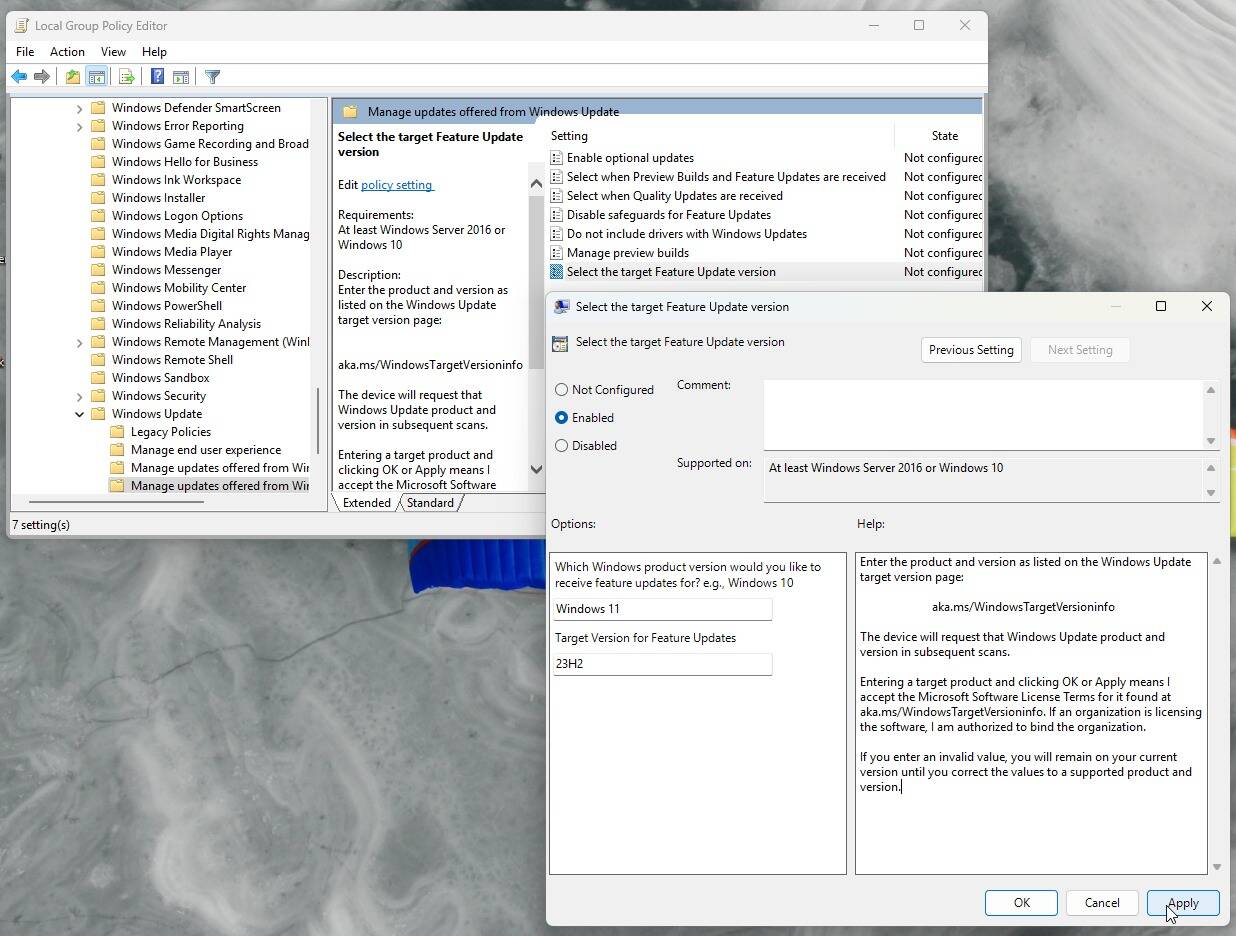
6 Click apply → ok and restart PC.