Question regarding cruise speed at FL410 for example. I always have the problem that if the the aircraft levels off at FL410 it built up speed until the overspend peep is coming and then it’s difficult to find the correct setting for me to get a good cruise.
The N1 for example shows 88.7 in CRU mode with gives me a M.765. So how I maintain a good cruise speed when I reach it? With FLC it doesn’t work right? Thx in advance
I have found that with relatively small changes in speed, and I have to trim the plane because there is not enough yoke travel (every 20/40 knots), I hope it looks like real life;
The yoke movements along roll and pitch have become more sweeping and this is more convenient of course, so I would like to know what curve settings are planned with the improved plane dynamic? Linear or curved somehow?
The CJ4 does not have an auto-throtte, so just like in the real plane you just have to make small adjustments from time to time and as conditions and winds change in cruise.
Well, firstly, every airplane would definitely require trim changes with 20-40kts IAS change, as that is actually a pretty significant airspeed change. So that actually sounds OK. You should be trimming to keep the control pressure off the yoke with any configuration change (pitch, power, speed). As in the real aircraft, you will find that it wants a good 60-80% nose down trim after the acceleration height.
Well, no aircraft has a linear response. The yoke response is a complex interaction based on angle of attack, lift, speed, etc. In the current revamped FM, you will find that control authority is less at low speeds, and higher at high speeds (up to a point), directly related to the amount of air that is moving over the control surfaces.
-Matt
FLC is a vertical mode just like VS. Instead of holding a rate of climb it holds a speed in climb or descent.
If anyone wants a great, simple summary of what FLC mode is on the autopilot, go to YouTube and watch one of Premier1Driver’s videos on it. I actually find Greg’s channel very informative about flying the Citation in MSFS, probably more than CitationMax’s channel, simply because Greg’s avionics suite is the same as the MSFS/WT CJ4.
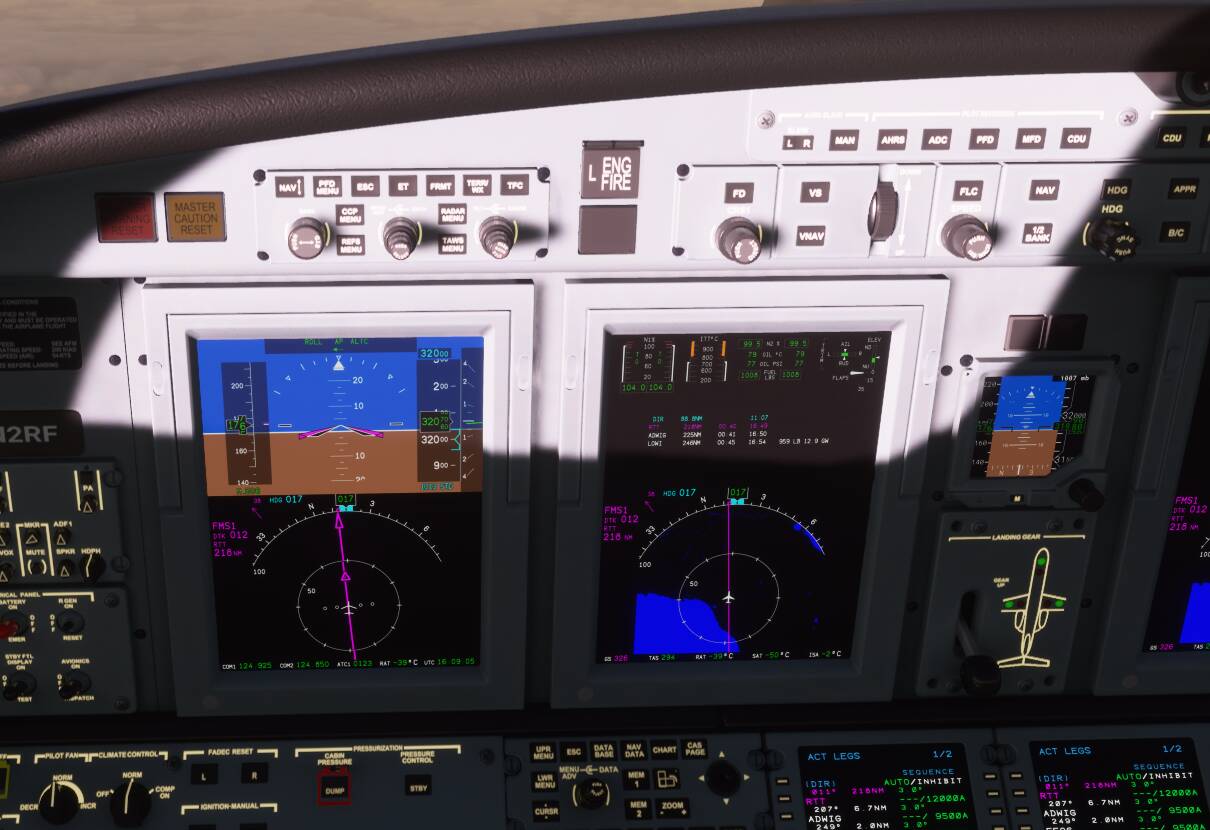
Check your gear there @TBM9009319 
■■■■ Didnt see it really at night…must hit it somehow. Thx for the input!!
I use VNAV for programmed descents in the FMS. Works all fine. Is it possible to use VNAV for programmed step climbs?
Thank you, Matt. I am delighted with the new FM. Sorry, perhaps my “curve” question was incorrectly worded.
And of course you are absolutely right talking about yoke and aircraft response. If I understand correctly, sim yoke curves map my game device yoke movement to “real” aircraft yoke movement or/and which is typical for “non-computer” aircraft, the movement of control surfaces (left behind bracket speed depends controllers and so on)
Correct me if I’m wrong, we are forced to use non-linear response curves to compensate for the small distance a game stick can travel compared to a real yoke. In order not to move the game stick by millimeter, but to make sweeping movements. Of course, this has a price and as soon as we cross the middle, the response becomes too harsh (Or we can use a game yoke with a big travel stick distance compared to a real yoke. Still trying to find with reasonable price… b@&.#&… resellers).
I was just wondering exactly what settings are recommended with the latest dynamics. By default, I have
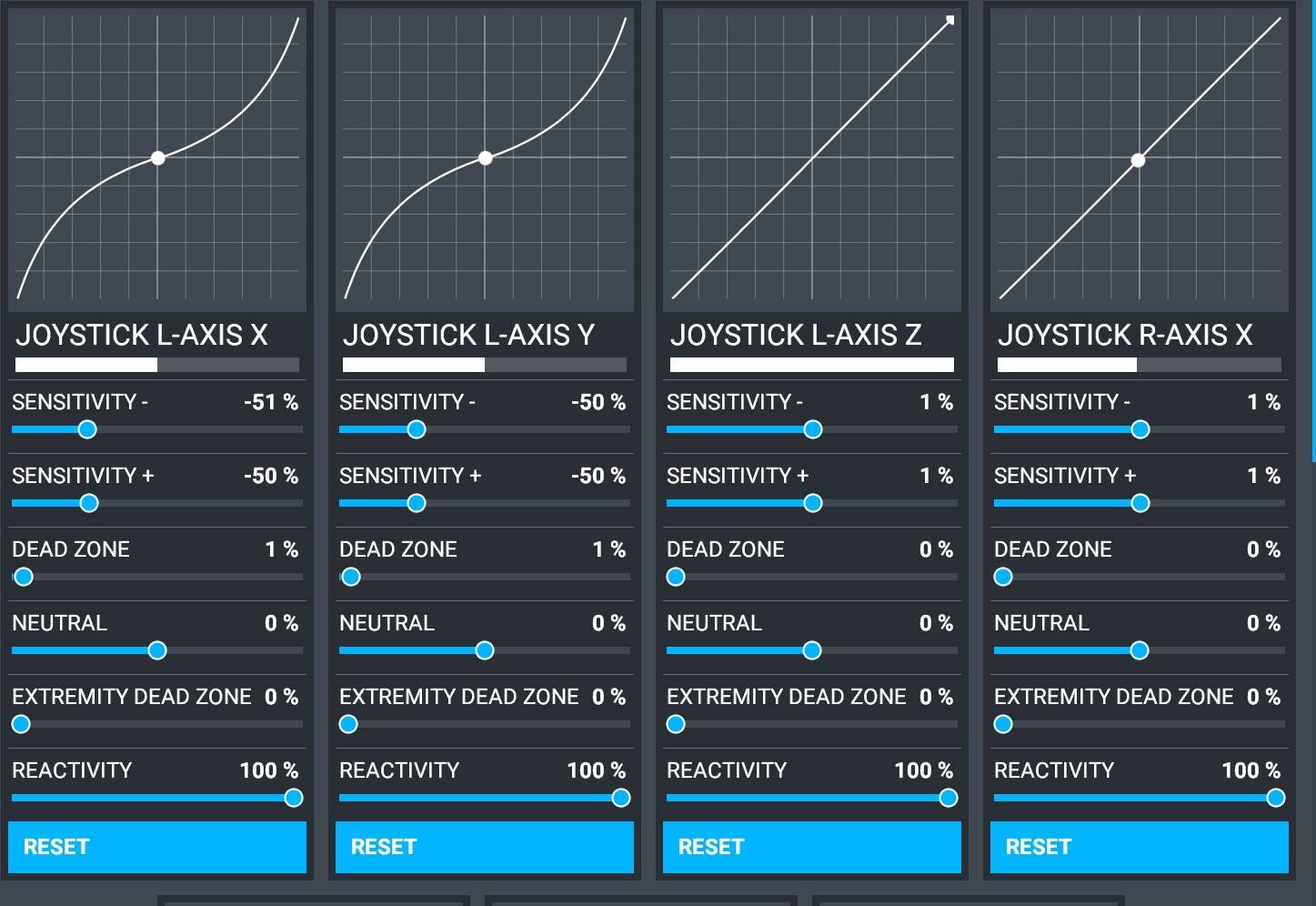
So maybe it’s a good idea to make it more linear. Did the FM creators have any thoughts?
Answer to myself: for current model, there are so huge stick movements - linear response better, than curved. You move yoke behind the middle point often, so I prefer to get the same response from yoke at all along the way.
I would like to say thank you guys, I am delighted with the work done. Great job.
Not exactly, no. VNAV climb in the CJ4 (in ours and in real life) is only there to automatically level you off at any procedure constraints. It has no concept of performance based climbs.
For VNAV climbs, you use either VS or FLC to climb and then turn VNAV on. It will then level you off where required by you procedure/flight plan.
-Matt
I believe our FM designer (same individual who’s designing the Aerosoft CRJ FM) keeps his at -30% for elevator and ailerons. I have found that to be reasonably realistic, as has our real life CJ4 pilot.
-Matt
Thank you, Matt. It’s important for me, perhaps this info will also be useful for others, and maybe it should be available in the docs.
I’m getting my Class Echo and Bravo throttle quadrant tomorrow but since I wanted to save some money, the display for it won’t be here until February 5th. I have the arduino board already so can’t wait for the display so I can get it running!
Hi guys, just a question about VNAV.
How do you use it when during a descent you have to decelerate because the last fix of a STAR is very near or coincident with the approach IAF ? Because sometimes I start the descent with VNAV at 250kts, throttle idle or a bit more, I arrive at IAF at 250kts but I’m obviously too fast, i would like to arrive at IAF at 160kts but despite throttles are in idle the plane does not decelerates and I do not like to use speedbrakes every time. How do you manage descents and corrects approach speeds ? Thanks
Plan ahead and slow down.
You can see the plan leg distances in the legs page and you a aware that you are coming in for a landing. Using charts is a good addition to the info you can have at your disposal. Ultimately YOU are responsible for the safe operation of the aircraft. Using the speed brakes is a must. They are there for that very reason.
Hello everyone!
That´s pretty good, I loved this version, the sound, the phisycs, everything is perfect. Thanks a lot.
But I am confused, Do you know what throttles don’t move? I guess isn’t compatible with some liveries, I am going to change it. Another doubt is in the engine panel at the moment of taking off it shows TO, while climbing suddenly shows climb but I don’t change the throttle setting… Finally, in cruise, it shows on display CRUISE and I have been changing settings, so in few words, I have throttle setting for Climb and Cruise, Can I set from 0 to 100% or example in cruise? I can set 90% while being on a cruise setting shown on display? It is normal?
The throttles do not animate on some liveries but do on others. I am using the MegaPack liveries and they work fine. The other thing you speak about is called FADEC. It is not in any way an auto throttle. Think of it as a suggested preset. TO for take off, simply being that it is full power. You can still cruise in TO if you want and can keep the airframe stress and engine temps down. Likewise the CLIMB settings is simply a “best suggestion” for high power and climb. Then the CRUISE is for just that. A best suggestion for cruise speed range all the way to idle.
If you are driving a car you have gear options. Low gears do good for starting from a stop and higher gears work better for high sustained speeds BUT you are in control! If you want to drive 20 mph in 5th gear or 50 mph in 2nd gear go ahead! just be prepared for ■■■■ performance, lol
One technique is to watch the target vertical speed required on the VS tape (green doughnut). If it is showing an excessive target, such as 3,000+ ft/min, you can take if off of VPATH and go to VS (or VVS), and increase your rate of descent until the green doughnut is recommending something more reasonable, such as 1,200 ft/min (if nearing the start of the approach / IAF). But you have to do this far enough out in the descent (such as coming through 18,000’) so you have time to slow down. But it is far easier to slow down doing 1,200 fpm compared to 3,500 fpm. Then you can couple back to VPATH using the shallower angle if you like. This is also useful for slowing to 250kts at 10,000’ without having to use speedbrakes.
I think the next update will allow going direct to an altitude, which will make it easy to couple back to the VPATH if you take it off. The method above makes it so you don’t have to adjust the angle in the VNAV setup, etc.