Yes, it will revert to how it was before installing the NXi.
Just remember to restart the sim after uninstalling it from Content Manager.
Thanks friend… 
I will, thank you…
IIRC if you activate an approach it will plot a direct course to the IAF.
Happening with me too. The track might be wildly out on the external view, or the external view might be in LOC1 while the PFD is showing the GPS track. Basically totally ignore the external view HSI
Ok, seems the issue is actually when or where I swap the ILS freq. in NAV1. Up to now I have had it swapped over before the LOC is captured. Just now did that and had the same result, green needles pointing backwards. Continued the approach and swapped the freq. back to standby then active again and bingo, needle swung around to correct course, LOC captured, GS captured and flew a sweet approach in to KHTS.
Again, not sure if that is how it should be but just cycling the freq. made the difference. Thanks for coaching me along thru this.
Guess now I should look up the actual procedure for flying a G1000 procedure lol.
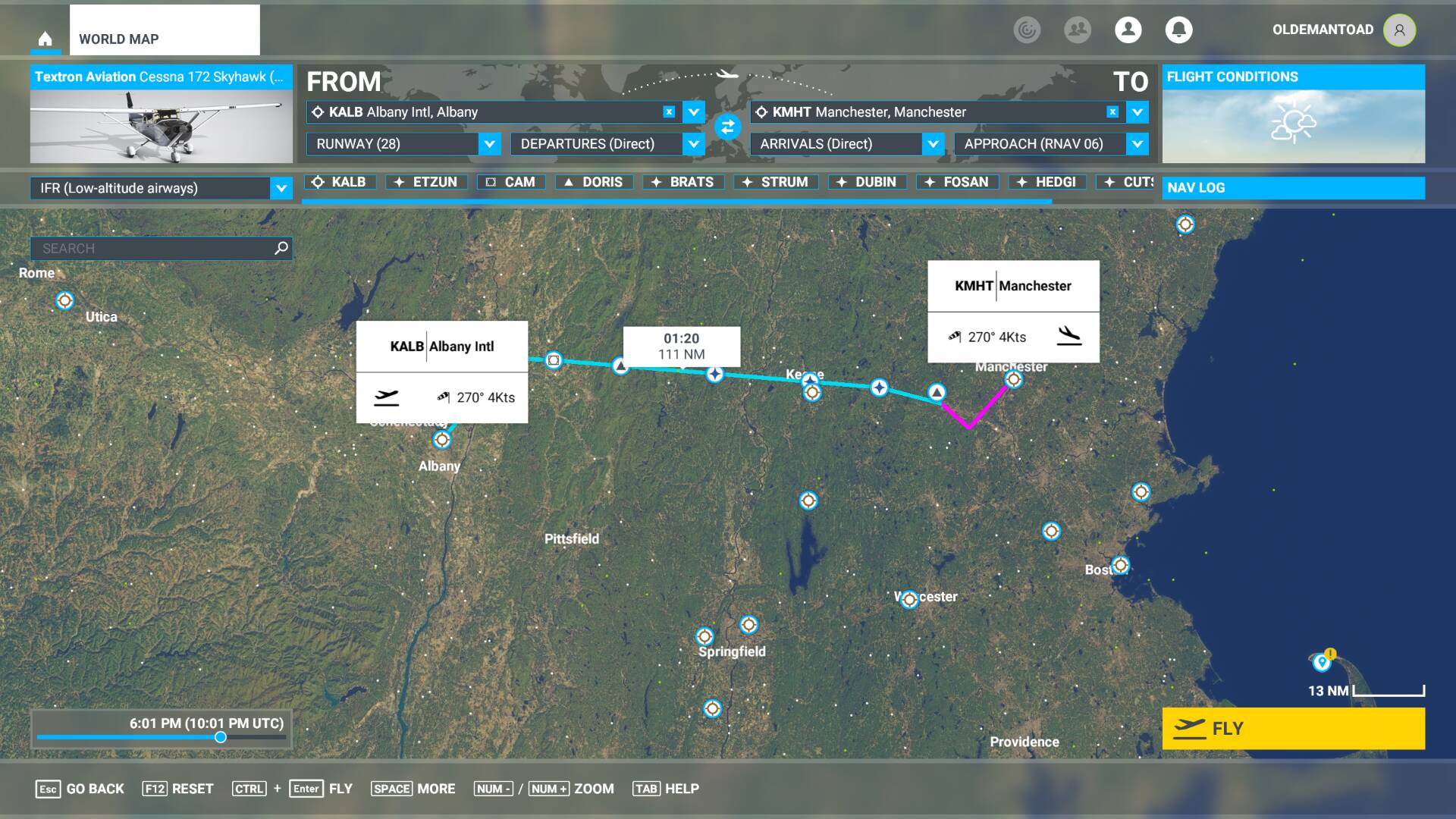
Here is the issue I discuss in the previous post. This first shot shows the World Map with a flight plan from Albany to Manchester using Low Altitude airways and the RNAV 06 approach into Manchester.
Here is a shot of the Flight Plan generated by the G1000 NXI. This shows the T316 airway starting at ETZUN exiting at DUBIN.
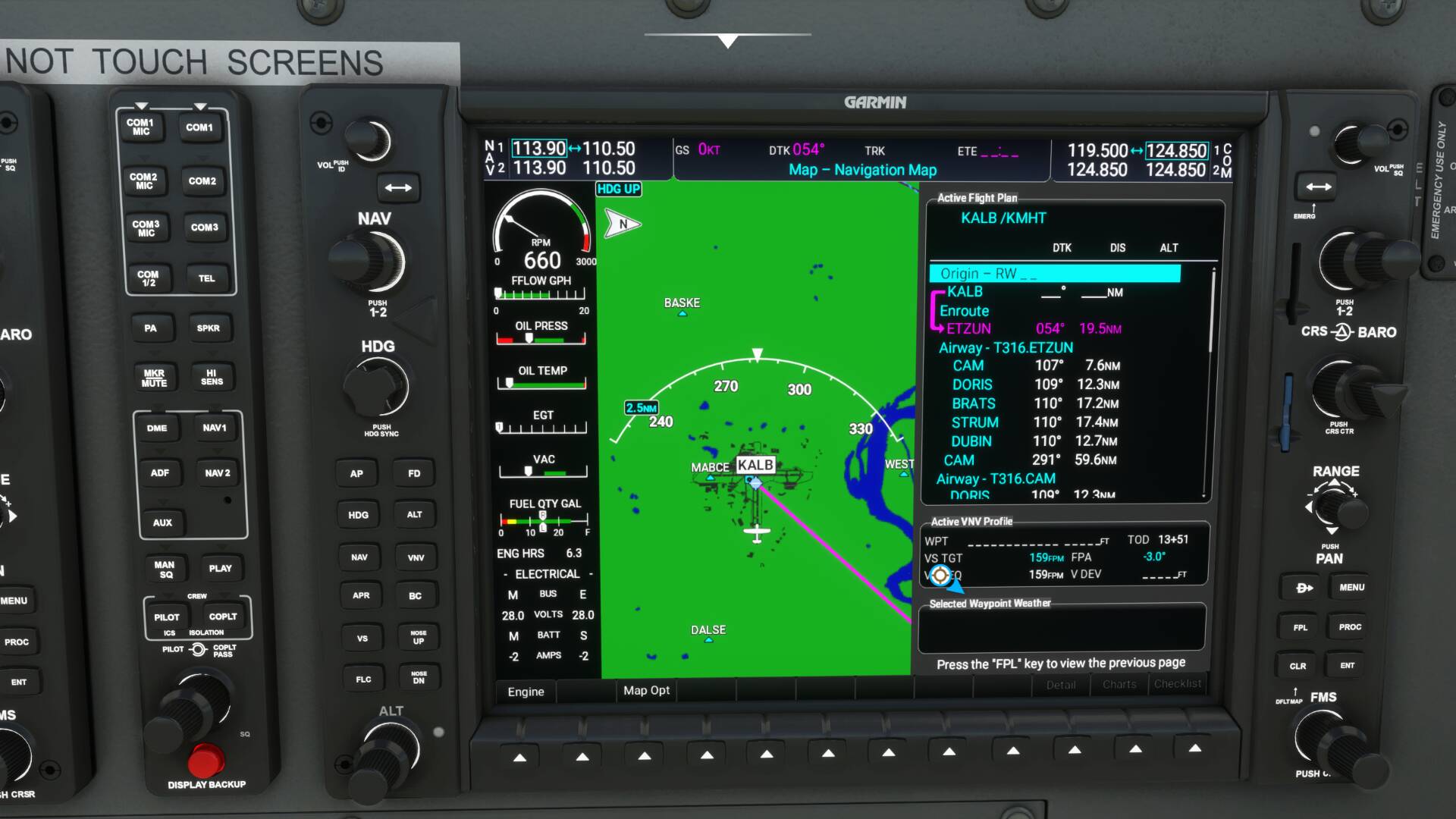
Now we have T316.CAM exiting at DUBIN and T316.DORIS exiting at DUBIN.

Now we have T316.BRATS exiting at DUBIN and T316.STRUM exiting at DUBIN. Finally we show T316.DUBIN transitioning to the KMHT-RNAV6 approach at FOSAN.

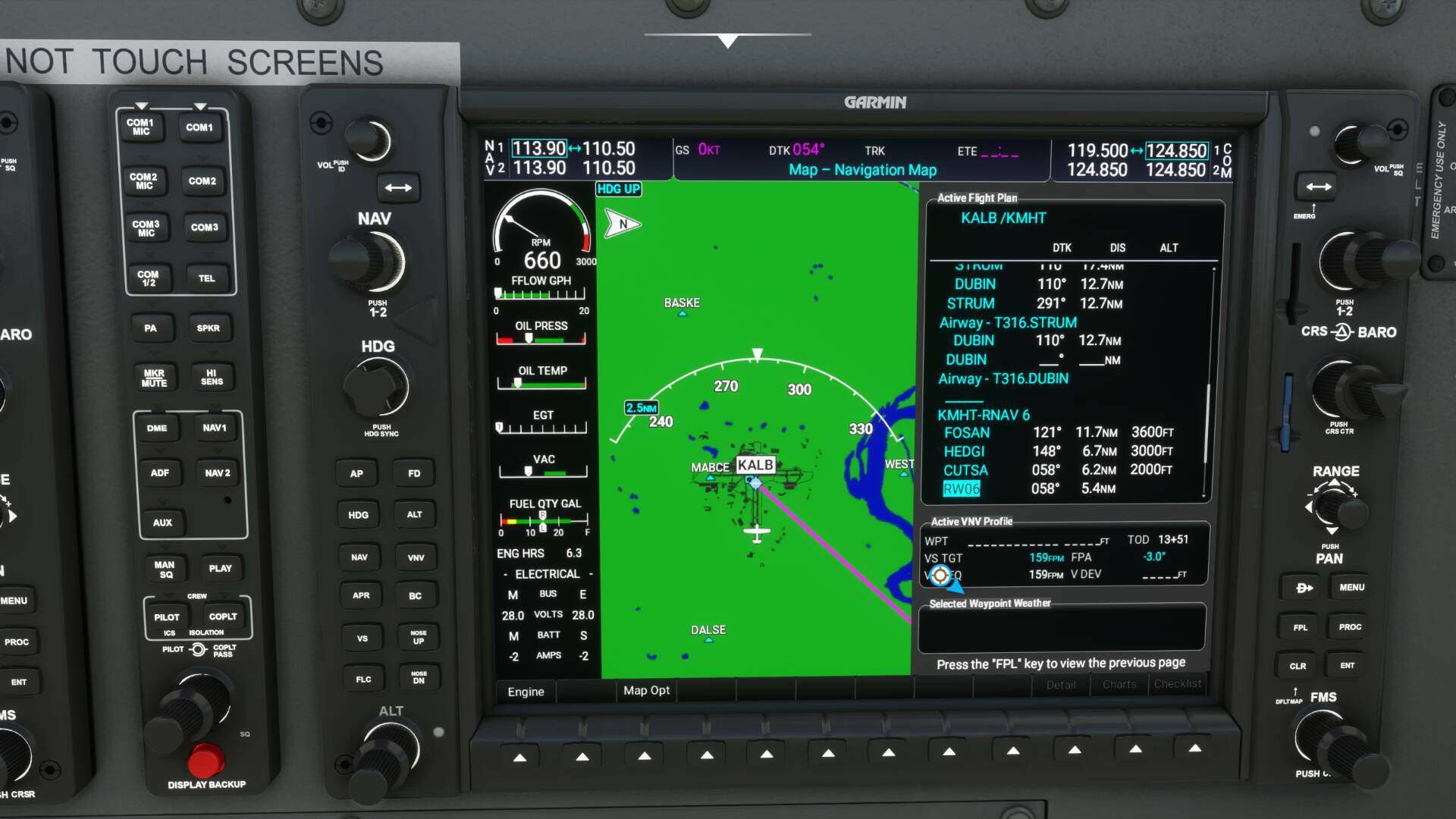
You can see the time till TOD is 13+51 whatever that means.
This next screenshot shows the inflight map and flight plan. Here I have activated the leg between the T316.DORIS BRATS waypoint and T316.BRATS STRUM waypoint. Notice now that time till TOD is correct at 17:32. If I had not activated this leg I would have been on the T316.ETSUN BRATS to STRUM leg and the TOD time would have been incorrect and once I reached TOD VPATH would not have activated. It also did not activate here because I think I should have activated the T316.BRATS STRUM to T316.STRUM DRUBIN leg.
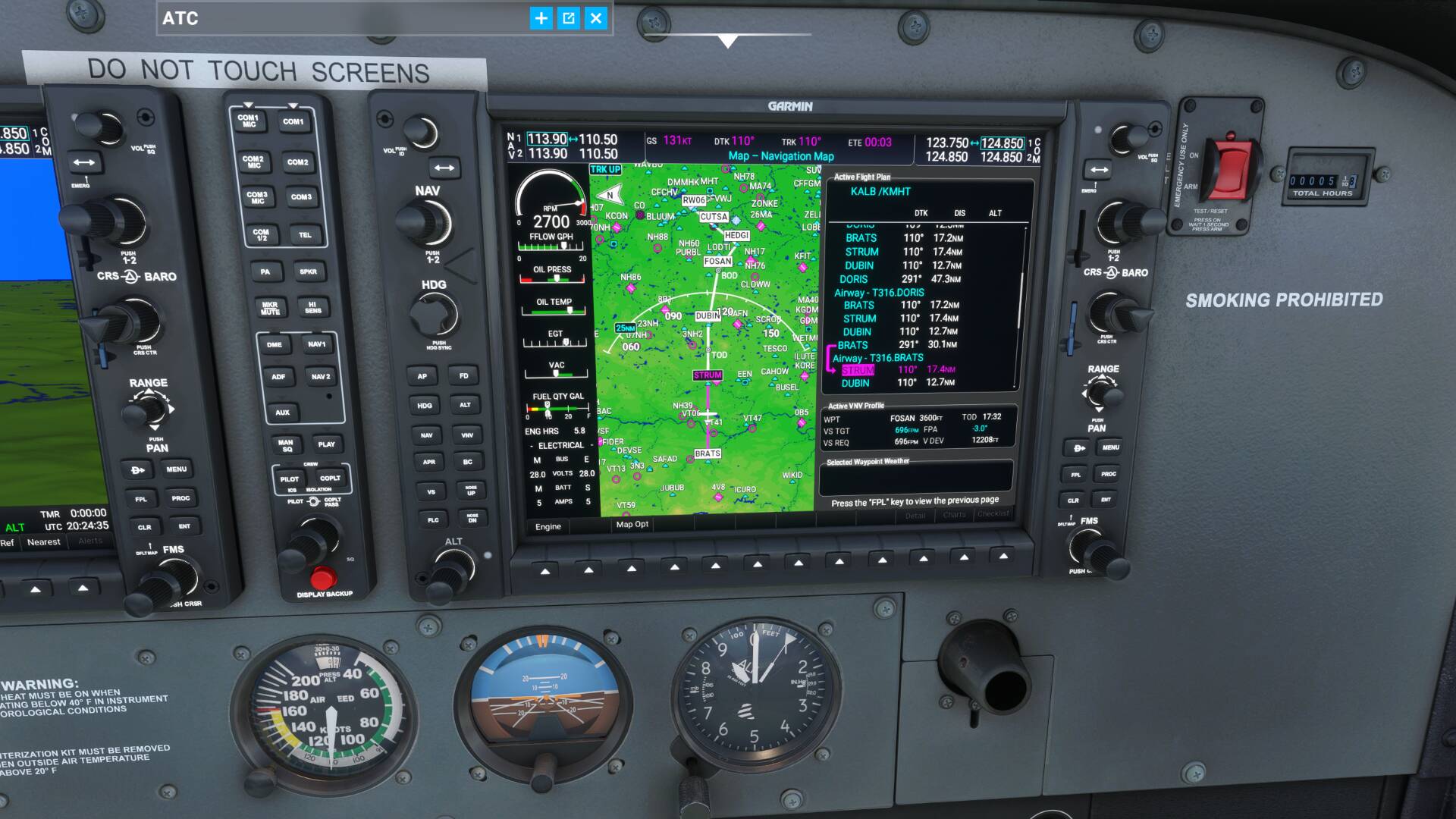
Needless to say, there appears to be either a bug or a unsupported feature here. I don’t know how Kip’s tutorial worked unless this bug was introduced after his video was made.
Thanks to all the folks at Working Title for the G1000 NXi. You have turned FS2020 with all the planes that use the Garmin G1000 from being just a game into a simulator, absolutely amazing job.
2 Likes
I see custom waypoints are working now. Thanks! 
I watched same Youtube feed. He has a RNAV appoarch he’s selected. That is gone now after update 5.
Tracked this one down - it was limited to enroute segments made up entirely of a single airway and it’s been fixed - fix will be in the next release. Thanks for the report!
Thanks for finding that. I was afraid it was the way FS passed the plan to the G1000 NXI. Any idea when that update will take place?
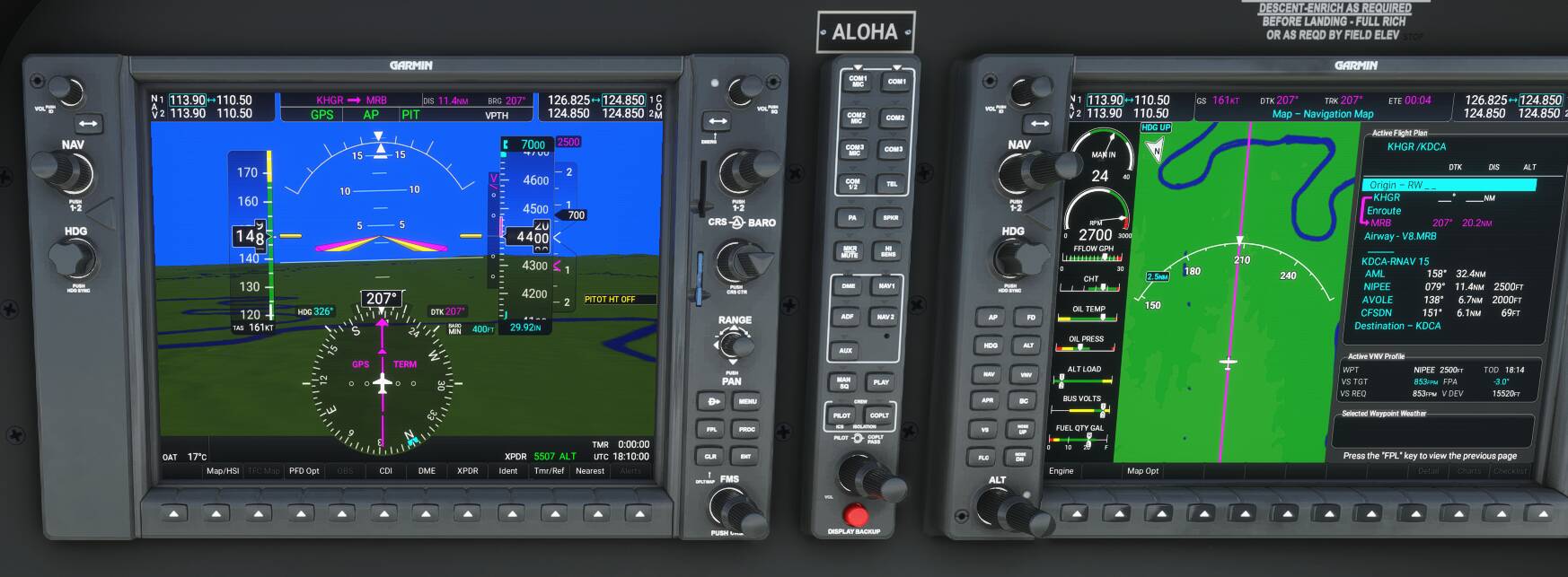
I tested the G1000 NXi in two different RNAV flight plans today. I flew the G36 from Hagerstown, MD with an RNAV approach to RWY 15 at Reagan National Airport. The low-altitude IFR flight plan, created in the MSFS World Map, came off without a hitch from takeoff at KHGR to final approach at KDCA. I enjoyed watching the G36 shed altitude when I pressed the APR button at the final approach fix for RWY 15. The G1000 NXi worked as advertised. In the screenshot below, you can see in the PFD that the G36 is following the RNAV flight plan displayed – with waypoint altitudes – in the MFD.
The second flight, from Albany, NY to Manchester, NH didn’t “go” at all. The IFR flight plan I created in the World Map failed to load correctly into the G1000 NXi.

Take a close look at the MFD flight plan. First, waypoints’ altitudes are missing. Second, the first part of the flight plan is repeated, while the rest of it as “filed” in the World Map is also missing. I initially took off from Albany for Manchester in the Cessna Caravan, trying to duplicate a YouTube tutorial RNAV flight in the same aircraft that I’d watched several times. The Caravan did a 180 at “DUBIN” and headed back toward “CAM.” I escaped that flight, went back to the World Map and set up the same flight plan, but this time switched to the G36. The G1000 NXi failed to load the World Map flight plan again. I tried and failed to delete the repeated waypoints.
Why would one flight plan load correctly while the other wouldn’t? Anybody?
I’m so skunked on this G1000 its silly. What I see others do my doesn’t. What I need is a video tutorial series of somebody doing flights, using this. I ant dial in runways nothing just that ■■■■ straight redline GPS flying… weeee… bout ready to make a video showing what doesnt happen… maybe someone an point to my mistakes however I ant find any?
Maybe this video can help a bit. It’s if i’m correct for the first nxi release but could give an idea about approaches. It explains some terminology etc
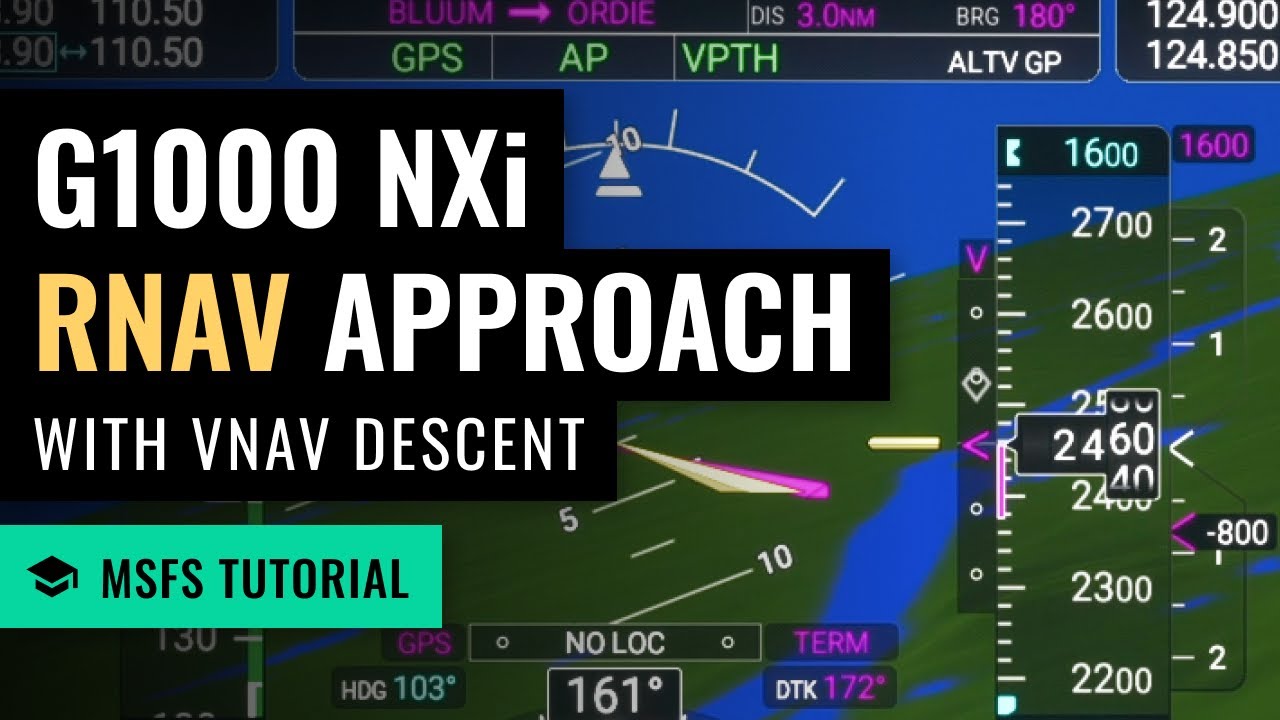
The video description also contains a link to improvements in version 0.2.0. Don’t know if there is a video for the latest update 0.3.0
Maybe it helps,
cheers!
Edit: ping @OrganicYard9952 , the post did not showed the reply to.
2 Likes
This is the same issue as reported before regarding repeated airways. Please see the response here: Working Title G1000 NXi Discussion Thread - #358 by CutthroatPath73
-Matt | Working Title
Thanks. I scrolled up and remembered I’d seen it previously, but hadn’t read it closely. So reinvented a wheel. Anyway, what is the answer? Why doesn’t the KALB to KMHT RNAV RWY 6 flight plan load correctly in the G1000 NXi, and how prevalent is this issue? I’m not losing any sleep over it; just curious.
1 Like
I have a ROKU and of course a YouTube account and have quite a few saved to watch at night. Today on one of my try again flights something magical happened? I yesterday or the day before selected a few items that I like for visual and those show up up on the secondary display and I wanted airspace boundaries and a few others. Again I had trouble with VORs… today I get them working? Also I got the runways and RNAV approach to work!!! WOW it was great… kind of a surprise as it all occurred in flight. VOR happened at beginning. TBO it was quite odd as yesterday the same input did nothing? oh well happy I am and THX for the help. I have flown sine 1996 and VOR to VOR in the early MS sims was the only way you got from point A to B… old school rules 
1 Like
To go back to mouse behavior as it was before SU5:
OPTIONS
GENERAL OPTIONS
ACCESSIBILITY
COCKPIT INTERACTION SYSTEM : select LEGACY
F11 (APPLY AND SAVE)