Will the telemetry data captured also include instances where the screens for the avionics turn off, or how much memory is used by peripherals such as the Honeycomb Yoke XPC, with throttles and pedals?
and will the telemetry capture bad performance of things like photogrammetry? or will it ignore everything except actual crashes to ‘desktop’?
From the Console:
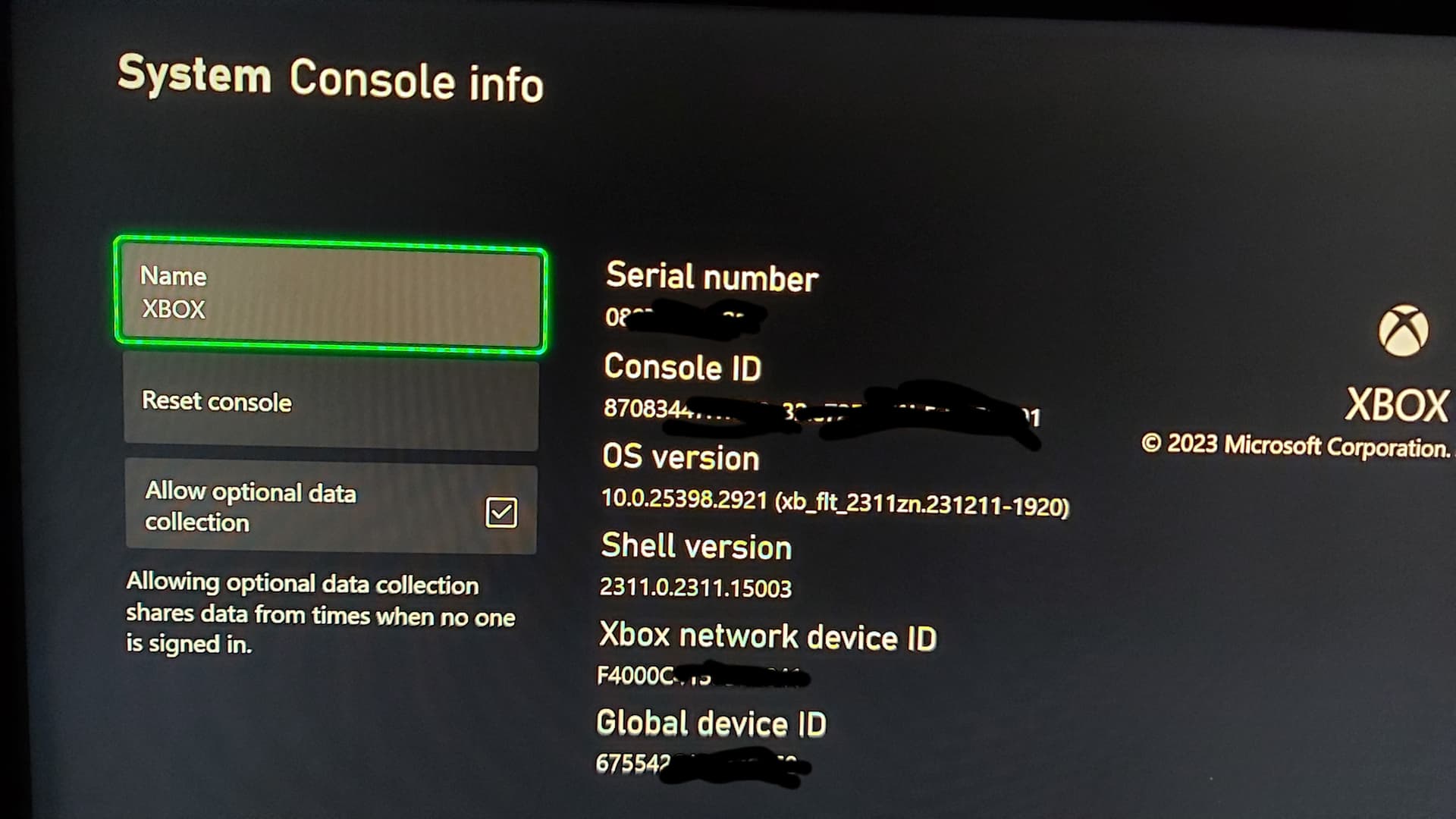
- Navigate to Settings > System.
- Now select Console info.
- Enable Allow enhanced error reporting.
I have not Allow enhanced error reporting.
I have only Allow optional data collection. It is same?
From your Account:
4. Make sure you’re signed in to your profile.
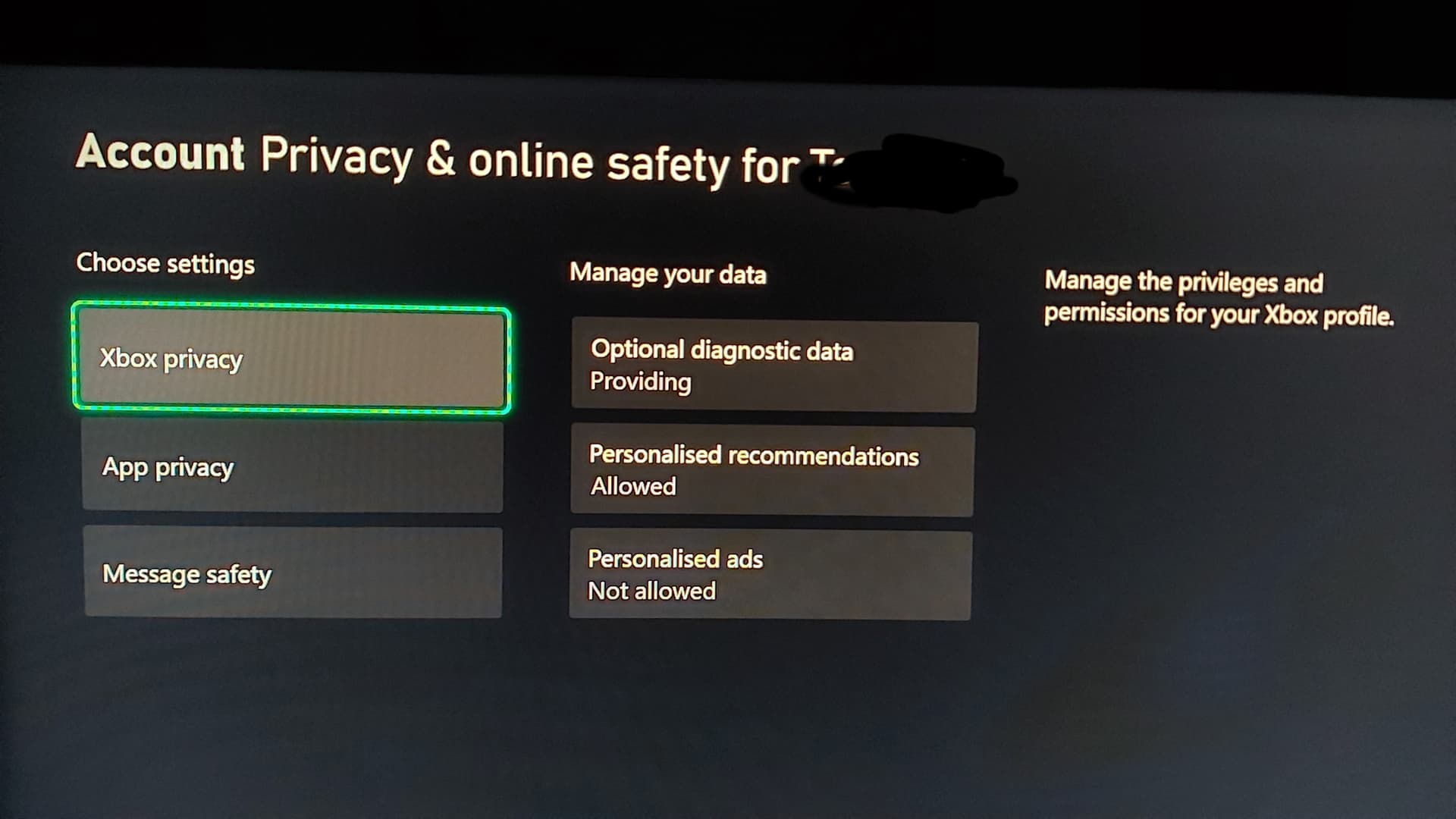
5. Head over to the Settings > Account > Privacy & online safety.
6. Navigate to the Xbox Live privacy > View details & customize > Data collection.
I have only “Xbox privacy” and there no options “Data collection”
7. Now change the You can share enhanced error reports setting

I have asked about the first questions and will let you know once I hear back.
@TomFlycz you have everything set correctly! Looks like the terms have updated recently, so we will go update our instructions. Thanks for checking!
This is regarding the 787-X. I joined the beta a couple minutes ago, I’m on Xbox series s.The biggest issue I encounter is not CTD’s (I assume it means crash to desktop, which in my case is crash to Xbox home). My problem is that instruments screens always go dark at some point during my flight or even on ground at some modeled airports (bought airports like EGLL, EDDF… from the premium deluxe upgrade) and I have to redo the whole planning on the CDU. Are these crashes going to be reported with my data collection when they happen?
Running version .22, and now am experincing simulator hangs during flight loading and flight exit, plus a lot of stuttering which I never experienced before su14. Am forced to guilt the game and restart when it hangs during flight loading or flight exit.
So I been a Beta Tester through the Insiders Hub on Xbox since it became possible and never left the beta program but for some reason this new Beta is not available I am still at live version 1.35.21.0 and not on 1.35.22.0 even though I am already in the Beta testing and I checked the Insiders Hub again and there is no different Beta then the one I am already in. So how do we get access to this Beta ?? I already asked one of the community Managers but so far no response and it would be really helpful if we knew how to get it working. I have seen others having the exact same problem so what is going on and how can we get it to work if someone knows the answer please let us know.
Hello,
Can you double triple check that you are enrolled in the beta? Could you also send a picture of what you see in the Insider Hub?
Thank you
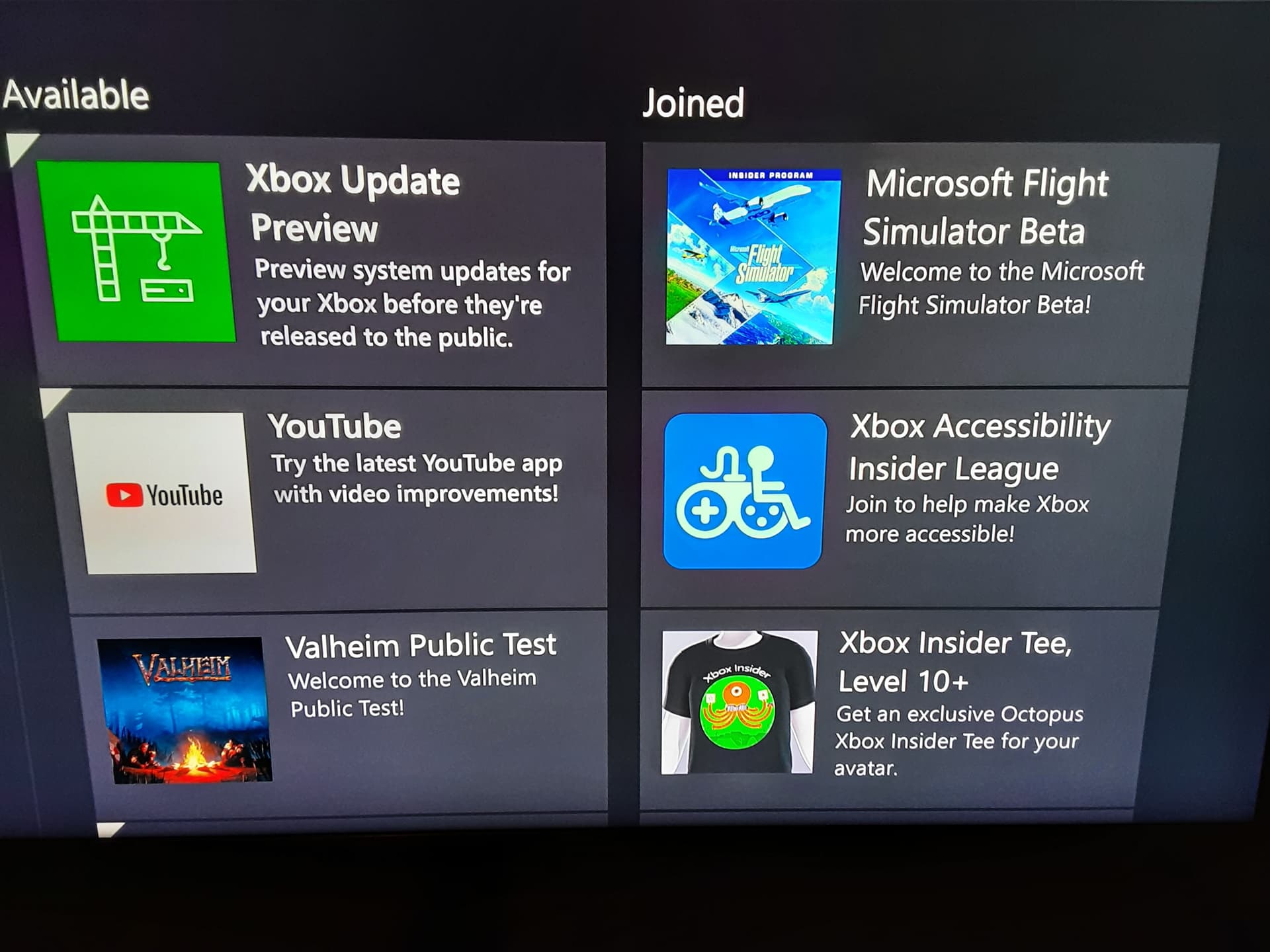
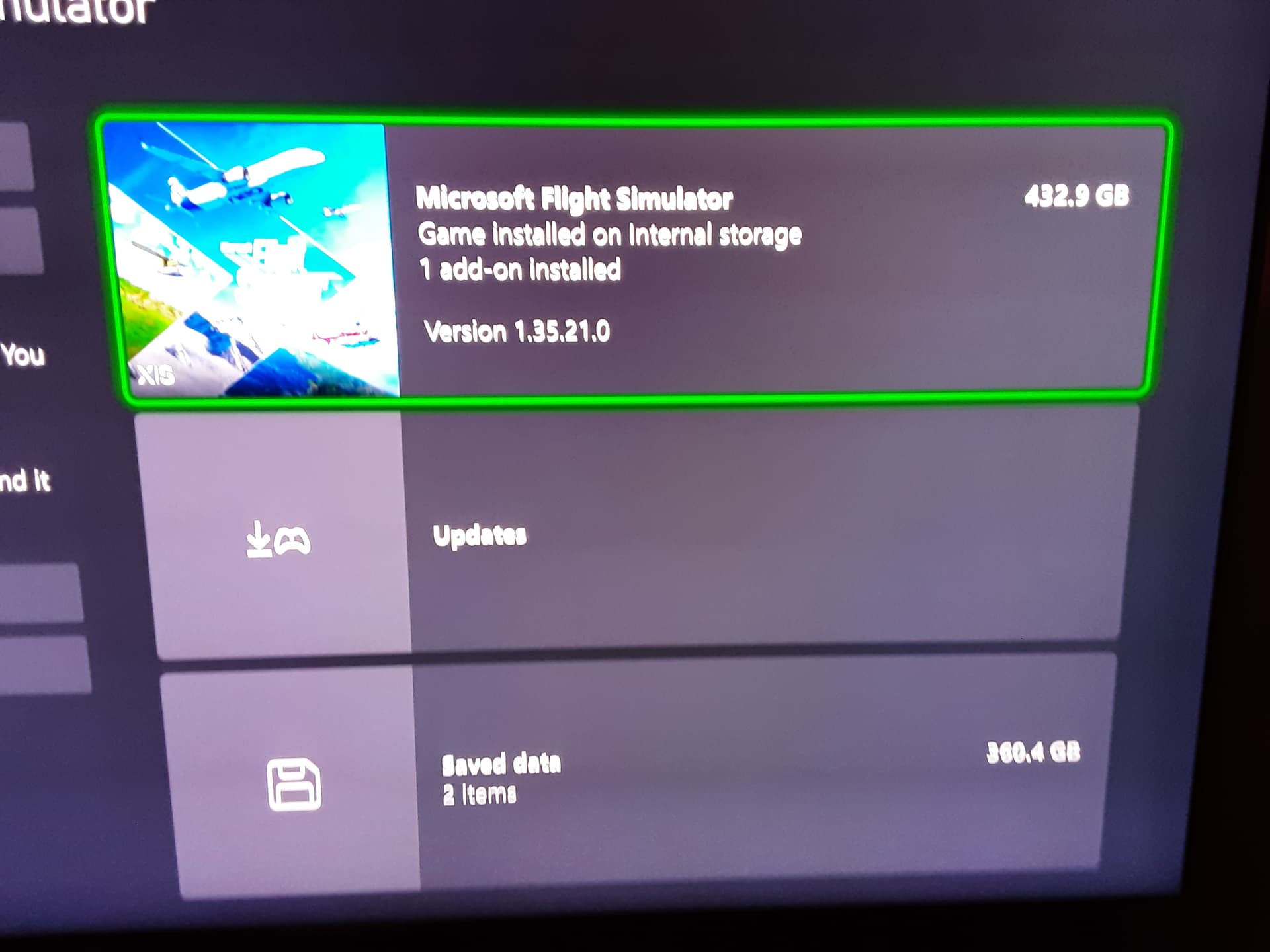
from the first picture, click the sim, then manage, there should be a new option for the new beta
Thank you that indeed is the way to go. Much appreciated. This should be put in the description that explains how to do this.
Hi there. Any word on this issue? Because black screens has increased a lot since SU14, while the CTD’s are almost gone.
Would be good to know if they are tracking black screens because they have become rampant. I’m still getting CTDs too especially in the A310. Usually the bigger the plane the more problems. I have joined the beta so happy to cop a few CTDs by loading up the A310 or loading up the 747 at fly Tampa KLAS and KTPA Tampa airport. The word Tampa and CTD has become synonymous in my experience
I’m suffering CTDs and sim freeze’s every time I fly more than one flight and they mainly come after second flight when quitting the flight and waiting the home screen to appear. For me it doesn’t matter what plane I choose.
They almost ever come at or after the first flight. I rarely can start more flights than two.
What comes to mind, there must be some sort of memory problem, or memory not resetted for the next flight. But what do I know, I’m not a coder so can be wrong of course.
This conserns my Xbox X, my pc does not suffer this thing.
And yes I’m currently at Xbox stability beta, hope they can register the freezes too not just CTDs.
-eelis-
The only XBox beta that shows for me is the SU14 preview. the stability test beta isn’t listed. What should I do?
I signed up for this beta last week. I’ve had the usual black screens at the gate but no CTD’s, but now as I’m approaching the first waypoint of the ILS STAR, I’m getting black screens and loss of avionics.
Are these issues being logged as part of the beta telemetry?
I’ve seen a definite increase in both black-screen incidents and CTDs since joining the stability beta. But if it helps Asobo diagnose the problems, it’s a small price to pay…
I have seen an increase in CTD. with the Beta installed.
This morning alone I’ve had three and I’m only flying the Beaver.
SU14 has really seen a decrease in performance for Xbox. It’s even worse in the Beta version.
Not only do I see more BS and CTD but the game locks up/freezes trying to go back to the main page after a flight, forcing me to go to the desktop and force the game to quit.
I hope this collection of data actually helps.
New update just now on Xbox; is it related to this?
Hello @AerMingus,
There was no new update today. The most recent Xbox Stability Test build was pushed to opt-in volunteer testers back in December. Is it possible this is the first time you’ve launched MSFS in the past few weeks and you’re just seeing the December test build for the first time now?
Thanks,
MSFS Team
1 Like