It’s now happening in the UK as well?
1 Like
This is becoming ridiculous.
1 Like
First time ever getting these messages since today. It is not my bandwidth that’s the culprit here!
1 Like
Yep, it’s not a problem on the users side. It is very disappointing that MS/Asobo have simply remained silent for weeks now.
5 Likes
It happens on any flight and so on if i switch back to online mode i get a ctd…
Name der fehlerhaften Anwendung: FlightSimulator.exe, Version: 1.30.12.0, Zeitstempel: 0x63c56d8f
Name des fehlerhaften Moduls: ntdll.dll, Version: 10.0.19041.2130, Zeitstempel: 0xb5ced1c6
Ausnahmecode: 0xc0000374
Fehleroffset: 0x00000000000ff6a9
ID des fehlerhaften Prozesses: 0x4608
Startzeit der fehlerhaften Anwendung: 0x01d95b86a2e18aa9
Pfad der fehlerhaften Anwendung: C:\Program Files\WindowsApps\Microsoft.FlightSimulator_1.30.12.0_x64__8wekyb3d8bbwe\FlightSimulator.exe
Pfad des fehlerhaften Moduls: C:\WINDOWS\SYSTEM32\ntdll.dll
Will it fix with the new update tomorrow ???
So its impossible to flight
I doubt it.
3 Likes
Streaming issue bla, bla, bla…….CTD. Boy oh boy. 10 minutes before landing on VATSIM. Frustrating!!!
1 Like
And now iit happens also outside peak hours
It’s not playable anymore.
Yesterday was perfect today again it’s terrible
1 Like
Probably because of the SU 12 release. But if Miicrosoft can´t provide enough server power, who can?
Yes but SU12 is not online yet.
I am afraid this issue is not going to end anytime soon.
Spend so much money on a computer which finally can make playing a sim very smooth.
Also have fiber 1Gbs and now this
Happened 14 times between Rome and Madrid.
Makes me very sad.
1 Like
Same here. Just bought a new cpu and gpu, some great new hardware (cockpit simulator efis and mcp for the 737 - fantastic by the way) and can´t enjoy at the moment.
2 Likes
Same here.
The annoying thing is that the prompt is inaccurate since it’s clearly not my bandwidth that’s causing the problem.
Sometimes, the sim simply gets stuck at the “PLEASE WAIT” message.
On my last flight, the bing connection couldn’t be reestablished and the whole traffic on the arrival airport got stuck on the middle of the runway. Even shutting down FSLTL wasn’t a solution, so I guess it happened as a result of the sim’s connection problems.
2 Likes
had these problemson every flight lately (netherlands) and tried to sim on a VPN in the USA; no warnings this time. others that can try if a vpn mitigates the issue?
I’m disappointed that a forum moderator is suggesting a VPN as a mitigation to what is really a design problem Asobo and Microsoft should fix. Please consider collecting the feedback of all the similar network connection issues and highlight them for Microsoft and Asobo to address.
There are problems with the current design and behavior of MSFS network connections:
Logic: When one of the many online services MSFS communicates with has a delay, low bandwidth, or is unreachable, MSFS should:
- NOT interrupt the user with a “debug” message intended for the developer
- Have graceful fallback behaviour so the pilot can continue flying uninterrupted
- Report / log the problem with Microsoft, so Azure / Asobo can see patterns of problems and address them
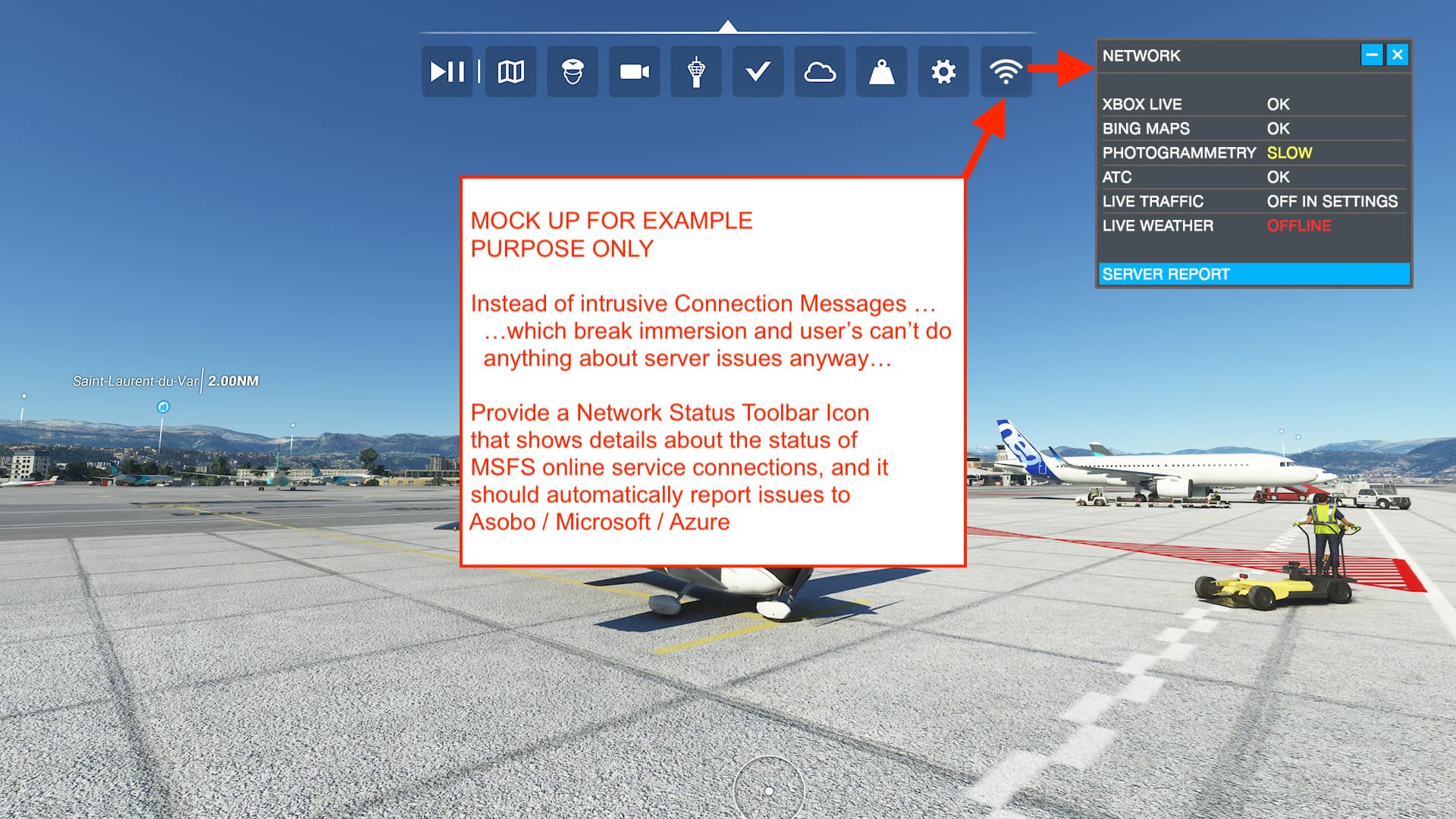
Design: Because there are many online services MSFS relies on to work properly, please add a simple but informative “Network Status” option in the Toolbar, so that users may choose to look at online status if they want to troubleshoot - instead of interrupting flight.
It is the User / Pilot’s job to fly.
It is Asobo’s job to design the logic of how MSFS behaves when there is an issue
It is Microsoft / Azure’s job to handle network connections.
Here is a suggestion of what would work better:
7 Likes
Also the Netherlands.
It’s.terrible.
Any info on which VPN connection to set up?
Was.tninking about using Map Enhancer which uses.Google maps instead of Bing
1 Like
Sure I can try with a VPN.
But why should I?
It is a MS / Asobo problem and they need to solve it.
Not the paying customer.
IMHO
1 Like
@GimbalAxis I’m not suggesting anything here. Just stating my recent observations and asking a question for community support which might help to find issues with servers as well, and have more information than ‘it didnt work and i did this and now it works so that must be the golden key’
I wont deny there are problems with current design and behaviours.
@SquarishNest282 i tried with NordVPN on US server #8693
@EnsiFerrum666 ofc the devs need to fix this asap. i dont want to be behind a VPN all the time when simming as it’s another step to do before flight. But you can try so we can see if there is a intermittent solution while we wait for MS/Asobo to fix this
1 Like
I’m not intending “backlash” for AwesomeBlack533. I’m expressing disappointment because Forum Moderators are the only ones in a position to collect the Forum reports and highlight them for Microsoft and Asobo … which I thought was the purpose of the bug reporting aspect of this forum.
What I would love to hear from the Forum Moderators on the large collection of Network / Connection / Bandwidth issues, is “We hear you, we have collected these reports and elevated them to the developers for proper review.” The “feedback-logged” tag then silence for a long time does not provide any confidence that the issues are “heard”.
Ugh, The only thing more frustrating to me than MSFS is the logic of the Forum.
Thanks to the Forum Moderators for the work they do, but please, highlight larger ongoing issues for Microsoft. Thank you.
1 Like
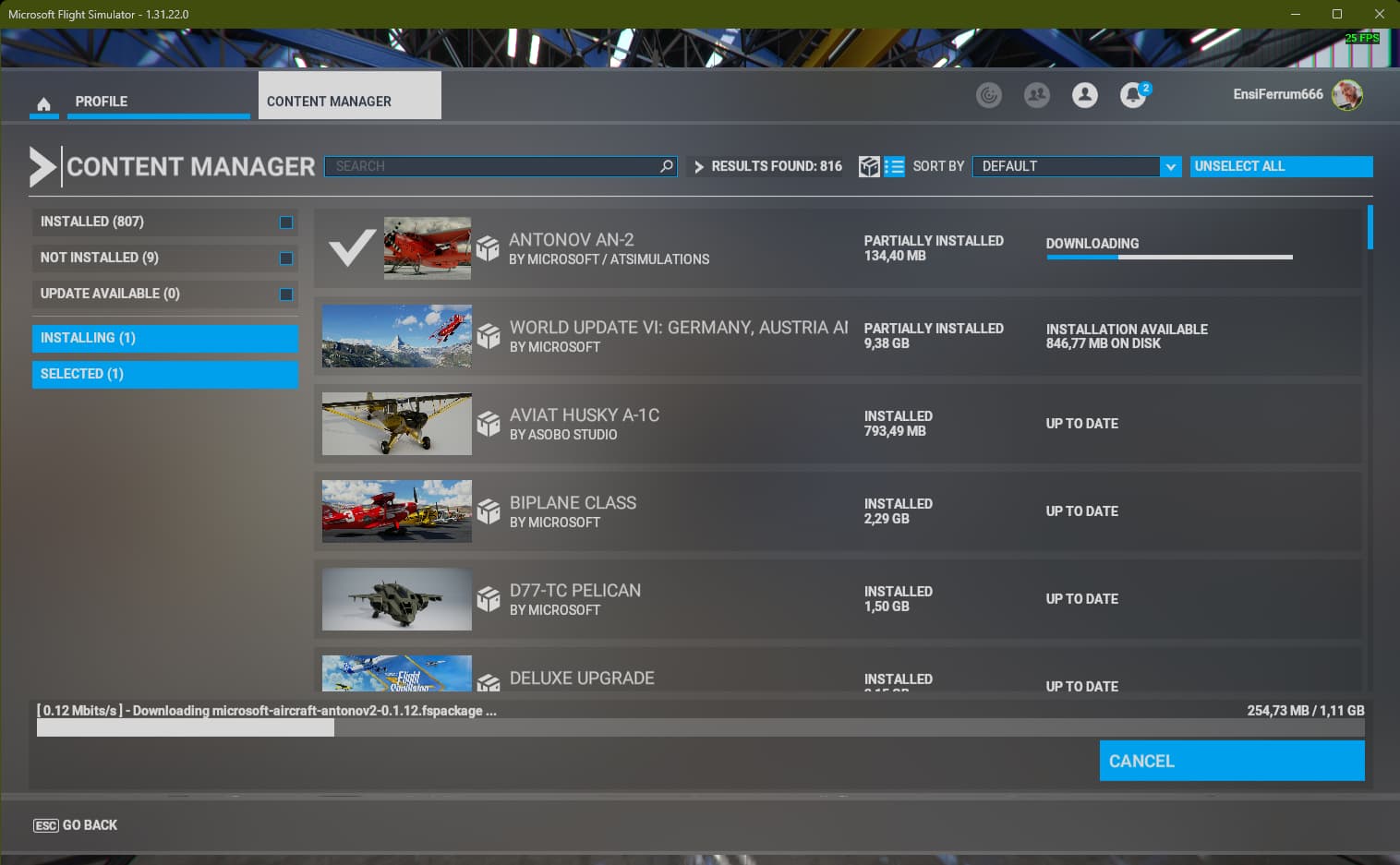
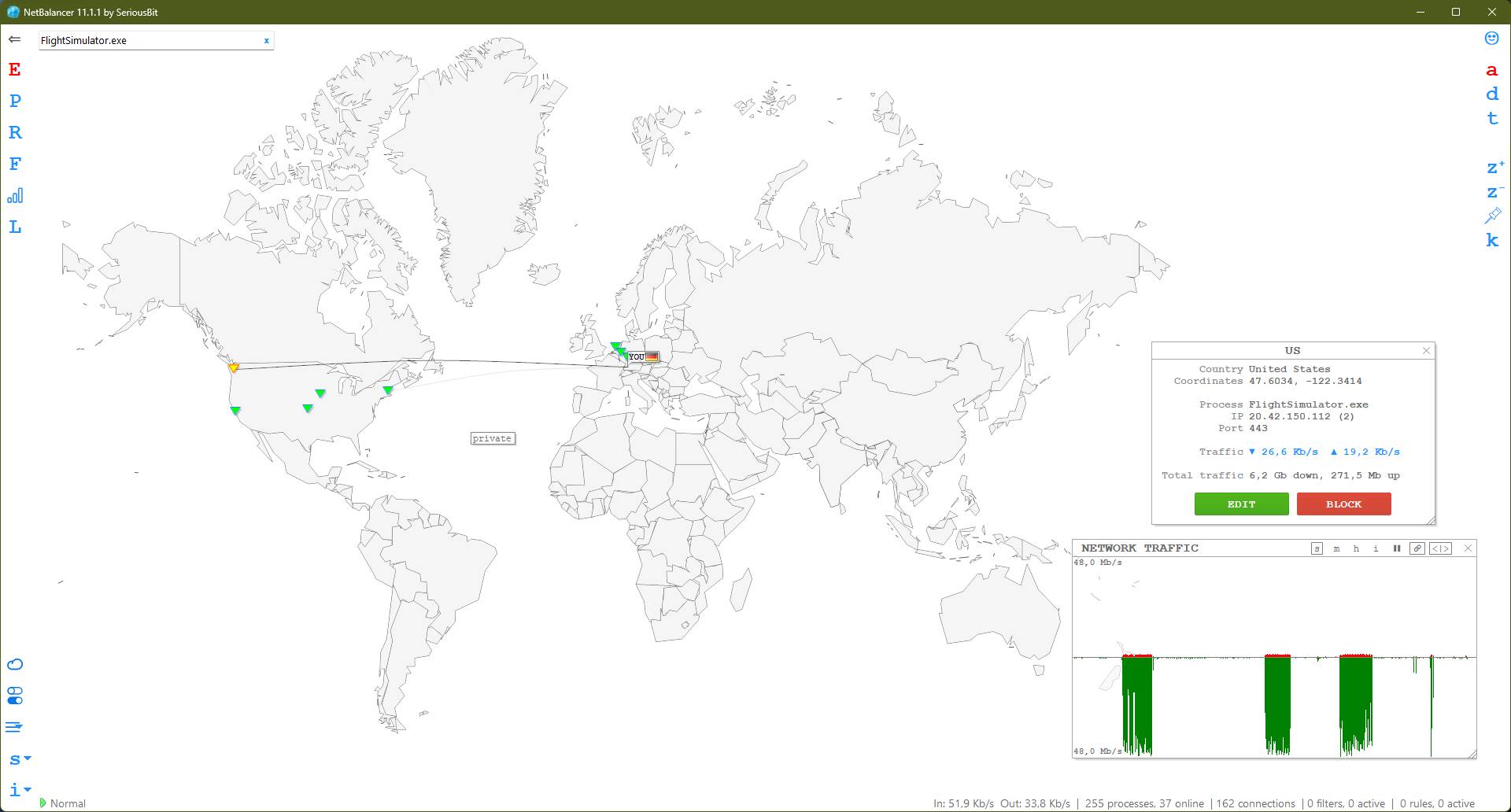
Not really sure is the server in the US is the faulty part … but I had this slow download rates between 12:00 and 13:00 MET today as well. Was downloading the A-310-300 patch ion the Beta channel
Hello @GimbalAxis,
The forum moderators are community volunteers whose role is to ensure all posters follow the Code of Conduct. They do not have the ability to report issues to Microsoft or Asobo.
This topic has been tagged with feedback-logged, which means it has been noted by the Community Managers (CMs) and entered into our internal bug tracking tool for the dev team to triage and resolve.
Thanks,
MSFS Team
4 Likes