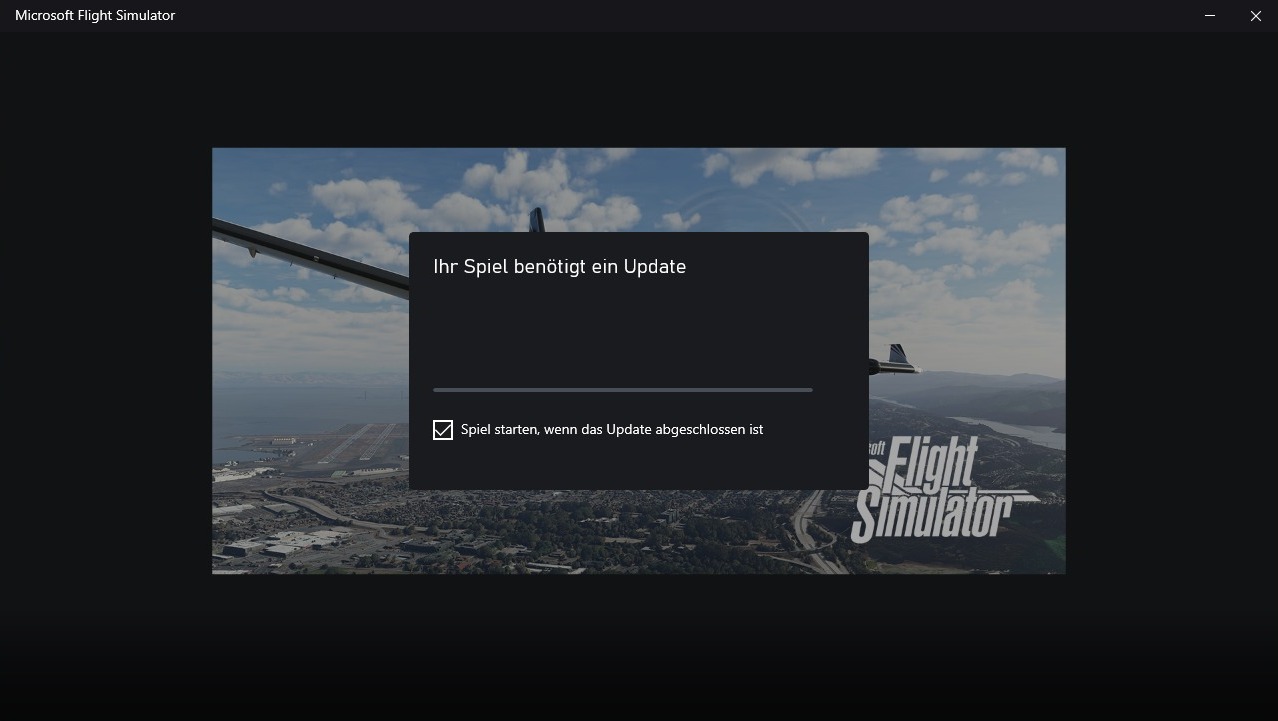
Your game needs some updates in German UI: “Ihr Spiel benötigt ein Update”
I would like to share this experience: if you are in a hurry, you may want to jump to the solution down below. If you have deeper knowledge about how Windows Store and Xbox App administer their apps, you are highly invited to comment. Parts of this can be found in other posts, but I still think this might be useful.
Symptoms (5950X, RTX 3090, 32G, Win 10 Pro, MSFS Store version, intensively used, no beta or dev mode here, almost new setup):
Immediately at startup, MSFS asks for an update that does not exist (none published by MS) and therefore never starts. Unable to launch the sim, except for one workaround: running it as admin worked initially, but did not solve the problem. Since the last MSFS session, the computer had not been used and the only change was that windows store updated the Xbox-App. so I started there using windows tools:
Xbox App – Repair: no change
Xbox App – Reset: no change
Xbox-App – Re-install: no change
Windows Store: repair, reset, re-install via PowerShell: no help at all.
Then MSFS: repair, reset: no help.
Finally, I uninstalled MSFS, cleaned the machine from all files connected to MSFS and on that occasion migrated the OS from Win 10 Pro to Win 11 Pro. After a clean installation of MSFS from the Windows Store it ran perfectly out of the installer context. But on the first regular launch of MSFS the error was back, and even worse: I also lost the work-around. Launching with admin rights now lead to the same message.
Of course I checked this forum and found several posts pointing to slightly different problems, usually connected to stuck updates, beta versions or to the license, for example here:
However, in my setup, the Digital Ownership was (and is) greyed out and not possible to deinstall.
Time to contact MSFS support. They made me happy with immediate replies and extensive checklists to go through:
…but none of this solved my problem. They finally pointed me to regular Microsoft Support and recommended resetting the (almost fresh) PC.
Here is the sequence that finally solved the problem. I guess the crucial point is no. 4 and it might have worked without the first three steps:
-
Uninstall Xbox App and all Xbox components
-
Re-install Windows Store via PowerShell (Google will help you…)
-
Install Xbox App
-
Install MSFS directly from the Xbox app
Immediately after installation completed, the Xbox app gave me a prompt to update MSFS that I had just freshly installed. Selecting that “update” solved the problem and probably deleted some kind of flag that triggered the update demand and seems to be hidden somewhere deep in the Xbox registry or in the account.
Also nice to know:
We can differentiate between MSFS app (1,8 GB download) and content (122 GB download). When uninstalling MSFS the content is not automatically deleted and when re-installing into the same content directory, MSFS initially announces a 122 GB update but then registers the existing files and completes that update without further download within seconds.