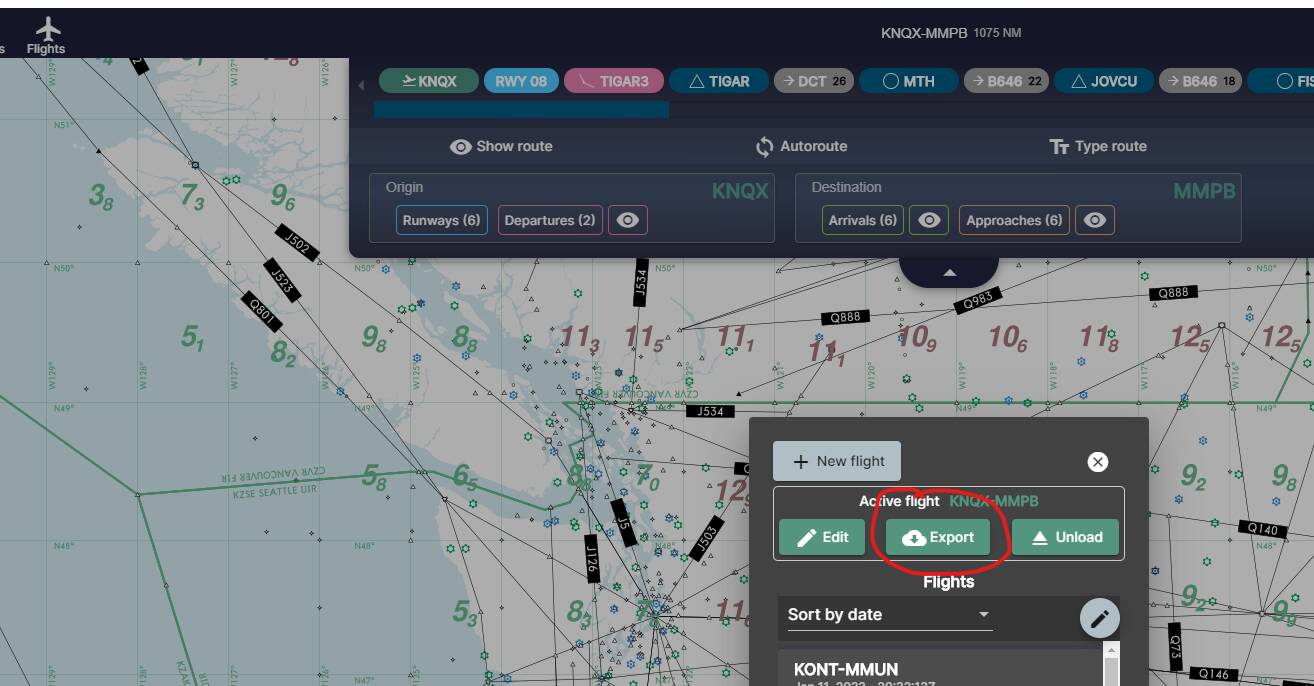
Thanks I had completely forgotten that!
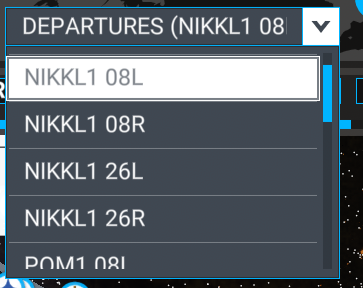
I believe so. I use SimBrief + Navigraph. When I load my flight plan (.pln) into MSFS in the C208 (sorry, not a jet guy) I get really crazy waypoints most of the time. I have to go into the G1000NXi and edit them out.
I know this does not help directly. But I use Pilot2ATC and only use the world map to select my departing airport and parking spot.
Better ATC experience overall and bypasses most of the world map.
I don’t use the world map for anything other than choosing where to spawn. If you’re using FBW, you can import a simbrief flight plan directly on the FMC of the aircraft.
Does Pilot2ATC have real world schedules (like the AI planes) that you hear calls for and stuff? That is one thing I do like about the default ATC.
When I listened to a Pilot2ATC Demo the voices were super robotic. I think the default ones do better there. I am definitely watching that program though!
If you subscribe to Navigraph, you can use that data to replace the MSFS navdata. Also, Simbrief uses the same data as Navigraph. If you do this, everything will be in-sync. Whether or not MSFS mangles the import of your flight plan is still a possibility.
This is a bug since I believe SU7. It worked fine in SU6 so hopefully will be fixed in next update. From what I can tell, it has to do with the SID transitions. When you select a gate to start from, MSFS will replace the SID with another SID with the wrong transition and since there is no way to select transitions with the MSFS flight planner and there is also no way to delete existing waypoints, you are out of luck.
One fix is to start on the runway, hit Y, and then slew your aircraft over to the gate, then start your flight. I think that works.
There is also a way to manually edit the flightplan file with a text editor to insert the gate parking space, but that’s probably too much effort.
Or just scrap the built in ATC and use Pilot2ATC. There is a way to add more voices to Pilot2ATC and set it to use random voices. That helps a lot. I have 5 or 6 voices installed and they sound good.
If you import the Flight Plan from SIMBRIF and load it in MSFS select a parking spot near the departure runway its a bug in MSFS it always select a new runway depending where you park.
The best way to be error free is to program the MCDU yourself. https://www.youtube-nocookie.com/embed/c7UJlJMJdfk
I do use SIMBRIEF sometimes when I’m lazy, specially on longer flights but even if MSFS changes runway I still use what SIMBRIEF programed fly manually until 1500 ft then turn on autopilot it should fly the correct route.
That’s what I always end up doing anyway after being annoyed with how MSFS changes my flight plan. The main problem is that I fly GA aircraft, Garmin 530 mostly and fly exclusively in VR, and entering waypoints into a 530 in VR is a ■■■■■, to put it mildly.
I did buy Navigraph tonight. But I’m having problems with that it shows up in demo mode and when I try to sign in with my email and password it won’t go through. Not sure whats going on? Any ideas?
I don’t know, but maybe this thread will help.
Hi, you mentioned you are using the FBW A320NX, in that case I do not load the flight plan from SimBrief into MSFS and instead select a parking spot/ramp from the world map.
Once in the aircraft I then use the INIT page on the MCDU to enter departure and arrival airports. Next I go to the flight plan on the MCDU and enter my departure (SID), then enter the waypoints, airways, etc.. Finally I then enter my arrival (STAR).
The only drawback is that MSFS ATC doesn’t recognise it as an IFR plan.
I do the same, however at times the flightplan after importing into the MCDU shows wierd waypoints which have to be corrected manually.
I have Navigraph subscription and still have this issue (when MSFS and Simbrief should be identical)
Cheers,
Nick
I import the simbrief plan into “Navigraph Charts”. Than i export the plan (.pln file) from “Navigraph Charts” and load it in the world map. I don’t know if that extra step makes a difference.
You said that you are now using Navigraph. The important thing is to download the “Navigraph Navdata Center” in order to update the MSFS navdata.
Pilot2ATC (P2A) does have an option to play recorded “chatter”. You can either download some from LiveATC.net or there is a package called FS ATC Chatter to purchase (you don’t need P2A, but it works better running the chatter files through P2A)
I switched to Amazon Polly voices and those voices sound better. I’m still on my free year so I’m not sure what the cost will be for that long term.
The ability to actually talk to ATC and a better ATC implementation overall makes P2A for me a must have.
I keep MSFS ATC on so I also hear everything else the going on in the MSFS ATC. Because I don’t file a flight plan at the world map, start cold and dark, and never initially contact in sim ATC it leaves me alone.
Funny I do the opposite, I build the flight plan in Navigraph so I can see and manipulate the route, then use the type text from it to apply to Simbrief and P2ATC. I load the plan form Navigraph into the sim.
Just got Navigraph, can someone tell me how they load their flight plan from Navigraph to the sim please?
Anyone know?