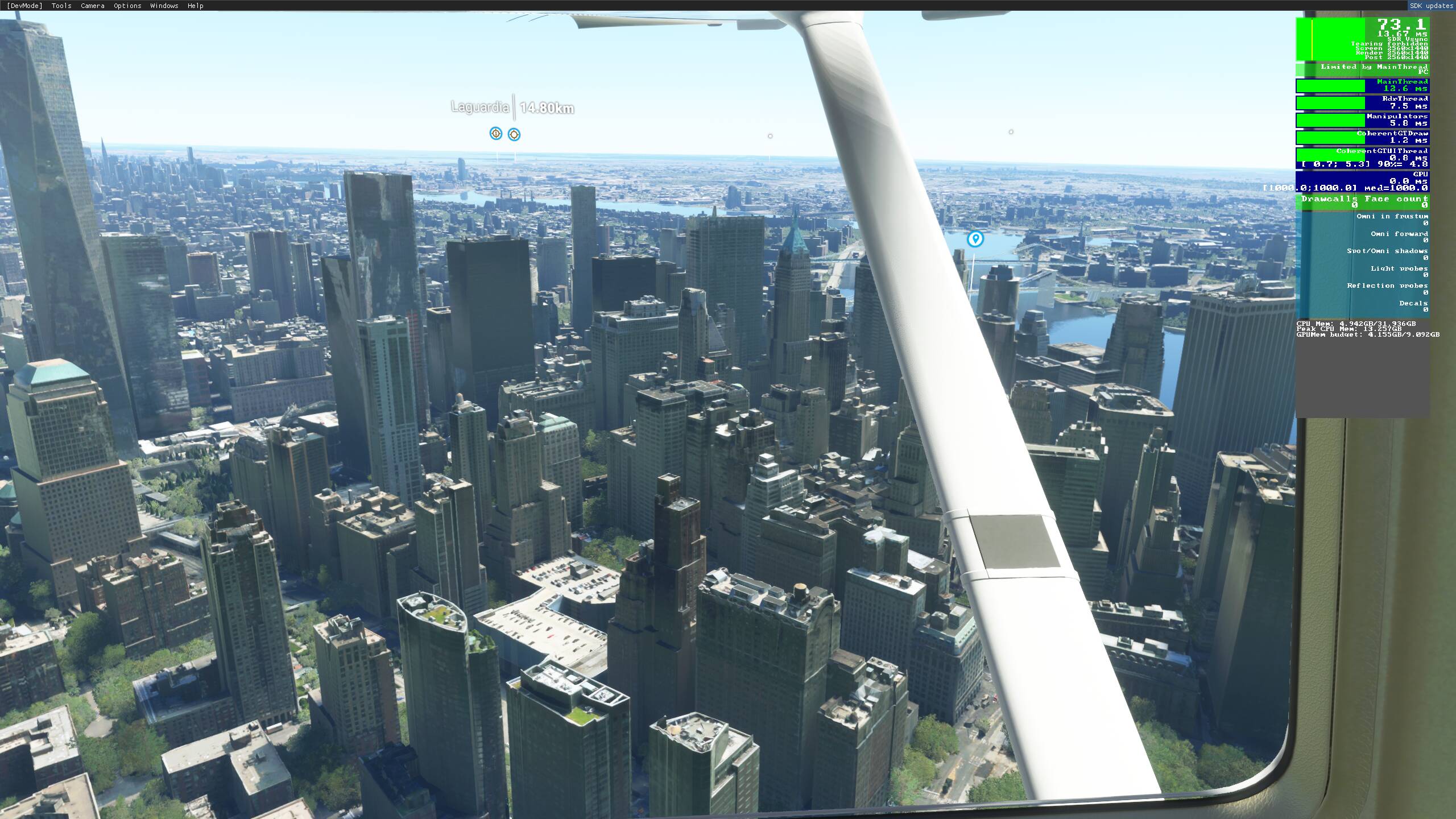
I do get 75 - 80 FPS in the same area with the same settings 1440p on 27inc monitor. I have RTX 3080 and 10900k overclocked to 5.1Ghz. The only difference is my settings are ultra but I have disabled the traffic, motionblur, depth of field options. You may also check your 11900k temps, it does slow it self if it gets hot and it is one of the cpu that runs too hot. It was the reason for me to not to buy 11900k and I got 10900k because of the temp issues.
What I see people doing here (I’m still flying absolutely Vanilla  ) is rename the community folder.
Also some market place / content manager content might have to be uninstalled.
Removing all third party content is mentioned in the release document with every release since WU3 or so. What content do you use? Maybe some simmers know more about the specific mods that you use?
I only purchased stuff from Sim Market, few planes thats it.
Cant find the community folder either
For the Windows Store install:
C:\Users[Your User Name]\AppData\Local\Packages\Microsoft.FlightSimulator_8wekyb3d8bbwe\LocalCache\Packages\
For the Steam install:
C:\Users[Your User Name]\AppData\Local\Packages\Microsoft.FlightDashboard_8wekyb3d8bbwe\LocalCache\Packages\
You could also close the sim, move the content to a temporary folder and start again.
1 Like
And are you by any chance flying one of those in your screen shot?
Actually this rig isnt for gaming, its for my work. Compare to what other companies spend on the type of work i do this is cheap.
Also my work fully uses both GPU’s and 2 3090’s isnt enough, later down the track will need x4 3090’s
1 Like
The OP said that he doesn’t use his other 3090. How are you not using it? Do you have it disconnected when you are playing MSFS, or is it disabled via nvidia control panel or something?
This is what happens when someone rich buys a PC with 0 knowledge, he gets ripped off lol
You probably forgot to update or something.
128gb ram is a lot, maybe ram is very slow. Check that xmp is enabled and ram running at xmp speeds not 2400mhz.
Cpu is not the best, neither for work (especially bad for work) or gaming but it should do the work very well.
My bet is on outdated drivers, windows, anything gaming related.
2 Likes
No i am not,
Ill do a full re install of the game to see if it helps
Thanks for your help mate.
You could, but often this is not necessary. But if you want, go ahead. Plz let me know what happened. Tx for your time to ‘test’ this.
1 Like
Thanks, this is helpfull ill try your settings now.
If i could get your frames that would be incredible !
Probably are not SLI connected and as he uses the workstation for work he is probably doing some GPU rendering work where the SLI is not necessary.
Cheers!
there’s more then flight simming in this world people. If this guy is doing serious 3d rendering or animating wich will use both gpu’s and suck up all of your ram or something similar he can still use the same pc for doing games right?
Some people on this forum are real snobs and still think flight simming is the most hardcore thing a pc will ever have to do. Give this man a break. I’d be mad as hell too if even a ultra high end pc like his can’t run this sim properly.
Still, no other pc in the world can run this sim properly because it’s still to full with bugs and nonsense that only hardcore flight simmers somehow can live with.. Because it’s the ‘most advanced thing ever’.
Suck it up. It’s a game.. And it still runs horrible.
3 Likes
I am in the same boat.
I have 2 very high end workstations for work and one of them is used for gaming as well.
His comment was not kind and was inappropriate here.
3 Likes
Nice username😊
Same here. 2 workstations both for 3d rendering. People just don’t understand that pc’s aren’t for games only and some of ous actually have a job wich needs high end tools.
Ps. My rtx3090 has paid itself off in matter of months just due to the raw rendering power. So it’s actually less expensive buying more of these then sitting behind your desk waiting…
2 Likes
As I am a professional too who shares my workstation for gaming as well, unfortunately we are a bit penalized from this. We have a lot of software and hardware connected which means that more services are on and in gaming I see also a small degradation in performance.
For example, Adobe Cloud and Autodesk they both install additional processes that at the end they “slow down” the CPU process.
The only solution is to stop those additional processes while gaming. They exist external optimization SW that do this and some of them are free: Razor Cortex for example. You can decide before you start to play which process to “kill” temporarily.
He just made this thread because he expects, and wants the same FPS as other simmers have.
I thought that the photo was very cool. Let’s see more of that on this forum  .
.
1 Like
Thanks for your comment on my username! 
I do 3d rendering as well!
1 Like
What exactly in that system brought your total to 17,000.00?
I get 95% of the performance for 1500$
2 Likes
That, in fact is a very good question (scratches head).
Maybe it’s filled with the purest form of Xenon or Argon gas?
Let’s hear it from the OP
2 Likes