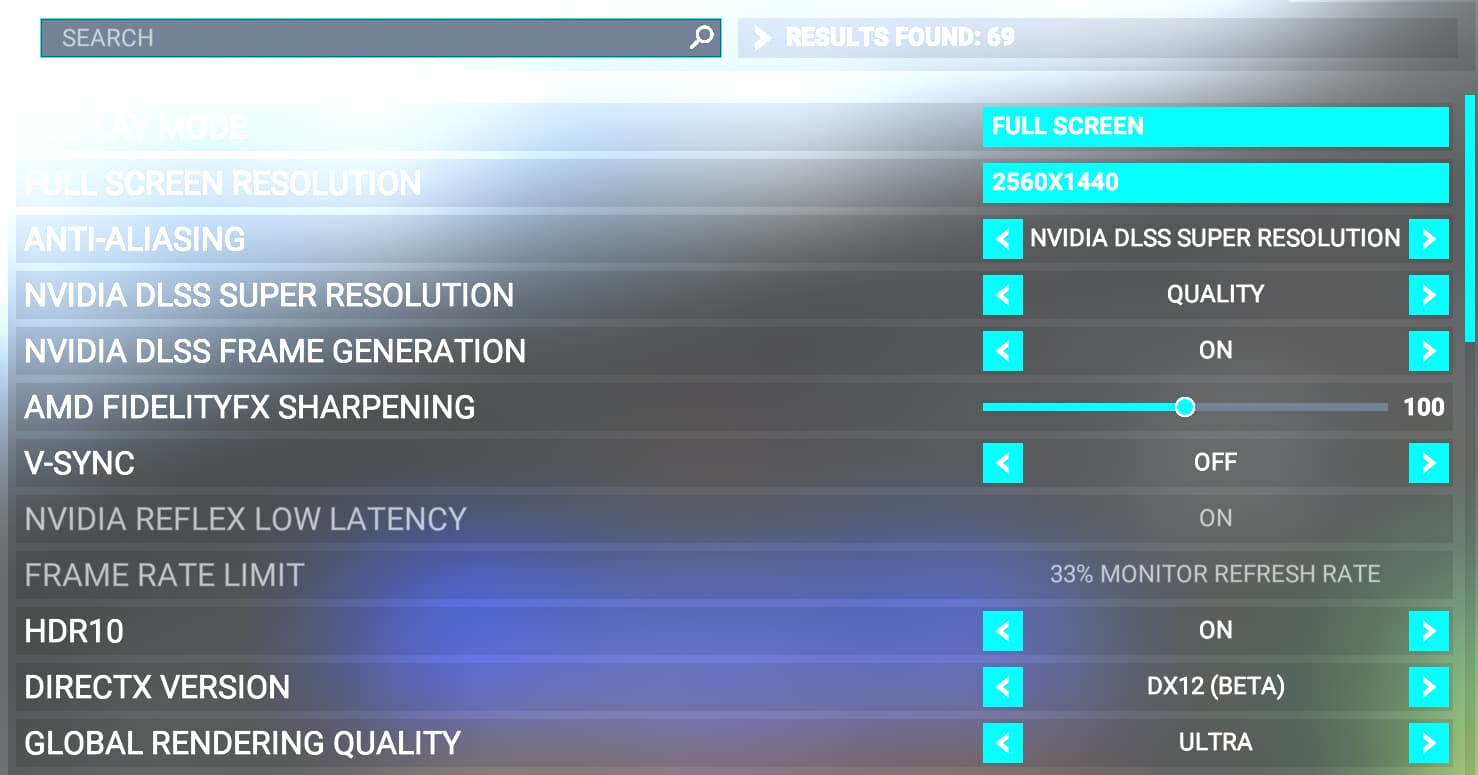
I know, the Toms Hardware bechmark is also on the OP. I’ve seen all the tests I printed above. I’ve also seen other reviews and articles. Also tests/articles/reviews about games in general (not only limited to MSFS) and for that I believe the 7800x3d is abit a better (it’s neglegible actually). But sometimes, the 7950x3d loses for a larger margin.
Maybe because it has 2 ccds (the one with 3d cache and the no 3d cache), maybe there’s more lattency when communicating between the two ccds, maybe it’s just something AMD will fix within due time.
Anyways, I don’t see how more cores would lead to better performance in MSFS or any other games. The tests show it.
I suspect it has to do with the usage conditions at the moment the screenshots are taken.
To take an extreme example, low settings flying at high altitude in clear skies will generate a very different load from take off at a custom high end airport in bad weather, with all settings cranked up, etc… as I’m sure you’re aware.
On another thread yesterday, a power user reported a smooth 30FPS with all the bells and whistles & settings cranked up using the higher end chip at a heavy airport.
Depends on the budget and requirements of course, for X670e chipset MSI Carbon Wifi, Asrock Taichi and if you prefer to go Asus regardless of the recent controversy, Rog Strix X670E-E.
You could consider their B650E counterparts as well if you don’t want or need the additional PCI5, etc…
The B650 has some good stuff. The E suffix variant makes for a nice board and saves some cash over the X670 boards. Some of those are silly money. After the drama a couple of weeks back the motherboard vendors are pretty much back on track including Asus.
As far as the various add-ons affecting performance it seems the 7800 will perform pretty close to the 7900. This confirmed by Mark (on Sim Hanger). I use navigraph/ingamepanels/Vatsim/voiceattack etc and was concerned all those extras might warrant the 7900.
For what it’s worth, I’m flying the Carenado C170B over downtown Manhattan at 2000’ right now with everything turned on including Real-time Online traffic, Seafront Simulations Global Shipping, Navigraph Hub & SimLink, Tobii Eye Tracking Experience, Razer Synapse, NZXT CAM, AMD Adrenaline, OneDrive, File Explorer and Edge and I’m getting a stable and smooth 60 FPS at 4K with all graphics settings maxed including TLOD 400. Even while turning my head (tracked by Tobii) I still have smooth and stable FPS.
Yeah, like I’ve said above, you can throw as many third party apps as you want on a 8/16 cpu and it will deal with them as efficiently as a 16/32 would. With less heat/consumption and in the case of the 7000x3d cache, without the higher latency caused by the two ccds communicating between each other.
Yeah not sure why some people earlier in the thread were saying that the 7800X3D is fine for flying the sim in vanilla state (as if this is a Xbox Series S), but if you want to use a bunch of third party apps then you need to get a 7950X3D. I’m using the 7800X3D with the Fenix + FSLTL + GSX Pro + Navigraph + Volanta in and around large cities and third party airports and am having no issues at all with the exception of the occasional stutters which is happens to everyone regardless of system (including 7950X3D owners). I’m sure my 64GB CL 30 6000Mhz RAM helps though. Now if I were flying MSFS in one monitor and using Photoshop/Video editing in another monitor at the same time, then that’s a different story lol.
have decided to go down the 7950x3d route - but just wondering what the sweet spot is for the DDR5 memory - have read 6000mhz and CL30 is the way to go? - is this correct and how much improvement will I get over slower memory? (assume also 32gb is more than sufficient for msfs)
AM5 platform is pretty much limited to 6000MHz DDR5 in it’s current iteration.
That’s not to say you can’t get faster memory clocks - it’s just less likely unless you have an excellent CPU and motherboard combination. If i’m not mistaking, AM5 only guarantees up to 5200MHz DDR5. Anything above is an overclock. That said, you’ll find most 7xxx series CPU’s & motherboards can hit 6000MHz with DOCP or EXPO enabled.
I also recommend to keep the amount of physical RAM sticks down to 2. This is easier on the CPU’s memory controller and should allow for greater stability.
The best refinement I’ve seen so far was 6000mhz cl28. It’s actually simple to set higher clocks and make it work (6200mhz - 6400mhz), but it will be harder to low the timmings with stability. Hence why people are aiming 6000mhz and the lowest CL possible.
Maybe the next gen of CPUs and motherboards will be better on that regard.
After a number of back-and-forth emails with AMD (they did a really great job following through on this with me) that had me doing a myriad of things to cure this, it looks like the final cure is going to be a BIOS update from NZXT, my motherboard manufacturer.
NZXT emailed me a beta version of BIOS to install today, and doing so cured the error with the AMD PSP 11.0 Device driver included in the aforementioned AMD Chipset package.
Those who are still seeing this error may need to involve their mobo manufacturer to see the issue resolved.
let me ask you one question
I’m now on 5800x3D and 4090 with MSFS on pimax8kx.
Unfortunately, frankly, to get at least 30fps, which is far less than the freedom I was hoping for, I’m starting to get parts for the ZEN4, and of course the 7800 3D and 7950 3D I’m torn between
I use FSLTL.
And if possible, rather than Openxrtoolkit, I would like to have a steamVR specification that can use various VR tools.
If I choose a 16-core 7950x3D, would it be possible to get the same results with SteamVR as with openxrtoolkit?
By the way, currently on Openxrtoolkit in 4090 & 5800x3D
・RDRCPU value is around 25ms
・APPGPU value is 30-40ms
test course
See the video on my profile for the test course that produced this score.
I think that it is a course that allows you to try multiple loads.
(I haven’t been able to shoot with the 4090 yet.
Partly because I upgraded the pimax from 5K to 8kx, so far I’m getting only disappointing looks.)
And when I look at the log file, the APPCPU value occasionally explodes.
I’ve just purchased a new rig, 7800X3D + 4090 + 4k monitor. I’ve read a lot of stuff and done tons of research, looked at countless benchmarks but I know one thing, coming from my 8 year old i7 4970k + 1070 this new rig is going to blow my socks off regardless!!