Having a similar rig now (except for 3440x1440p instead of 4k) and coming from a similar setup, believe me, it WILL blow your socks off 
3 Likes
If you are flying strictly VR, go with the 7800x3d.
How is it possible to get such high fps in New York with an Ryzen 7 5800X3D?https://www.youtube-nocookie.com/embed/AWgc0_V9w0I
I get around 45 fps when i fly above Central Park with my RTX3080Ti in 4K. Same settings like in the vid. Even if i change my Resolution to 1280x720 i dont get much more fps.
Here is another Video with an RTX 3080 TI and Ryzen 9 5900X and he gets more fps than i do with my Ryzen 7 7800X3D.
https://www.youtube-nocookie.com/embed/21f8QnX8M0M
Is something wrong with my CPU or is there someone with an Ryzen 7 7800x3D and can tell me his fps in New York?
I posted just a few posts prior that I was seeing 60FPS at 4K over NYC with a 7800X3D with an RX 7900 XTX.
I was flying the Carenado C170B.
Another thought is that that first video is dated from 9 months ago. Does that person get that same level of performance today after all the SUs/AAUs, etc.?
1 Like
Thats what i get right now in 4k
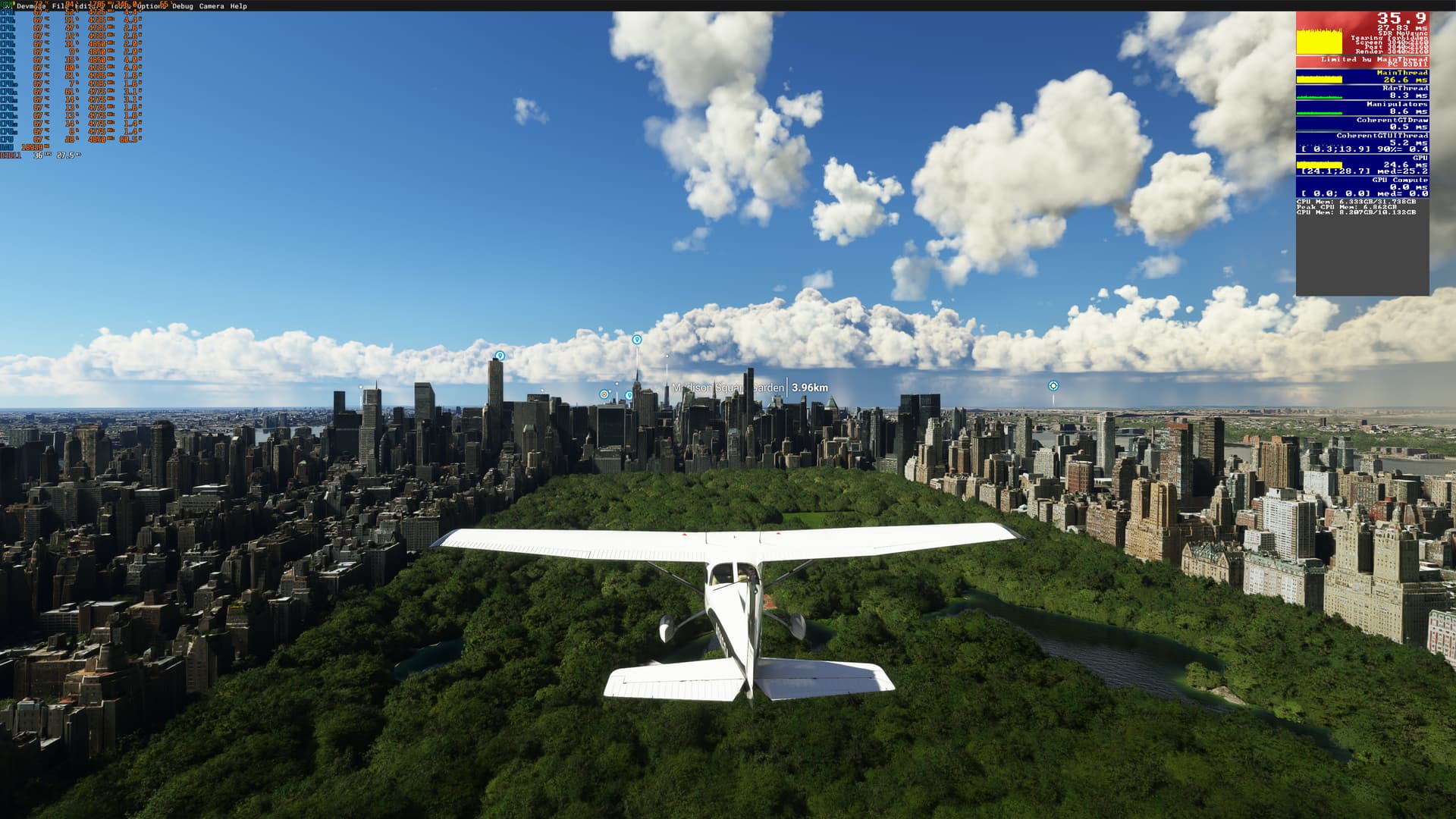
and 1280x720
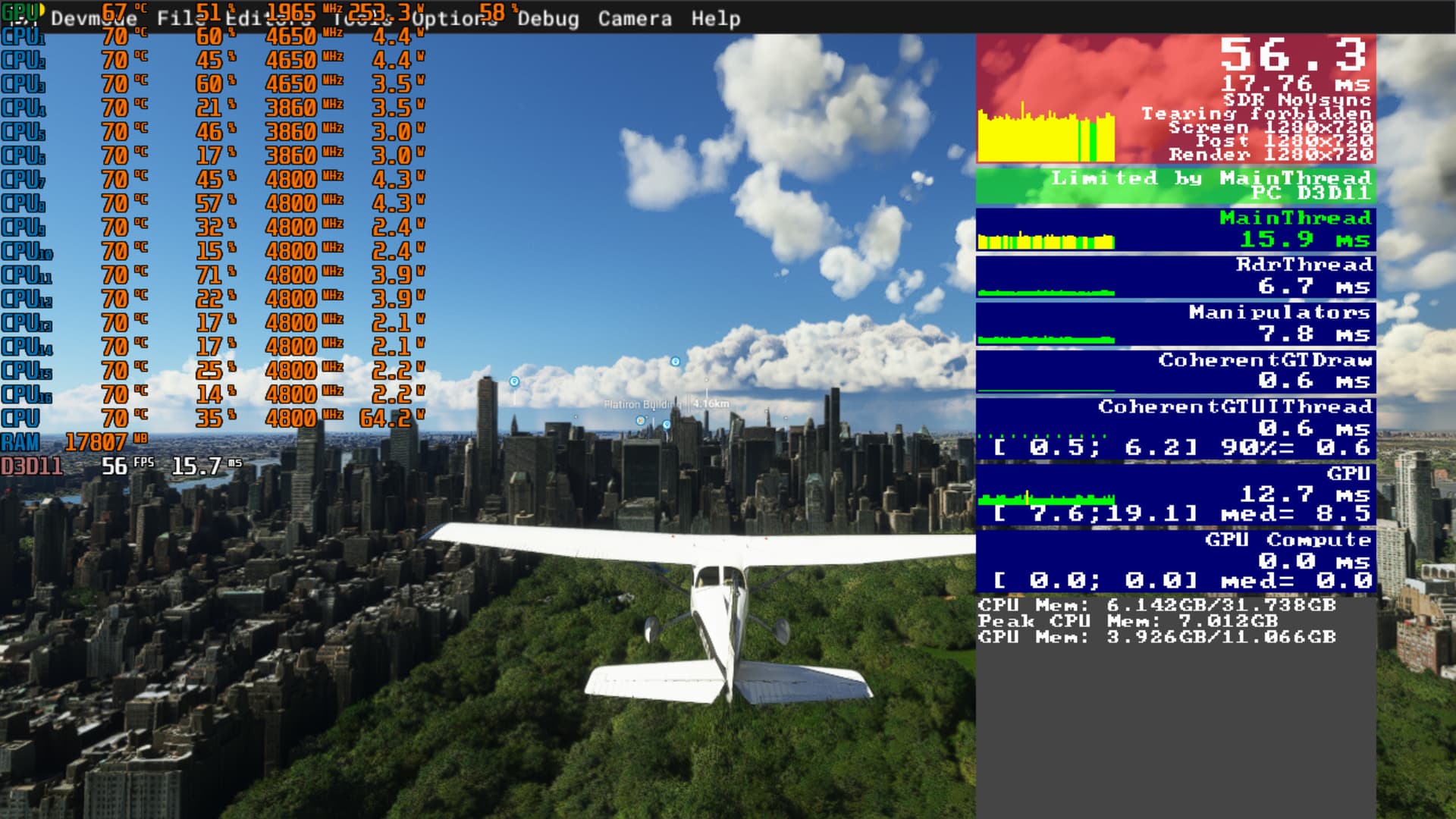
in some areas it drops to 40 fps.
LOD both 200 no Air Traffic and Max Settings.
In another Vid someone was getting more fps with an 5800x3D than i Do with my 7800X3D. He tested it with an RTX4090 in 4K but had more fps than i do with 720p. 
The next step would be to post your build specifications.
You’ve updated your MoBo’s BIOS and have the latest chipset drivers installed from AMD?
I know there are people who’ve had to reinstall Windows to solve poor performance scenarios with these chips.
1 Like
I testetd it with an RTX3080TI, G.Skill DIMM 32 GB DDR5-6000, and Mainboar ASUS ROG STRIX B650E-E GAMING.
All Graphic Settings on Max LOD Sliders both 200 and Live Traffic OFF.
I saw that i installed the PPM and 3D-V-Cache-Driver. I heard that you only need them for the Ryzen 9 7950X3D oder 7900X3D. I deleted them but dont know if thats the problem and if I have to reinstall windows.
The RTX 4090 has Frame Generation (AKA DLSS3), the 3080 ti doesn’t. The frame generator basically doubles your FPS.
The DLSS3 is a new feature you can use only with an RTX 4000 GPU.
1 Like
yeah that s so true, I have read few times people upgrading their cpu having issue fixed after a full windows reinstall since x3d are really unique processor, I guess windows install specific packages
also saw few people getting brand new pc having to go through this process cause retailler has installed using windows image doing so isn’t the most professinnal way since the pc isn’t set as it should be (mostly to gain time)
Pretty sure this only applies to those chips with 2 CCDs.
It was without DLSS3 and in another vid someone tested it with an 5800X3D and 3080Ti and had more fps than I do.
Deleting chipset drivers is NOT recommended. You’ll want to reinstall the most current chipset drivers from AMD. You can either install the autodetect utility to do it or install them directly via the drop down menus.
AMD driver download site
I would suggest you shut down any and all unnecessary programs and see if that helps any. I found the Razor Synapse rgb software to be a big resource hog. Even though it doesn’t take up a lot of CPU time, killing it when simming gave me a rather large boost in CPU performance and cured most of my stuttering problems.
I have a 5800x3d and may try comparing to what that YouTuber was getting at some point to see if it’s realistic.
I installed the autodetect utility and it shows me the PPM and 3D-V-Cache-Driver thats why i installed them first.
I only see a Driver for the 7 5800X3D . When i search for 7800X3d it only shows me the autodetect utility.
I did  and i tested it without live traffic. Did you watch the 2 vids i postet before? Could you test it there and tell me what fps you get?
In that case, I don’t know, but in here (7800X3D + RTX 4090 + 1440p resolution + FG off) I get 60fps in this same spot you are getting 35fps. Also getting ~100FPS with FG on. Also, I have FSLTL traffic on. Maybe he’s getting that performance with traffic off.
You mean over Central Park? I only get around 35 because i am in the gpu limit . When is set a lower resolution (1280x720) so my cpu limits the frames i get 55-60. I tried it again with the same settings and when i fly as low as he does over the trees i get around 50 fps He gets 70 fps. https://www.youtube-nocookie.com/embed/AWgc0_V9w0I
It starts at 4:12. and his CPU is a 5800X3D and in the beginning he did show that Frame Generation is off
I guess I’m not understanding your dilemma. When you install the chipset drivers with the auto-detect installer, it tells you exactly what needs to be installed and you just click proceed to finish. Don’t second guess which drivers you think you need/not need as you will just get your system in a bad place. I recommend you uninstall them via windows and reinstall.
1 Like
As you say, at 4k you are GPU limited. The 4090 is way better than the 3080 ti (raw power, not even talking about FG/DLSS3). I think your performance is as expected. Remember New York has a huge photogrammetric area and it is hard on the frames. If you pair the 7800x3d with an RTX 4090 (FG on) you will get frames above 100 (with FSLTL traffic on).
Video from your post is 9 months old and from older msfs version with clear sky. Here you have discovery flight which you used for screenshots from current version if you want to compare. 7800x3d with SMT disabled
https://www.youtube-nocookie.com/embed/nABKR0E3jkE