I spent most of the day running CapFrameX tests. My goal was to look at a few variables in my default test aircraft, the Bonanza G36. I haven’t figured out how to get access to my G36 Improvement Project, so I flew the Asobo version. My existing SPAD profile worked fine for the purpose of the test.
Gigabyte X670E AORUS Pro X, Ryzen 7950X3D (per core undervolts) RTX 3090 Ti 24 GB, 64 GB DDR5-6400/CL32. nVidia driver 566.14
The only overclocking was mildly tightened tertiary RAM timings, and FCLK= 2133. MCLK:UCLK ratio set to 1:1. I have a 1 Gb fiber router connection to a WiFi 6 chipset on the computer.
Notes:
-
All tests done @ 4K, with HDR on, Windows Game Mode OFF, Xbox GameBar disabled, RBAR enabled, HPT disabled, ISLC running, Process Lasso CPU affinities set, flightsimulator2024.exe set to High Priority, and Bitsum Core Park set to disable core parking. Ultimate Power Plan.
-
I detailed the long process I used to decide on these settings in this thread: My journey from AM4 to AM5
-
Overall experience was very positive. The sim loaded quickly every time I launched it (faster than FS20, for sure) and the only stutter I experienced was flying over NYC, using the Ultra preset and using TAA, with TLOD=400 and OLOD=200, and it was just one brief stutter. Once I dialed TLOD back to 200 it was always very smooth. I did not experience any ‘object popping’ at that setting. I mostly fly GA at lower altitudes, so I don’t need high TLOD anyway.
-
I definitely need to get ReShade up and running again. I experienced the ‘washed out’ look others have reported.
-
Maximum RAM usage was 34 GB. Normally around 25-28 GB.
-
Maximum VRAM usage was 11 GB, but it was mostly between 6-8 GB.
-
I started each flight airborne, and did not do extensive cockpit testing.
-
Rolling Cache was set to 100 GB, running on my fastest M.2 drive. The custom location never changed, and the file size remained at 100 GB.
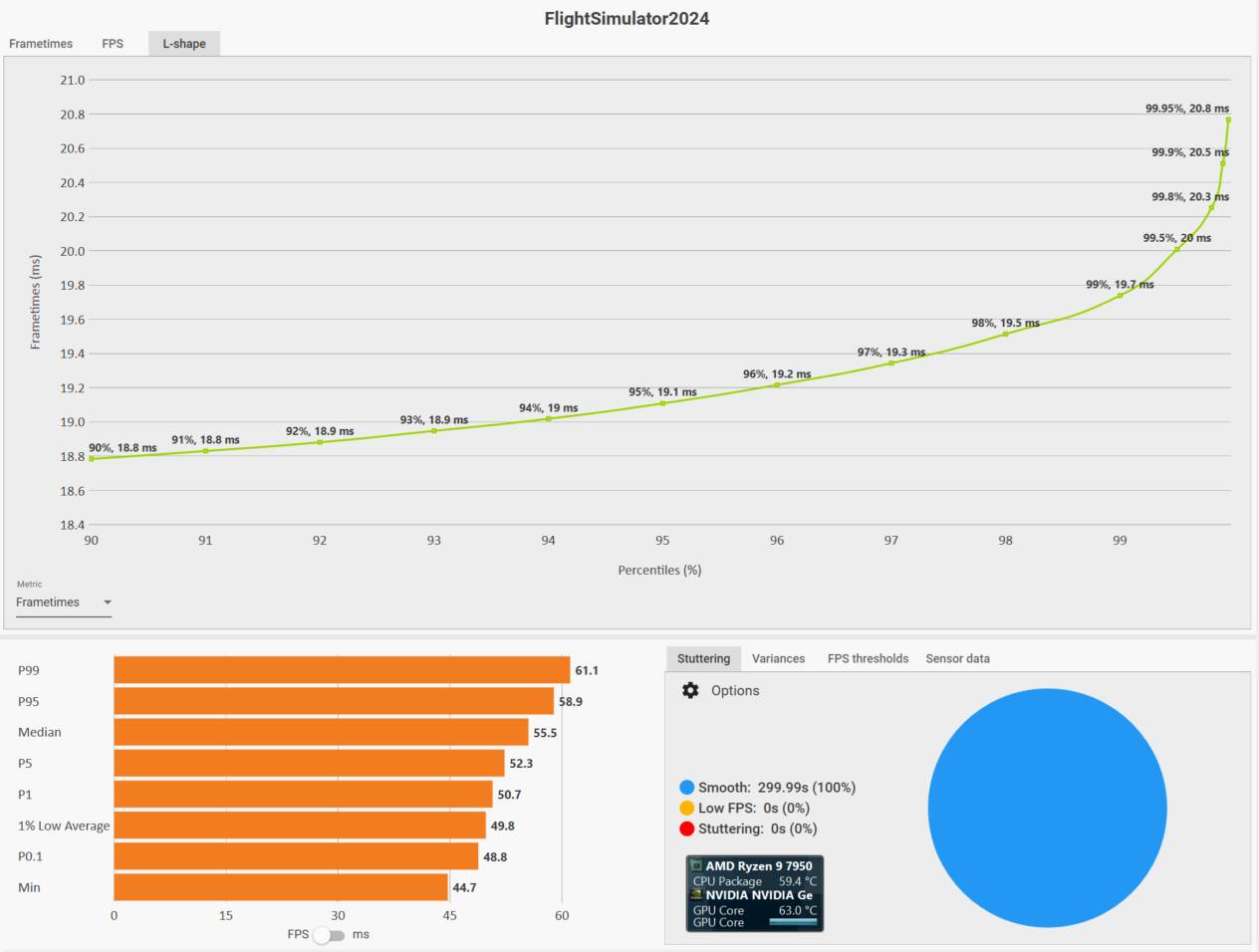
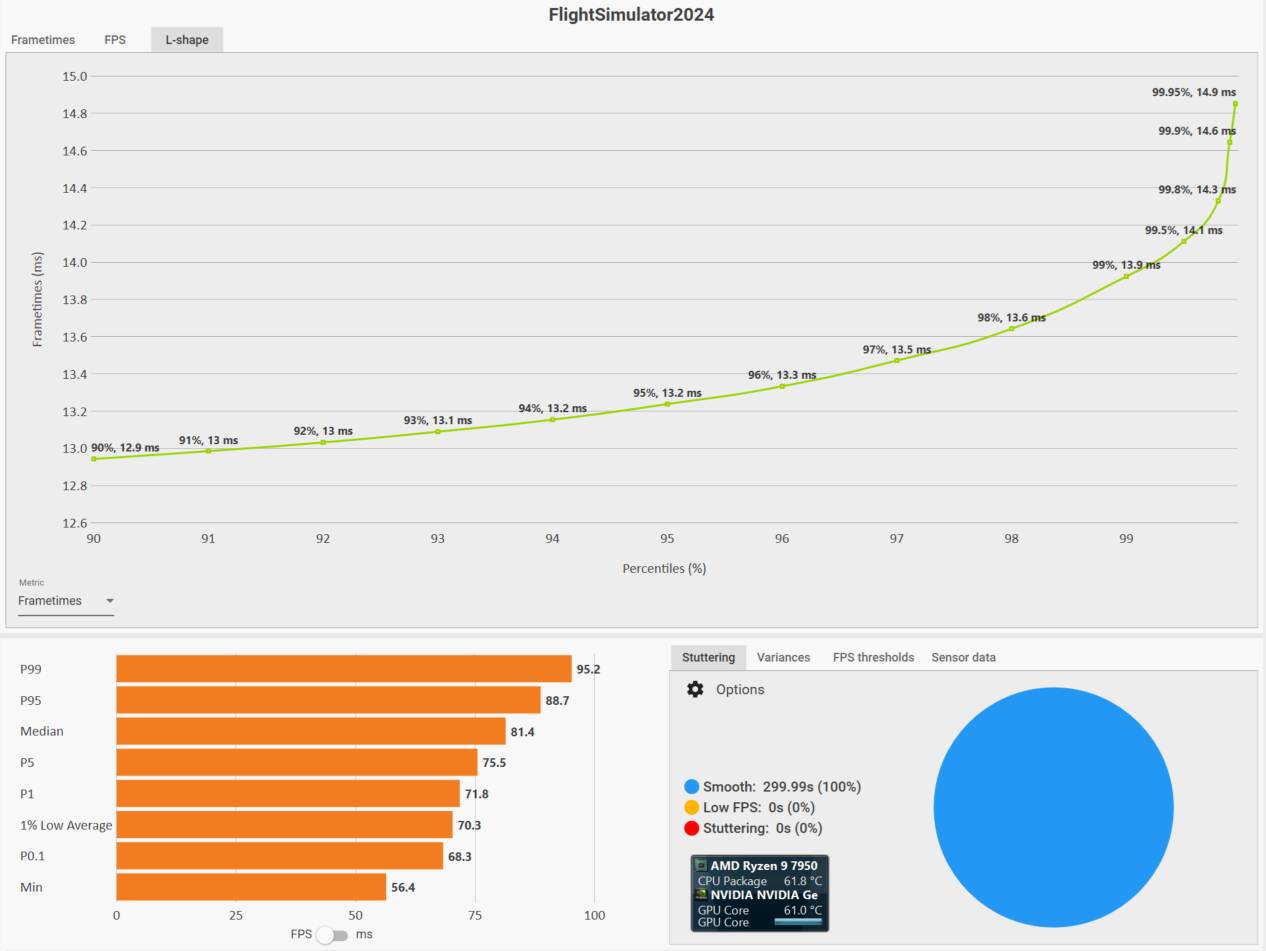
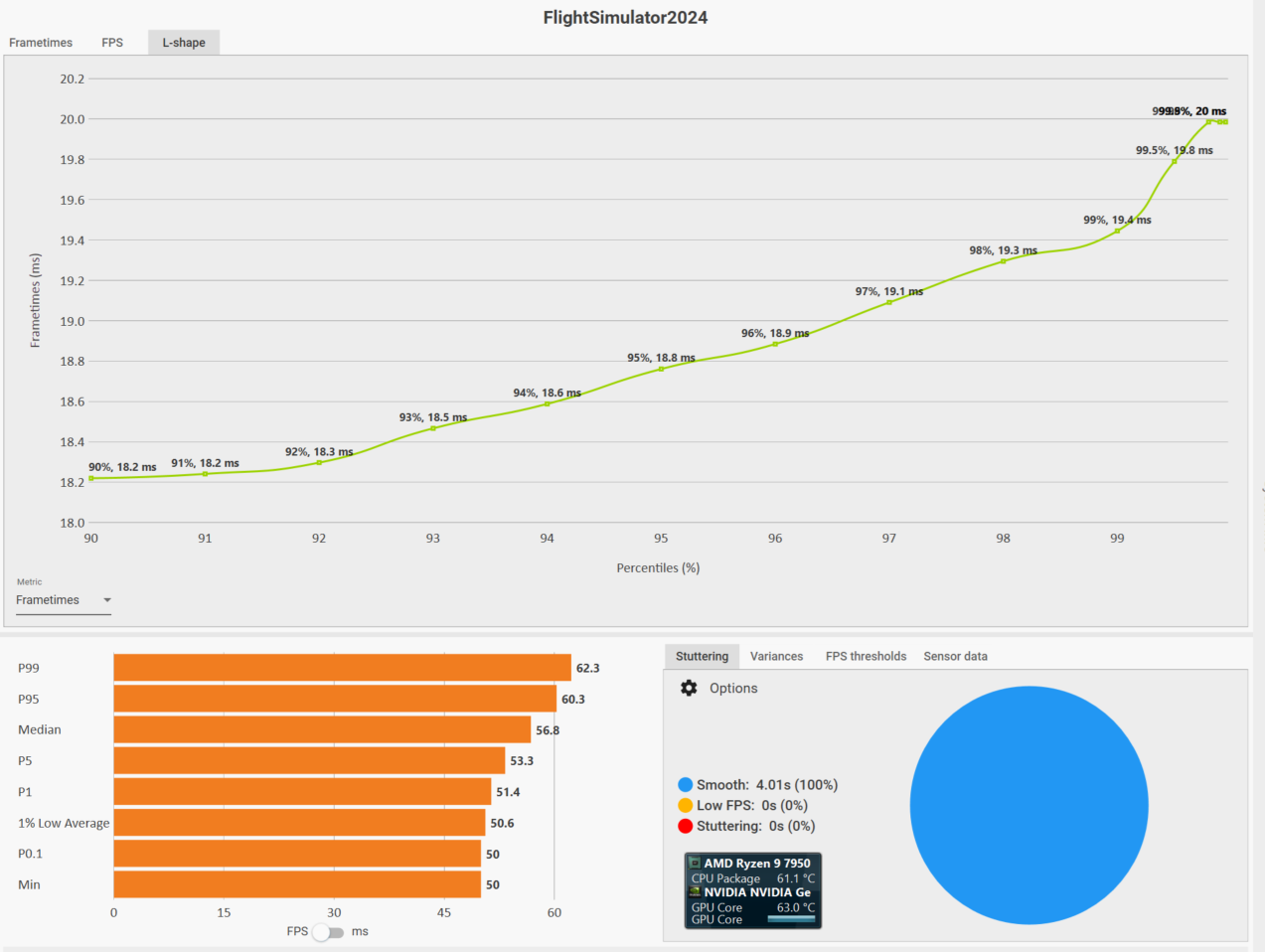
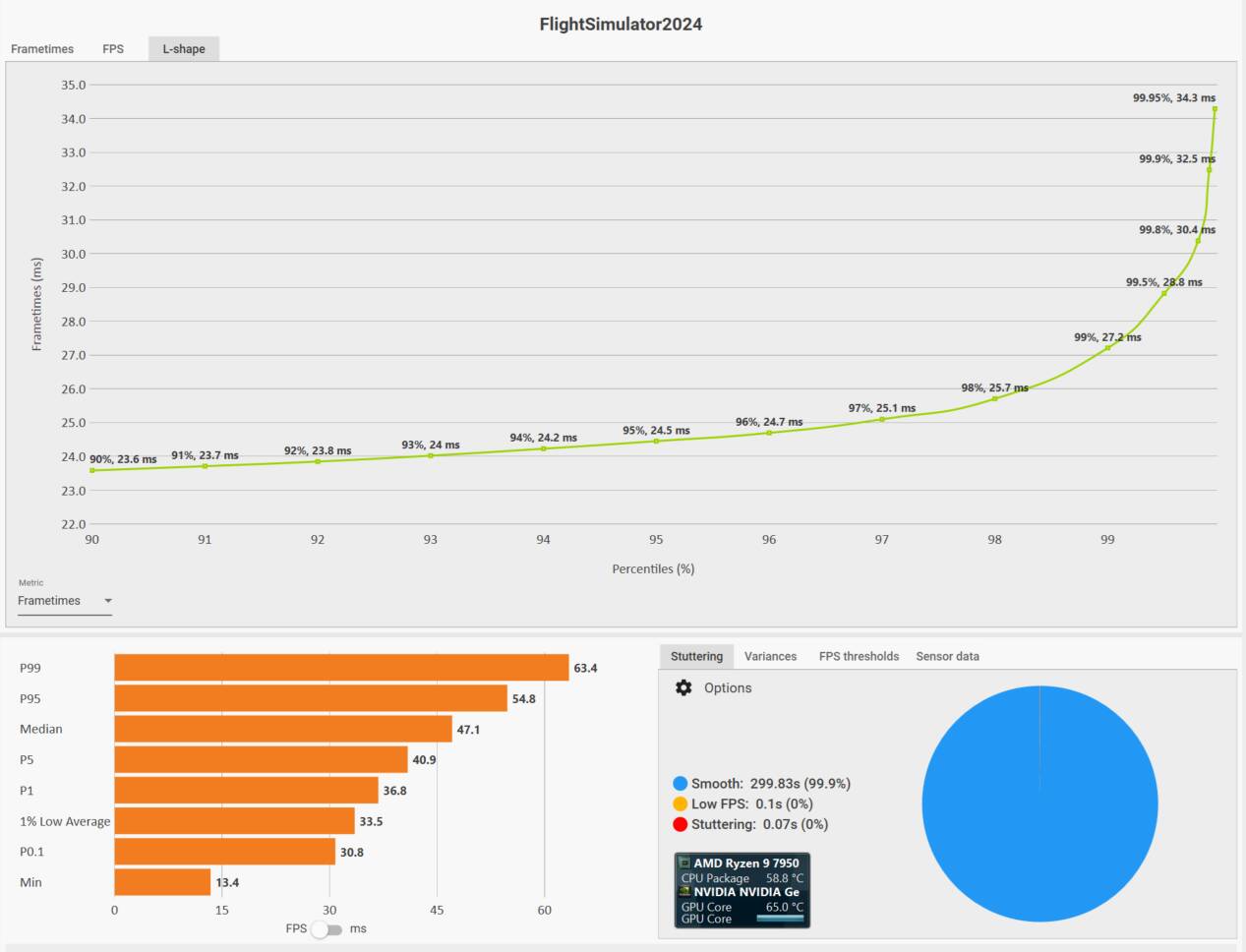
I’m dumping a lot of test screenshots here. You can draw your own conclusions, but for my system I think I’ve settled on DLSS Quality, Latency ON, and assigning the sim to the Vcores only (although as you’ll see, it didn’t seem to matter a whole lot if it was assigned to Vcore, Non-Vcore, or even All-cores.) This tells me I’m GPU limited. Cockpit instruments were a little blurry using DLAA, but I couldn’t tell DLSS Quality and TAA apart. And DLSS Quality was the clear performance winner.
Throughout the tests I was seeing the rapid switching between Main Thread and GPU limited, which is what I want to see.
I’m quite happy with the performance over NYC, although I know that performance will get worse with more complex aircraft. I was really pushing my system hard, and I feel like I’ve got a lot of headroom if I need to decrease some settings.
Temps throughout were excellent. Both the air-cooled CPU and liquid-cooled GPU ran 60-70°C throughout.
Here we go…
First, the Vcore affinity tests. I’ll start with the Sahara, then NYC. I tested DLSS DLAA, DLSS Quality, and TAA, along with Latency ON, OFF, and ON+Boost. Latency settings didn’t have much impact, so I won’t include that variable here.
Vcores - DLSS DLAA - Sahara - 55 FPS
Vcores - DLSS Quality - Sahara - 81 FPS
Vcores - TAA - Sahara - 57 FPS
Vcores - DLSS DLAA - NYC - 47 FPS
Vcores - DLSS Quality - NYC - 62 FPS
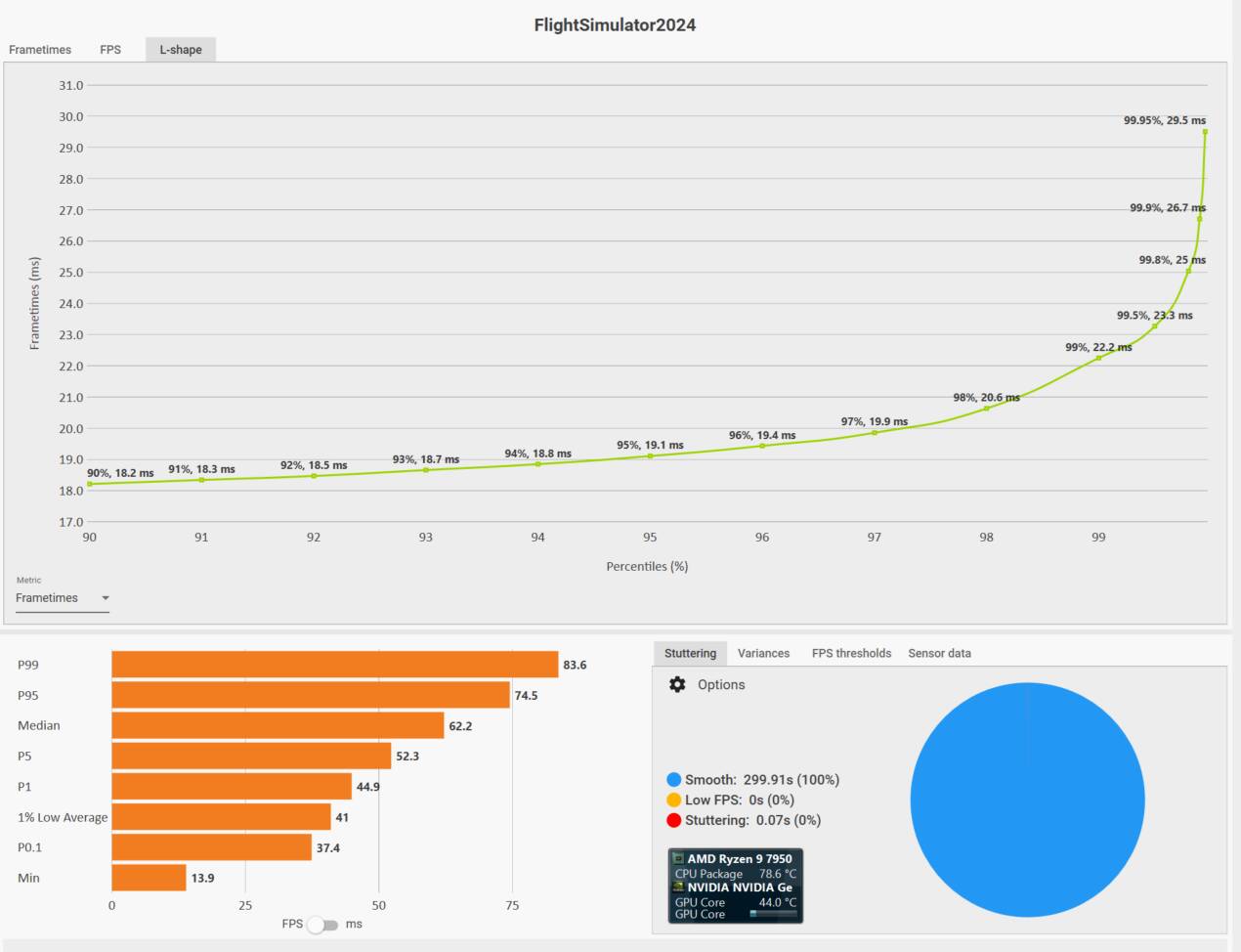
Vcores - TAA - NYC - 48 FPS
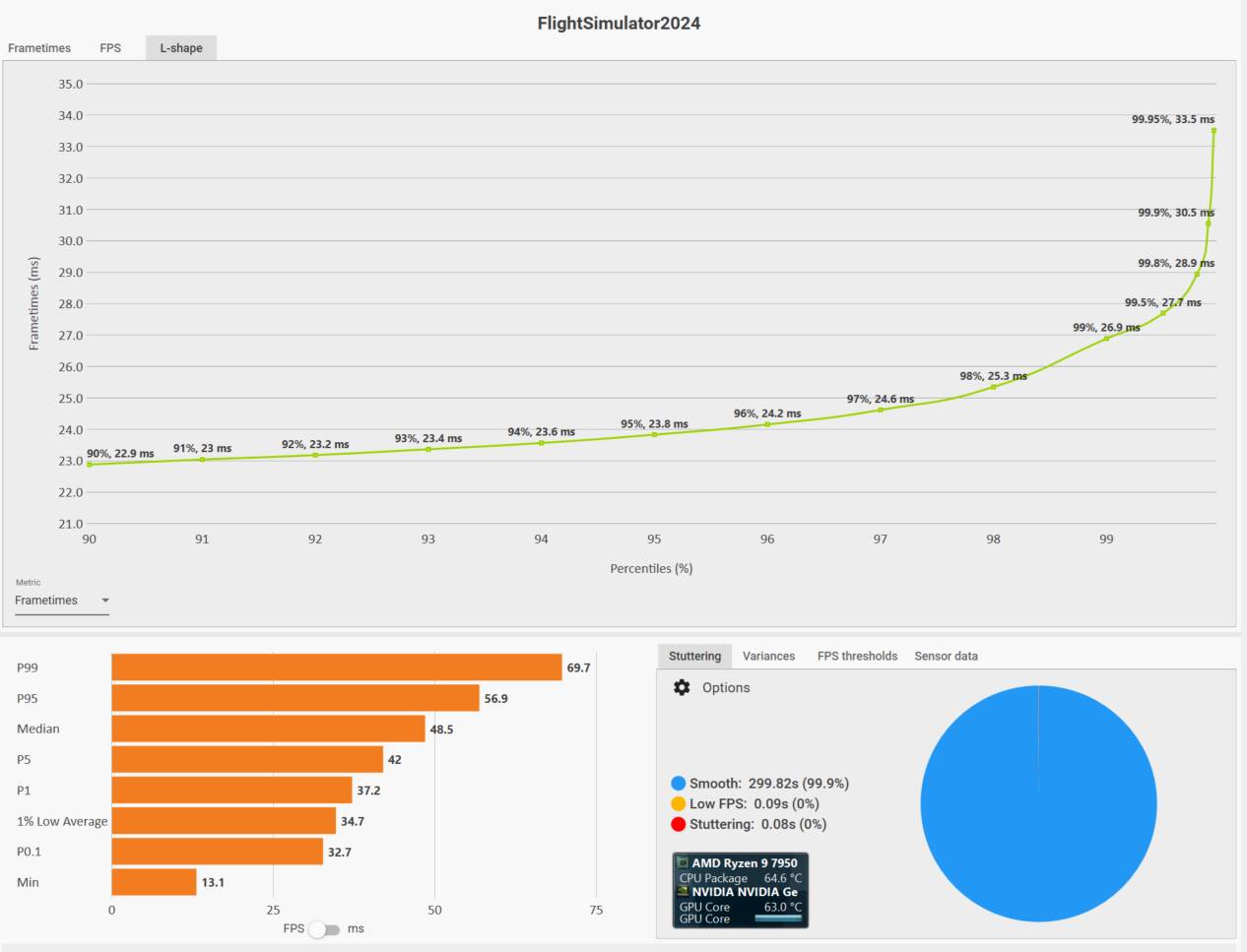
Here’s what the metrics look like on the Vcores when the sim is loading:

And here they are in flight:
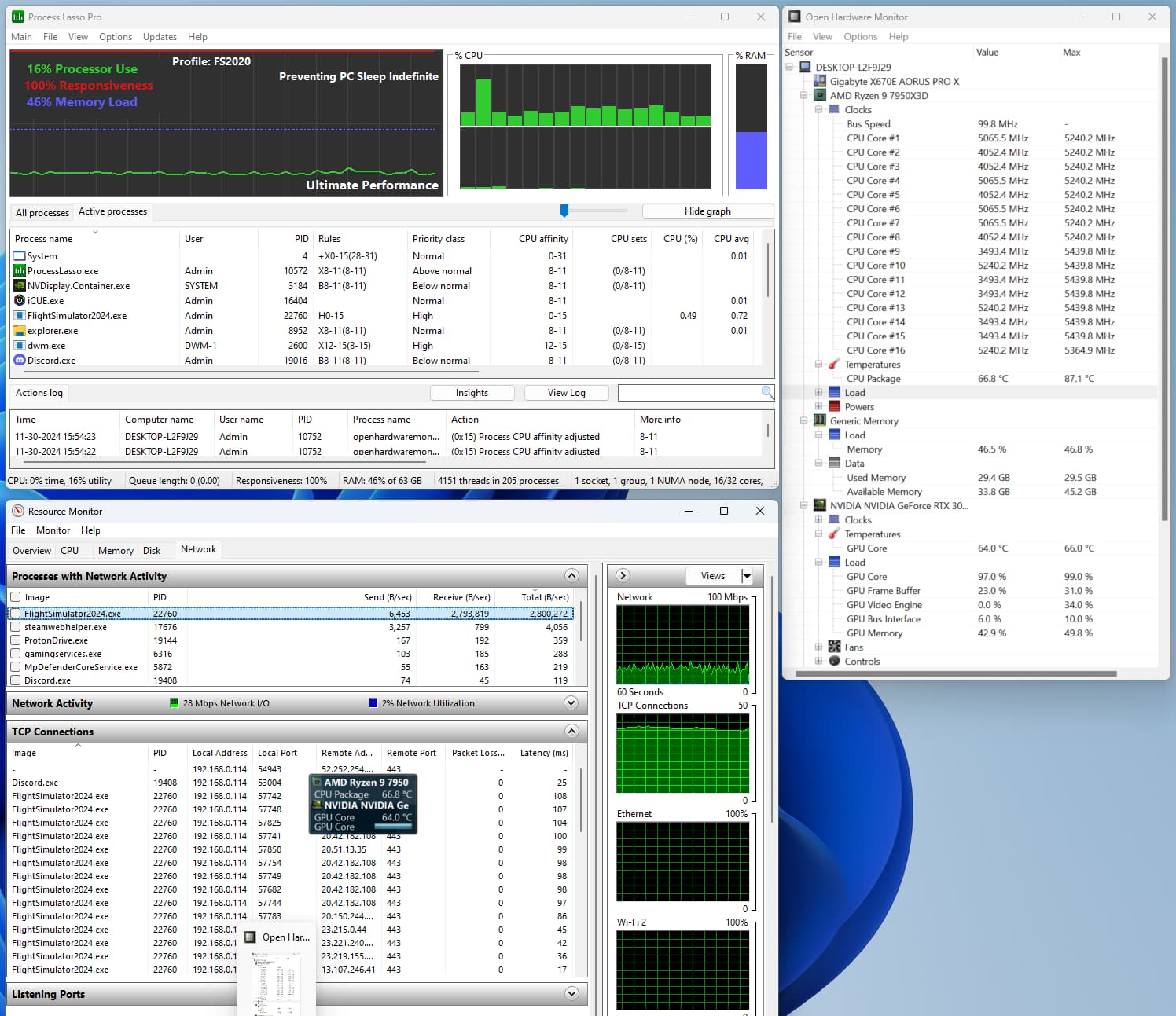
The next tests were with the sim assigned to the Non-Vcores only. I only did the Sahara test. I can add NYC if interested. I simply didn’t see a significant difference between the core affinities.
Non-Vcores - DLSS DLAA - Sahara - 56 FPS
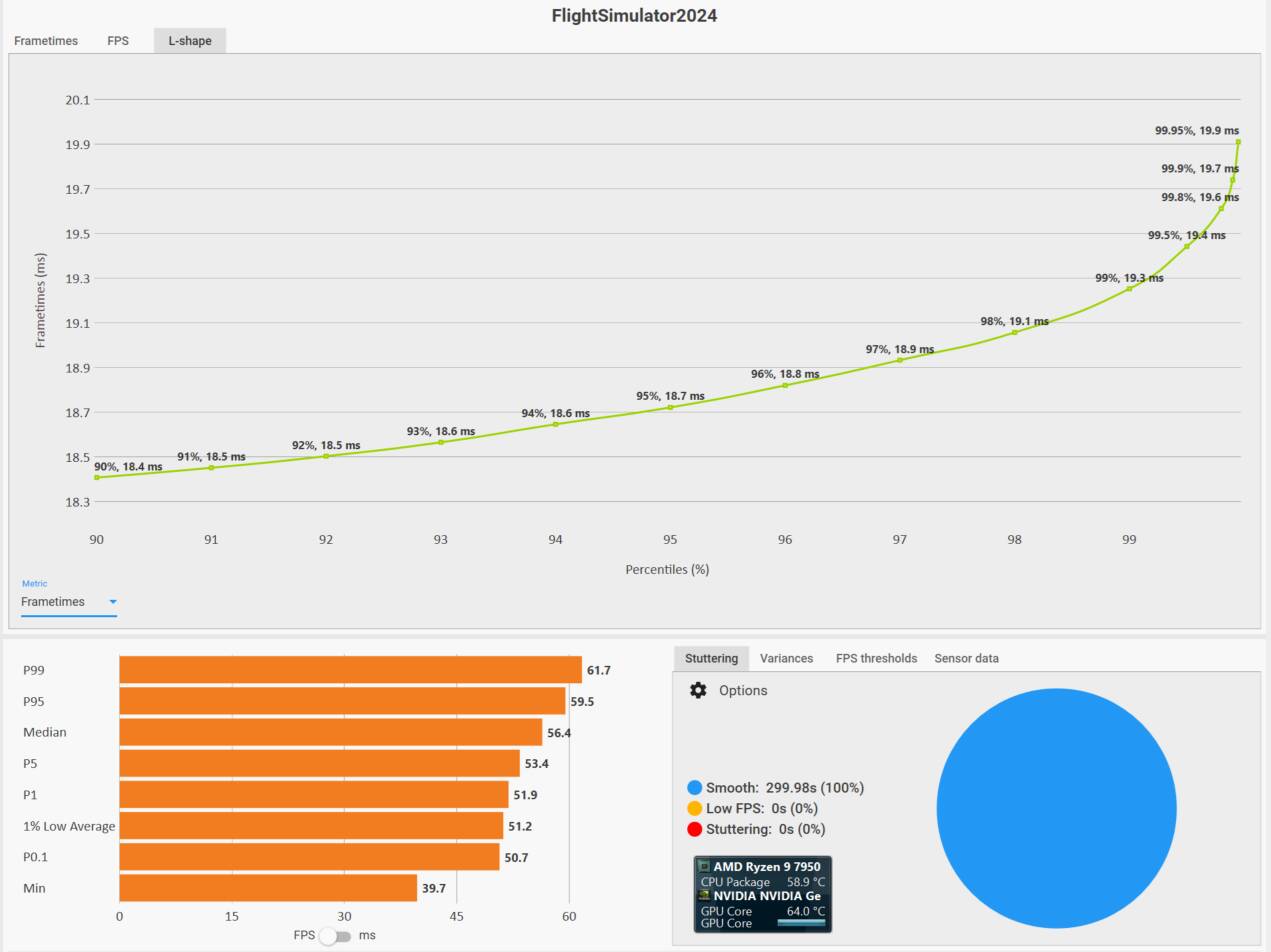
Non-Vcores - DLSS Quality - Sahara - 83 FPS
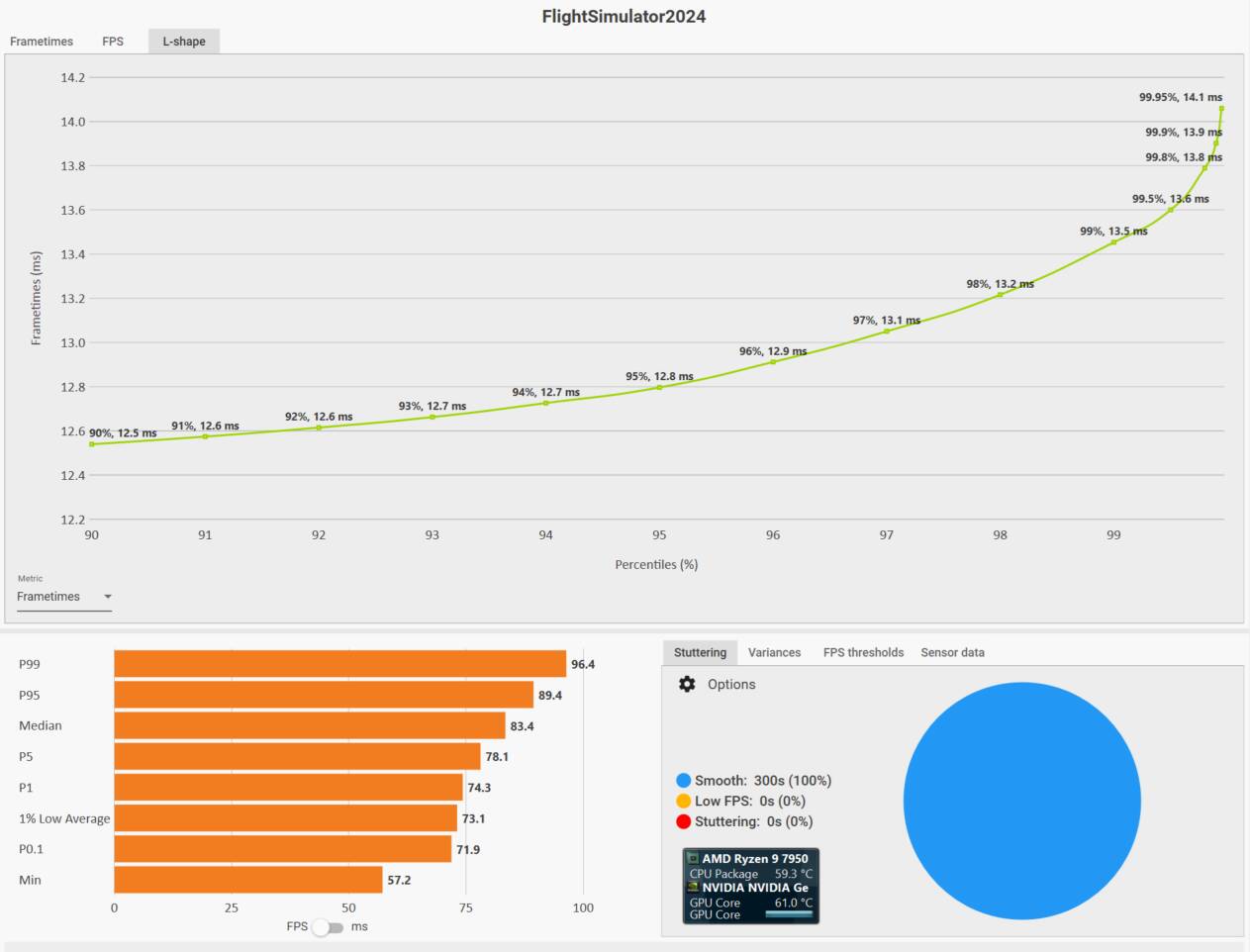
Non-Vcores - TAA - Sahara - 57 FPS

Now with the sim assigned to ALL Cores.
All Cores - DLSS DLAA - Sahara - 56 FPS
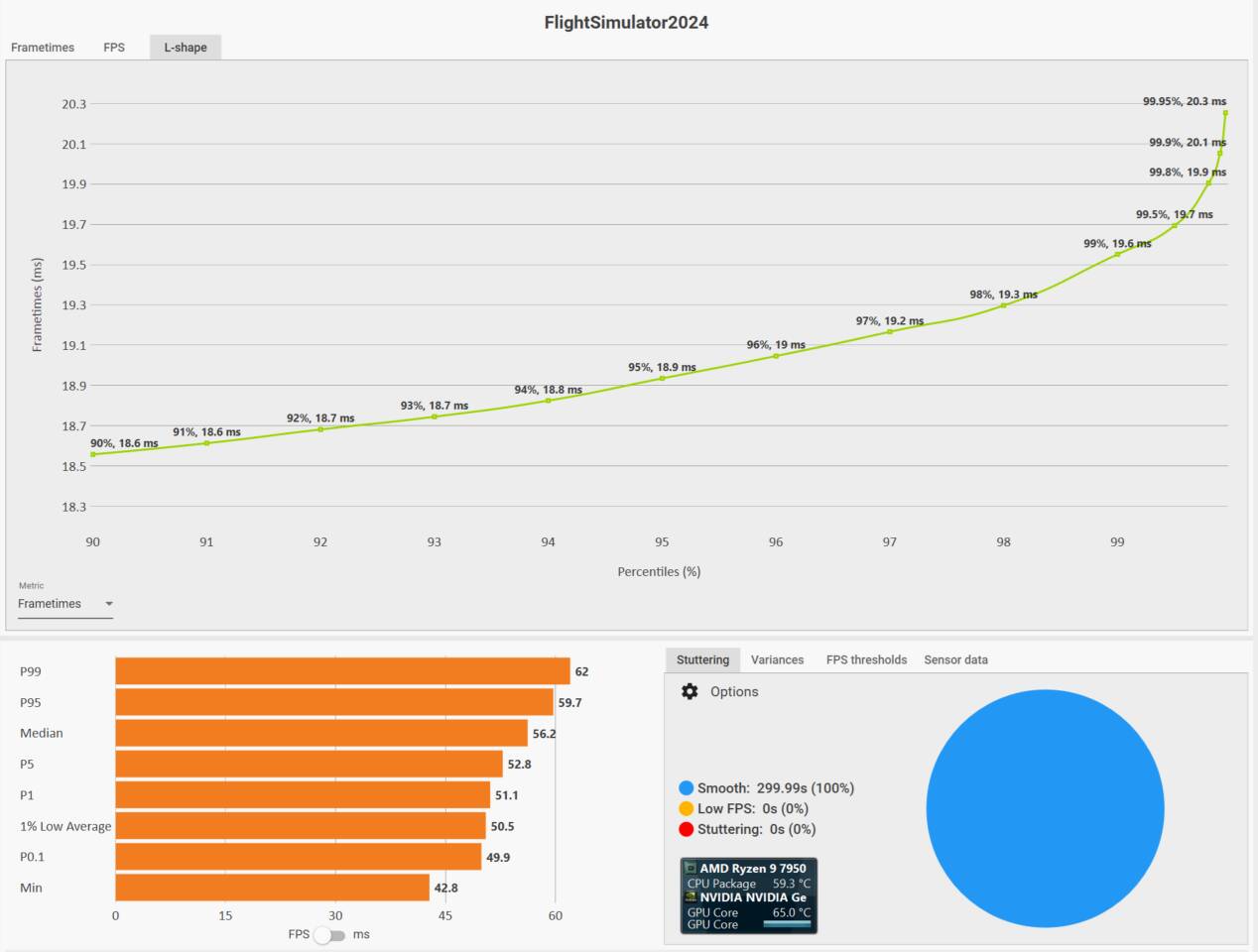
All Cores - DLSS Quality - Sahara - 83 FPS
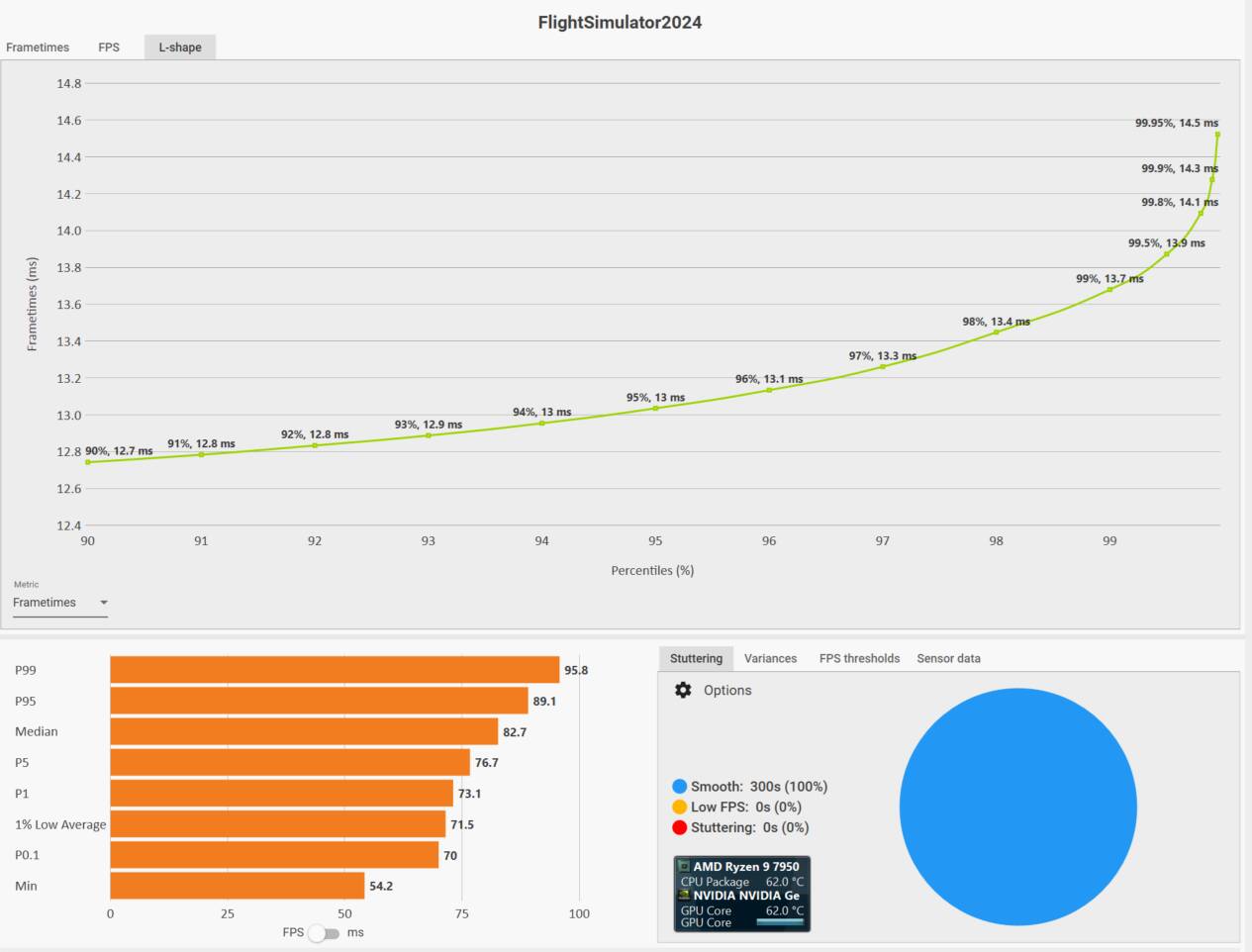
I did not do TAA. I’m not going to use it.
At this point I didn’t bother doing the All Core test over NYC.
I reverted back to Vcores only, since this allows me to keep all other process (except for default Windows processes, which should not be touched) on the Non-Vcores.
Here’s the difference between TLOD=400 and TLOD=200
Vcores - DLSS Quality - NYC - Ultra Preset - TLOD=400 - OLOD=200 - 45 FPS
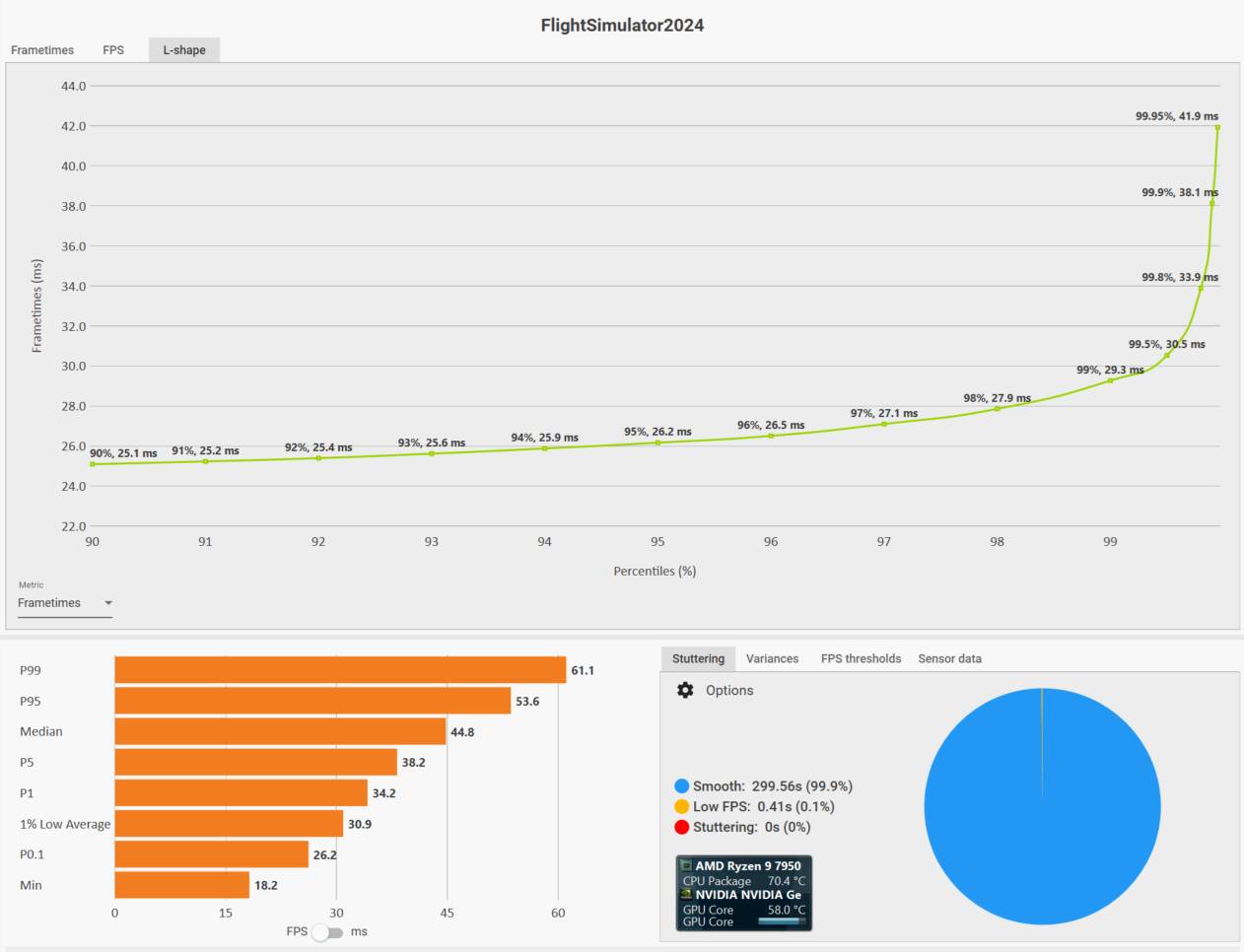
Vcores - DLSS Quality - NYC - Ultra Preset - TLOD=200 - OLOD=200 - 57 FPS

And finally, a night flight over Greenland with the settings I’ve settled on (for now.) 74 FPS
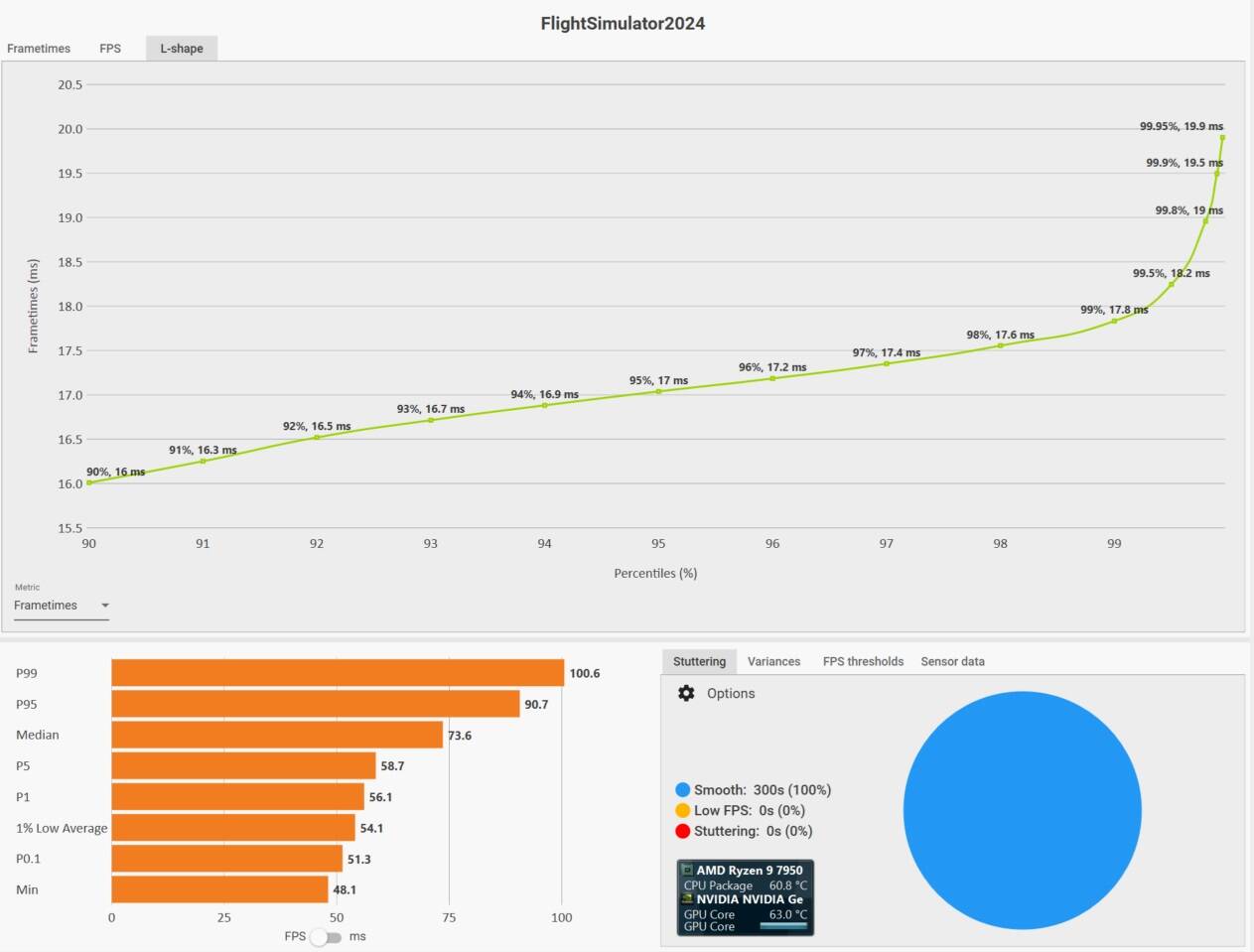

I’m going to start looking deeper into how well the sim is working, i.e.

