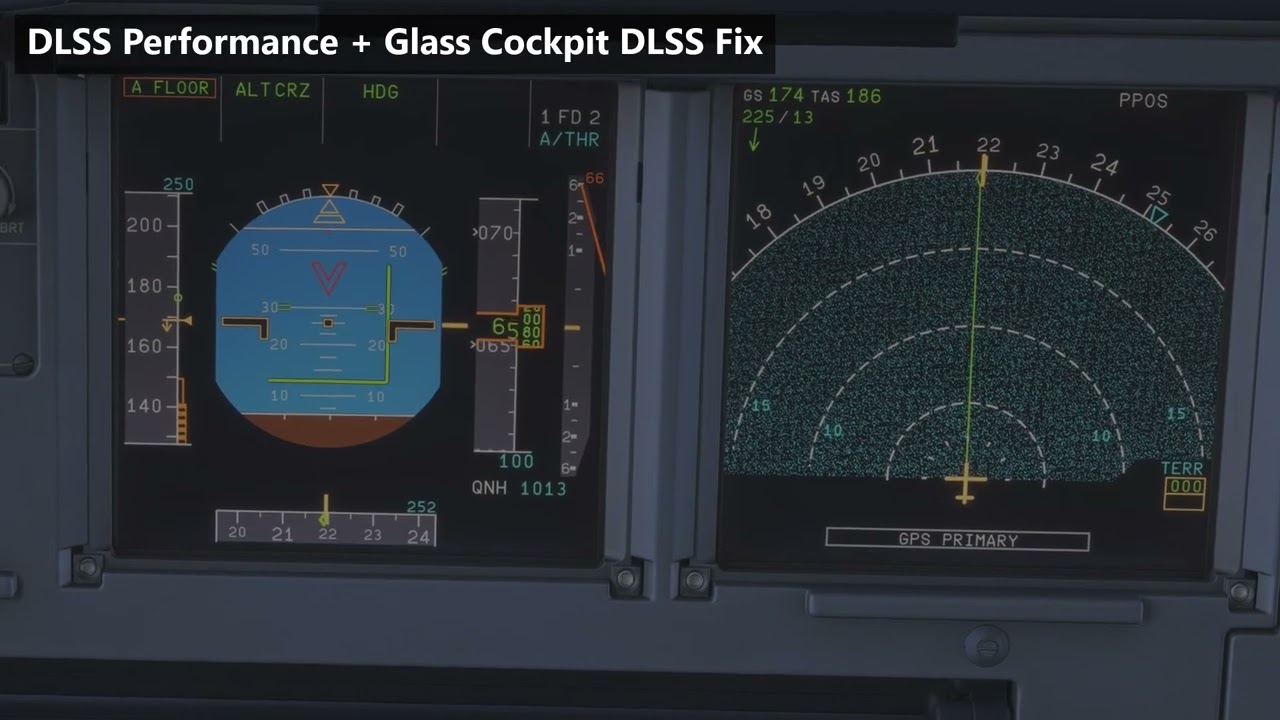
Public service announcement here from a /flightsim Reddit post I just saw. A developer built a mod to help with ghosting in DLSS of glass cockpit screens. You need to also have Reshade running in MSFS as well to make use of this modification. https://www.reddit.com/r/flightsim/s/ffmccyVTay
Hi all, I’m the developer of this mod. Thanks @tempestornado23 for sharing it here!
Quick update: version 0.7.0 is out and adds:
FSR support, so it works on AMD and Intel GPUs too
VR support, tested on a Quest 3 via Virtual Desktop, with foveated rendering on and off
iniBuilds A220, A350 and A380 fixed, including the OIS and tablets
A line smoothing slider in the ReShade menu
It needs DLSS or FSR selected in the sim and ReShade with full add-on support. It works alongside your usual ReShade presets. It’s free and open source, and it’s also on flightsim.to now if you prefer that.
If something doesn’t work, open the add-on’s tab in the ReShade menu (Home key), press “Copy report” and post it here or on GitHub with your aircraft and GPU. Happy flying!
Where are the comments? Is everybody asleep? On vacation?
I just tried it and this is a game changer. Probably the most useful addon I’ve installed.
DLSS have been the best antialiasing method for years and the only reason why everyone used TAA was “blurry screens”. Well, the blur is no more and it works with pretty much every plane I tried.
This should be put into the sim natively, preferably tommorow. Thank you for creating and sharing this!
A very interesting mod that proves the notorious instrument ghosting issue can be permanently resolved if there’s a will to do so. I would prefer Asobo to fix everything and avoid the need for external tools like ReShade.
This also means, Preset M is not so important anymore if one used it primarily for glass cockpits to fix the blurryness/ ghosting.
I think preset L and M are heavier on ressources than K.
I am currently in contact with the dev to get a DLL- based MFG to work (or alternatively switch to a ReShade addon for MFG) but excited that displays are finally crisp like they are in TAA.
You’re right; Asobo really ought to implement this feature directly into the sim—it’s a hassle having to constantly rely on external tools like ReShade. That said, don’t expect anything major in SU7; I’m in the beta, and things have stalled with very few releases and nothing particularly noteworthy.
We love you TouchierHook1, this is the best thing happened to msfs 2024. Thank for your amazing work. I hope MS Asobo reaches you and implement this method in sim <3
Anyone if you read this, spread the word please on all related big private or public forums, discords, modding communities. Some of us already pushed this to old nvidia and amd friends, so who knows maybe more great things will happen. CMs, Asobo needs to know this please <3 Peace.
I’ve added some information about OptiScaler and similar mods to GitHub, but in short: yes, it works with OptiScaler as long as OptiScaler’s upscaler is set to DLSS (including OptiScaler’s DLSS 5 Neural Rendering). If you pick FSR 3.1 or XeSS inside OptiScaler, the screens aren’t fixed yet. Make sure you’re on 0.7.6 or newer, which also fixes a VR issue when FSR is selected in the sim with OptiScaler installed. If ReShade and OptiScaler both want to be dxgi.dll, load ReShade through an ASI loader or OptiScaler’s LoadReshade option instead. Full details are in the Compatibility section on GitHub.