That’s probably because however you created your flight, the cruise flight level (shown in the NavLog) is too low. ATC will only clear you up to whatever is set there. If you forget to fix this before flight, you can ask ATC for a higher cruise level through the dialogue option.
I always use this process to set up the flightplan.
Enter details on Simbrief
Power up FBW A320
Import the FP from SImbrief, set required fuel on the Flypad then in the FMC
Set the SID, STAR and runways, remove any disconnects. Takes about 5 minutes tops
Full details in this video from FilbertFlies.
Hello Everybody!
I am quite new the the MSFS community as well! I had heard a lot about the FBW A32NX, and that’s
mostly why I joined this sim
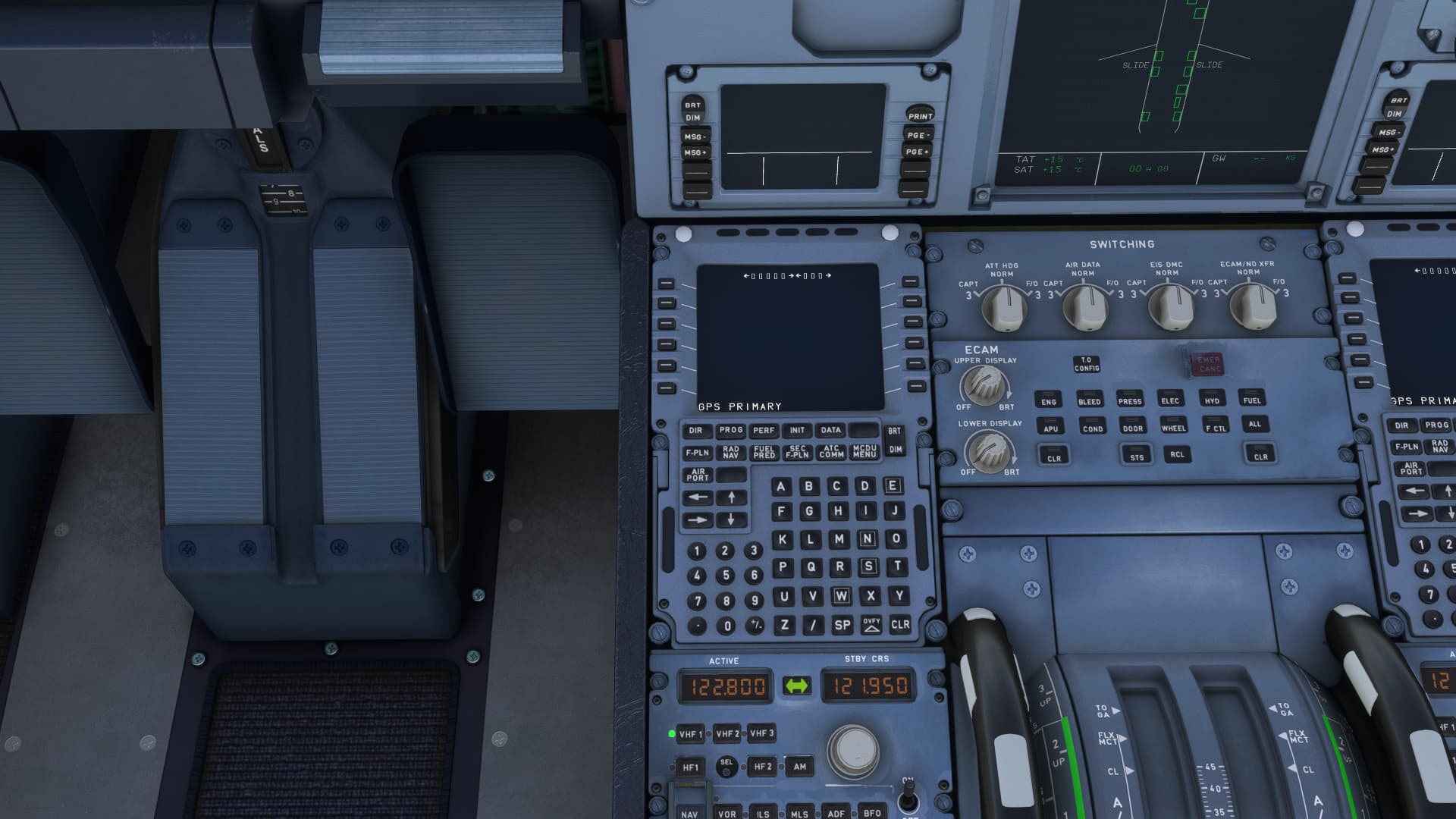
Unfortunately I have had quite a lot of troubles in my way, one of which is discussed here to some extent. Whenever I import my FPL from simbrief into the MCDU, and go to select the SID/STARs from F-PLN page of the MCDU, the page is completely blank?! Does anyone know how i am supposed to get the page to work?
Any suggestions would be massively appreciated
The plane uses the sim’s nav data, so my first suspicion would be your nav data is missing. If you are a Navigraph user, remove and reinstall from their nav data manager.
There are three stages to getting the FP into the aircraft (it’s helpful to have a proper A32NX checklist);
1/ On the FLYPAD import the FP on the main page
2/ MCDU MENU, select ATSU, select AOC then press INIT/PRESS. Then select INIT DATA REQ which requests the simBrief FP
3/ On MCDU select INIT first page, select INIT REQUEST which loads the FP into the MCDU.
FBW have an excellent set of instructions in their Discord site which, by the way, is where you should be requesting answers to support questions or on their own Forum.
Hope this helps
1 Like
Yeah, I have tried all 3 methods, but none bring back the F-PLN page for any reason. I also uninstalled Navigraph and tired to use the base MSFS navdata, but no luck
I think I’ll go and check out the discord and see if I have any luck there
OR maybe a clean install would help too?
FBW do tend to suggest a “clean” reinstall which involves deleting a couple of other files that have been created in your system. All the info on the Discord site.
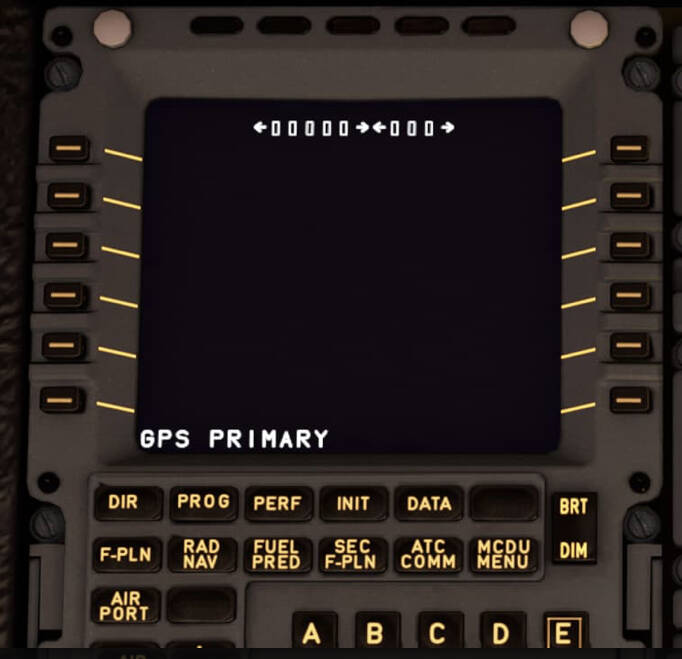
Need some more informations. Do you import a fp? If yes, how. Using simbrief or in msfs2020?
I got the FP from simbrief
Sometimes it is helpful to delete the complete FBW folders in the community folder (there are two, inside the comm-folder and on the same level) ad reinstall it complete.
I uninstall-delete all files etc. and re install all versions and still the same
Guys I am fairly new to MSFS, came from a decade of using Prepar3D and PMDG but a complete novice to anything Airbus related. Have started using the FBW A320 and it looks and feels fantastic. Have the latest experimental version 9a523e5 installed, until late this evening I think I had one from a day or two ago but after tonights F-PLN issue I opened the FBW installer and it saod there was an update yet I didnt notice the version change. I had decided to attempt a proper flight and was following a Youtube tutorial by “Drawyah” I had created a flightplan on Simbrief but only imported it into the EFB. I started to manually add the airways and waypoints etc into the MCDU which was as follows: EGCC/23L SANBA1Y SANBA N859 DIGUT UN859 SOPIL DCT BALAN DCT LMG DCT
PIMQO DCT AGN DCT ANETO DCT POSSY DCT XIMPE DCT RIMES UN860 VLC
VLC3L LEAL/10. All was going well until I tried to add the SID and STAR. I selected EGCC and then departures then runway 23L, I then scrolled down and selected SAMBA1Y departure then pressed Insert and nothing happened, the route page showed EGCC then a discontinuity then SANBA but not SID, I attempted this a couple of times. I then tried the STAR and it inserted but then somehow my F-PLN page suddenly went like others report with just boxes, nothing else! I have a current Navigraph sibscription which is up to date, the Navigraph Centre app shows MSFS has the latest AIRAC installed and its also up to date in Simbrief. Like suggested I have uninstalled the Navigraph and reinstalled and ran the updater on FBW tonight. I have yet to re-test. Keen to try Airbus out, I even bought a new Airbus flight stick to enjoy it to go with the Honeycomb yoke and thottles. I have never used Discord so not sure how to navigate the FBY stuff but seen a link on their website. UPDATE: I just did a quick retest and partially entered the flightplan eg departure, arrival, first waypoint and a couple of others. The SID on Runway 23L still refused to add to the flight plan despite both Simbrief and Navigrah charts showing it is valid for that runway. If I select 23R and then add SANB1R as the SID it then inserts it into the plan. Both it and SANB1Y are on the same SID chart. I selected 23L again and it refused to insert. I tried another SID on 23L and it inserted, the correct one doesnt for some reason.
1 Like
Here you go for the Discord Link Discord
You’ll find tons of info there including the correct way to programme the FMS, which from your description I think you’re not doing correctly. Utube vids are great as far as they go but often skip over the occasional relevant part which makes the whole thing wrong.
I’d also suggest you use the Development version of the FBW A32NX as the Experimental often contains small bugs waiting to be ironed out which, as a newbie to the aircraft, you don’t need. Use FBW’s own installer, it makes sure the updates are done correctly - there’s usually at least one new update for the Dev version every day!
Been using it for more than a few weeks now and it never stops getting better - one of these days my skills will catch up with the aircraft. I’m a GA man at heart and never thought I’d become a fan of a tubeliner!
Many YouTube tutorials are over a year old and those should largely be avoided as the FBW has progressed significantly since then.
You should load the Simbrief plan on the flyPad and additionally in the MCDU on the INIT page. Sounds like you only did the first one.
The most definitive way to learn is to follow their step by step illustrated guides on their website, which you can count on being up to date.
You could also watch a recent stream of a flight from one of many YouTubers and watch them go through setup.
1 Like
Thanks, not sure how to get notifications on this post but came back to add an update. Flight plan was entered as per the tutorial which was very similar to the 737, enter departure and arrival airports then start inputing the route as per my original post. I then chose the departure and arrival SIDS and STARS. I updated my post as something isnt working with that given SID, I could select another SID on the same runway and it inserted. I do not know why my route page became completely empty like others have posted screen shots on. Does seem like something caused it and its surely cant be down to an incorrect route. I havent imported a route into the MCDU just manually typed it. I will give the experimental version another go tomorrow evening after work and if problems then try the development version. I am using the FBW installer which tonight told me there was another update which I currently have installed. Can I ask a question. On a test I chose a different SID and it inserted ok but my original first waypoint was SANBA but obviously the new SID doesnt go to it and there is a discontinuity, how do you join them? In the 737 you would simply select SANBA, it would appear in a scratchpad then you paste it in the space above SANBA to move it up and close the gap, the magenta route line would then join the final point on the SID to SANBA. I too a, enjoying GA in MSFS but deep down I have always loved airliners. We could all go down to our local flight school and hand over our cash and get to fly many small prop planes but would never be allowed to do the same in an airliner - hence the sim lets our fantasy become sort of reality 
Press CLR then press the line select key with the discontinuity you want to delete.
1 Like