Right now it’s not perfect regarding the drawing of those turns in the ND. It settles itself (most of the time) when getting closer to the airport and slowing down. Then the ND routing calculates with the slower speeds and draws the turns accordingly.
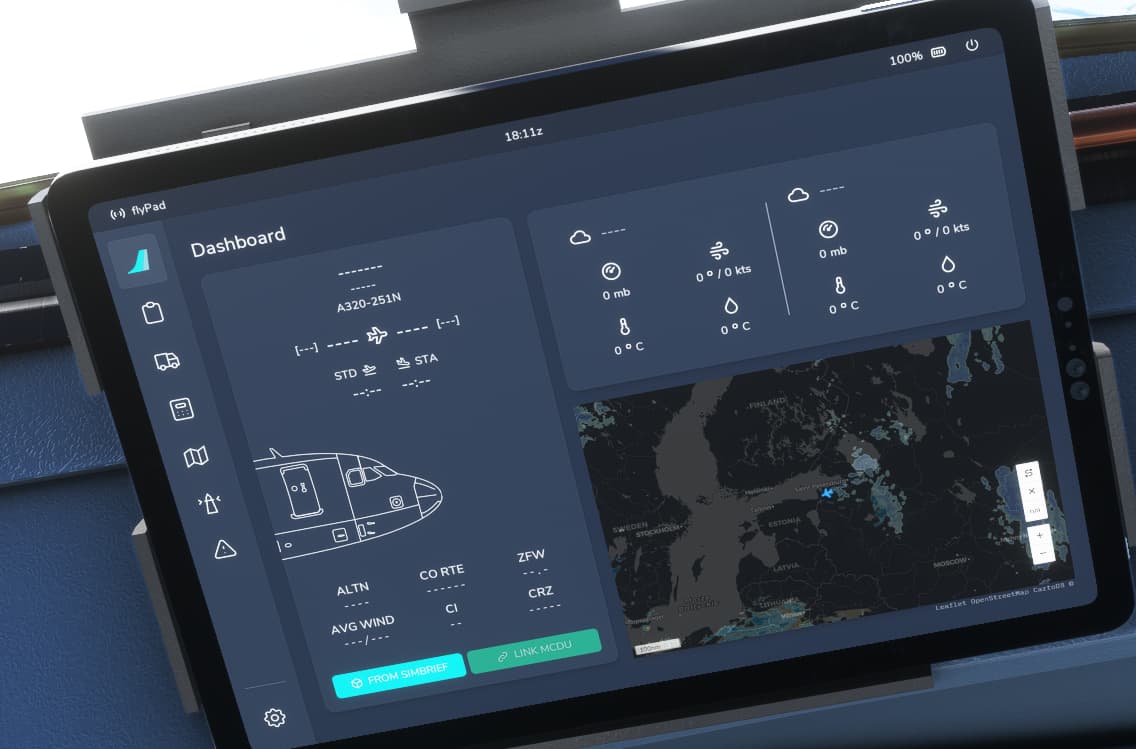
Simbrief, Navigraph and FBW Neo. Yes I am confused to be honest. I just subscribed to Navigraph but wonder if there is a step by step guide on how they all work together. I usually create a flightplan in simbrief, generate it only , not save as I thought I read this is the best method. I use the dev version of Neo. Once powered init in mcdu and initialize also. Turn on flight pad and obtain info from simbrief. Navigraph is now in the menu, when opening Navigraph in top menu, it states that a flight plan has been loaded in sim and asks if I want to bring it into Navigraph? Am I doing this correctly? I also thought I could use moving maps on flight pad but it seems I cannot get that to work. I did get moving maps going in the Navigraph in the top MSFS menu.
If you use the flypad you got some infos from simbrief, like the weather and the ofp, but not the plan inside the neo. Also fuel will be used here.
You have to use the mcdu for the flightplan. There you import it and also the weights and pax. Go on on the init page, there you import your flight infos. If the plane is done with fuel and pax, you can add there the fuel and the center of gravity for calculation. You also have to enter sid and stars and rwy to the flightplan and clear the discon.
I also import the flightplan from simbrief into msfs but not linked to the neo. You can do this setting into the flypad. So atc will work a little bit but it does not interfere the neo.
My steps:
Planning in simbrief
Load the plan in navigraph and look for the charts
Load the plan in msfs and choose a gate and not the runway
Load the flypad with simbrief and add fuel
Use the mcdu to import everything from simbrief into the fbw, make plane ready for take off etc.
Hi thx for the reply. Do you load the plan in the navigraph that is in the top menu of msfs? When I tried that it says there is no saved plan for that user?
You can but you have to save the flight plan in SimBrief first
I thought is was a big no no to load the plan in the msfs flight planner for the fbw? So you are saying load it in, I like starting cold and dark, so pick a parking spot and then click fly. Sorry one more thing, can you have moving maps on the flypad? Or do you bring the navigraph window up in the sim to do that?
I don’t think the flypad supports moving maps yet. I use the Navigraph window.
yes you can load the plan into the msfs planner. Be careful though because it might change the plan from simbrief and try to start you on the runway. Also if you change the departure point, like to an airplane stand so you can start cold and dark, it may change the departure.
I start from the stand and try to get the msfs plan to match the simbrief plan as much as possible, but it won’t interfere with the FBW flight plan. The only purpose for this is for the ATC function to work. I like it. You can just ignore ATC for the most part and follow the FBW plan and it will be fine. I do follow the altitude restrictions though and sometimes the arrival works correctly too.
This happened to me also, no way points showing. But I downloaded the next update which come out an hour or so later, and it was fixed. Probably just a bug in that particular build. (Experimental version)
I do it the same way.
With one slight difference. After loading into the plane i put a random destination on the init page.
So i get rid of the plan in the MCDU,which is present at that point, i guess because of loading the plan into the worldmap. By selecting a different Destination i kind of clear the Flightplan. After that i import the Simbrief Flightplan via MCDU.
This way i have less problems with strange routes and duppicate waypoints.
That is a nice tipp I will try it next flight. You are right, sometimes the flightplan is chaos with strange waypoints and kind of flying back.
Do you delete the false destination or will it.be overwritten after importing?
Yes, I also do cold and dark. I dont spawn on the runway as msfs will do it after loading the flight plan from simbrief. You just have to choose a gate or parking spot instead of the rwy and it works. You will have the sid etc but the plane is cold and dark and not ready to fly.
As mdapol mentioned I dont load it in the neo, it is just for atc. It is very annoying if atc does not fit to the flightplane. Even with the flight plan the atc is fare away from perfect but it works better as you do not load it in. But this is a personal preference as I fly not with vatsim etc. It is just a hobby for me and fare away from perfect. The setting is in the flypad that it does not goes into the mcdu.
I use the navigraph map. The map from the flypad is ok, but sometimes it does not move so I have so switch between different pages.
With my way i noticed the command to start decent is spot on with TOC, because of the imported Flightplan
No i don’t delete the plan in only Import the Simbrief one “on top”
I’ve got the setting in the Flypad to sync with the sim so that importing from Simbried via the Flypad and MCDU should mean that ATC keeps up. This has worked for the last couple of flights although I have had to “remind” ATC that I’d like to climb to my cruise altitude or start a descent at TOD.
Following their instructions I’ve been a bit hot and high last couple of landings but early enough use of the spoilers has helped. Just have to stay ahead of the aircraft.
I just want to say thanks to everyone who helps here, it is really great because it is pretty easy to get frustrated.
Yeah the only slight downside to the FBW’s FMS is that even when you have the sync option enabled in the EFB, you only get climb instructions for the first portion of the flight, then descent instructions later. Last night I tried what was suggested here and opened the Simbrief file in the MSFS flight planner, then imported into the FBW and it worked well, I had ATC all the way from start to end. Tonight I’ll try the trick that was suggested to sort of “clear” the FMS and then do the Init Request again.
I have save in the Option and i get instructions all the way up to cruise lvl. Also the instruction to decent is spot on. Works every time.
Lol you have no idea how many times I read the section in the documents and still ended up doing it wrong! Thanks a lot, I finally get it.
I use a checklist which I got a few months ago but of course the FBWA32NX has moved on. So it looks like the advice to link the F/P in the EFB with the sim, don’t load a F/P just departure and gate, and just download direct via the MCDU is no longer the best option?
So now going to try the recommended procedure above, see if that helps me having to “prompt” ATC.