I just checked..using development version fbw a32nx, when only selecting departure airport, flightplan from simbrief loaded into mcdu, I am not able to request ifr clearance.. only if flight plan is loaded into world map screen before flight. so how do you get ifr clearance without ifr flight plan that atc is aware of ? its a pain sometimes to check the flightplan and stuff in the world map…
You could try the “Save” option in “Sync MSFS Flight Plan”
This is in the “SIM Options” tab in the flyPad “Settings” menu.
If you change that setting, you should probably exit to main menu and re-start the flight.
1 Like
As @NFGoose stated, just one post above yours, you create the Flight Plan using the MSFS planner, or Load the SimBrief flight plan into the MSFS planner. Make sure you adjust your cruise altitude. Then click “FLY”
But you get also IFR Clearance when you have the sync Option in the EFB on save
But no cruising altitude, only Initial climb.
You might have to change the frequency in the ATC window to Clearance to get the option
1 Like
Did you push back , if so you have to go to clearance , that’s the one where you request jetway, baggage etc
Anyway click on that then you should see an option for IFR clearance
Hope that helps
The way I set up a flight plan is as follows
Create the plan in simbrief, put in the flight level yourself if you don’t want to have it automatically generated , say 25000
Then download using the simbrief downloader
Enter sim, go to map view, upload flight plan
Then change departure rwy to gate, then go to arrival section and put in Runway or (leave on automatic, if flying vatsim) , don’t change anything else, then click fly
It will then upload your flight plan with the Sid’s and stars to the runway you selected in map view, then you can go into the mcdu and do your pax, cargo, ILS in rad nav and put in your fuel calculated on the EFB, then do the rest of the set up fuel perf, ZFW, init, perf etc
That’s how I do it in the FBW a32development
Seems to work fine , the only thing I would say is that you might have to tweak the flight plan if you don’t have enough waypoints in your star or there is a discontinuity which you will need to delete or adjust accordingly
Hope that makes sense, if anyone else want to comment if I’m not doing something right then please feel free to respond
1 Like
yes I tried yesterday with the “sync msfs flight plan” setting in the efb and it indeed worked ! I didnt even know that setting existed before because in the last weeks I dont really find time to keep myself updated about news. the first months of 2020 I watched every msfs related youtube video I could find lol. maybe go back to that hehe. thank you all for your answers!
1 Like
The problem when importing a flight plan from simbrief into the MSFS flight planner is that when you try to change the departing position to a gate, it changes the flight plan, it was fixed in a previous update but somehow came back with the latest one.
So no ATC if you import it from simbrief directly into the plane while on the ground or your route will change if you are importing it into the MSFS flight planner, but you will have ATC.
This really needs to be fixed, it was going so smoothly before SU7.
Has someone found a fix to this problem yet?
1 Like
I know that problem and it freaks me out too.
It somehow deletes the planned departure SID in the flight plan when changing the departure to a gate or ramp. Just check what SID you need and reselect it in the msfs flight planner. Also Double check the navlog for altitudes. It would be awesome if These things get adressed in future updates, especially for communicating with atc..
1 Like
Normaly it shouldn’t change anything when using the drop down menu to change the gate.
Right, this was fixed in 1.21.13.0. From the release notes:
- Flight plans that were externally loaded or manually edited on the world map will no longer be recomputed from scratch when changing the instrument procedures or the parking spots
I have this same issue. Sometimes it will just add the gate and other times it completely screws up the entire route. Sometimes it removes all waypoints and goes Direct. I always use the drop down menu to select the gate or parking spot but this still happens on certain routes.
Hello, this ist my first post and sorry for my bad english. But i couldn´t find where i can open a new post for my problem and now i try it here. 
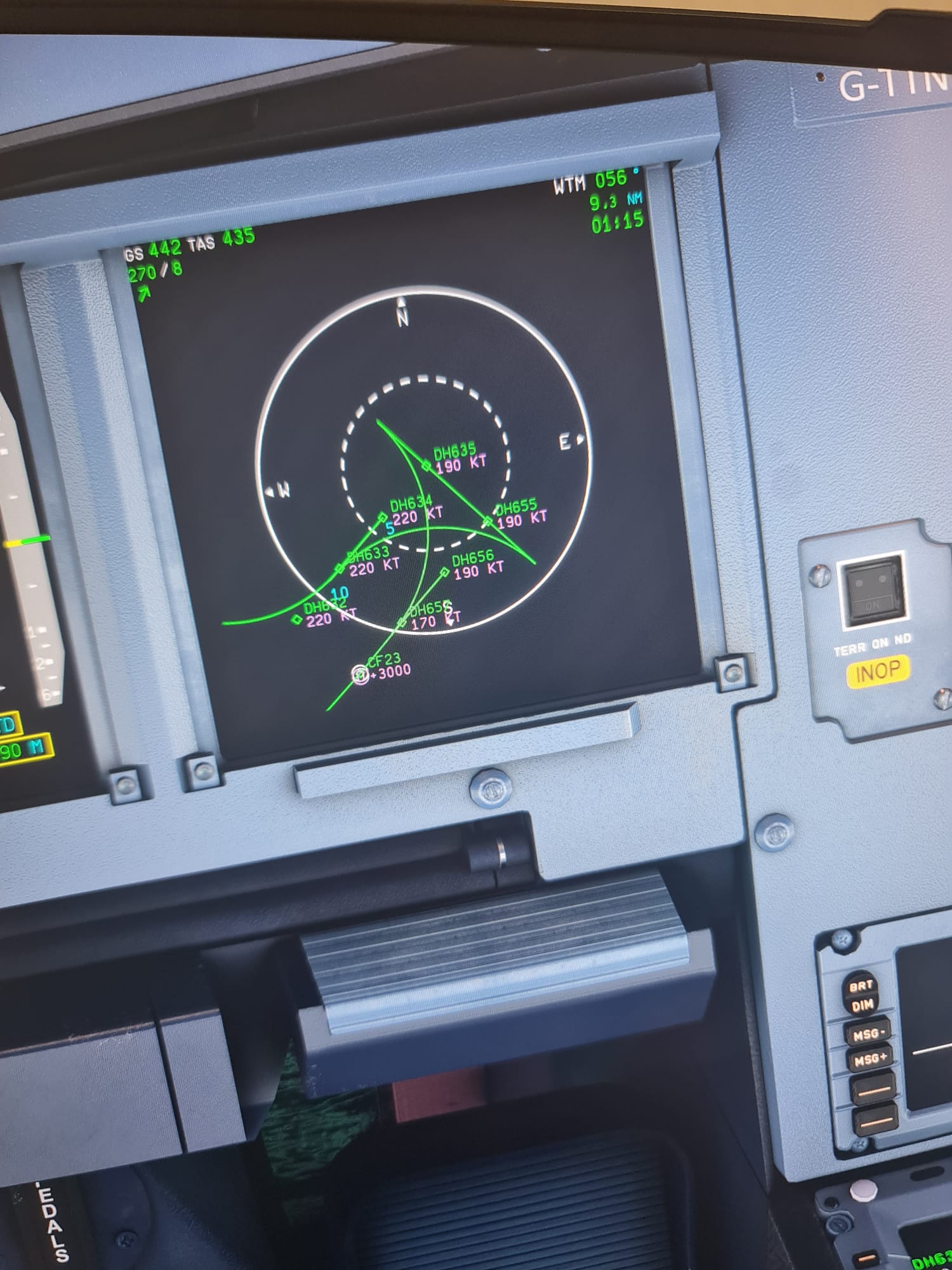
You can see i selected my path for the ils put the path won´t show correctly and it´s not just here when i fly to another Airport it´s always the same the path doesn´t show normal and sometimes there ist a big triangle shape. I hope you can help me. 
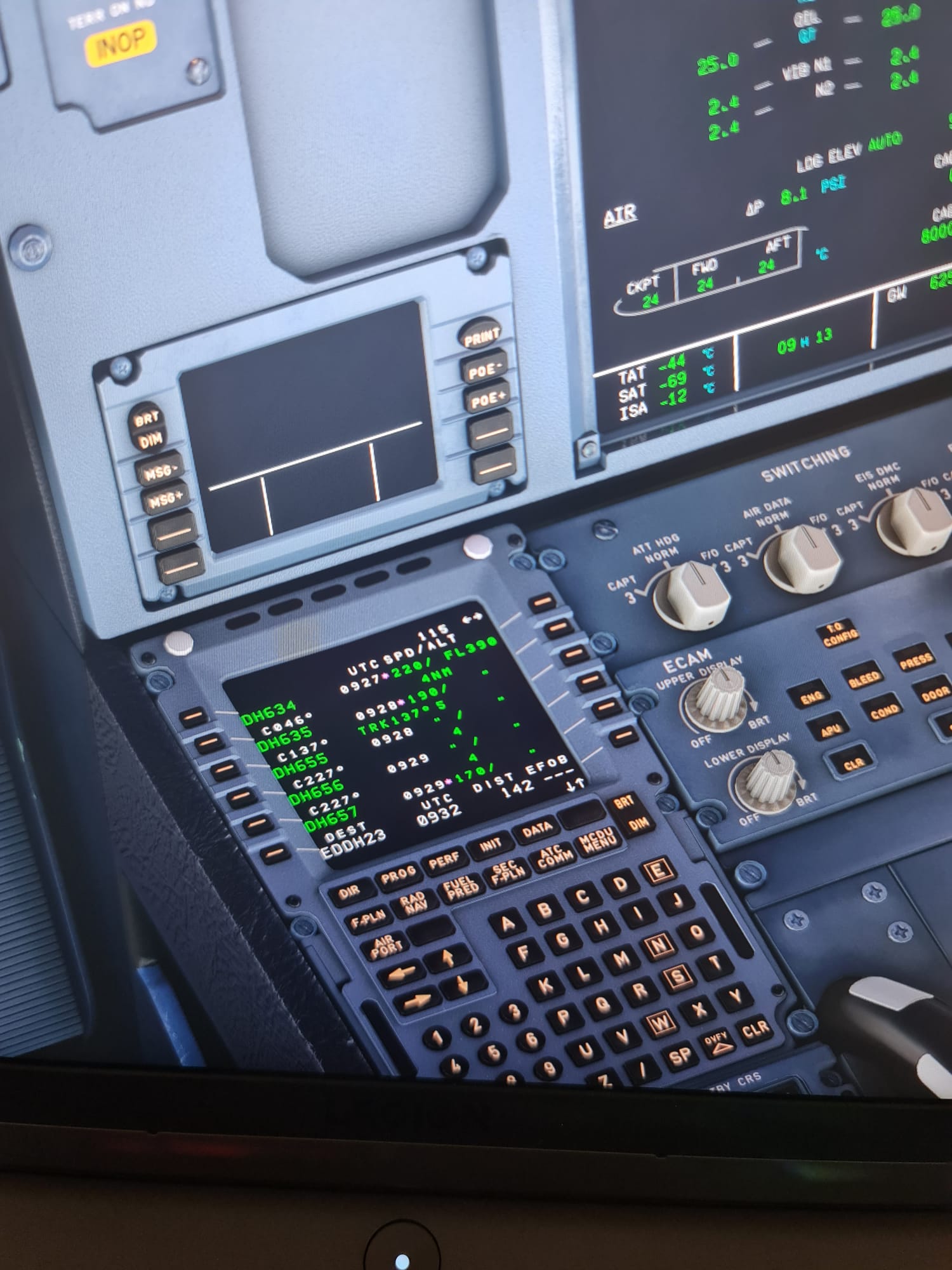
Yes, this was fixed in that patch, but now it’s back even if I use the drop down menu.
What does this look like when you slow down to 220knts? The paths are calculated using your current airspeed IIRC so if you’re looking at this while cruising it’s going to show you’re unable to make the turn.
Good suggestion.
I’ve noticed very odd calculated paths when approaching waypoints that have closely spaced turns. It tries to cut the turn, then gets lost and abandons NAV. You will see the turn radius decrease as you slow down.
There are definitely some problems with some waypoints getting placed out of sequence and causing routing and turning errors but generally, it’s doing reasonably well most of the time.
Hi there is it possible to import a simbrief flightplan and then change only the destination airport in the plan? (with the last WP on the same way)